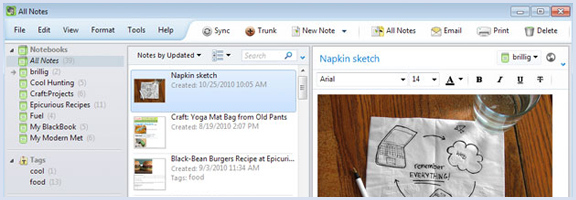
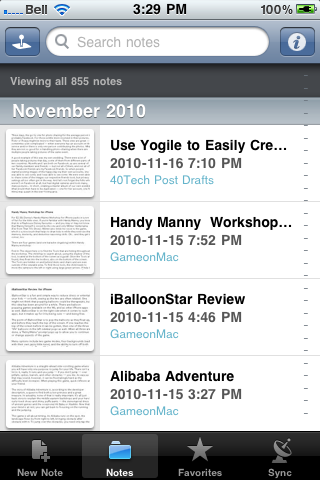
A few months ago, we compared Springpad to Evernote. In that post, we highlighted Springpad's many great features, but discussed why we weren't ready to give up Evernote in favor of Springpad. One of Springpad's drawbacks is its lack of a desktop app. What about on Android, though? As it turns out, Evernote's lead on the desktop evaporates on an Android device.
Regular readers know that we're not afraid to profess our undying love for Evernote. Kosmo, you can tease about it being required software to write for 40Tech, but Evernote's image and PDF OCR function alone is worth the premium account. The recent Voice2Note add-on from the Trunk is just icing on the cake. I, like others, was a little disappointed with Evernote's Trunk offerings, with the exception of Voice2Note. Perhaps the hype leading up to the announcement was just too built-up. I was really hoping for task management and some other goodies, but regardless of any disappointment, Evernote has been, and continues to be, the one place where I put every piece of information in my life.
It's no surprise, then, that when I transitioned from Apple to Android, Evernote was the first app I installed, even before Paper Toss. I had high hopes! What I found was a great deal of disappointment with Evernote on Android.
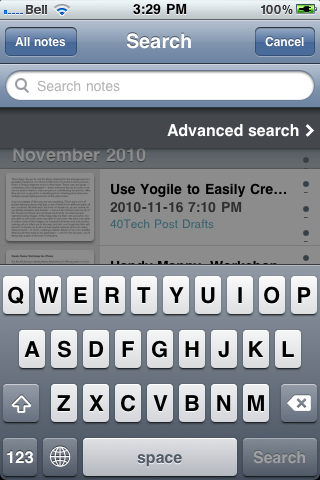
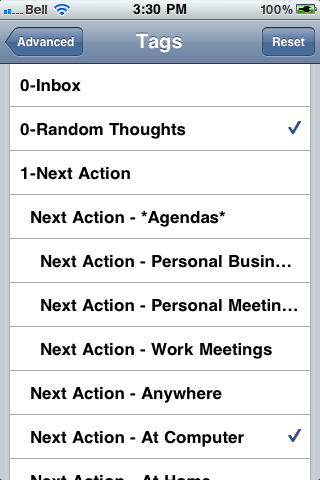
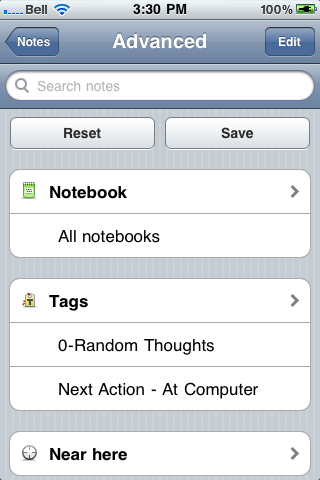
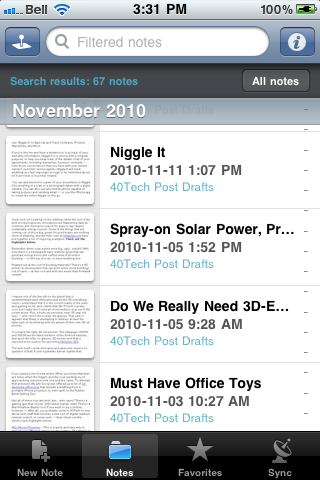
The problem with Evernote for Android involves getting to your notes, which is kind of a big deal in a note taking app. As many of you probably know, the Evernote iPhone app allows you to scroll through notes by folder, tag, saved searches and a ton of other ways. The Android Evernote client, however, does not. It consists of a search box and a way to create new notes.
The Evernote blog indicates that iPhone-like features, and more, are coming to Android, but the Evernote folks have been saying that for a while. I can't wait for my external brain to catch up with my internal one. My whole reason for using Evernote for everything is that I have a terrible memory. If I had a better memory I would remember the name of the book I’m trying to find, or the tag or folder I put it in. While I’m standing in a bookstore with Evernote for Android, my internal dialog goes something like: “OK brain, it had a picture of a man on the cover, it was a Russian author I think, or at least his name may have sounded Russian, my mom suggested it, did I tag it as 'books,' 'stuff to buy,' 'stuff to check out' or something else, or did I even tag it at all..what was that search trick to search for untagged notes that I have as a saved search…?"
As you can see the only difference between having Evernote for Android and not using Evernote at all is that I wouldn’t have to wonder how I tagged the mystery book. The result is the same- I buy a hot chocolate and head home with no book. Yes, this problem could be fixed if I took the time to reduce the number of tags I have, and better organized my tags and folders and stuck more strictly to it (in fact, we've written a post on doing just that with Evernote). However, my life is controlled chaos, so that is never happening. So I panicked and turned to Springpad.
I have to admit I tried Springpad about 8 months ago, and abruptly stopped. In fact upon signing in recently, I looked at the Springs I had made back then and they included things like "To Do: Stop using Springpad forever," and "WTF, no desktop client?" However, Springpad has been under furious development and is a totally different app from the one I used before, and even much improved from the overall positive review Bobby wrote in April. So with the combination of improvements made and my new desperation to find a program that is Evernote-like and usable on an Android device, I decided to give Springpad another try.
I want to stress from the outset that Springpad is not perfect. Aside from the shortcomings easily recognized, like the fact that I can’t rearrange, add or modify categories available, or change the category of an existing Spring, there are other issues. The Springpad app will periodically close without explanation, and occasionally will not be able to reach the server. To be fair, I have experienced similar events on my iPod Touch with Evernote, but with Evernote there is an offline copy of the notes for those times, whereas Springpad does not offer such comforts. However, if you are willing to deal with these rare inconveniences, what you get is in a lot of ways what I wish Evernote would be. For now, I’ll just quickly touch on three.
PERSONAL INFORMATION MANAGEMENT
Our previous review covered all of Springpad's task and event capabilities, so I won’t go into it more than to ask, why can’t this be done in Evernote? I want to be able to store everything in one place. “Everything” includes tasks, reminders, and a calendar that syncs with Google calendar. Springpad can, Evernote can’t.
PERSONAL SHOPPER
Like most people, I research on-line what I think I want to buy, but I often learn when I get to a store that there is another product that I like better, or I find something totally different that seems pretty cool. For instance, if I need to buy a computer, by the time I get to the store I will generally know which one I want and where the best price is. I wasn’t counting on a one-day manager’s special on a different computer and an external hard-drive for half-off sitting right next to it, but are these good deals? Springpad can tell me.
There are a ton of barcode scanner apps for Android, but Springpad is the only one I’ve seen that finds the product, tells you who else is selling it and for how much, stores the information in a program I already use everyday, tracks the price, notifies me of price changes, and suggests coupons. To make it a truly comprehensive shopping tool it would be great to see some reviews scraped from Amazon or CNET to tell me if the computer and hard-drive are being sold inexpensively or are just cheap, but short of that it really does make me almost tolerate shopping. Almost.
MEDIA
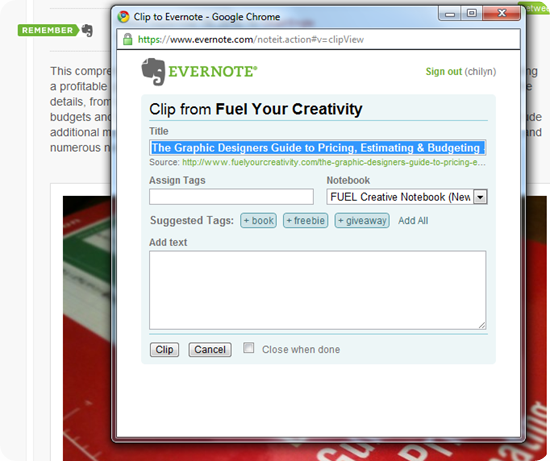
The Springpad WOW moment came when I saw a video on Big Think's website that I really liked. I clipped the site into Evernote and assigned a tag. I then tried it with Springpad. I clicked on Springpad's bookmarklet and added a bookmark to the page (same as Evernote) but with Springpad after two more mouse clicks, I embedded the video into the Spring and could watch it on my phone. To do the same with Evernote, I would have had to find a program that could grab the video from the site, install it, restart my computer, run the program, save the resulting file and then upload it to my note. Evernote is great at storage and search, but Springpad just blew my mind.
As I said, these are just some of the benefits of Springpad. They are rolling out new features all the time, and keep improving on the technical side. Until Springpad gets OCR technology for pictures and PDF's, the ability to import Evernote notes, and some added flexibility around how the information is stored and displayed, it won't be replacing my Evernote account. To be honest, if Evernote just gave me on my Droid what I had on my iPod Touch, I would probably drop Springpad altogether and continue to hope that Evernote would pick up the above features. Until Evernote improves their Android app, though, I’ll have to use both. This leaves the door open for Springpad to completely pull me away from Evernote.
Springpad for Android
Have you tried Springpad or Evernote on Android? What was your take?