Menu Close

Author: Bobby Travis (page 28 of 51)

Bobby isn't 40-something, but is a strong supporter of the Grown-up Geek kind. He's a loving husband and father first, but is also a freelance writer, productivity nut, operatically trained singer, and (not-so) closet geek.

Check out his random thoughts, wackiness, and Instagram pics on Tumblr, Twitter, or Google+-- or just head over to bobby-travis.com.

Let Google Goggles Do Your Thinking For You

Let Google Goggles Do YOur Thinking For You | 40Tech

If you own an Android or iOS device – at least one with a camera – you can now regale all of your friends with how insanely smart you are. The new version of Google Goggles has been ripping up the web in the past few days, as people buzz about the ridiculously fast barcode scanning of the Android client, print ad recognition in (popular) magazines and newspapers, and – perhaps most importantly – the ability to solve even the most difficult Sudoku puzzles in barely more than a blink.

Why would Google Goggles need the ability solve Sudoku? Frankly… who cares? As with many of the things in this world that don’t make you any smarter, it’s fun! If you don’t believe me, check out the cute promo video below, courtesy of the Google clan.

If you decide to test the new Goggles’ Sudoku prowess, make sure you get a clear shot of the puzzle without any of the extra bits you might find on, say, a webpage. If you don’t you will most likely be presented with search results over the solve puzzle button. I was never able to make it work with shots of my iPad app, either. Ahh well. It’s good to apply your brain sometimes, yes?

Happy puzzling!

Google Goggles Gets Faster, Smarter, and Solves Sudoku [Google Mobile Blog]

Show Us Your Workflow! How Do You Make Tech Work for You?

Show Us Your Workflow | 40Tech

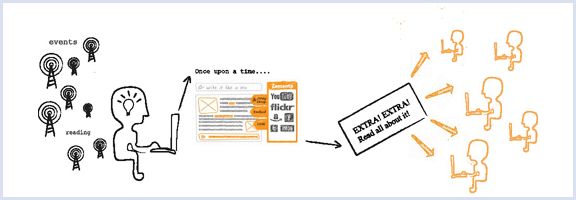
We write and converse a lot about productivity tools here on 40Tech, and the Grown-Up Geeks who frequent our small but fertile domain (that would be you) have always given us much to think about in terms of alternative methods and technologies. With that in mind, we’d love the opportunity to learn even more from you! We want to know your workflow; the tried and tested methods that you, personally, have found to get things done using tech.

Image by zemanta

Post in the comments, or send us an email, whatever works best for you. We’d be really interested in selecting a few and working with you to turn them into posts. Maybe we can even discover some sort of uber-workflow within them all that will better all of our lives.

Yeah, that last bit may sound like a stretch, but don’t hold the cheesy wording against me – it could happen!

So what’s your workflow?


Create a Cool New Custom Facebook Layout in Less than 5 Minutes

Create a Cool New Custom Facebook Layout in Less than 5 Minutes | 40Tech

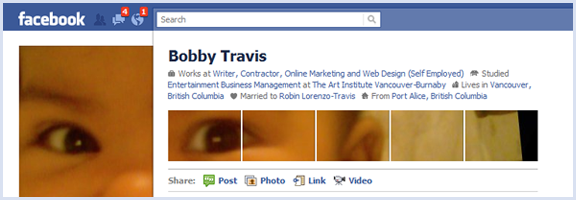
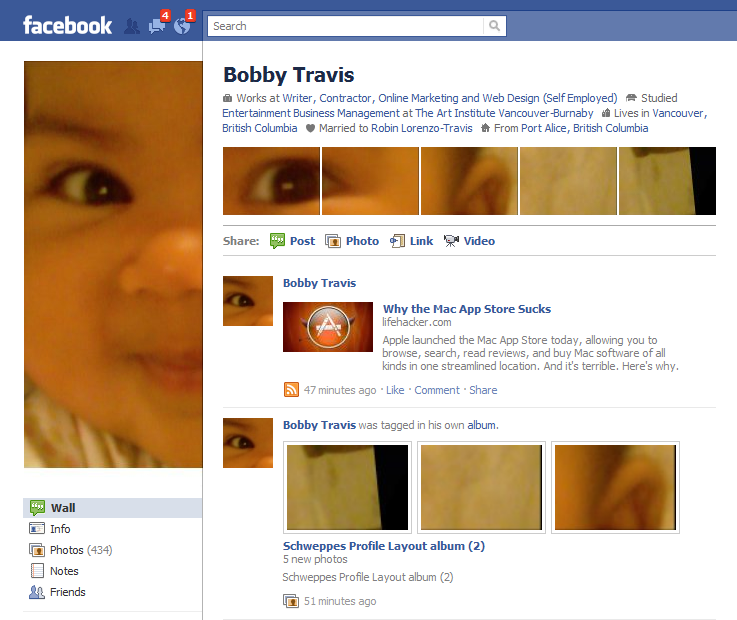
You might have seen posts floating about the web about creative uses of the new Facebook profile page’s photo layout. If it seems like a bit of work, there is a way you, too, can be ultra cool and trendy — but with little to no effort on your part. This is the best sort of trendiness, in my opinion, and all you have to do is fall for a rather clever marketing scheme by Schweppes.

Bobby Travis Facebook Page Custom Layout

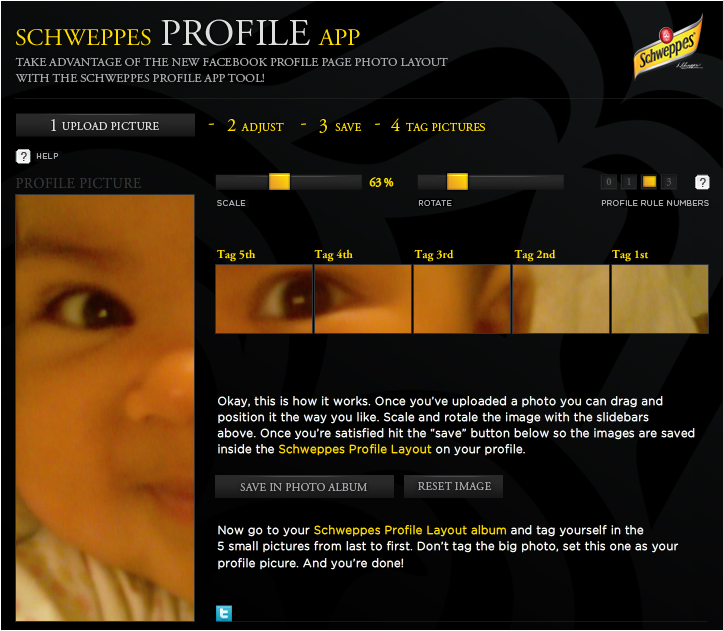
Schweppes — yes, the ginger-ale company — has put together a very simple to use app that will walk you through the process of creating your custom six part image with only a few clicks. I created mine in about three minutes, and most of that time was taken up in finding the picture I wanted. The only catch is that you have to Like the Schweppes fan page to get access to the app, which not only makes them look good, but also opens your Facebook stream up to Schweppes-related information. As a marketer, myself, I appreciate the cleverness of this approach — but if you don’t want to be subjected to beverage propaganda, there are several Facebook options you can employ to rid yourself of it.

Schweppes Facebook Cutsom Profile App | Schweppes Fan Page

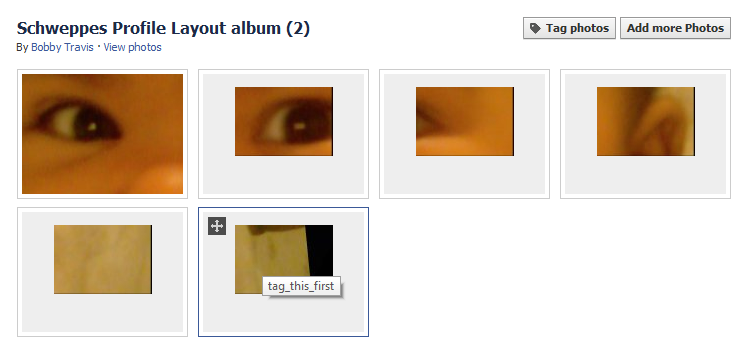
The Schweppes Profile App allows you to upload a picture, drag it about to get the ideal visible area, resize and rotate the image via sliders, and adjust the height of the line of five images that appear below your info at the top of your Facebook profile page. Once you’re ready to go, you save and upload the now-sliced images to Facebook, then click a button to be taken to the automatically created album, so that you can tag the small images and add the large one as your profile picture. The images are even named in such a way as to give you instructions about which one to tag first (they have to be done in the proper order).

Schweppes Facebook Cutsom Profile App Album

I had fun with this app, and can see myself playing with all sorts of pictures to see what interesting special me-ness I can add to my Facebook page. Click here to try it out. You can always get rid of Schweppes when you’re done.

Post links to your screenshots if you dare!


Photos: International Space Station with a Lunar and Solar Backdrop

International Space Station with a Lunar, Solar Backdrop | 40Tech

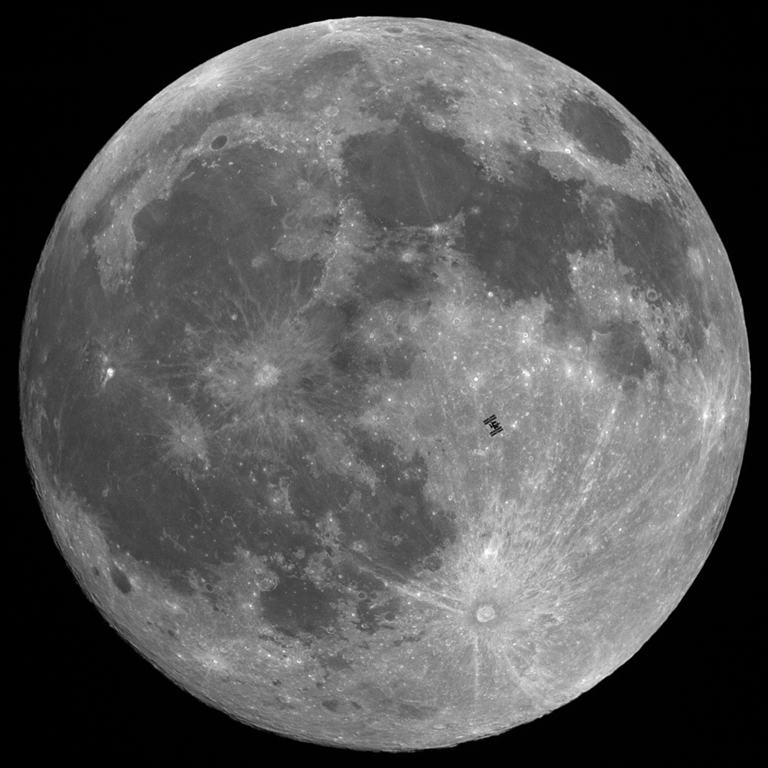
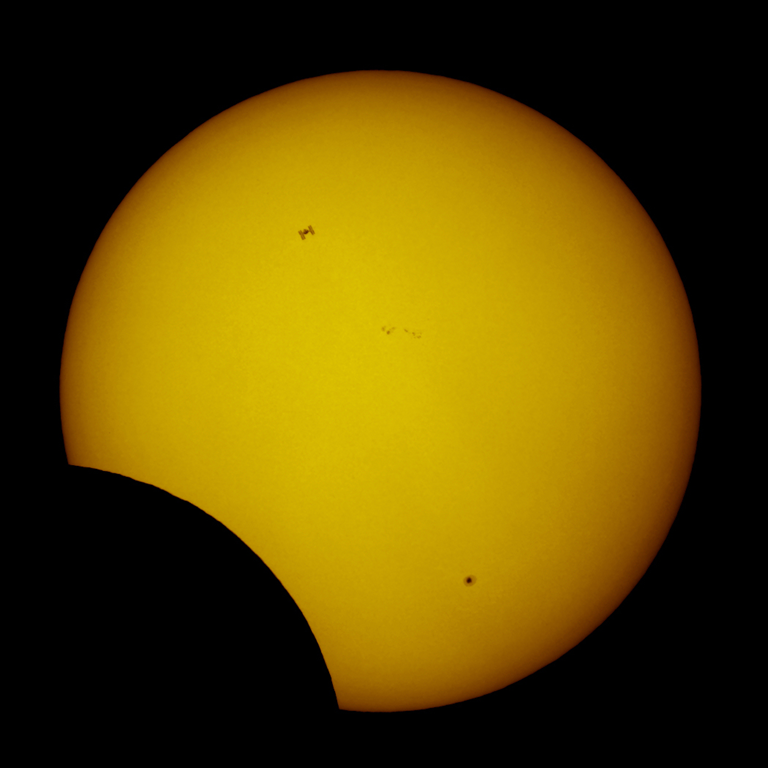
Hall of Fame French astrophotographer, Thierry Legault, is obviously a man who is big on planning. If not, it is highly unlikely that he would have been in just the right place, at just he right time to take photographs of the International Space Station as it passed across the faces of the sun and the moon.

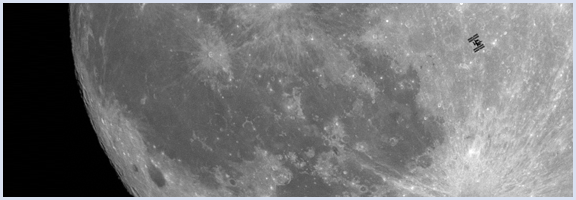
The images below both had an action window of less than one second, and though obviously tiny in comparison to the heavenly bodies, the International Space Station comes across incredibly clearly. The one of the sun is particularly interesting, as it takes place during a partial solar eclipse, and the space station shares the spotlight with a small black dot in the lower right corner of the sun — that is actually a sun spot that is larger than our entire planet.

Photo of International Space Station as it Passes Across the Moon | Thierry Legault

Photo of International Space Station as it Passes Across the Sun During Partial Solar Eclipse | Thierry Legault

If you are into what’s really going on in the sky, you should check out Thierry Legault’s website. It’s a terrible site, in point of fact, but the photographic content on it is amazing!

Amazingly well-timed photos of ISS silhouetted against moon, sun [Make]


Mozilla Wants to Teach You HTML5, Javascript, and CSS for Free

Mozilla Wants to Teach You HTML5, Javascript, and CSS for Free | 40Tech

Mozilla is partnering up with Peer 2 Peer University for its second round of School of Webcraft, where you, too, can learn HTML5, Javascript, and CSS — and you can do it for free! In the first go ’round (last semester), they ran 15 classes. This time, Mozilla and P2PU are aiming for 30. Courses are to begin on January 26th, are available for all experience levels, and will be between six to 10 weeks in length. New ideas for courses are still being accepted.

All courses are volunteer run, so if you have the expertise, you could also run a course yourself. P2PU and Mozilla will even help you out with the organization and realization of your course.

Registration for School of Webcraft opens on January 8th, 2011.

Planning to apply?

Learn HTML5, JavaScript and CSS With Mozilla’s Free “School of Webcraft” [Mashable]