

- Easy Access to US, UK Streaming Services From Anywhere - August 18, 2012
- 5 Fresh Android Games Released in 2012 - July 5, 2012
- Google Chrome Explodes On To iOS, Puts Desktop Experience In Your Pocket - June 30, 2012
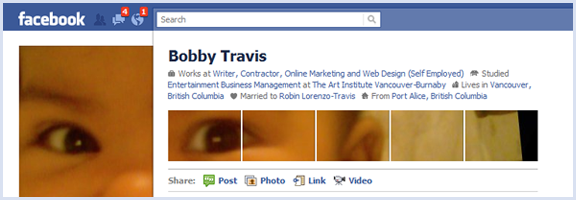
You might have seen posts floating about the web about creative uses of the new Facebook profile page’s photo layout. If it seems like a bit of work, there is a way you, too, can be ultra cool and trendy — but with little to no effort on your part. This is the best sort of trendiness, in my opinion, and all you have to do is fall for a rather clever marketing scheme by Schweppes.
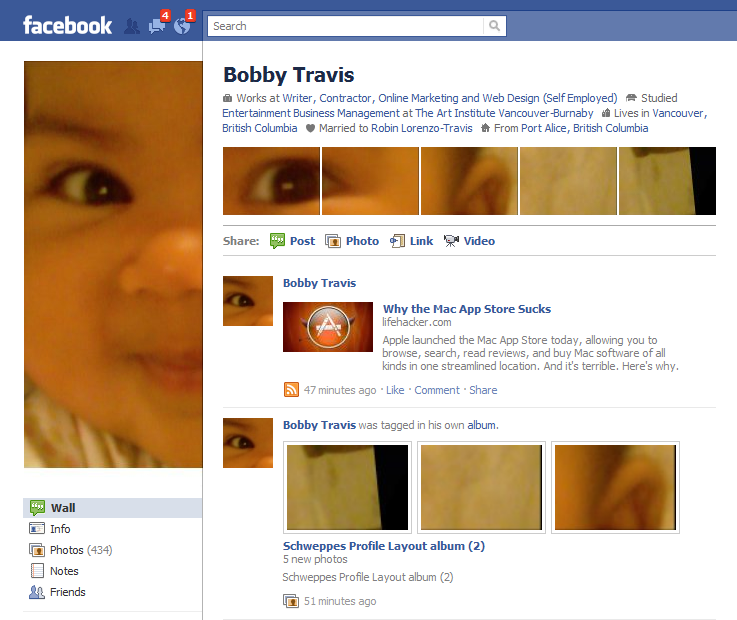
Schweppes — yes, the ginger-ale company — has put together a very simple to use app that will walk you through the process of creating your custom six part image with only a few clicks. I created mine in about three minutes, and most of that time was taken up in finding the picture I wanted. The only catch is that you have to Like the Schweppes fan page to get access to the app, which not only makes them look good, but also opens your Facebook stream up to Schweppes-related information. As a marketer, myself, I appreciate the cleverness of this approach — but if you don’t want to be subjected to beverage propaganda, there are several Facebook options you can employ to rid yourself of it.
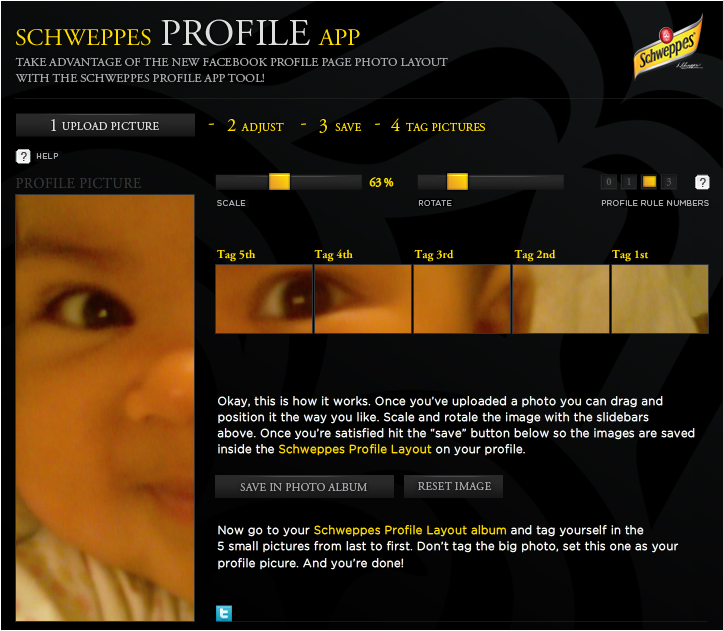
The Schweppes Profile App allows you to upload a picture, drag it about to get the ideal visible area, resize and rotate the image via sliders, and adjust the height of the line of five images that appear below your info at the top of your Facebook profile page. Once you’re ready to go, you save and upload the now-sliced images to Facebook, then click a button to be taken to the automatically created album, so that you can tag the small images and add the large one as your profile picture. The images are even named in such a way as to give you instructions about which one to tag first (they have to be done in the proper order).
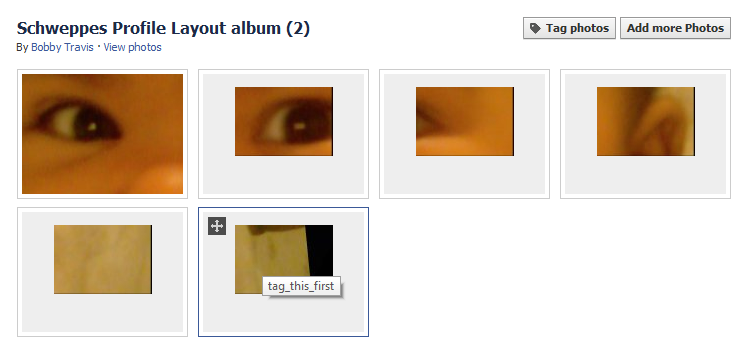
I had fun with this app, and can see myself playing with all sorts of pictures to see what interesting special me-ness I can add to my Facebook page. Click here to try it out. You can always get rid of Schweppes when you’re done.
Post links to your screenshots if you dare!

Anthony Russo says:
Well that was very cool and easy. Now I just have to get a photo with the right aspect ratio to make it work.
Anthony
January 7, 2011 — 12:35 pm
Bobby Travis says:
I’ve found that the rotate and resize options work for me in the face of aspect ratio woes — as long as the resolution is high enough, that is.
January 7, 2011 — 11:22 pm
Olivia says:
I like this new hack trick so I looked into other options for customizing your FB profile and I found a facebook layouts application called PageRage. It’s pretty cool and works very well. Check it out.
January 11, 2011 — 2:52 pm
Bobby Travis says:
Thanks for the tip, Olivia. I’ve heard of Pagerage. I know that in the past, there were some that didn’t like some of what the app did, such as forcing the install of the Yontoo toolbar and the like. Does it still do that? Also, are the customizations visible to the public, or is the layout only visible to you?
January 11, 2011 — 3:01 pm
Brandy says:
yes they do still make you install the yontoo and it is only visible to you and others who have the pagerage app.
January 13, 2011 — 4:51 pm
Bobby Travis says:
Good to know, Brandy, thanks!
January 13, 2011 — 10:18 pm
BigDogStudioX says:
Cool application! Are you going to write a blog about other types of sidebars for Facebook Brandy?
May 6, 2011 — 5:10 am