Menu Close

Author: Bobby Travis (page 15 of 51)

Bobby isn't 40-something, but is a strong supporter of the Grown-up Geek kind. He's a loving husband and father first, but is also a freelance writer, productivity nut, operatically trained singer, and (not-so) closet geek.

Check out his random thoughts, wackiness, and Instagram pics on Tumblr, Twitter, or Google+-- or just head over to bobby-travis.com.

Are 3D Printers the Precursor to Star Trek Style Replicators? [VIDEO]

Are 3D Printers the Precursor to Star Trek Style Replicators? [VIDEO] | 40Tech

While I was toying about with the Sparks feature of Google+ last night (yeah, yeah, another post that has a reference to Google Plus — sue me, it’s new and it’s shiny!), I came across a video that caused my brain to explode (Plus post). It’s about a visit by theoretical physicist David Kaplan to the Z Corporation, a 3D Printing and Rapid Prototyping company that has developed 3D printing tech to the degree that they can replicate tools. Yep, you heard me… Star Trek fans: replicate!

David challenges the Z Corporation to create a Crescent Wrench (adjustable spanner), complete with moving parts — and all in one pass.

I’ve been curious about 3D printing for a while, and the video — which comes from the National Geographic Channel’s Known Universe series (Construction Zone) — shines a little light on the process. Z Corporation has taken things a bit further, however, by creating a proprietary mixture of specialized powder and binder material that is strong enough to make the tools they replicate more than just a neat paper weight. They actually work! I don’t know to what degree of torque or pressure these tools can stand, but, according to the Z Corporation’s spokesperson in the video clip, all it takes for added toughness is a little more resin.

I’m not sure about environmental implications, and I’m certain the cost would be astronomical, but I would love to have one of these printers in my house — wouldn’t you?

http://www.youtube.com/watch?v=LQfYm4ZVcVI

NOTE: This video is hosted on YouTube, and not by the National Geographic Channel. I wouldn’t be surprised if it gets pulled by the NGC due to copyright issues, so watch it while you can.  :)

What do you think of 3D printing?


App of the Week: Move2Picasa (now called Move Your Photos) [Chrome]

App of the Week: Move2Picasa [Chrome] | 40Tech

Our last post on Google+ was a question on what you thought of the hype surrounding it. We’ve had a chance to play with it now, and so have many of you — and all in all, we like it. That’s not what this post is about though. This post is about taking advantage of Google opening up unlimited storage in Picasa as a result of Google Plus, and how you can use that, and a handy migration tool called Move2Picasa to backup your Facebook photos — whether you plan to use Google’s new social network or not.

UPDATE: The creator of Move2Picasa has changed the URL to the Chrome extension (the correct one is now in the post), and has changed the name of the Move2Picasa extension to Move Your Photos.  Thanks to Peter Pawlak on Plus for catching that!

Note on Unlimited Storage: Google has opened up storage in Picasa, in general. Plus users have free, unlimited storage for photos that are a maximum resolution of 2048X2048 pixels (and videos that are a maximum of 15 minutes), and 1GB of free storage for larger resolution photos. Anything over the 1GB (or whatever you have paid for additional storage) will be automatically resized down to the maximum free resolution. Non-Plus users get basically the same service, but their maximum resolution for photos is only 800X800 pixels.

Move2Picasa started as a website-based tool put together by Aman Kumar Jain, a web developer from Pune, India. It was leapt upon immediately by many of the early adopters of Plus, and the servers were quickly overloaded to the point that the site wouldn’t even load. Aman worked to solve the issues, and has now migrated Move2Picasa to a Google Chrome Extension .

The extension works beautifully! I copied over 1600 photos from Facebook to Picasa in less than an hour, and I barely had to lift a finger.

Here’s how it works:

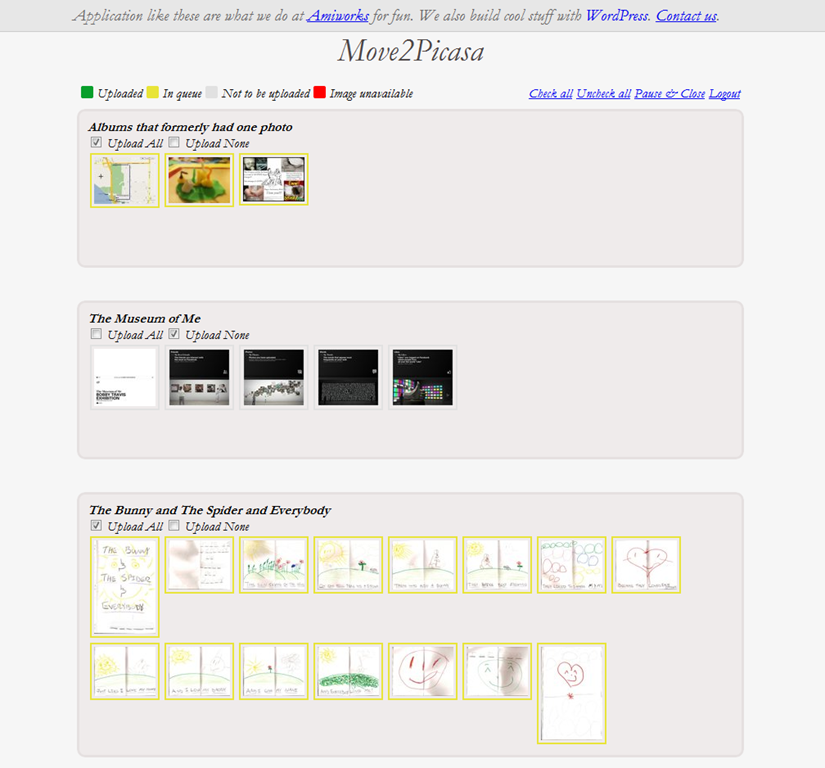
After installing the extension from the Web Store, click on it to log in to Facebook. You will be presented with a page that, after a minor load time, has all of your Facebook photos broken down into albums. The top left of the page shows a legend that identifies the coloured boxes surrounding the photos, which are yellow for “In queue,” by default. The top right of the page provides some simple tools to select or deselect all, pause and close to come back later, and to logout from the tool completely.

Each album has check boxes directly below the album name that allows you to make quick choices to Upload All or Upload None of the photos of that album. You can also click on individual photos to select or deselect them for uploading, which is handy, because you may have certain photos that you want to weed out before they are copied to Picasa. Like the yellow boxes, Upload All is selected by default.
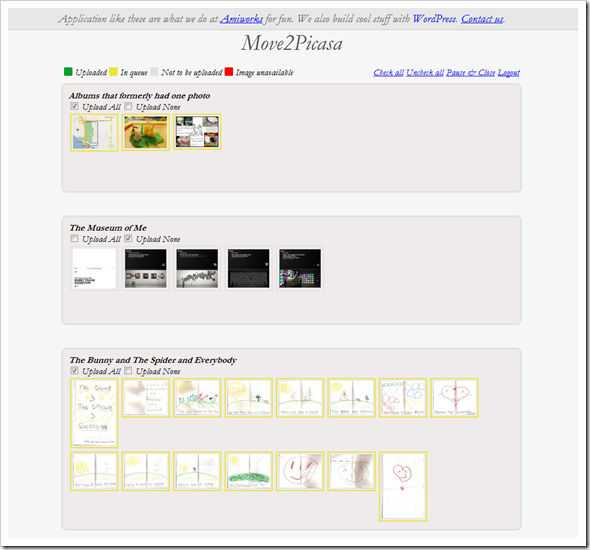
Move2Picasa | Copy Facebook Photos to Picasa, Google Plus | 40Tech

NOTE: At this point you may notice one weirdness: some of your albums may not be showing any pictures. Don’t panic. This is either because there are no pictures in that album, or because the albums have only one photo. Hopefully, this minor bug will be fixed soon — in the meantime, you may want to head to Facebook and add those errant solo photos to a combined album (you may have to log out and log back in to Move2Picasa to see the changes), or simply download them manually from Facebook and upload them to Picasa without the tool.

Once you have chosen the photos you want to copy over to Picasa, click the Upload button on the bottom of the page, and sit back and let Move2Picasa do all the heavy lifting for you!

When I did it, I didn’t notice any extra load on my computer, and had no problem doing whatever else I needed to do while it ran in the background. Some people have reported the occasional error pop-up that breaks the operation (this happened to me, too), but Aman posted to my thread on Google+ (find me here, we can add each other to our respective circles and you can read it) that the issue had been fixed. It was barely a problem, in any case, as all I and the other users who had the problem needed to do was click the upload button again, and the handy countdown picked up right where it had left off.

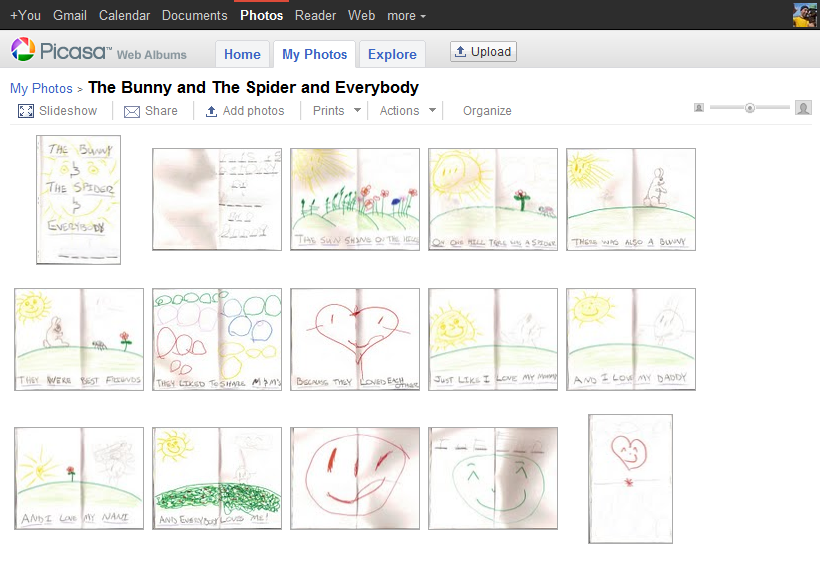
Before you know it, you will have complete duplicates of your Facebook albums living in Picasa, ready to do with as you please. The only caveats I have discovered so far is that the images appear to be the Facebook-resized versions only, as opposed to the full-res photos Facebook supports now (though I would love for someone to confirm otherwise), and that Move2Picasa does not support caption importing. That last bit is too bad, but hopefully will change at some point in the future. Move2Picasa as a Chrome Extension is only a couple of days old, after all.
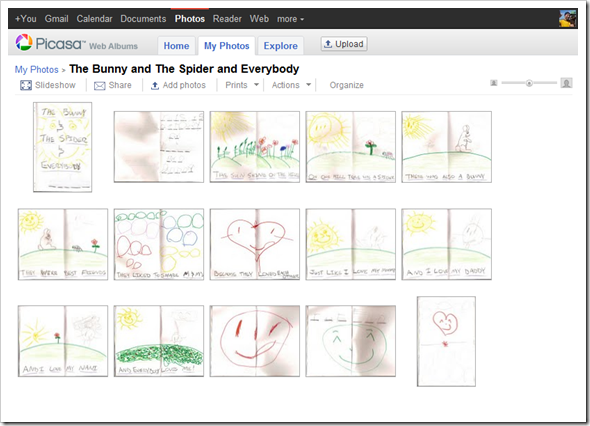
Facebook Photos Moved to Picasa, Google+ with Move2Picasa | 40Tech


Why Bother?

Some of you may wonder why you should care. You may have no use for Google+, or Plus, or whatever people want to call it, and think that it is just another hyped Google product that will crash and burn. And it might; you never know. The fact that Plus has already surpassed 10 million users (though many are probably not active — but then, neither are bulk of Facebook’s hundreds of millions) indicates otherwise, however. The efforts that Google is putting into design and to integrate Plus into its overall offerings — possibly making it the connecting flagship of Google’s main products — is another strong reason to think Google+ may be around for a while yet.

Whichever way Google’s social efforts go this time, it is unlikely Picasa is going to fizzle away anytime soon. Take it from someone who lost the entire first year of photos with the lovely lady who is now my wife (due to a backup hard drive falling off of a bloody coffee table!), it never hurts to have another backup of your precious photos. The fact that this is an online backup with practically unlimited storage, an interface that allows easy viewing and sharing, and a built-in photo editor doesn’t hurt either. So why not use it?

If you still don’t want any part of Plus, Picasa does offer unlimited storage for everyone, now, but, as mentioned in the note at the beginning of the article, you will only be allowed to upload photos that are 800X800 pixel resolution, as opposed to the 2048X2048 resolution offered to Plus users. If you go that route, though, I’m not entirely sure Move2Picasa will work for you. I don’t see why it wouldn’t, but I haven’t tried it that way. Why would I? Whether I stick with Google+ or not, I’m definitely ok with having dust bunnies swarm over my account if the trade off is the unlimited storage and backup of higher resolution photos.

How about you?


Dropbox Updates Terms (again) to Calm Intellectual Property Fears

Dropbox Updates Terms (again) to Calm Intellectual Property Fears | 40Tech

Dropbox has been upsetting some of its users, recently, with changes to its terms of service that caused concern and outrage regarding privacy of files uploaded to the service. Sure, outrage is easy to come by on the internet, especially with changes to heavily used cloud services, but there were some valid arguments to be made — and people didn’t hesitate to make them. First, there was that whole thing about decrytpting users’ encrypted files and handing them over to authorities when asked. Questions of users’ legal and moral behaviours notwithstanding, the simple fact that Dropbox claimed the right to decrypt what was encrypted was enough to shake up many people.

Most recently, however, Dropbox did something that should have been considered a good thing: they updated their terms to plain language that made them easier to understand. Unfortunately that blew up in their face, as some of the wording gave Dropbox the right to use your files pretty much however they want, intellectual property notwithstanding. The latest update to the Dropbox terms of service is aimed at quelling those fears.

Last week’s Dropbox update in terms stated the following:

you grant us (and those we work with to provide the Services) worldwide, non-exclusive, royalty-free, sublicenseable rights to use, copy, distribute, prepare derivative works (such as translations or format conversions) of, perform, or publicly display that stuff to the extent reasonably necessary for the Service.

This was followed by:

This license is solely to enable us to technically administer, display, and operate the Services.

That last sentence was meant to apply the new Dropbox usage rights to your files to the smooth running of the service, but the phrasing was too vague to make users feel secure that Dropbox wouldn’t and couldn’t abuse their intellectual property rights. For those that think it should be obvious, bear in mind that loopholes have a tendency to turn the legal system on its ear, and that there have been other services — mostly for photos — making news recently because they were specifically saying that they did own your content if you used their service.

In any case, in yesterday’s update, Dropbox has posted a revision to that contested clause that was accompanied by a blog post stating that they have “always believed your stuff is yours and yours alone,” and that they intend to quell users’ fears that Dropbox will own rights to their content. Here’s the new phrasing:

…By using our Services you provide us with information, files, and folders that you submit to Dropbox (together, “your stuff”). You retain full ownership to your stuff. We don’t claim any ownership to any of it. These Terms do not grant us any rights to your stuff or intellectual property except for the limited rights that are needed to run the Services, as explained below.

We may need your permission to do things you ask us to do with your stuff, for example, hosting your files, or sharing them at your direction. This includes product features visible to you, for example, image thumbnails or document previews. It also includes design choices we make to technically administer our Services, for example, how we redundantly backup data to keep it safe. You give us the permissions we need to do those things solely to provide the Services. This permission also extends to trusted third parties we work with to provide the Services, for example Amazon, which provides our storage space (again, only to provide the Services).

To be clear, aside from the rare exceptions we identify in our Privacy Policy, no matter how the Services change, we won’t share your content with others, including law enforcement, for any purpose unless you direct us to. How we collect and use your information generally is also explained in our Privacy Policy

This is definitely an improvement, as it clears up the intellectual property concerns. Of course, the original outrage over how Dropbox can monitor, decrypt, and share your files is still out there, but judging by the terms of service of Amazon’s Cloud Drive and others, including Facebook, Google, Apple, Skype, and Twitter, this sort of thing is fast becoming the norm for cloud services, especially those that offer storage – in the end, we users may have no choice but to assume the position, take it, and like it if we want to use these types of services.

What do you think?


Google+ Envy? Or Are You the More Cautious Type?

Google+ Envy? Or Are You the More Cautious Type? | 40Tech

Google+ is all the rage among the tech-geeks of the world right now. It’s the tech geek — and social geek — media equivalent of a major presidential upset or natural disaster. And with a new Google product, it could end up being either. It really depends on your level of cynicism when it comes to Google launches. Their efforts in the social tech space, while fantastic from the innovation perspective, have fallen flat repeatedly when it comes to adoption. And when I say flat, I mean a fall from a tall, tall building that ends with something reminiscent of a pancake. Or a crêpe.

So I’m curious: where do you stand on the Google+ front?

For me, I’m definitely interested and excited to try it out if and when it ever gets to me. However, I’m more than a bit cautious when it comes to the “Google+ will change social media and business as we know it” spiel. Sure, it’s possible that Google may kill, or at least finally be able to compete with Facebook and Twitter, but we’ve heard all of that before. Hello Google Buzz — and damn you Google Wave.

Frankly, I’m a bit tired of tech media spinning new products like this out of proportion. I’m tired of hearing about unproven products that are destined to kill proven products, especially when the creator has a poor track record of success and their only real merit is that the creator is a tech giant. What has been proven, time and again, is that — if you’ll excuse the age-old, multi-layered saying — size doesn’t matter.

So, what do you think? With the failures of Google Wave, Buzz, Orkut and Sidewiki drag Google down yet again? Is Google+ as amazing as it sounds? Even if it is, do you think it has a prayer of taking on Facebook and/or Twitter? Let us know in the comments.


Random Tech Video: Canada Day/4th of July Edition

Random Tech Video: Canada Day/4th of July Edition | 40Tech

Welcome to another long-weekend edition of 40Tech (Canada Day today and the 4th of July on, well… the 4th). To commemorate this joyous occasion, we present you with yet another 40Tech Random Tech Video(s)! We hope you enjoy it (them), enjoy your day, and enjoy the hell out of you long weekend. Cheers! :D

This set of random tech videos are all about the 4th of July. Why? Because the 40Tech audience is still mostly US-based, and because we Canadians apparently have better things to do than spend time making silly safety PSAs with lego stop-motion and/or video game machinima. Or maybe we just don’t party as hard as you Americans do… Either way, these two videos show us all why playing with fireworks while drinking is, at best, a bad idea.

4th of July Lego Safety


Halo Machinima Red vs Blue’s 4th of July PSA by Rooster Teeth


Have a fun and safe holiday!

Have any tech-related Canada Day, 4th of July, or other funny holiday videos to share? Drop a link in the comments!