Menu Close

Category: Organization (page 4 of 5)

Tidy Up Your PC With FileMenu

FileMenu

If you’re like me, you let your computer – and particularly your PC’s desktop – become a complete mess before you dive in to tidy it up.  One way to speed up the cleaning process is by filing away all that mess.  If you want a fast way to dump files into predetermined folders, take a look at FileMenu.  FileMenu is simple in concept, but it is like the Swiss Army Knife of file management. Read more


Find Lost Gadgets… With This Gadget

Find Lost Gadgets with Zomm | 40Tech

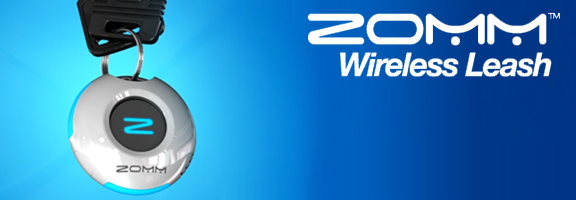
Zomm is one of those neat little gadgets that I’m not sure I would ever buy, might raise an eyebrow at if given it for a gift, but would probably find ridiculously useful if I had one. It does three things:

  1. Helps you never forget your phone (or other bluetooth-enabled device you’ve paired to it) by sounding an alarm if you start to walk away from it.
  2. Answers phone calls with the touch of a button, improving driving/cell-phone safety.
  3. Acts as a personal security alarm that will even dial 911 for you.

The Zomm, which won Best of Innovations at 2010’s CES (Consumer Electronics Show), is keychain-sized, comes in white or black with blue accents, and will fit in the palm of your hand. It costs about $80.00.

Check out the video post on the Zomm below. It’s by super-geek Chris Pirillo, and will, at the very least, remind you of exactly what level of geek you are by comparison. If five minutes of Chris is too much for you to handle, go one video down and check out the Zomm commercial – Chris is funnier, though. Enjoy, and have a fantastic weekend!


Who’s getting the Zomm on your Christmas shopping list?

How Do You Find Lost Gadgets [Lockergnome]


Use “Niggle It” to Back Up and Track Contracts, Product Warranties, and More

Niggle It Backs Up, Tracks Contracts, Product Warranties, More | 40Tech

If you’re like me and have a tendency to lose track of your warranty information, Niggle It is a service with a singular purpose: to help you keep track of the details of all of your agreements, including warranties, business contracts — even those conversations that you have with your mobile carrier’s customer service agents. Niggle It will track anything you feel important enough to be reminded about, be it personal or business related.

You can add electronic copies of your documents to Niggle It by emailing in a scan or a photograph taken with a digital camera. You can also use any mobile phone capable of taking pictures and sending email — or use the iPhone app to create the entire Niggle on the go.

The value of Niggle It is the ability to create reminders based on contract dates, and to add additional information and documents to the file (Niggle) that is dedicated to that one item/contract. You have a dedicated, always on hand back up of the documents you need if something goes wrong, and a tool that is able to remind you to, say, get that last full service in on your car before the warranty runs out — just in case.

Niggle It guarantees that your information is always available from anywhere you can access the internet, and that everything is private and secure, with no personal information ever shared with a third party.

Niggle It is free up to five Niggles, and also includes the following pricing plans:

  • Basic: 70 Niggles, 300 MB, 5 MB filesize limit –> $24.95/year
  • Household: 200 Niggles, 800 MB, 10 MB filesize limit, and a Tax Deduction report –> $29.95/year

What do you use to track your warranties and contracts? [Niggle It]


UPDATE: The pricing page for Niggle It is somewhat unclear. I assumed it was per month, but it could, in fact, be $25 and $30 per year — much more reasonably priced.

UPDATE 2: The price is yearly — not monthly — and has been corrected.


Your Next Credit Card May Be a Cell Phone.

08.4.10 - Credit Card

My wallet is pretty small. I don’t carry business cards because you can get my contact information from my LinkedIn profile, Facebook page, website or email signature. I don’t carry money because I have one rewards credit card that I use for everything.  If you don’t take credit cards, then I’ll go to the store around the corner that does. I don’t carry receipts because I scan them into Evernote and have them synced with my phone. I don’t carry pictures because I put those in Dropbox and can see them on my phone any time I want without the risk of losing them. I don’t carry health insurance cards, dental insurance cards, business cards from my doctor’s office, or membership cards from AAA or elsewhere, because I put all of that information into my contacts on my phone and leave the cards at home. I don’t carry a library card because the library staff can pull up my information based on my driver’s license. So I am left with my driver’s license and a credit card. It seems that if Verizon and AT&T have their way, I soon will be down to just my driver’s license.

According to several sources, Verizon and AT&T are working on a partnership to develop contactless payments from your cell phone. The financial website The Motley Fool has more information on the deal.  It seems there is no word yet on when this might be rolled out, or how they are going to fill my mailbox with pre-approved cell phone / credit card offers.

So what do you think?  Would you use a system like this?  Would you trust it?

     Looming Threat for Visa, MasterCard from AT&T, Verizon [The Motley Fool]


6 Options for Free Cloud Storage

cloud storage Need a way to keep your files synced and accessible from pretty much any computer, including your mobile computing devices? Want to do it on the cheap? Here are six options that can help you out:


Read more