
 One of the benefits of Evernote is that you can use it almost anywhere, thanks to the multiple platforms on which it is available. Over in the official Evernote forums, a new topic has just started brewing that discusses creative uses of Evernote on mobile devices. Inspired by that thread, here are seven creative uses of Evernote on the iPhone. Really, most of these ideas could be implemented using any mobile device with web access, but I’ve only tested these on the iPhone. These are either my own ideas, or were inspired by elsewhere, such as the aforementioned post in the Evernote forums. For more ideas on how to use Evernote (including some ways to use Evernote on the iPhone), check out our earlier article, 10 Ways to Unclutter Your Mind using Evernote. In the comments, let us know how you use Evernote on your mobile device.
Category: Evernote (page 8 of 9)
This article has been updated in a newer post, How to Password-Protect Evernote, which shows an easier way to open an encrypted version of Evernote with a simple desktop shortcut.
 Do you want to keep your Evernote data secure on a less-than-private computer? Right now there is no "built in" way to secure your Evernote data, aside from using your operating system’s user account features to set Evernote to be available only to certain user accounts on a machine. Fortunately, there are third party solutions which are even more secure. One such solution is to pair Everote with a third party program like TrueCrypt, so that your Evernote data is encrypted and protected from prying eyes.
 A while back, I was working a job that required much more effort and responsibility than was reflected in my pay grade — familiar story? Well, combined with multiple side-projects, keeping up with my wife, newborn daughter, two dogs and a plethora of other things that required my time and energy, I was drowning. I started researching ways to get things done more efficiently. That’s how I first came across the cultural phenomena (some would just say cult…) that is GTD. A friend of mine who was “in the know” about such things was nice enough to lend me an audio version of a GTD seminar by David Allen. After about 2 weeks of listening (on the train, before bed, whenever I could), and an attempted implementation, I realized that I needed a system that was less file cabinets and paper and more suited to my digital life.
Enter Evernote…
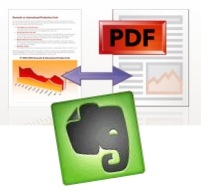 One of the big differences between Evernote on the Windows and Mac platforms is that Mac users have the ability to clip web pages from Safari, and send those pages into Evernote as PDF files. Windows users can clip pages to Evernote, but those pages aren’t sent as PDF files. As a result, the pages often lose important formatting in the transition.
Firefox users on Windows can get similar functionality to their Mac counterparts by installing the PDF Download add-on, and then, when downloading a page as a PDF, selecting Evernote as the default program to open the file. Read on for more detailed instructions.
Read more
 I’ve talked about Evernote quite a bit here. Next to Firefox, it may be my most used application. One of the strengths of Evernote is that it is available on several different platforms, such as Windows, Mac, portable USB, iPhone, Blackberry, Palm Pre, and via the web. A quick visit to the Evernote forums, though, reveals that many people feel that one of the chinks in Evernote’s armor is the Windows client. That will change, with a new Windows version in the pipeline.