Menu Close

Category: Applications (page 14 of 29)

Five Ways to Increase Your Productivity Using Text Expansion Software

text expansion productivity.jpg

We love apps that can make you more productive, and help you get things done. One type of app that can give a tremendous boost to your productivity is text expansion software, such as Texter and Phrase Express on Windows, and TypeIt4Me and TextExpander on the Mac. With text expansion software, you create snippets of text, and then set up abbreviations to trigger the typing of those snippets. If you’re not sure how you can fit text expansion software into your workflow, read on for some examples of how to use it.

Try before you buy! And see what we have to say tomorrow, when we’ll look at our favorite text expansion app for Windows, and our favorite on the Mac, and how to get them to sync with each other so that you don’t have to manually recreate your snippets in each app.

Read more


App of the Week: FeedDemon Lite [Windows]

FeedDemon.jpg

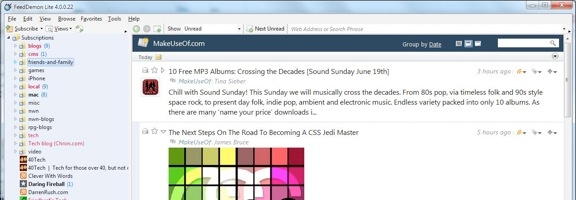
Four months ago, we asked you if you liked your apps in the cloud or on the desktop. The votes were pretty evenly split between the cloud, the desktop, and no preference. One type of app that I’ve grown to appreciate more on the desktop than in the cloud is an RSS reader that syncs with Google Reader. Why? Speed and elegance. On the Mac and iOS, I’ve grown to love Reeder, which I’ve counted among my 10 essential Mac apps, and among 10 killer content consumption apps on the iPad. But what about Windows?

Read more


App of the Week: Atomic Web Browser [iOS]

App of the Week : Atomic Web Browser | 40Tech

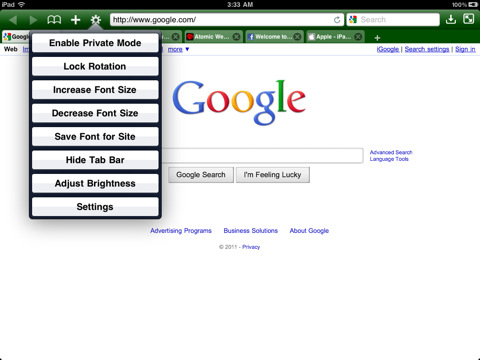
Mobile Safari has it’s good points, but there are several places where it leaves a lot to be desired. There are speed issues when loading, the lack of any real multitasking (resulting in windows constantly reloading when you exit the app and return), no background tab or window loading, etc., etc., etc. To compound these issues, the last few iPad versions of Safari (including the current one) are unstable at the best of times, their regular crashes making browsing a chore.

There are several Safari alternatives for iOS, all if them trying to overcome the shortcomings of the stock iPhone and iPad browser. The best of the lot, however, considering features, usability, and price, is Atomic Web Browser.

Atomic Web Browser has been around since December of 2009 and while it has floated back and forth between $0.99 and $1.99, it has held steady at $0.99 for nearly a year. It also has a Lite version which has nearly all of the same features, but for $0.99, getting niceties like the ability to set a homepage isn’t a bad deal. Anyone who’s read my work on 40Tech before knows that’s high praise, too. It takes a lot to get me to shell out money if I don’t have to, and I’ve found it to be completely worth my while so far.

Features

It used to be that Atomic and other mobile Safari alternatives were sought after for real tabbed browsing and the ability to switch User Agents and view mobile pages as if they were served on a full-sized computer. Those are minor features these days, and Atomic has become useful for so much more. Here are the highlights (go here for the full list):

  • Load tabs in background
  • True multitasking
  • Add JavaScript as bookmarks
  • Share links on Facebook and Twitter
  • Configurable swipe and tap gestures
  • Save pages for offline viewing
  • Download manager with Dropbox, iTunes and email support
  • Import/Export bookmarks
  • Jump to top/bottom of web pages
  • Change and lock font-size for specific sites
  • Full-screen browsing with configurable buttons
  • Launch homepage, last session, or last viewed
  • Bookmarklet that sends pages to Atomic Web Browser from Safari

There are a ton of other features as well, such as setting the colour of the browser, ad block, private mode, air print, web compression (for faster browsing), search engine plugins, on-page search, view page source code, and more.
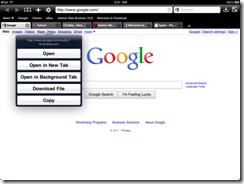
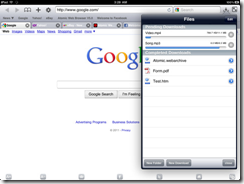
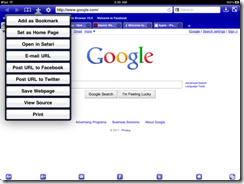
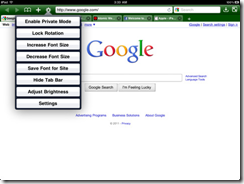
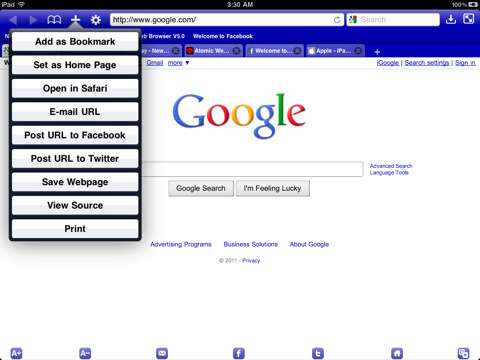
Atomic Web Browser Background Tabs Atomic Web Browser Download ManagerAtomic Web Browser Action ButtonsAtomic Web Browser Options

There are a few other browsers that compare with Atomic, the closest in both price and features being Mercury Browser, which I have been using on my iPhone for the past while. Mercury Browser is almost identical in features and has a few interesting possibilities like a library of common bookmarklets that can be installed (which is a bit buggy), a bookmarks springboard, and speed-dial-like dashboard for your favourite sites.

Mercury Browser’s extra features are great, and combine well with an interesting and pretty interface to make for fantastic browser, but I find that Atomic is easier to navigate. The Atomic Web Browser’s look and feel is more minimalist and straightforward in its approach, and for me — and more importantly, my wife — that translates into a better overall experience. Both have free and very functional Lite versions, though, so you should give them a try to see what suits you better.

Your turn:

What’s your favourite browser for iOS?


App of the Week: Check Your Battery Health With coconutBattery [Mac]

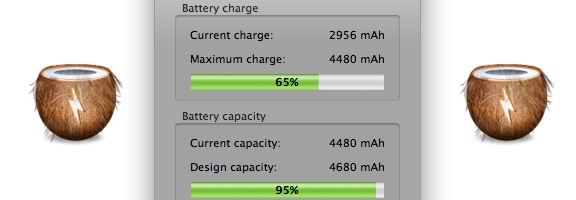
In the spirit of simplicity on the Mac, the App of the Week this week serves one function: it tells you the status and health of your Mac laptop’s battery. CoconutBattery doesn’t require any sort of fancy or complicated configuration. Just install it, and go. The screenshot in this post demonstrates exactly what information it gives you.

Read more


Why I Killed Angry Birds for Chrome [App of the Week]

Angry Birds for Google Chrome | 40Tech

I hated this app. Not because it wasn’t fun, and not because there was something wrong with it — no, no, none of that. It was because it called to me in the middle of the night, squawking at me softly, compellingly; demanding that I play it over and over again until the wee hours before the dawn. Even now, as I write this, the little red bird that promotes the game’s evil is peeking at me with his sinister cartoony eyes, poking his head around the left-most edge of my Evernote window.

I couldn’t allow it. Angry Birds for Chrome messed with my productivity mojo — and this is why the Birds had to die.

I had been avoiding the game for months. I’ve got an iPhone — and an iPad too. I follow these things. I pay attention. I know exactly how addictive Angry Birds has been for people, so I avoided it like the productivity plague that it was (and is!). But all of that ended on one fateful day when I was trolling the Chrome Web Store for new and exciting apps.

It was late, you see, and I was tired. I had been working my butt off on some freelance projects — a website redesign plan, a proposal for social media marketing, some blog posts for a new productivity blog I’m working on (ironic, I know) — and I needed to blow off some steam. That’s how they get you, see? There’s that moment of weakness, and you see their ad — and suddenly you’re installing, clicking, and watching those poor little birds get their eggs stolen by those bastard green (but cute!) pig heads. Don’t question the logic of it — it’s freaking mesmerizing!

So I tried the first level. It was easy. Too easy, like all gateway drugs are. Just a little taste, you know? A taste for free.

Free? Ha! I spent the next few hours of my life firing bird after crazy, utterly enraged bird into green-pig-head strongholds. Dozens and dozens died for the cause — it was a bleeding massacre! But I took those little piggies down, man. I got ’em one after the other, after the other. I giggled maniacally as I toppled their houses around their green little piggy ears. I shook my fist and roared after them as they ran away again and again with the eggs of my allies — and I followed them determinedly into battle after glorious battle. Who cared that I had to get up in an hour? I was rocking this game! Physics was my bitch! I — damn, was that my wife’s alarm clock? WTF time was it anyway??

So you see… It wasn’t my fault! I had to do it. I had to go back to my Google Chrome start page. I had to open the Apps section — and I had to kill that app with a single brutal blow to the head. No mercy. Damned thing was f*#^ing up my schedule.

Have you killed any angry birds lately? Tell us your story in the comments.