Menu Close

Author: Bobby Travis (page 4 of 51)

Bobby isn't 40-something, but is a strong supporter of the Grown-up Geek kind. He's a loving husband and father first, but is also a freelance writer, productivity nut, operatically trained singer, and (not-so) closet geek.

Check out his random thoughts, wackiness, and Instagram pics on Tumblr, Twitter, or Google+-- or just head over to bobby-travis.com.

App of the Week: Easily Find What’s Hogging Space on Your Hard Drive with Space Sniffer [Windows]

Easily Find What's Hogging Space on Your Hard Drive with Space Sniffer | 40Tech

Every once in a while you try to download or install something, only to be told by your impertinent machine that you don’t have enough space. You try and try to resolve the issue, but, for the life of you, can’t find the files that are hogging up your hard drive. Everything seems accounted for. You’ve even emptied your Recycle Bin and cleared your temp folder, but all you get from your computer is some digitized, maniacal laughter — or maybe that’s just me.

Potential crazy aside, there is an easy and very handy free tool that you can use to smack some sense into your Windows PC. It’s called SpaceSniffer, and it will help you find and destroy what’s eating your computer’s storage space. You’ll probably be surprised by what you find.

I’ve tried a few different HDD analyzing tools. Many of them are ugly and not very fun when it comes to usability, and they are usually packed with features that you probably don’t need, because they take away from your singular goal: to find and delete what is keeping you from getting that new file or program on your machine.

SpaceSniffer | Easily Find Out What's Taking Up Space On Your Hard Drive

SpaceSniffer’s interface gets to the point. Every button has a point, and the display is clean and easy to understand — in it’s simplest form, the bigger the block, the bigger the file. There are a few simple animations that happen as the files populate, or when you double-click to zoom in on a folder or block, but they don’t distract or have any major impact on speed. If you’re in a hurry, though, you can decrease the graphics refresh rate in the Configure/Effects panel (or remove the animations completely in Configure/Colors). It won’t be as pretty, but it will be faster.

Basically, what SpaceSniffer does is go through your folders and analyzes how your disk space is being used, then presents it in a dynamic grid. From there, you can drill down into folders, tag and filter files to get a more specific look, and use the Windows context menu by right clicking to open folders or get right to the deleting part. You can even navigate during the scanning process, and SpaceSniffer will react to file system events (like clearing your Recycle Bin or deleting a file) to always stay in sync.

There are a few other tips and tricks such as printing customized reports and creating batch files for automation, but chances are you won’t really need them — if you do, check out the Tips and Tricks page of the SpaceSniffer website. You can also get a full list of the features here.

I have to tell you: I love this program. I used it to clear a whopping 50GB of space from my hard drive. 50 frickin’ gigabytes!! Of course, I immediately cut that down by half after installing the free-to-play MMORPG Age of Conan… but that’s another story. Bottom line: 50GB, man! I found files that made no sense, a bunch of space taken up by the mysterious $Recycle.Bin (even though my Recycle Bin was empty), and decided that, since I never use Hibernate in Windows, there was no need for me to allow the OS to reserve 4.5GB for it. I turned that off…

Check Out These SpaceSniffer Videos:

Running a Simple Scan


 File Tagging


SpaceSniffer is a portable program that plays nice with your machine, and doesn’t clog up your registry. Download it here, and see what’s taking up space on your hard drive.

SpaceSniffer | Uderzo Software


Make Google Reader Pretty with Reeder for Chrome

Make Google Reader Pretty with Reeder for Chrome | 40Tech

Google Reader is the best RSS subscription collector out there — but only as a base. In practice it has one of the ugliest user interfaces I’ve ever come across. It’s busy, cluttered, and generally hard to look at and use. If it weren’t for all of the apps that utilize Google Reader within their own UI, I’m guessing it would have tanked along with other unwieldy Google services. Thankfully, some enterprising folks have used browser technology to re-skin Reader into something that actually makes content easy to consume. One of the best is Reeder for Chrome.

Reeder for Chrome Screenshot | 40Tech

First things first: Reeder for Chrome is not an official extension by the creator of Reeder for iOS and Mac, Silvio Rizzi. It was created by @DazChong, someone who loved the slick design and easy usability of Reeder. 40Tech’s Evan Kline shares that love — he’s included Reeder as the first of his top 10 consumption apps for the iPad and one of the top 10 Mac App Store apps he can’t live without, and has cited it in several posts as his go-to app for RSS.

Note: Reeder for Chrome will, at some point, be changing its name to avoid confusion.

Reeder for Chrome delivers. It may not have all of the features you’re used to from the actual app, but most of them are there, and the look and feel makes Google Reader not just bearable, but a pleasure to use. It is especially useful for Windows, Linux, or Google ChromeOS users that want what those Mac folks have.

Download Reeder for Chrome


Rizzoma May (Soon) Be the Wave Alternative You’re Looking For

Rizzoma May (Soon) Be the Wave Alternative You're Looking For | 40Tech

In our last post on Google Wave, we talked about the impending final shutdown of the service on April 30th, 2012 (it is currently in read-only mode), and the potential for Apache Wave and Walkaround to keep the real-time collaboration tool going. We’ve even done a bit of hunting on our own for a suitable Wave alternative, but the reality is that Wave was a bit ahead of its time. Fortunately, another possibility for resurrection has surfaced: Rizzoma.

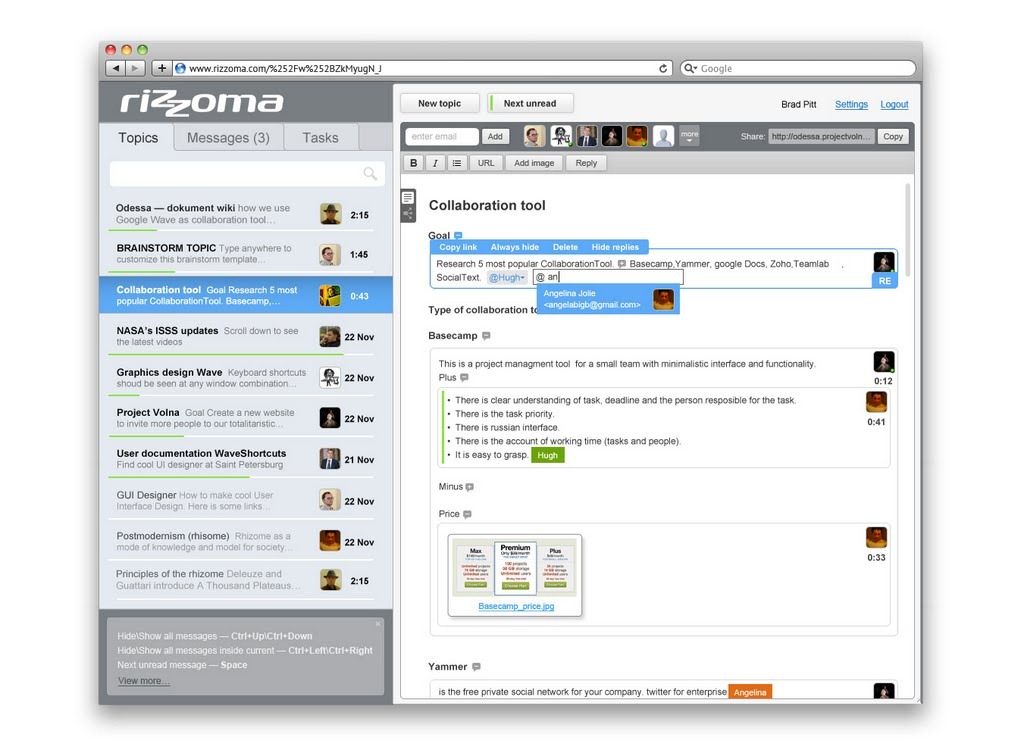
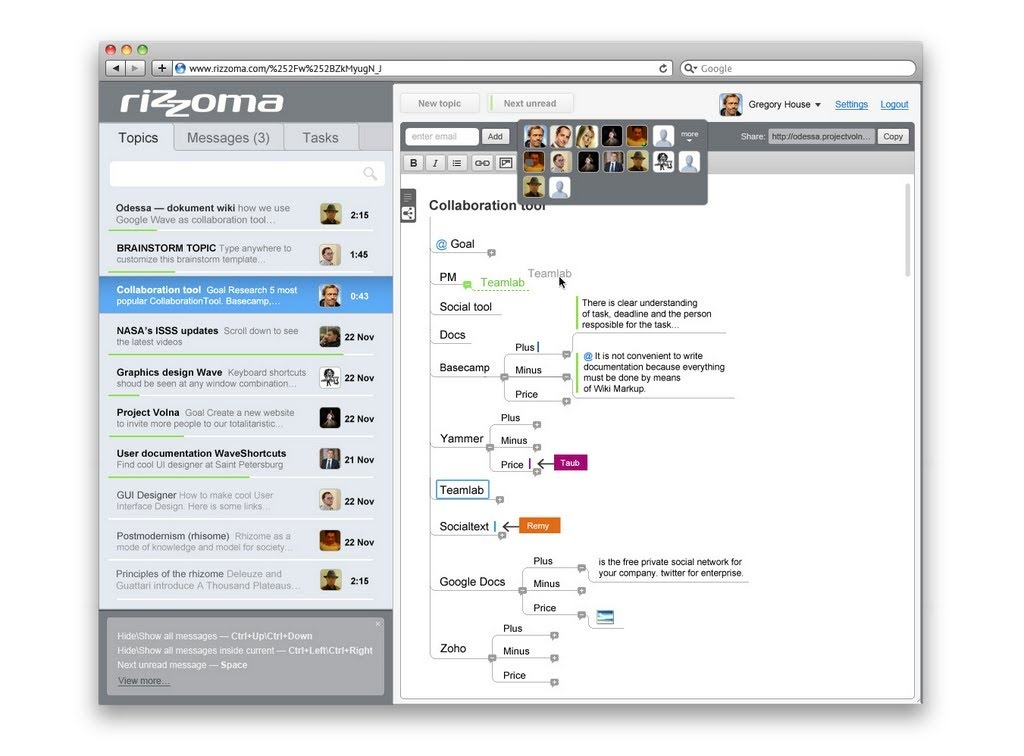
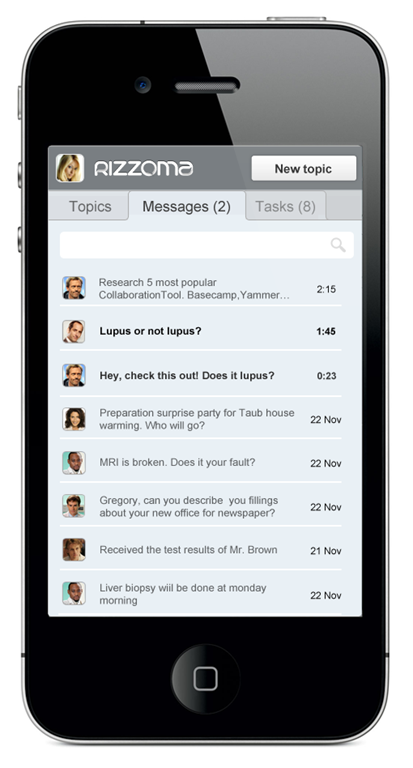
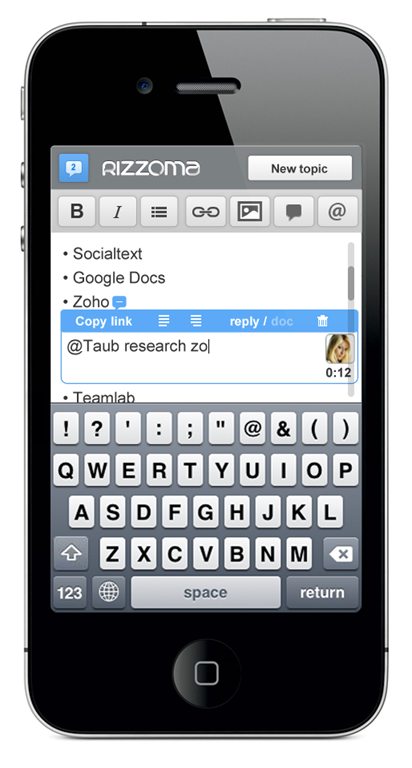
Rizzoma is a free, open source version of Google Wave that boasts some improvements to the look, feel, and function of the service. Some of the features they talk about on their site are an easy to use mobile version that actually works, improves search, the ability to to assign and track tasks within Rizzoma, easy team management and content sharing, and a built in mindmap mode.

Screenshot 1Screenshot 2Screenshot 3Screenshot 4

Rizzoma also promises the ability to re-install your favourite open source gadgets from Google Wave, and the ability to import your old Waves to the new platform.

The unfortunate truth, however, is that Rizzoma’s current level of marketing far outstrips the actual state of the product. Their website looks very promising, with a big button that says log in with your Google account and a video that makes you believe that the service is ready to go. I don’t know if it was an oversight on their part that they don’t include a note that the service is in beta and most of the truly awesome features are still on their way, but the reality is that a newcomer to Rizzoma will likely find themselves confused and disappointed. At least for now. After a bit of hunting on their support forums, I found that the bulk of what’s promised should be available within a month.

Right now, @mentions work, basic document creation, editing, and collaboration is available, the mobile version is functional, and the improved look and feel is on point. Importing your old Waves is also working, via the WaveShortcuts Chrome extension created by Project Volna — who are also the people behind Rizzoma. Importing your Waves via the extension is fairly simple, and the final result is readable and usable, though huge Waves with a lot of nested upon nested replies could get a bit unwieldy.

If you have been on the hunt for a Google Wave alternative, or are just looking for a real time collaboration tool that works across platforms, Rizzoma looks promising, despite the potential marketing/first impression snafu. If they are true to their word about getting the big features up and running effectively within a month, then we may finally have a winner here — proivded they can get enough support. Rizzoma is definitely the most promising Google Wave alternative I’ve come across so far. If you are at all interested, you may want to check them out and start importing your Waves now, as the time window is closing fast.

Check out the video below to see where Rizzoma is taking Wave:


Learn how to import your Waves to Rizzoma:


Check out Rizzoma and tell us what you think!


Producteev Gets a Massive Upgrade: Android App, Windows Desktop App, and an All Around Makeover

Producteev Gets a Makeover | 40Tech

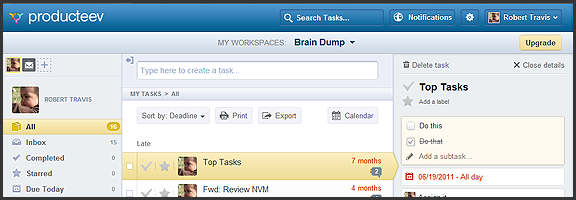
Producteev, one of our favourite  — and one of the best — to-do apps, has released a massive upgrade that includes some long-awaited features and platform updates. The web and iPhone apps have gotten a makeover, the much clamoured-for Android app has finally arrived, and there is now a Windows 7 desktop app to balance out the Mac version. Even the logo has been updated (bye bye Tasky the beaver)!

To top it all off, Producteev has added a few new features into the mix — and yes (drumroll), that does include sub-tasks…

Check out the video below for the overview of some of the new functionality in the multi-platform task manager.

http://www.youtube.com/watch?v=qBnzWfAdVQs

There have been usability and visual enhancements across all apps, improvements to some of the main Producteev feature-set (discussed in previous posts), and some brand new features such as integration with TaskRabbit (a service for crowdsourcing small tasks), the ability to print tasks and export them to CSV, as well as the aforementioned sub-tasks.

Now, I know many of you have been waiting patiently for sub-tasks, but don’t get too excited. At this time, sub-tasks are really nothing more than a checkable list added to the top of the main task’s detailed view. There is no way to interact with them outside of that view, or to add specific dates, labels, or anything else. Also, they don’t appear to work in the mobile apps yet, either. Hopefully, there will be improvements, and soon, especially in the case of the missing mobile integration.

The Android app is great. I can now use Producteev with my wife’s phone just as easily as my own, and with an interface that’s nearly identical to the iPhone’s. As Producteev mentions in this post, however, Android users should be aware that the new app is in beta. Don’t expect an error-free experience, just yet.

As always, Producteev is free to use for workspaces that have one or two people. If you want to collaborate with larger teams, unlimited people and storage space can be had for $20 USD per month (it gets cheaper the more workspaces you buy).

Update: Google Calendar integration has been temporarily disabled due to stability issues. It should be back up and running within the week — and it will be better than before. Two way task-sync with Gcal, folks!


Summify Acquired by Twitter (and Going Bye Bye)

Summify Acquired by Twitter (and Going Bye Bye) | 40Tech

Back in August of last year, we wrote about Summify, a fantastic tool for getting to and sharing the highlights of your social streams and feeds. I’ve used this tool religiously for the past several months and have found it to be incredibly useful, especially with Twitter. Just last week, however, I received an email from the Vancouver-based start-up and discovered that they had become yet another in a long line of services to be snatched up and absorbed by a tech giant — in this case, Twitter. Great for them, but sad for you and me.

The Summify team will be moving to San Francisco, where they will become a part of Twitter’s growth team. Summify the service will be stripped down for the time being, and will eventually shutdown altogether as a standalone product.

Here’s the main list of changes from their announcement:

  • New account registrations have been disabled.
  • Email summaries remain, but only for a few weeks, and then they are gone as well.
  • Users will still receive their summaries via the web app (and the iPhone app, as well, I believe), but will no longer be able to make them public.
  • Profile and influence pages are gone, as is auto-publish.

I’ve also noticed that sharing posts to Twitter from Summify no longer adds credits to the end of the tweet. Previously, the tweet would add in an @mention to a few of those in your network that shared the information with you in the first place, but this is no longer the case, at least from the mobile app.

There is no word yet as to when Summify will shut down completely, or what cool newness might arise in Twitter as a result. Either way, while I’m happy for the people behind the great service, I will really miss Summify as a standalone tool. Hopefully, something truly great comes out of this. In the meantime, we can only hope that Zite — and maybe Flipboard — will pick up the slack by improving how they filter our streams.