

Menu Close

Author: Evan Kline (page 112 of 164)

Hello, I'm Evan. I write about tech from my perspective – that of the average tech geek, sometimes with my lawyer glasses on. You can also find me on Twitter and at my real-life job as a lawyer.    MORE ABOUT ME.

Do You Organize Your Emails With Labels, Folders, or Search? [Reader Feedback]

email organization

We’ve written a good bit about email overload, and given a few tips on how to deal with it. These tips include using Gmail to manage all of your accounts (and even how to avoid Gmail’s infamous delay in checking external accounts), and how to turn the managing of your inbox into a game. When it gets down to the nuts and bolts, how do you manage your account?

There are a few schools of thought out there:

  • Use labels, such as those offered by Gmail, to tag every message with one or more labels;
  • Use folders, as offered by traditional email clients and providers, to place each message into a single, distinct folder;
  • Archive all of your messages into one place, and just use the search functionality of your email client to find your messages; or
  • A combination of the above methods.

I’ve used labels ever since switching to Gmail years ago, and have several filters set up to automatically label a large percentage of incoming messages. Lately, though, I’ve been wondering if it is really necessary. Gmail’s search capabilities are very powerful, and taking the time to label every message can be time consuming. At the very least, I think I can slim my labels down to a few broad categories.

What method do you use to organize your email? Is it one of the methods listed above, or do you have your own way of doing things?
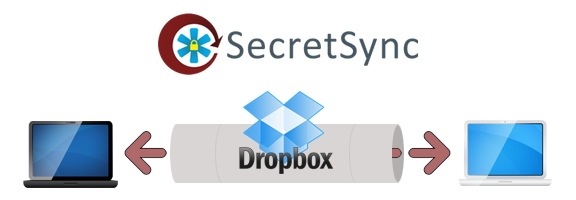

App of the Week: SecretSync – Turn Dropbox Into an Encrypted Pipe For Your Files [Windows]

SecretSync encrypted Dropbox sync.jpeg

Dropbox has gotten some heat lately for allegedly lying to its users about the privacy of user data. The gist of the gripes is that Dropbox has made clear that it would turn over your data – in unencrypted form – to authorities if required to do so. That came as a shock to many people, who assumed that even the Dropbox folks didn’t have access to the encrypted data in their Dropbox folders. The lesson – if you want to keep your private data private, then you need to encrypt it before you put it into Dropbox and sync it to the cloud. One way to do that is through SecretSync, a beta app currently available for Windows only.

Read more


The Big Security Hole With the Mac App Store

mac app store

If you’re an OS X user, the Mac App Store is a blessing and a curse of sorts. It’s a blessing because it lets you find all sorts of apps that you might never have discovered, and sometimes for cheap, too. It’s a curse because it might lead to the marginalization of other means of distribution. For technical and other reasons, not all apps can be sold in the Mac App Store. Those developers might someday find themselves out in the cold if the App Store continues to grow in popularity. Is there one other flaw with the App Store, though – security?

ExtremeTech recently argued that security was a flaw with the Mac App Store. Specifically, because Apple can be so slow to approve app updates, users are sometimes left running versions of apps that are riddled with security flaws. For example, the Mac App Store version of Opera is two versions (and many security fixes) behind the version available by regular download. The Kindle app is three versions behind.

Now, in fairness, OS X isn’t the virus target that Windows is. Still, the Mac Defender virus shows that, after years of false alarms, OS X finally may be gaining enough market share to be a target. With Macs consistently being among the first to get exploited in the PWN 2 Own hacking competition, this could spell trouble.

In the future, this might not be a Mac problem, but a computer problem. It demonstrates a problem that Microsoft would need to address, if it ever jumps into the desktop OS app store business.

Has ExtremeTech overblown this threat? Whether on Windows or OS X, do/would you trust an app store as a place to get your apps, when you have to rely on the app store for updates?

Apple’s Dirty Little Mac App Store Security Secret [ExtremeTech]


MRI Scan of the Brain Shows That Apple Fandom Really Is Like a Religion

apple mri scan

Perhaps this one should be filed under “cool headline, but what is the whole story?” According to TUAW, a documentary on BBC 3 compares the similarities between Apple and a religion. A team of neuroscientists took an MRI scan of the brain of an Apple fanatic, and determined that “Apple was actually stimulating the same parts of the brain as religious imagery does in people in faith.”

The documentary, aired on May 18, was about the relationship between consumers and the brands that shape their behavior. Unfortunately, the documentary is not available in my region. Has anyone seen it, who can give us a more full report? I’d be curious to learn whether this reaction to stimulation was unique to Apple, or a reaction that everyone has to favorite brands or positive experiences. If the former, perhaps Apple fans are brainwashed masses after all. (And before you get up in arms over that statement, I count myself among them, given my total dedication to my MacBook Air).

BBC: Loving Apple looks like a religion to an MRI scan [TUAW]


How To Quickly Toggle the Tap To Click Functionality of Your Trackpad [Mac]

Tap to Click Toggle.jpeg

When you type on a Mac laptop with a trackpad, do you inadvertently brush the trackpad with your palms or with the base of your thumbs? Doing so can cause your cursor to jump to unintended places on your screen, and really screw up whatever you’re working on. You can change your trackpad settings to disable Tap to Click to prevent this, but then you lose some convenience. What you really need is a quick way to toggle Tap to Click off and on. With a little AppleScript magic, you can do so.

Read more