
 In the previous post, I discussed the first five of ten free applications that I find to be essential. As mentioned in the first list, Evernote is conspicuously absent from the list. That’s only because I have upgraded from the free version of Evernote to the the paid version. Otherwise, Evernote would be at the top of my list. Here are the next five free applications on the list. If there are any applications you find to be essential, let me know in the comments.
Photo by fontplaydotcom
6. Dropbox
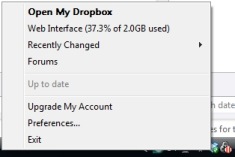 There are several synchronization tools out there. The one that I find to be the easiest to use and most versatile is Dropbox. You can install the free version of Dropbox on any computer. Once installed, anything you drop into your “My Dropbox” folder will be automatically synchronized between any computer on which you’ve installed Dropbox. The free version of Dropbox provides 2 GB of available space, while paid accounts provide additional storage. Dropbox is cross-platform compatible (Windows, Mac, and Linux), and you can also access the files in your Dropbox via a web interface. There’s even an iPhone-friendly interface for mobile Safari, although the iPhone is limited in what it can do with most files.
7. Logmein Free
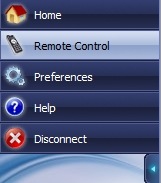 Any self-respecting geek occasionally needs to access his home computer when away from home. After messing around with the built in Remote Desktop in Windows, I now use the easier and hopefully more secure option, Logmein Free. With this program installed, I can go to the Logmein site from any browser, enter a username and password, and access my home computer. The free version of Logmein does not provide for drag and drop file transfer between computers, but with Dropbox installed on my home PC, this is a nonissue. I can simply access the computer remotely with Logmein Free, and drag any file into my Dropbox to make it accessible remotely. Logmein is not ideal, as it is a bit slower and lower resolution than sitting at your computer, but it does the trick.
8. Syncback Freeware
 Back when I first started using the backup tool Syncback several years ago, the free version was simply called Syncback, while the paid version was called Syncback SE (I believe – it has been a while). Syncback SE is still around, but now the free version is known as Syncback Freeware. I run a free version of Syncback on one computer, and a paid version on another. The only reason I have the paid version is because I won it in a giveaway on CyberNet. I don’t believe that I’m even using the extra features of the paid version, as I’m using Syncback the same way on both of my computers. Syncback Freeware allows you to backup (or synchronize) files and folders between drives, and even over FTP. The program has wizard and a simple view for ease of use, but also allows you to dig a bit deeper to tweak all of the settings to your liking. I have Syncback set to do an incremental backup of my desktop and my Documents folder every night, as well as mirror my video drive to a backup drive. Syncback has saved my bacon on more than one occasion, when I’ve accidently deleted a file.
9. Crimson Editor
 I make no pretenses about being a programmer. My coding ability is limited to being able to hack around with code that is already written, after first making sure that I have plenty of backups. Still, I find that I am frequently dipping into HTML, PHP, and CSS to tweak a template or plugin to my liking for WordPress, Joomla, or Drupal. The default Windows Notepad works fine, but there are better choices out there. I use Crimson Editor, which features color-coded text, templates, multiple tabs, and macros. The tabs and color-coding is really the only feature that matters to me, so I’m sure that there are other programs that would do the trick, but I’ve never needed to look for more. If you use something better, let me know in the comments.
10. 7-Zip
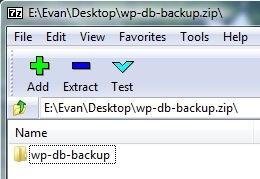 If you do any type of downloading from the internet, you need a program that can both compress and decompress (i.e., pack and unpack) archive files. There are several programs out there that do this, but my favorite is 7-Zip. 7-Zip has been able to handle any type of archive file I’ve thrown at it for unpacking, and it is completely free, with no nag screens. 7-Zip also has its own 7z high compression format that outputs noticeably smaller archive files than a zip archiver produces. 7-Zip can pack in 7z, ZIP, GZIP, BZIP2 and TAR formats, and unpack 7z, ZIP, GZIP, BZIP2, TAR, ARJ, CAB, CHM, CPIO, DEB, DMG, HFS, ISO, LZH, LZMA, MSI, NSIS, RAR, RPM, UDF, WIM, XAR and Z formats. It integrates with the Windows shell, and also offers AES-256 encryption.
There you have the ten free programs I can’t live without. How about you?
Honorable Mentions: Fences, GIMP, Foxit Reader

Bobby Travis says:
I am in love with DropBox. I am running so many neat pieces of free software it is hard to know where to begin, but a couple that come to mind are Digsby (multi-service instant messenger that also has full two way access with Facebook, Twitter and other social media – http://www.digsby.com), and Notepad++, which is much like Crimson Editor by the sounds of things. TVersity is also full of awesomeness — you can use TVersity to stream digital media content From your computer to pretty much anywhere, including your xBox 360 and PS3. It even transcodes files that are not of the appropriate filetype for those mediums. There is a pro version as well that is available for free download — they offer it on a trust basis: if you continue using the added features (which involve streaming content off the net from YouTube, Hulu, etc.,), they trust that you will send them the money. They don't bug you about it — they just appeal to your good nature and sense of honour in the beginning and let things fall as they may.
June 27, 2009 — 1:36 pm
Evan says:
I'll have to check out Digsby. I'm not much of an IM user, but did recently put Pidgin on my flash drive. I'd heard of Notepad++, and the screenshots make it look like it might supplant Crimson Editor for me. I'll check it out.
I do have the free version of TVersity installed, but haven't fired it up in ages. How is the Hulu support? I just shelled out $40 a few days ago for PlayOn, which makes Hulu work great on my PS3 and XBox. Shame if I overpaid for it.
June 27, 2009 — 2:49 pm
Oscar - freestyle mind says:
If you are using a mac, I suggest to check out text expander, which is an utility that helps to write common phrases that you type often with a single combination. An alternative for windows is called texter and it does the same thing
June 30, 2009 — 12:28 am
Evan says:
I'll have to take a look at that (Texter – when I got my latest computer, boot camp was still pretty new and I play a few games that aren't out on Mac). I imagine that could be nice time saver.
June 30, 2009 — 9:34 am
Bobby Travis says:
Honestly, Hulu is a sore spot for me. As is pretty much every official media site in the US — licensing issues or some such prohibit support for Canada so those features are pretty much useless to me. I -hear- it is pretty good though… :- |
June 30, 2009 — 11:27 pm