Menu Close

Tag: Security (page 8 of 11)

Use DropBox and Hazel to Bust the Scumbag Who Steals Your MacBook

hazel and dropbox to secure your mac

If someone stole your Mac, that would stink, to put it mildly. Not only would you be out an expensive piece of equipment, but your sensitive data might be accessible to the criminal who stole your gear. Using two free programs, you can not only remotely secure your Mac if it is stolen, but you can bust the loser who pilfered it. A combination of Hazel, Dropbox, and a bit of geek kung fu allows you to record the crook’s IP address, snap a screenshot of him, record his browsing history, disable automatic login, and lock the stolen machine.

Read more


Text Messaging for Super Spies

image

Are you a spy, engaged in nefarious business dealings, or an extreme fan of privacy? Maybe you just really liked Mission Impossible or Inspector Gadget? If so, you will probably get a kick out of self-destructing text messages. That’s right, messages where you get to add your own little “time-bomb” that deletes the possibly offending or incriminating text off both your own phone, and that of the receiving party. Never get caught sexting by your significant other again.* Don’t leave a trail of incriminating evidence behind!* Etc. Etc. Etc… You get it, I’m sure.

Read on for more details, opinions, and the meaning of the little *’s.

ba-Bomb image by LKaestner

I understand the need for privacy in personal and business communications. I don’t have a problem with that and I support it wholeheartedly. It just seems to me that the marketing around TigerText and TigerText Pro, the mobile app that gives you the power of the self-destructing message, skirts the sleazy. Oh, they never out and out say “hide your potentially incriminating communications” or “never get caught.” They are very careful about that, in fact, focusing more on privacy protection and the fact that they are a free text and picture messaging service. However, something about the overall tone of their message tickles my increasingly cynical ear — especially when they bandy about quotes from some of their reviewers, like the New York Post, that state “TigerText eliminates the possibility of damaging evidence being left behind.” Maybe it’s just me, but broadcasting that statement as a part of your marketing seems to target a specific audience need.

I suppose, fundamentally, that I have some sort of righteous moral issue with the fact that the need exists in the first place. Somewhere, deep in my airy-fairy soul, there is a little voice whispering, “why can’t we all just be honest and nice, and stuff.” I recognize that the little voice is sadly naive and am actually much more practical in my view of human nature, but the tiny little fellow is persistent and closely related to the last resident (and black sheep) of Pandora’s Box. It also believes in the possibility of unicorns, dragons, and other romantic notions, so take from that what you will.

In any case, TigerText is a good service for getting around texting and picture messaging costs on your smartphone. It works over WiFi, and so can work in poor service areas, and is a fast, easy to use app available for all major smartphone platforms. You can only communicate with other TigerText users, however, so in many ways it is more like an instant messaging service that allows you to add a timed-delete function to your messages.

TigerText is free for personal use, and TigerText pro — the enterprise version — has some nifty features like email notifications and the like. It also has branches that are specific to those needing HIPAA (healthcare and insurance) and SOX (Sarbanes-Oxley Act – national securities investment protections) compliance in their communications. If you want to try it out, go to your smartphone’s app store, or head to this link for personal, and this one for enterprise.

* Notes

A word to the wise: as TigerText themselves point out, this is by no means a bulletproof method of not getting caught. Send sensitive information to others at your own risk — anyone can take a picture of a smartphone screen, either with another camera or the press of a button or two. How much you really trust the person you are sending the message to had best be at the forefront of your mind.

Oh, and also: 40Tech by no means condones cheating on your spouse, conducting nefarious dealings, yadda yadda.

What do you think of TigerText? What would you use it for?


Fend Off Tracking Cookies, Keep Functionality With Disconnect [Google Chrome]

Cookies. We have a love hate relationship with them. They track what we do and report all kinds of information back to the site that generated them — and to third parties as well, in many cases. But they also often provide a better user experience, keeping track of our preferences and removing small annoyances like having to sign in to a website every single time we open it up. Unfortunately, as is the case with most things on the internet regarding your privacy and security, the only completely effective way to protect yourself is to simply turn the potential problem off. The only problem with this course of action is that turning off cookies also has the effect of making a huge part of the web practically unusable.

So what to do about it? Well, if you use Google Chrome, try out Disconnect.

Disconnect, which was created by a former Google employee, is a Google Chrome Extension that helps you to keep your personal data safe while still maintaining the ability to work effectively with sites like Gmail, Facebook, Twitter, and others. You may run into a few issues now and again, but overall, the experience is fairly seamless. All you need to do is install the Disconnect extension in your Google Chrome browser, make sure the extension is turned on, then watch as the tally of daily attempted intrusions upon your privacy climbs. The basic functionality, and much of the more advanced uses, of the webapps should work without problems, helping you to do what you like, and search for what you like, without passing along any personally identifiable data. If you have need to unblock a service, say to do something like play Facebook games, it’s a simple matter of a click on the extension’s dropdown menu (which includes Facebook, Twitter, Digg, Yahoo, and Google).

Disconnect Extension for Google Chrome in Action

Disconnect is open source software. Download it for Google Chrome here.

Disconnect for Chrome Disables Third-Party Tracking While Keeping Webapps Operational [Lifehacker]


How to Find Out if Your Account Was Hacked at a Gawker Site (Lifehacker, Gizmodo, etc.)

gawker accounts hacked

One of the big news stories last week was the hacking of Gawker Media’s servers. As part of the attack, user accounts were compromised on Gawker sites, including Lifehacker and Gizmodo. More than 500,000 user emails and 185,000 decrypted passwords were posted online.  If you’re not sure which account you used on a Gawker site, and want to determine if your account might have been compromised, there’s a tool for that.

Slate has created a widget that lets you input your username or email address to see if your account was hacked.  All that you need to do is input your username or email address that you used on a Gawker site, and hit the “Check” button.  You’ll get one of two messages back:

1. “Your account data has been released. If your account had a password, it has also been released in an encrypted form. Change it.”

2. “The e-mail account or user name does not appear to be in the released database.”

If you get the first message, you should not only change your Gawker password, but if you used that email/password combination on any other sites, you should change your password on those sites, too.

To avoid a problem like this in the future, make sure that you use unique passwords on all sites.  Check out one of our favorite tools, LastPass, for an easy way to generate and remember all of those passwords.

Does a hack like this make you trust Gawker sites less?  Or trust the Internet less? Our take: this could happen to any site out there. Protect yourself by using unique passwords on all sites.

Gawker Media account check widget [Slate]


Record This Info Now, Thank Us Later If Your Gmail Account Is Ever Compromised

gmail hacked

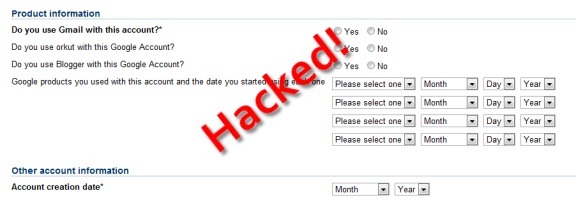
Last week we wrote of an important step that you should take to secure your Gmail account – associating a cell phone number with your Gmail account, so that you can receive a recovery code via text message.  As we pointed out, that’s not foolproof – a savvy hacker could change the cell phone number associated with your account.  Then what?  Google does offer an account recovery process, but it requires you to know the answer to several questions. Read more