Menu Close

Tag: Mac (page 16 of 25)

My Mac Backup System

Crashplan backup

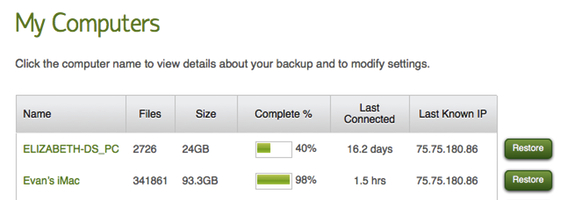
In our last post I wrote about the 3-2-1 backup rule, a backup method that builds in a few layers of redundancy, so that you have peace of mind knowing that your backups are safe. I have a system in place with my iMac that has served me pretty well. Depending on your interpretation, it doesn’t strictly follow the 3-2-1 backup rule.


Read more


10 Top Mac Apps That I Can’t Live Without, and That You Won’t Find in the Mac App Store

Laptop on background

A few months, I wrote about ten of my favorite apps in the Mac App Store. Not all apps are in the App Store, though, for a variety of grounds. Among other reasons, some apps hook deeper into the operating system than Apple allows from App Store apps, while other apps aren’t there due to developer concerns over the upcoming sandboxing requirements for App Store apps. Whatever the rationale, I have a number of crucial apps that aren’t available in the Mac App Store. Here are ten of them.

Read more


Toodledo vs. OmniFocus: Pros and Cons

Omnifocus vs toodledo

I’ve been a big fan of Toodledo ever since I first reviewed it back in 2010. Recently, though, I’ve been unfaithful. I’ve abandoned Toodledo as my task management app of choice, and moved on to OmniFocus. While there are some reasons not to switch, a few compelling reasons helped me to decide to make the move. Here are some reasons to switch, and some reasons to stay put.

Read more


Share Files on Your Mac With a Simple Drag and Drop, With Dockdrop [App of the Week]

Dockdrop

Do you ever have to upload a file to share with someone? You could do this with Dropbox, which is one of our favorite apps, but then you need to make sure that your recipient has a Dropbox account. If you want a dead simple way to share a file, take a look at Dockdrop. When properly configured, Dockdrop allows you to drag a file to the Dockdrop icon on your Mac’s dock, which will trigger an upload to your preset destination, and then copy the file’s location to your clipboard. From there, it is simply a matter of pasting your clipboard contents (such as into an email message) to retrieve the file location.

Read more


7 Hidden Features Of Mac OS X Lion

Today, 40Tech is pleased to present a guest post from Dwarka Rao.

With a Mac operating system, the more that you use it, the more you will explore it. There is so much to do with a Mac that this exploration process looks unending. In this post, I have compiled a list of some of the top hidden features of Mac OS X Lion. These secret Mac OS X Lion features are less popular than other well-known features, which is why I’ve labeled them as hidden features. But this does not imply that these features are any less useful than other features.


Read more