Menu Close

Tag: iPad (page 3 of 13)

DEVONthink To Go 2 Beta Test With New Sync Starts

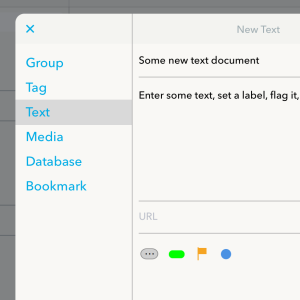
DEVONthink-To-Go-sync-settings New-document-assistant

I’m a heavy user of DEVONthink, and one of the few who seems to really like the DEVONthink iOS app, DEVONthink To Go. I was pretty happy to see today’s news that the developer of DEVONthink has started a Beta test of version 2 of DEVONthink To Go, which includes new sync technology that will also be used on the Mac app. Some highlights:

Read more


Dispatch Comes to the iPad, at Last

Dispatch has long been one one of my favorite email apps on the iPhone. Lately, I’ve been going back and forth between Dispatch and Spark. I suspect I may be switching to Dispatch full time now, though, since Clean Shaven Apps has just released an update to the app to make it universal. 

Yes, you can now use the app on your iPad. Truth be told, you could always use the app on your iPad, but you were using it in scaled mode, and not taking advantage of the iPad’s differences from the iPhone. Now, the app is optimized to run on the iPad.

The app’s strengths have always been its email powerful triaging capabilities and customizable sidebar, but it also offers support for numerous third party services, such as TextExpander, 1Password, and Evernote. I’m just excited to be able to use the app in landscape mode on my iPad. You can get the app for $6.99. If you already own it, the update is free.

Dispatch for iPad Read more


The Friction-free iPad

I’ve owned an iPad since shortly after the device debuted, and I swore that I’d never use a keyboard case. I had a MacBook Air to use when I wanted a portable device with a full keyboard. I also didn’t like the idea of turning my iPad into a Frankenstein device, with accessories bolted onto it. My thinking on this has recently turned 180 degrees, though – I’m now sporting a new Belkin QODE Ultimate Keyboard Case on my iPad. Read more


Easy Paragraph Selection in iOS

This is one if those tips that makes you wonder what else about iOS you don’t know. I had been doing this the hard way – tap and drag those tiny handles. Two finger tap doesn’t seem to work in all apps that I tried, and certainly is easier on an iPad.

Use a two-finger tap directly onto the paragraph to instantly select the entire paragraph or group of contiguous words.


Thanks to OS X Daily for another handy tip.

Select Paragraphs & Large Text Block Easily in iOS with a Two-Finger Tap | OS X Daily


Keynote From an iPad to a Mac

Control keynote on mac from ipad

I just finished a several hour mediation (I’m a lawyer by day), during which I used Keynote as a presentation tool. The mediation happened in another lawyer’s office, so I had to take any technology with me that I planned to use. This was my first time to take presentation technology into a completely new environment, and I was very pleased with how things went.

Read more