
I thought this was a joke when I read it on OS X Daily, but I tried it, and it works on both the iPhone and iPad. Hit the link for the full explanation.
∞ How to Undo & Redo Typing on iPhone with a Shake | OS X Daily
I thought this was a joke when I read it on OS X Daily, but I tried it, and it works on both the iPhone and iPad. Hit the link for the full explanation.
∞ How to Undo & Redo Typing on iPhone with a Shake | OS X Daily
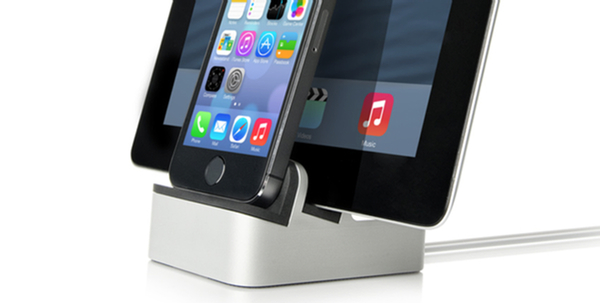
I recently decided to ditch my nightstand clock, and use an alarm clock app on my iPhone for that purpose (I’m still trying out a few different apps). My setup wasn’t very elegant, with my iPhone propped up against a box so that I could see the time. I also was constantly fighting a tangle of cords, between my iPhone, iPad, and MacBook, and a USB cord for a few different devices. Knowing that setup wouldn’t meet the WAF (Wife Acceptability Factor) for long, I researched some dock solutions, and found one ended up working well, and that my wife has even been eying with some envy.
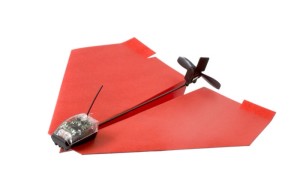
I might just have to add this one to my wish list – a gadget that let’s you remotely control a paper airplane with your iPhone. Forget Christmas, as it doesn’t come out until June for the general public. An Android version is planned, too. Read more

Chalk this one up as something that I didn’t know. You can icons to your folder names on your iPhone or iPad. It involves enabling the Emoji keyboard on your device. For a full write up, check out the blog of Christopher Horrel. I’ve find this quite handy in making my folders distinguishable at a glance.
 OmniPresence is a new sync tool from the OmniGroup that can be used to keep your OmniOutliner, OmniGraffle, or OmniGraphSketcher files in sync between the Mac and iPad. It goes one step better, though, and can be used to sync any type of file on your Mac, working much like Dropbox works, but using a sync server of your choosing. While OmniPresence will never replace Dropbox, it does offer advantages over Dropbox in some areas.