Menu Close

Tag: App of the Week (page 6 of 6)

App of the Week: Check Your Battery Health With coconutBattery [Mac]

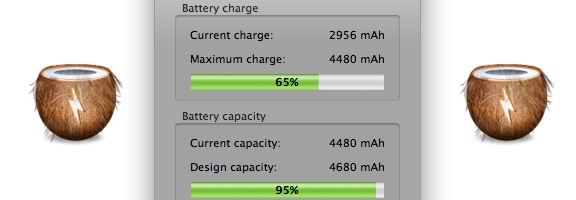
In the spirit of simplicity on the Mac, the App of the Week this week serves one function: it tells you the status and health of your Mac laptop’s battery. CoconutBattery doesn’t require any sort of fancy or complicated configuration. Just install it, and go. The screenshot in this post demonstrates exactly what information it gives you.

Read more


Why I Killed Angry Birds for Chrome [App of the Week]

Angry Birds for Google Chrome | 40Tech

I hated this app. Not because it wasn’t fun, and not because there was something wrong with it — no, no, none of that. It was because it called to me in the middle of the night, squawking at me softly, compellingly; demanding that I play it over and over again until the wee hours before the dawn. Even now, as I write this, the little red bird that promotes the game’s evil is peeking at me with his sinister cartoony eyes, poking his head around the left-most edge of my Evernote window.

I couldn’t allow it. Angry Birds for Chrome messed with my productivity mojo — and this is why the Birds had to die.

I had been avoiding the game for months. I’ve got an iPhone — and an iPad too. I follow these things. I pay attention. I know exactly how addictive Angry Birds has been for people, so I avoided it like the productivity plague that it was (and is!). But all of that ended on one fateful day when I was trolling the Chrome Web Store for new and exciting apps.

It was late, you see, and I was tired. I had been working my butt off on some freelance projects — a website redesign plan, a proposal for social media marketing, some blog posts for a new productivity blog I’m working on (ironic, I know) — and I needed to blow off some steam. That’s how they get you, see? There’s that moment of weakness, and you see their ad — and suddenly you’re installing, clicking, and watching those poor little birds get their eggs stolen by those bastard green (but cute!) pig heads. Don’t question the logic of it — it’s freaking mesmerizing!

So I tried the first level. It was easy. Too easy, like all gateway drugs are. Just a little taste, you know? A taste for free.

Free? Ha! I spent the next few hours of my life firing bird after crazy, utterly enraged bird into green-pig-head strongholds. Dozens and dozens died for the cause — it was a bleeding massacre! But I took those little piggies down, man. I got ’em one after the other, after the other. I giggled maniacally as I toppled their houses around their green little piggy ears. I shook my fist and roared after them as they ran away again and again with the eggs of my allies — and I followed them determinedly into battle after glorious battle. Who cared that I had to get up in an hour? I was rocking this game! Physics was my bitch! I — damn, was that my wife’s alarm clock? WTF time was it anyway??

So you see… It wasn’t my fault! I had to do it. I had to go back to my Google Chrome start page. I had to open the Apps section — and I had to kill that app with a single brutal blow to the head. No mercy. Damned thing was f*#^ing up my schedule.

Have you killed any angry birds lately? Tell us your story in the comments.


App of the Week: DoggCatcher Podcast Player [Android]

DoggCatcher

One of the much-ballyhooed strengths of Android is its openness and how much choice it gives users. Those strengths are illustrated well if you want to pick a podcast client for Android. The iOS landscape may have changed in the last few months since I switched to Android, but I always found the iOS podcast experience to be lacking. Not so on Android, if you use DoggCatcher, an excellent podcast client.

Read more


App of the Week: Photo Stack [iOS]

photo stack main

Our app of the week is Photo Stack, an app available for the iPhone and iPad that lets you make a collage of photo snapshots, right on your iOS device. I downloaded the app onto my iPad a few days ago, and within half an hour, I had a nice collage of family photos that elicited “oohs” and “ahhs” when I saw my family this weekend. Read more


App of the Week: Hitpad [iPad]

40Tech App of the Week | Hitpad for iPad

Our new App of the Week series covers apps that we find intriguing or exceptional, be they for iOS, Android, WM7, Blackberry, or the web. We’d also love some suggestions from you!

If you like at-a-glance trending topics and daily news info, and you like it from multiple sources and in myriad forms, you will really enjoy Hitpad. Hitpad for the iPad is a slick way to get all the latest from multiple search engines, Twitter, and more; and without feeling like you’ve been hit between the eyes with a mallet. A lot of thought went into the user interface, and the resulting app is definitely one of the more beautiful ways iPad users can consume information.

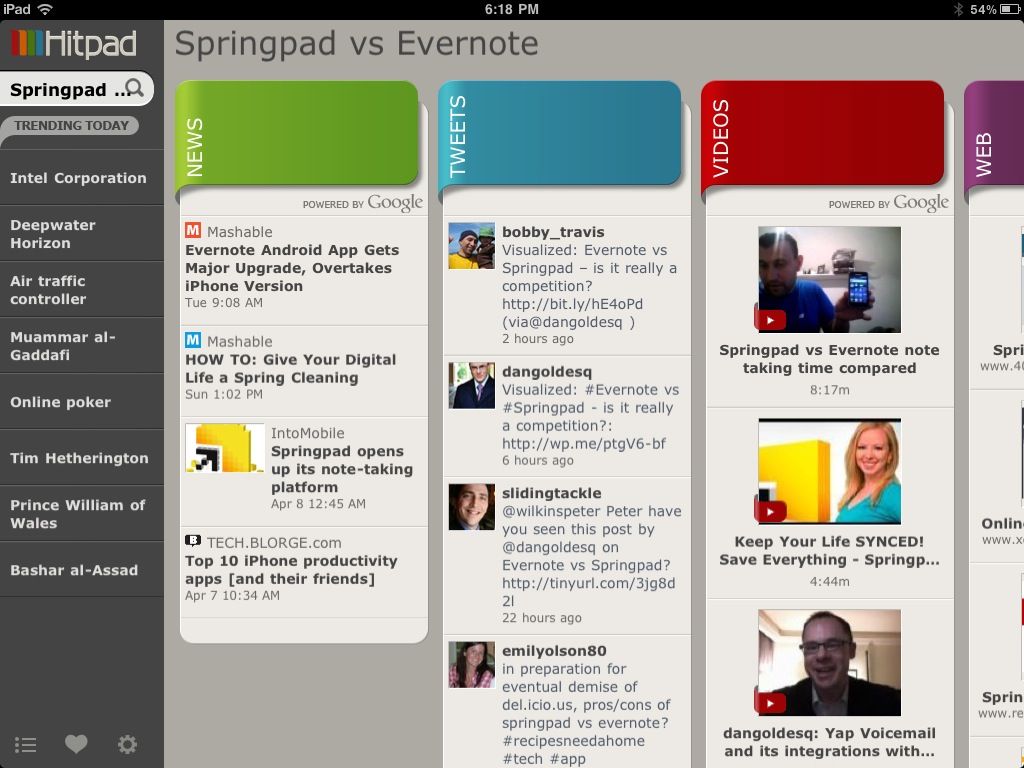
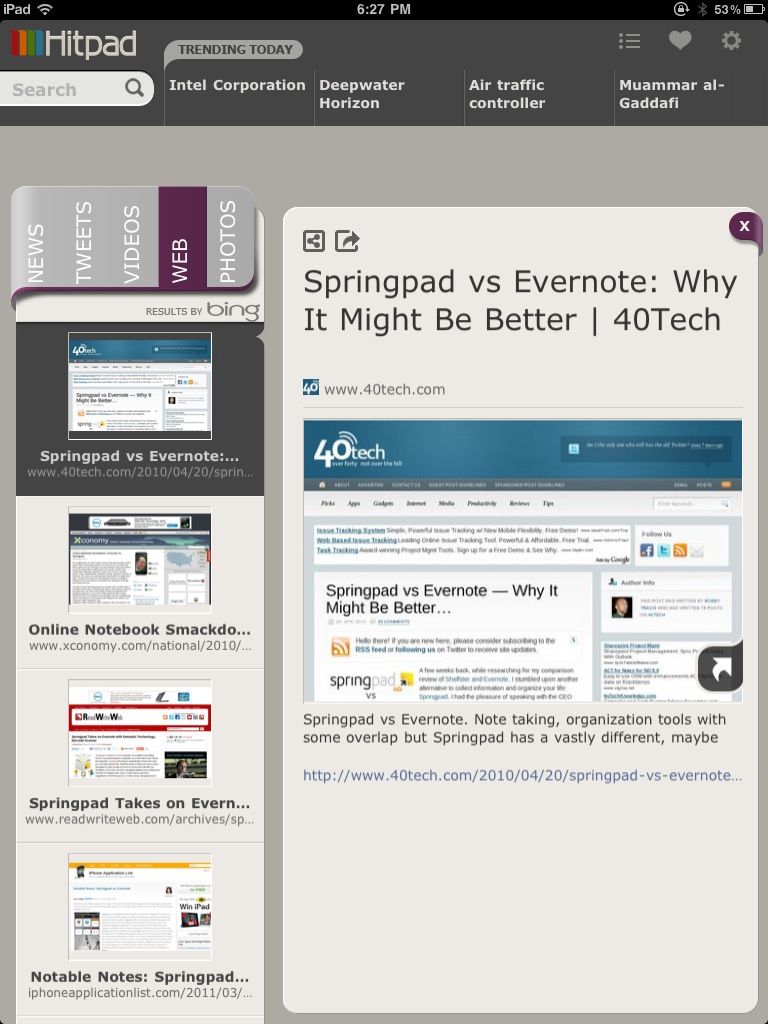
Hitpad also allows you to search for a single topic, delivering results from all across the web, which is handy if you are doing some quick research. For example, I did a search for Springpad vs Evernote, and as you can see in the images below, I received news, video, and image results from Google, and recent tweets from Twitter (yes, the most recent result happened to be me tweeting out a post by one of our readers, Daniel Gold, from his own blog). There is also a column for web page results, which comes from Bing. I found that odd, considering that most everything else was from Google — but it was nice to see that our own post on Springpad and Evernote was in the top spot with Microsoft, too.

Hitpad | Trending News at a Glance on the iPad


Hitpad for iPad

Hitpad feels like it might need a bit more in the feature department, especially if you are used to getting your information from an RSS reader. It does do what it is supposed to do, though, and it does it with flair and style, even if the thumbnails it clips of web pages sometimes load a bit slowly. Still, Hitpad would benefit from the addition of things like saved searches, the ability to choose news or search engine sources, and being able to choose multiple topics to search on. If you have an iPad, try it out! It’s free, and you can get it here.

Let us know what you think of Hitpad in the comments!