
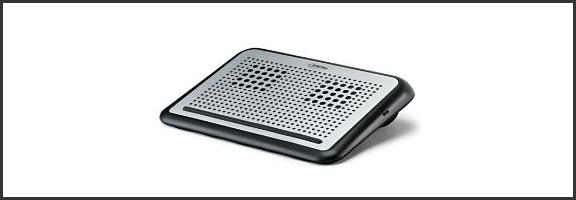
Contrary to the current arc of techno-loving crazy flying about the internet, the laptop is not dead, and tablets — though awesome — have not yet taken over the world. In fact, millions of people are using laptops right now. They’ve got them sitting on (surprise!) their laps, whirring away, blasting their tender parts with heat and WiFi radiation. Apparently, recent reports are saying that’s a bad thing; that it can mess with your baby-having potential. Having just had another cute little baby, I can’t really speak to that — but I have been following reports that WiFi radiation can be harmful, and it’s well-documented that heat is no friend to the business of making tiny humans.
Whether you believe in the dangers of WiFi radiation or not, I think we can all agree that comfort is a good thing. That’s one of the reasons the lap-desk was invented, and — heat and WiFi blocking powers notwithstanding — Digital Innovations’ LapGuard is one of the best I’ve come across.
In the interests of full disclosure, this is the part where I tell you that Digital Innovations sent me two LapGuards (a regular and a Portable one), with a request that I take a look at them and give a fair and honest review. We did the same thing a while back, when we looked at their SkipDr disc repair and cleaning kits. As then, the contents of this review are unbiased and contain only my real, ever-so-honest opinions.
Functionality
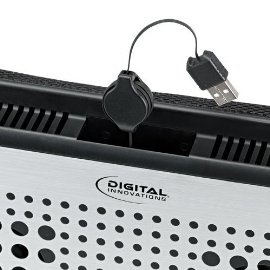
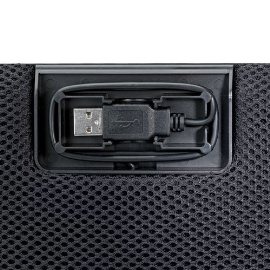
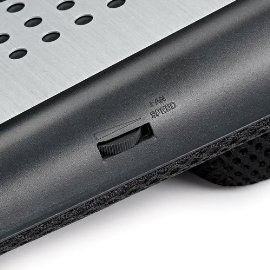
The LapGuard scores well on three fronts: it’s comfortable, it’s quiet, and it’s pretty. It also has some nice features. For example, the Portable LapGuard has a nice spot underneath to wrap up and lock away the USB power cable. This makes storing and packing the thing around much less annoying. The regular LapGuard, which is a bit bigger, also handles the USB cable well — but it’s power cable is retractable. To make things more fun, the regular LapGuard also has a handy fan-speed control dial for the dual fans that can help you conserve battery power while still keeping things chill.
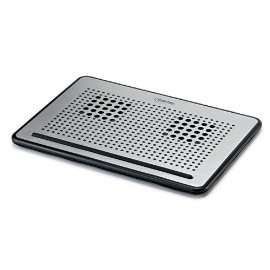
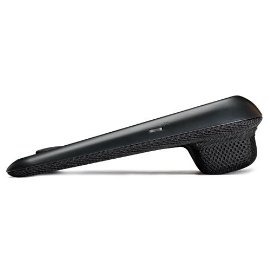
I’m not entirely sure why the Portable LapGuard doesn’t allow for variable fan-speed. It should be possible, considering that the only real difference between it and the regular LapGuard is that the regular one has an additional block of padding at the top that allows for some angled ergonomic comfort while working. Ergonomic comfort doesn’t slide into a backpack very well, though, hence the need for the Portable design.
The fans on both models are, as I said, pretty quiet, and I found that they did a good job of pushing the heat away from me, and keeping my Toshiba cool. And that’s saying something — anyone who has a Toshiba laptop knows that heat can be a problem.
WiFi Radiation Shielding
To be perfectly honest, the WiFi radiation shielding seems a bit gimmicky to me. Sure, sure, Digital Innovations is applying patent-pending technology here – but I have no way of testing to see if it works, and depending on what you read and who you talk to, it’s not even proven that WiFi radiation is a problem. However, if it is an issue, I admit I’d rather err on the side of caution — and if it isn’t… well, the things look pretty and currently only cost $29.99 (Portable) and $37.49, respectively. I’ve been using the LapGuards pretty heavily the past few weeks and I’m more than comfortable with those prices just for the basic use and the look of them. Unfortunately, though, those are just sale prices. The LapGuard is regularly $49.99 and $39.99 (Portable). My cheapness (and my wife) might have trouble reconciling the purchase at the regular prices.
To Sum Up
Pros
- Retractable (or otherwise hidden) USB power cables
- Comfortable
- Variable fan-speed (regular model)
- Pretty
Cons
- No way to be sure if the WiFi radiation blocking is working or even necessary
- No variable fan-speed on the Portable LapGuard
Would I buy it?
Yes — for myself or as a gift. Only at the sale price, though.
What’s your favourite lap-desk?


