Today, 40Tech is pleased to present a guest post by Andris Piebalgs, a freelance writer from My Destination.
The answer to this question may seem like an obvious one. Many people feel that tablets are the clear superior gadgets for travelling since they are, after all, smaller and lighter than laptops and can service many of the basic needs that most traveling users desire. Who cares about the extra computing power that laptops provide since you rarely have use for them during your travels anyway? I, however, disagree with this viewpoint. With the electronic and technology industry booming in terms of innovation and creativity, laptops offer you the chance to truly realize the potential of travels by making use of the newest programs and technologies. Let me explain with an example.
If you’re like me and many other tech geeks, you’re overloaded with content to consume, tricks to try out, and gadgets to play with. Throw all of that into a busy life, and you might lament not having time to pursue your interests. I’ve felt that way recently. Lately, the time I’ve had to listen to podcasts and other audio content has decreased. In the past, I had a long list of podcasts I enjoyed. I wrote about them a few months ago, but since that time, I don’t even listen to half of the podcasts on that list. I just don’t have the time. I enjoy those podcasts, so I want to get back to listening to them. Coupled with a desire to listen to more books on Audible, I thought about how to consume more of the content that I enjoy. I think I’ve come up with one way to do it.
Google Reader is the best RSS subscription collector out there — but only as a base. In practice it has one of the ugliest user interfaces I’ve ever come across. It’s busy, cluttered, and generally hard to look at and use. If it weren’t for all of the apps that utilize Google Reader within their own UI, I’m guessing it would have tanked along with other unwieldy Google services. Thankfully, some enterprising folks have used browser technology to re-skin Reader into something that actually makes content easy to consume. One of the best is Reeder for Chrome.
Note: Reeder for Chrome will, at some point, be changing its name to avoid confusion.
Reeder for Chrome delivers. It may not have all of the features you’re used to from the actual app, but most of them are there, and the look and feel makes Google Reader not just bearable, but a pleasure to use. It is especially useful for Windows, Linux, or Google ChromeOS users that want what those Mac folks have.
In our last post on Google Wave, we talked about the impending final shutdown of the service on April 30th, 2012 (it is currently in read-only mode), and the potential for Apache Wave and Walkaround to keep the real-time collaboration tool going. We’ve even done a bit of hunting on our own for a suitable Wave alternative, but the reality is that Wave was a bit ahead of its time. Fortunately, another possibility for resurrection has surfaced: Rizzoma.
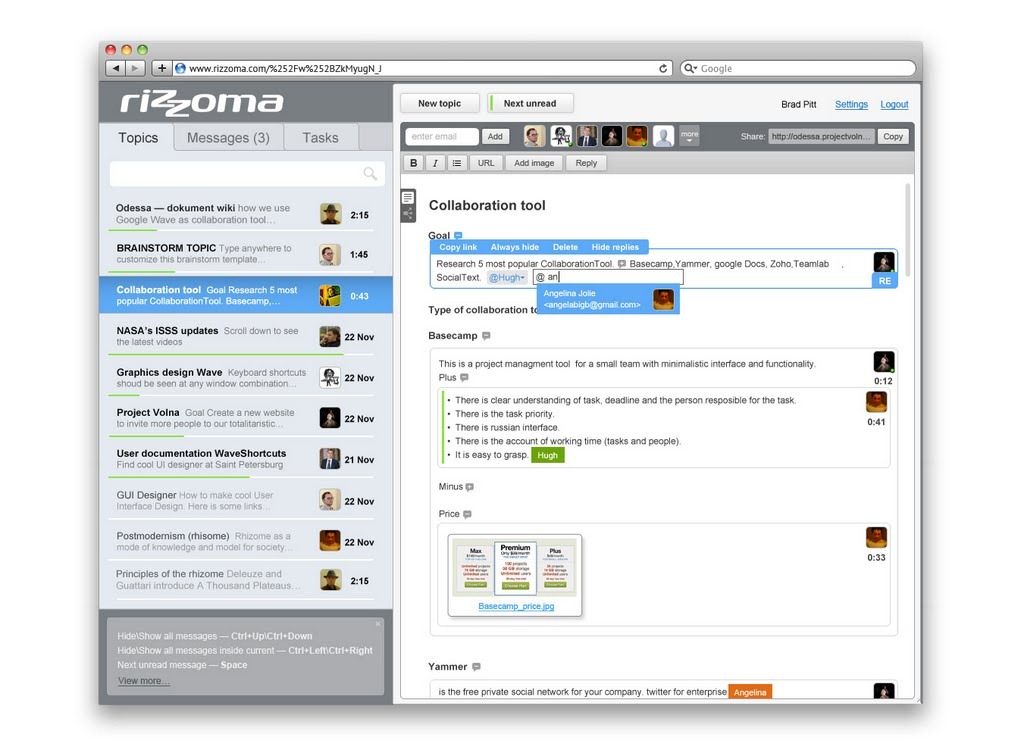
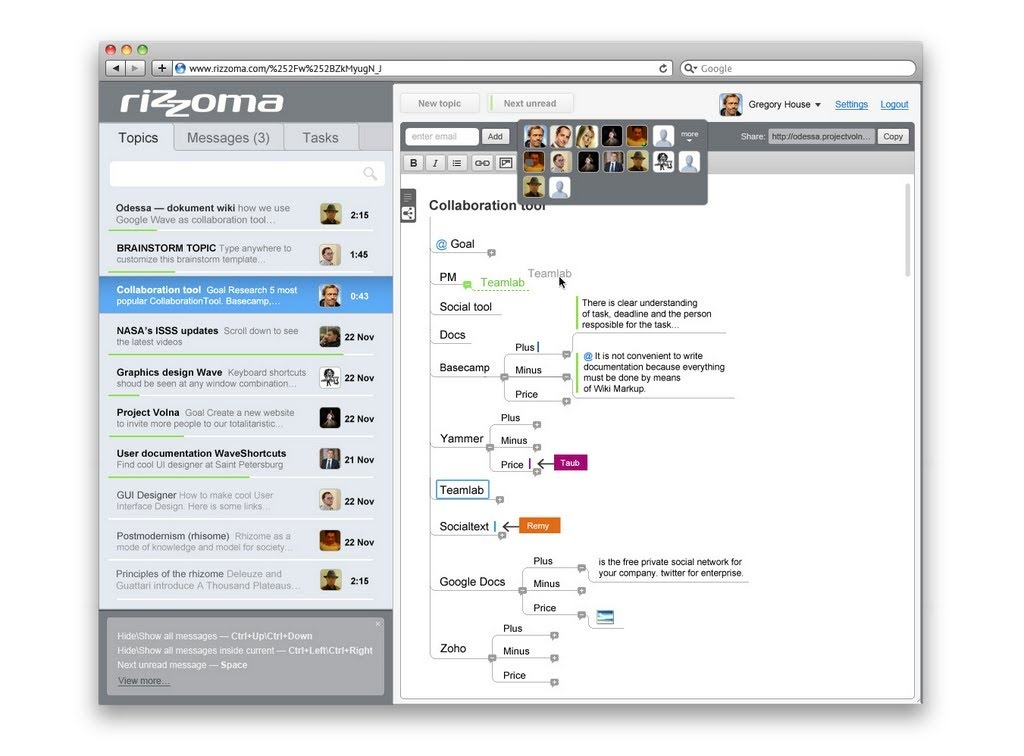
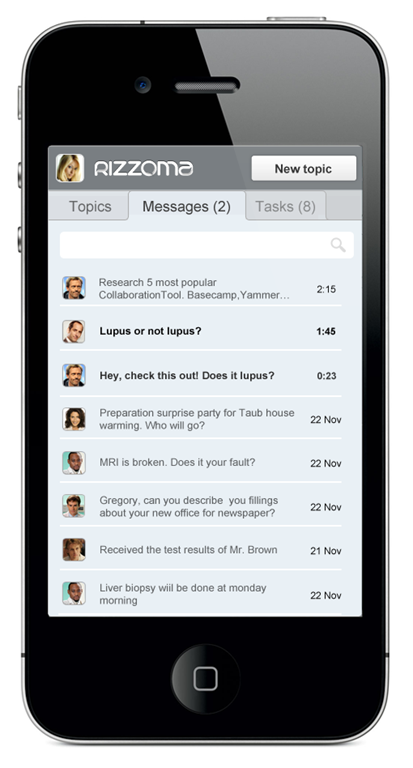
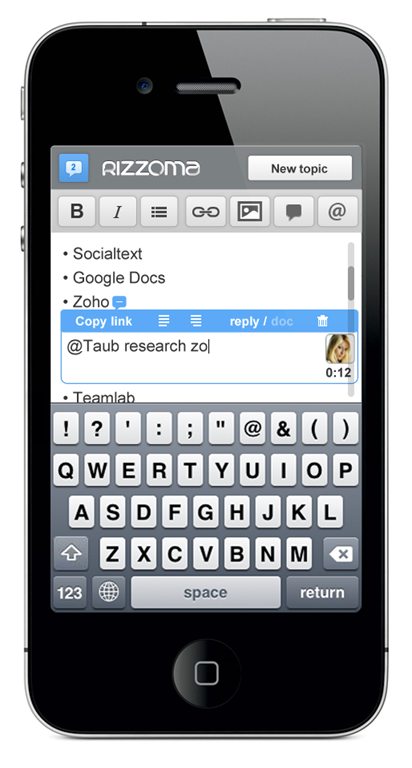
Rizzoma is a free, open source version of Google Wave that boasts some improvements to the look, feel, and function of the service. Some of the features they talk about on their site are an easy to use mobile version that actually works, improves search, the ability to to assign and track tasks within Rizzoma, easy team management and content sharing, and a built in mindmap mode.
Rizzoma also promises the ability to re-install your favourite open source gadgets from Google Wave, and the ability to import your old Waves to the new platform.
The unfortunate truth, however, is that Rizzoma’s current level of marketing far outstrips the actual state of the product. Their website looks very promising, with a big button that says log in with your Google account and a video that makes you believe that the service is ready to go. I don’t know if it was an oversight on their part that they don’t include a note that the service is in beta and most of the truly awesome features are still on their way, but the reality is that a newcomer to Rizzoma will likely find themselves confused and disappointed. At least for now. After a bit of hunting on their support forums, I found that the bulk of what’s promised should be available within a month.
Right now, @mentions work, basic document creation, editing, and collaboration is available, the mobile version is functional, and the improved look and feel is on point. Importing your old Waves is also working, via the WaveShortcuts Chrome extension created by Project Volna — who are also the people behind Rizzoma. Importing your Waves via the extension is fairly simple, and the final result is readable and usable, though huge Waves with a lot of nested upon nested replies could get a bit unwieldy.
If you have been on the hunt for a Google Wave alternative, or are just looking for a real time collaboration tool that works across platforms, Rizzoma looks promising, despite the potential marketing/first impression snafu. If they are true to their word about getting the big features up and running effectively within a month, then we may finally have a winner here — proivded they can get enough support. Rizzoma is definitely the most promising Google Wave alternative I’ve come across so far. If you are at all interested, you may want to check them out and start importing your Waves now, as the time window is closing fast.
Check out the video below to see where Rizzoma is taking Wave:
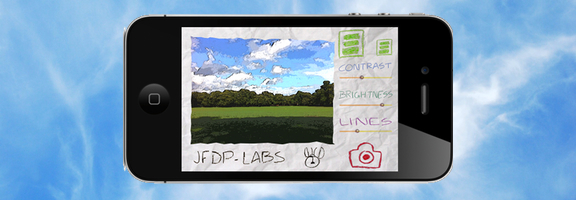
Both the iOS App Store and the Android Market offer an abundance of camera apps. There are so many, that it takes either great functionality or a unique twist for an app to stand out. One that does so is Paper Camera, available as both an Android and an iPhone/iPad app. Paper Camera lets you use your camera to output real time cartoon and painting effects that have to be seen to appreciated.



The Counterargument: Laptops Are Better For Travel Than Tablets
Today, 40Tech is pleased to present a guest post by Andris Piebalgs, a freelance writer from My Destination.
The answer to this question may seem like an obvious one. Many people feel that tablets are the clear superior gadgets for travelling since they are, after all, smaller and lighter than laptops and can service many of the basic needs that most traveling users desire. Who cares about the extra computing power that laptops provide since you rarely have use for them during your travels anyway? I, however, disagree with this viewpoint. With the electronic and technology industry booming in terms of innovation and creativity, laptops offer you the chance to truly realize the potential of travels by making use of the newest programs and technologies. Let me explain with an example.
Read more