Menu Close

Category: iOS (page 20 of 35)

Which Crashes More, iOS or Android?

Android vs ios crash rate

iOS is more stable than Android. Android’s open nature is a blessing and a curse, leading to a system that is much less stable.That’s what we hear at least, right? One study calls those assumptions into question, finding that iOS is more crash-prone than Android.

Read more


Is the iPhone stifling competition?

pic

The launch of the iPhone 4S set new records in the smartphone market in 2011. Hitting the shelves in the UK, US and Canada in October, with a staggered global launch continuing to the end of 2011, Apple shifted 30 million units. It has helped their profits soar and has also quietened the naysayers who thought the iPhone 4S might not have the same impact on the market as its predecessors.

Yet the iPhone 4S might have had an even bigger and more important impact on the smartphone market, aside from the eye-watering sales figures. Reports suggest the dominance and popularity of Apple’s latest device has been so extensive, the firm’s competitors are putting off launching their own handsets because of fear that they won’t make enough of a splash.

While it may not be the most powerful or even the best looking handset available, there’s no doubt the iPhone 4S has been a hit with consumers. An 8 megapixel camera, a dual-core A5 chip first seen in the iPad 2 and promising a faster processing speed, iOS5 offering greater interactivity with other Apple devices along with the iCloud, iMessage, and Siri — the virtual talking assistant — the iPhone 4S has an impressive list of features. For some, it was merely Apple catching up with what other smartphone manufacturers, like Samsung and its Galaxy S2, had begun to produce already. Yet for Apple customers, who will wait for the company to release new devices rather than shop around, it was what they had been waiting for. Battery issues aside, the launch of the iPhone 4S generated enthusiasm, excitement and, occasionally, egg-throwing hysteria.

Figures released in the US claim Apple controls almost a quarter, in fact 24% of the smartphone market. Those numbers relate to the final quarter of 2011 but analysts believe sales figures are not going to drop off in the first three months of 2012.

That is what has worried Apple’s competitors, claims DigiTimes, a technology website in Taiwan. They claim Samsung, HTC and Nokia are biding their time waiting to release big name handsets so that they don’t have to fight for recognition alongside Apple. This is the reason, DigiTimes complains, that the only major smartphones launched at Las Vegas’ Consumer Electronics Show in January was the Sony Xperia S and the Nokia Lumia 900, although at that launch that device was only announced for the US and not the UK. Instead, the big hitters are waiting for Mobile World Congress, which takes place in the spring.

If true it’s great news for Apple, as who doesn’t want the competition running scared. Mobile World Congress has become an increasingly important platform for smartphone manufacturers. It just goes to show how far Apple have been able to dictate launch dates and the ebb and flow of the market worldwide. The trade show ensures big names will get column inches and the undivided attention of bloggers, tech writers and industry experts.

Alternatively, how far do companies like Samsung really allow Apple to dictate their own roadmap for releases? Although Apple might have dominated in the fourth quarter, before then 2011 was the Korean manufacturer’s year. Their ambition to be able to produce devices to fit in with every corner of the market has been clear. There will also be wild excitement over the prospective launch of the Samsung Galaxy S3.

It might be good for Apple-lovers to think they have the competition running scared but the one problem with breaking records is that, the next time, you have to do even better. If Apple’s competitors get the momentum in the spring and get it right with their new releases, like the S3 and the rest of the Sony Xperia NXT range, then the pressure is on for the iPhone 5, rumoured for launch in the third quarter of this year. Let battle commence, again.

This was a guest post by Simon from Best Mobile Contracts, one of the leading mobile phone comparison websites in the United Kingdom.


App of the Week: Paper Camera [iOS, Android]

Paper camera iphone

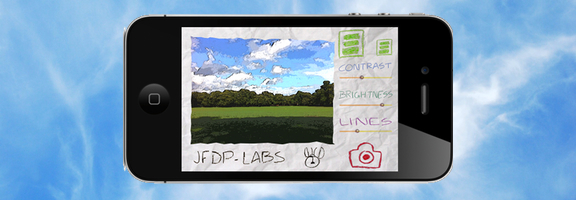
Both the iOS App Store and the Android Market offer an abundance of camera apps. There are so many, that it takes either great functionality or a unique twist for an app to stand out. One that does so is Paper Camera, available as both an Android and an iPhone/iPad app. Paper Camera lets you use your camera to output real time cartoon and painting effects that have to be seen to appreciated.

Read more


Awesome App Updates: Flipboard, Zite, PressReader (iOS)

Awesome App Updates: Flipboard, Zite, PressReader (iOS) | 40Tech

We’re always looking for a better way to filter and experience all of the content we discover on the web. Thankfully, there are a ton of great feed readers and news discovery apps out there. Three of the standouts, Flipboard, Zite (which we somehow never wrote an article on, directly), and PressReader, have recently received some significant updates. Some might even call them game-changing. Either way, they’re significant enough that we feel the need to share them with you, so read on! Enjoy! And comment, of course…  


Flipboard and Zite

When Flipboard came out, it blew people’s minds. All of your Google Reader content boiled into a pretty, personalized magazine? Awesome! Especially when you consider that it would do the same with your Twitter and Facebook feeds.

Then Zite came out. It wasn’t as flashy as Flipboard, but it had a nice, minimalist feel to it, and a fancy learning algorithm that helped it to feed you the content you would find most relevant. Aside from Feedly, which came to iOS later (but had been a web app since before the iPad existed), there was really nothing that could compare with Flipboard and Zite for stylized delivery of your favourite content. And all for free, too.

Both of these apps did what all good apps do: they kept updating. Mostly, they kept adding more ways to share content and more ways to bring new content in — everything from Tumblr to Instagram to their own suggested feeds organized by topic could be added to your magazine. Flipboard and Zite weren’t just for organizing your own content, they were discovery engines as well!

There was only one problem… with all of the updates, the one that everyone wanted never came. Where, oh where was the iPhone app? Yes, yes, Android users, I know the Android app was wanted, as well, but this is an iOS post — it says so in the title. :P

Well, the updates that people were waiting for are in and both Flipboard and Zite are now available for the iPhone. To make things cooler (and make sure that you stay engaged with their apps), Flipboard and Zite both offer a way to synchronize your feeds between devices. All you have to do is sign up for their free accounts.

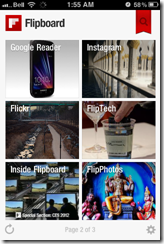
Flipboard Cover on iPhone | 40Tech  Flipboard for iPhone | 40Tech  Flipboard Article on iPhone | 40Tech

Zite for iPhone | 40Tech   Zite Article on iPhone | 40Tech   Zite Article Options on iPhone | 40Tech

If you love the look of Flipboard but wish it had the same learning ability of Zite, then you’ll be happy to hear that the iPhone version does do something very similar. The iPad should get that feature soon. Zite still has a slight edge for massive content consumers, however — or for shared iOS devices. The app allows for multiple accounts, which makes it easy to set up and switch between magazines for work, pleasure, news, food, different people; you name it.
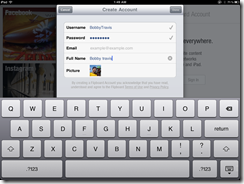
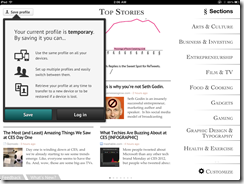
Sync Flipboard to iPhone, iPad | 40Tech  Sync Zite to iPhone, iPad, with Multiple Profiles | 40Tech


PressReader (by NewspaperDirect)

I love PressReader simply because it is a fantastic use of technology. It allows people to experience their local newspaper — and newspapers from all over the world — right on their iPhone or iPad (it’s on Android and the web as well). It’s fantastic. People who aren’t ready to part from their traditional means of reading the news can still have it. In many ways, the experience is enhanced, as well; most especially with the sharing features of the app, and the text-to-speech capability that allows your iPhone or iPad to read your paper to you on the go.

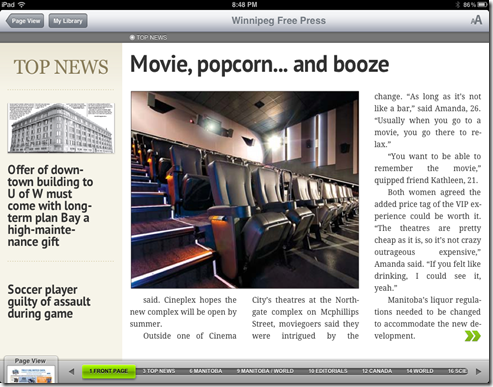
PressReader’s most recent update not only brings the app up to date with iOS 5, but it also adds a bevy of new features that make the experience even better. The most notable is the (iPad only) SmartFlow technology that visually optimizes the newspaper for the iPad, much in the same way that Flipboard and Zite prettify content feeds. This feature can be turned on and off in settings, and enabled per article and page from the nifty new press and hold menu. It’s a bit intense for the first generation iPad, so it is off by default. I found it worked well enough with mine, though, with only the occasional crash.
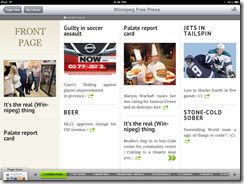

PressReader Smartflow | 40TechPressReader Before SmartFlow | 40TechPressReader After Smartflow | 40Tech

PressReader has also added push notifications so that you can know right away when the latest version of your favourite paper is out. It’s like it’s got a built in paperboy — or maybe paperperson?

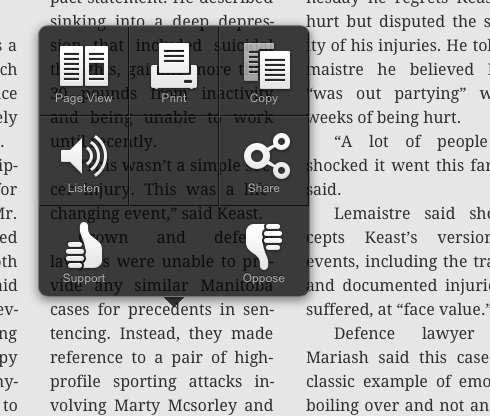
Finally, the added ability to copy and paste articles directly into note taking applications is a nice touch for those of us who use Evernote and friends (see: Us).
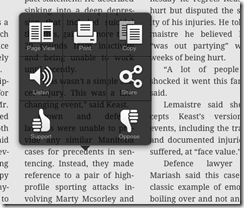
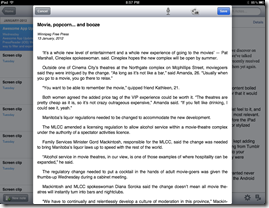
PressReader Press, Hold Menu | 40Tech  PressReader Article Copied to Evernote | 40Tech


I’m loving the updates to PressReader, Flipboard, and Zite. They are, in a word, Awesome. I think you should get them and you should love them. If you are using a first generation iPhone or iPod Touch, though, don’t get the PressReader update. Your tech will not like you.

What are your thoughts on these recent Awesome App Updates? 


My Daughter Ate My Stylus — So I Learned How to Make a New (and Even Better) One

My Daughter Ate My Stylus -- So I Learned How to Make a New (and Even Better) One | 40Tech

My little girl is three. Three-and-a-half, to be exact — and before now, we never had to worry about her putting things in her mouth. I’m not sure what changed, really, but now we have to watch her like a hawk. And we do — but, unfortunately, it was already too late for my iPad stylus. For both of them…

The first one, she chewed on. It was pretty much a write-off. The second one, she decided it would be fun to see what the business end tasted like. Now I’m down two pens. They were the cheap kind, thank the tech gods, but that’s still about $40 down the drain! So I decided: the next stylus will be one of my own making. One that will cost me nothing to make, and that I can easily repair. And thanks to the wonders of the internet, making that happen was easy peasy.

There are several articles on the subject of the DIY touchscreen stylus. The ones that caught my eye were those talking about using a real pen. The basic touchscreen stylus isn’t exactly known for it’s ergonomic feel, so working one up from a real pen seemed like a good idea. I found a few iterations, but the basic concept can be traced back to a video on Make Magazine’s Makezine Blog. All you have to do is connect some light-gauge wire to some conductive foam — which can be found in the packaging of computer and electronic components such as microchips and CPUs — feed it through the empty body of a comfortable pen, and then wrap the wire around the outside, where your hand will come into contact with it. Trim the conductive foam tip to desired size and shape, and voila: instant iPad stylus.

The whole project can be done very quickly, and you can spruce it up a bit by drilling small holes to lock the wire inside the body of the pen, so that you don’t have to use tape. If you happen to have a pen with a metal body, even better. All you’ll need in that case is the conductive foam and you’re good to go! The wire method isn’t so bad, though. It’s not always pretty, but it works.

Here’s a (somewhat blurry) shot of my rough prototype:

image

I made this on a whim, entirely from things I had on hand. I was able to use the original stylus head for the conductive foam, which was nice — we caught her before she swallowed it. I also used some very light speaker wire (all I had, at the time), and the head of an old 1/4 audio jack to provide support for the tip. It fit snugly into the point of the pen, once the pen’s original head was taken off. Note that the wire is only on one side of the pen. I did that because speaker wire is ugly, and wrapping it all the way around would have been a total atrocity, potentially involving metal splinters. The way I hold a pen would have me almost always in contact with it, anyway, and the next round will be prettier.

Looks notwithstanding, due to the ergonomic grip of the pen, I’ve already found that the DIY iPad stylus is much more accurate than those that are up for sale. I’ll never go back.

Looking for a fun, easy project? Make your own stylus! Then tell us all about it. Post pictures, even!

Collin’s Lab: DIY iPAd Stylus [Make]