
 After making a decision on Windows 7 vs. Windows 8 on one of my Macs, I find myself occasionally using Bootcamp to boot my Macs into Windows. That involves holding down the Option key while booting, and then selecting the Windows partition. If I’m already in Windows, it is easier to reboot into OS X – there is an option in the Windows system tray to reboot into OS X. After a bit of searching, I found a couple of options to similarly boot into Windows from OS X, without having to sit there and hold down the Option key.
Category: Apple (page 16 of 38)
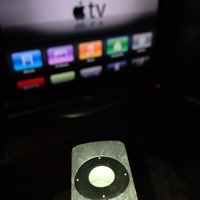 Where there’s a tech annoyance, there’s a clever person with a workaround to eliminate that annoyance. Tired of all the unused icons on your Apple TV? You can hide them by going into Settings > General > Parental Controls, and picking which built-in apps to hide. I’ll be trying this tonight.
∞ Finer Things in Tech » How to customize, remove apps from the Apple TV home screen
 OmniPresence is a new sync tool from the OmniGroup that can be used to keep your OmniOutliner, OmniGraffle, or OmniGraphSketcher files in sync between the Mac and iPad. It goes one step better, though, and can be used to sync any type of file on your Mac, working much like Dropbox works, but using a sync server of your choosing. While OmniPresence will never replace Dropbox, it does offer advantages over Dropbox in some areas.
 Byword has long been one of my favorite text editors on the Mac, iPad, and iPhone. I like it for its simplicity, its effortless sync between Mac and iOS, and its Markdown support. (For a short primer on Markdown and its virtues, check down my earlier post on it.) Byword has recently become even more useful, adding support for direct publishing to Evernote, WordPress, Tumblr, Blogger, and Scriptogram. Read more
 Here’s one for you UK folks. The folks at Gearzap recently provided with me the Encase Ultrasuede MacBook Pro 15 with Retina Sleeve (not to be confused with cases by Incase) for review. Ever since I switched from an 11 inch MacBook Air to a 13 inch model (and subsequently to a 15 inch MacBook Pro Retina Display), I’ve been going without a sleeve. I typically toss my MacBook into a slot in my backpack, so a sleeve isn’t an item that I would use often. A good sleeve would be handy, though, for those times when I just want to carry my MacBook somewhere, or when I want to toss my MacBook into a suitcase, and leave my backpack behind.