Menu Close

Author: Bobby Travis (page 19 of 51)

Bobby isn't 40-something, but is a strong supporter of the Grown-up Geek kind. He's a loving husband and father first, but is also a freelance writer, productivity nut, operatically trained singer, and (not-so) closet geek.

Check out his random thoughts, wackiness, and Instagram pics on Tumblr, Twitter, or Google+-- or just head over to bobby-travis.com.

You Could Fly to Space (for 200 Grand), Then Float Home Like a Feather [video]

VirginGalactic Spaceship

Well, it’s Friday, and a long weekend to boot — we even got some sunshine and warm weather up here in the Pacific Northwest, and that’s no small thing. We were starting to think that Spring had decided to stay home this year. I could go on about that, but there’s a point to my mini-ramble: Today is a day to post yet another Fluffy Cool Video!

This is not the time to think about heavy things, like the ridiculous amount of money that is being poured into Virgin Galactic’s Space Tourism program — or the ridiculous amount of money that it will cost (again, 200 grand) for people to take that pleasure trip to the edge of beyond. We all know there are better uses for that kind of money. If we had that kind of money, though… there’s a good chance we would take that flight anyway. Seriously.

Even if you wouldn’t, I think you’ll agree that watching Virgin’s fancy new flying advertisement in action is pretty frickin’ cool. Especially as it leaves the atmosphere — and then transforms into a soft, floaty feather-plane to survive re-entry.

Neat! – And the giant two-planes-attached-at-the-wing MotherShip ain’t too shabby either.

What do you think of Richard Branson’s new spaceship?


App of the Week: Planets, Free Stargazing App for iPhone, iPad [iOS]

40Tech App of the Week: Stargazing App Planets for iPhone, iPad, iPod Touch

When I was a kid, I was an astronomy nut. I was in love with the planets, the stars, nebulae, constellations, you name it. I read everything I could get my hands on. I even did a science project presentation in grade five (I think) on black holes. Somehow or other, though, as I grew older and the whirlwind of life, family and general stuff caught me up, I lost a lot of what I knew and never found the time to pick it up again. What bothered me especially was that I couldn’t identify more than four or five constellations any more — and that’s the sort of fun star gazing that I really wanted to share with my little girl.

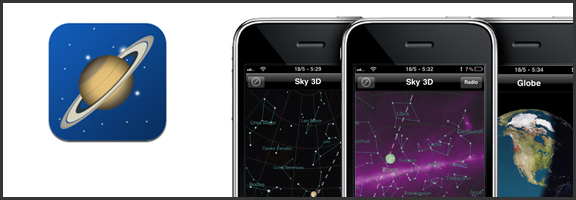
Belatedly, it hit me: I own a GPS-capable, compass-packing smartphone. Somebody must have created a stargazing app for the iPhone and/or iPad. There’s an app for everything, or some other such marketing phrase, right? Of course, it turned out that there were several apps of varying costs and degrees of complexity — and the one that struck the balance with me was simple, free app (with over 5 million downloads) called Planets.

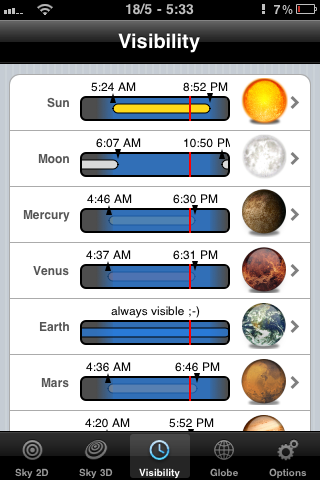
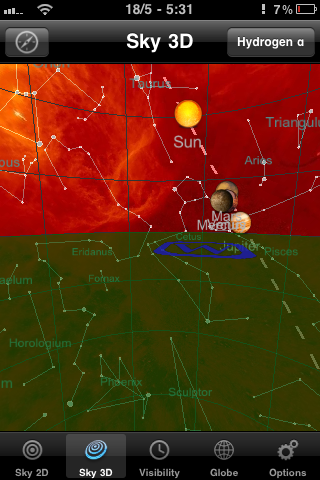
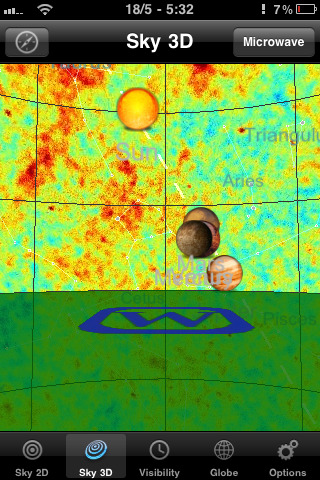
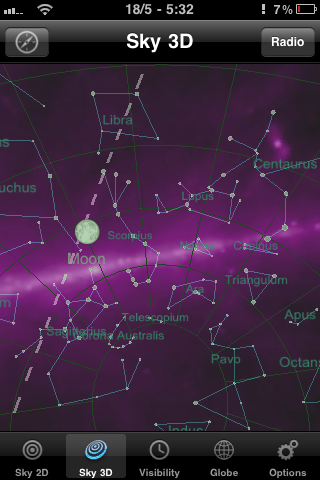
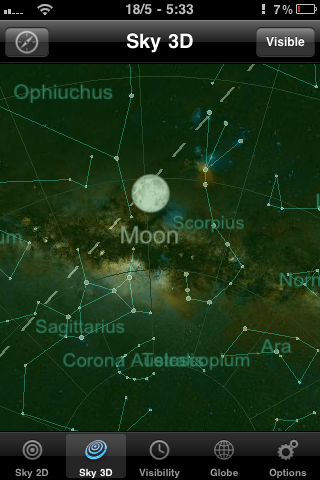
Planets doesn’t compare to the feature-sets of some of the paid apps like Starwalk for iPad, but it isn’t bogged down by complications either. It’s a straightforward 2D or 3D view of the heavens, augmented by some location-based gyroscope action. This is especially useful in the 3D view, as it allows you to get a look at the constellations and planets as you turn and point your iPhone or iPad. The 2D view provides a some useful information at a touch, such as rising and setting times of planets, the sun, and the like, but it’s the 3D virtual planetarium that gets me.


Constellations on the iPhone with Planets for iPhone, iPad | 40TechView planets, stars on the iPhone with Planets for iPhone, iPad | 40TechPlanet rise, sunrise, visibility of planets with the naked eye on iPhone, iPad | 40Tech

While Planets for iPhone and iPad could benefit from providing more information about specific stars and planets, and I wouldn’t mind a bit of interactivity and a photo of a nebula or two, I love the fact that me and my kid can quickly identify artwork in the sky and can even see where things should be if there wasn’t so much light pollution or the sometimes perpetual cloud cover we get on the Northwest coast – or if pesky things like daylight hours or the plane of the Earth get in the way. I also like that the Planets app actually tells you where the planets of our solar system happen to be hanging out, and at what times they might be visible to the naked eye. I found Saturn outside my door the other day. I’ve always loved Saturn. It’s pretty.

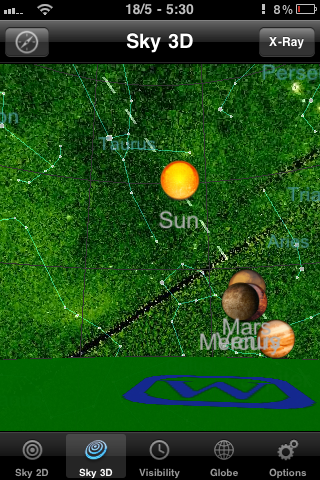
Photo May 18, 5 30 06 PMPhoto May 18, 5 30 59 PMPhoto May 18, 5 31 31 PMPhoto May 18, 5 32 11 PMPhoto May 18, 5 32 30 PMPhoto May 18, 5 33 03 PM

If the regular planetarium view doesn’t cut it for you, Planets also has several other views that make the sky look impressively colourful, including X-ray, Radio, Infrared, Microwave and Hydrogen-a. There are also some twirling shots of the planets in the globe section, but that part of the Planets app definitely needs more information and other bells and whistles to be interesting. Still, for a free app, it’s a great little stargazing assistant, and one that I get regular use out of.

You can pick up Planets for free at the iTunes App Store.

What’s your favourite stargazing app for your mobile device?


eReaderIQ The Easy Way to Find Free eBooks (and Track Price Drops) for Your Kindle

eReaderIQ The Easy Way to Find Free eBooks (and Track Price Drops) for Your Kindle | 40Tech

Borrowing eBooks is a great way to get your free on in Kindle-land, but if you want to actually own the books — and not be subject to time limits — then check out eReaderIQ. Sure, you probably won’t find the latest best sellers, but you will find a lot more than just public domain. The price drop notifications don’t hurt, either.

eReaderIQ is fairly easy to use, though the interface is a bit busy, and they have recently added a Kindle-friendly version of the site so you can browse right from your device. The database is updated hourly and is region-specific, which helps you to avoid any cross-border licensing disappointments. The 10 regions cover the planet, for the most part, though some are very generalized (like “Asia & Pacific” — does it include Russia? Who knows?) and there is a note at the bottom of the site that states prices and availability are accurate for US customers, regardless of the region you choose. It should also be noted that the book links take you directly to Amazon.com, not the Amazon site that is specific to your country.

Free eBook Database, eBook Price Drop Tracker, eReaderIQ | 40Tech

You don’t have to register for anything, or provide any personal information at all to eReaderIQ for it to work, but if you do provide your email (upper-right corner of the site) you will be notified up to twice per day of any new free Kindle eBooks outside of the public domain. You can also watch specific books for price drops by adding the ASIN or Item URL, your price-drop Notification Threshold, and your email address.

Another cool feature of the Price Drop Tracker is that you can see a list of books that others are watching (again, with no identifiable information), and can sort by percent of the drop, recent price drops, and most watched. There is also an icon legend to quickly note things like Text-to-Speech, Lending Enabled, etc., which makes it easy for you to find what you are looking for.

eReaderIQ is a great service for Kindle readers looking for free and price-reduced eBooks. Hopefully, they will expand to cover other eBook stores as well, like Barnes & Noble, Kobo, and iBooks. If you want more details on using the service, check out this review by Guiding Tech.

Where do you find your free eBooks?


Springpad Web App Adds Offline Access, Data Backup

Springpad Web App Adds Offline Access, Data Backup | 40Tech

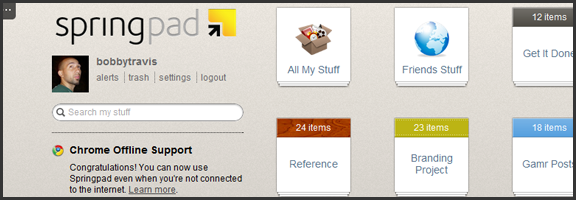
One of the things that has been a major point of contention in the ongoing Springpad vs Evernote debate (which still rages, despite the different market segments the apps target) has been the lack of a desktop app for Springpad. This was closely followed by the inability to backup and download your Springpad data, which was a strong deterrent for some of our own readers. Well, Springpad has pushed their product forward yet again, and have addressed these issues — and while offline access to the service doesn’t quite stack up to the power of a desktop version, it’s a huge step forward for the web app, and only the beginning of things to come.

Offline Access

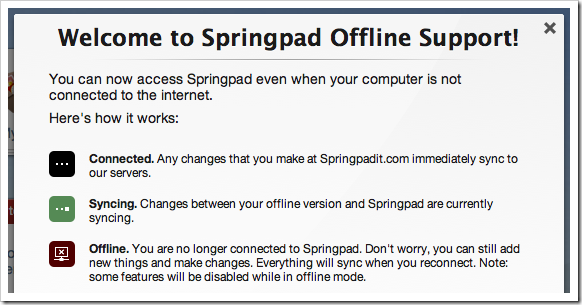
The Springpad mobile apps have had offline access for some time now, leaving their web counterpart to catch up. To do this, Springpad has used it’s integration into the Google Chrome browser to its — or, rather, our — advantage. Other browsers will be added soon enough, but for now, all that HTML5 offline goodness is locked into the native Chrome app. If you already have it installed, you will probably have to uninstall it and then grab it from the Chrome Web Store again. Then you need to pop into settings, then services, and click the button to enable offline access and start the sync. If you want to make sure everything you sync remains up to date, then leave the app open while you do other things. I suggest right-clicking on the app and then selecting “open as pinned tab” or as a new window so you can “set it and forget it.”

Springpad Offline Mode Syncs Data for Offline Access

While the offline access is a fantastic development, there are still a few things that are lacking. Of course, you won’t have access to elements that are internet-dependent, like alerts and links to other sites, but you also won’t be able to use the Board, or the advanced sorting and filtering options. Also, you can only search by title (which is a little annoying), you have no access to the trash, and you can’t add new photos or files for later upload (among other limitations — full list here). Some of these things will be addressed in future updates, and I’m definitely not complaining — I’m happy about the offline access, and fully expect it to improve in leaps and bounds over the next while. I still have that hankering for a desktop app, though. I have no real reason for it, and I fully understand that Springpad’s dedication to the cloud and HTML5 puts them ahead of the curve, but… I want one. It’s probably just me showing my age or something…

Data Backup

I’m loving what Springpad has put together for a data backup solution. Most times, when you download a backup of an online service, it is a CSV file, or some other dump of data that is not otherwise immediately usable. Springpad has basically given you an offline website with a list of your data in HTML form. Unfortunately, it is not easily navigable without a lot of scrolling or using your browser’s Find feature, but it’s all there and it’s easy to read. I downloaded a few thousand notes and bookmarks into a 12 MB zip file (with attachments and photos in their respective folders) that I was able to open and read right away. This made me happy!

Springpad Offline Access, Data Backup Features | 40Tech

The downside of this method is that it is not really ideal for transferring your data to another service, if that is what you want to do. Perhaps Springpad should include a CSV option, but I’m thinking you would have to leave a lot of data behind that way.

In any case, you now have the ability to mitigate the potential disaster of losing all your Springpad data in a freak accident, and will be able to enjoy reading it too. Huzzah!

Springpad isn’t slacking on other fronts, either. They are a part of the Google IO Chrome Sandbox, and have updated their Android apps to support Honeycomb tablet devices. They also have released a version for the Barnes & Noble Nook Color — which is awesome for the owners of the eBook reader/tablet hybrids, considering how Springpad is able to keep track of and deliver alerts on books. I love the steady and focused flow of updates we’ve been getting from Springpad, and I can’t wait to see where they take us next. I’m hoping desktop app – but I’ll take what they give.

What are your thoughts on the latest Springpad updates?


One of the Most Beautiful Things Humankind Has Ever Made-and I’m Not Talking About the Phone [video]

Japanese Gravity Marimba, Sharp Touch Wood SH-08C | 40Tech

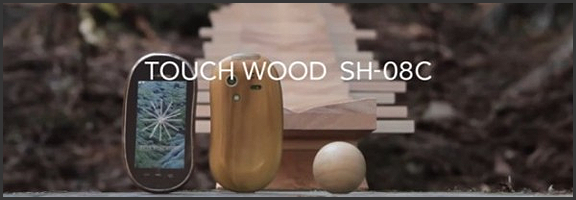
This is one of the coolest things I have ever seen. In my life. Seriously. And oddly enough, it’s for a smartphone commercial — the Sharp SH-08C Touch Wood. Picture this, if you will: a quiet day in a beautiful forest, the occasional deer, and a small stream chattering as it flows by on its merry way. Doesn’t that just scream relaxation? Now imagine yourself breathing in that fresh air, drinking in that view — and listening to the sounds of Bach’s Jesu, Joy of Man’s Desiring (Herz und Mund und Tat und Leben, BWV 147) as it tinkles through the air. You look around, wondering where the music is coming from, and see a long, angled construction between the trees. It’s made of wood, is kind of pretty in its own right, and it’s singing out the notes of the 10th movement as a little wooden ball rolls ever downward, toward the waiting ground.

You can’t tell me that you don’t think that’s cool!

Japanese Gravity Marimba | 40Tech

The gravity marimba, as it’s called, is a masterful feat of engineering. So much so, in fact, that a part of me still thinks it might be computer graphics — but from all reports, it’s real. Each time the little wooden ball hits one of the wooden slats, a note sounds. Each wooden slat is just long enough, and angled in just the right way to provide the proper rhythm; slowing down or speeding up as needed. The sustained notes are an added treat — very cleverly done. The math that must have been required to create this thing boggles my regular, writing-loving mind!

My just-about-three-year-old daughter and I were enthralled by this video — we watched it four times in a row — and like I said, probably one of the neatest things I’ve ever come across, online or off. These things should be built everywhere. The phone that I mentioned doesn’t come up until the end of the commercial, and is in itself an interesting attempt to marry technology with nature. It appears to have a wooden back, for example.

Watch the video! Absorb it. It just might make your weekend! :D

Japanese Gravity Marimba Plays In An Ancient Forest [Make Magazine Blog]