Menu Close

Author: Evan Kline (page 88 of 164)

Hello, I'm Evan. I write about tech from my perspective – that of the average tech geek, sometimes with my lawyer glasses on. You can also find me on Twitter and at my real-life job as a lawyer.    MORE ABOUT ME.

Clipper Gives You Text Expansion (of Sorts) on Android [App of the Week]

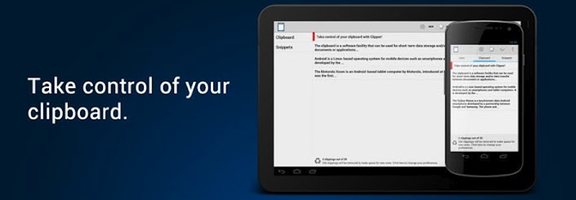
I hate responding to email from my phone. As much as Swype has made using the phone keyboard much easier, it still doesn’t compare to the speed of a computer keyboard. Normally, I wait until I’m back at my desk to answer email. Still, I find that there are some responses that I enter over and over on my phone. Wouldn’t it be nice if there were a text expansion app on Android so that I could take care of those messages on the go? There aren’t text expansion apps for Android, at least in the same sense that are text expansion apps for the PC and Mac that allow you to type shortcuts to expand text. There are apps, however, that let you insert previously created snippets into documents. Clipper is one such app.

Read more


How Many Items Do You Have on Your Computer Desktop? [Reader Feedback]

Evan clean desktop

I’ll admit it. Until recently, I was a desktop slob. Despite my best intentions, the desktops on my computers were all jammed full, mostly with junk. If a program placed an icon there during installation, I never bothered to remove it. I typically would use my desktop as the destination for downloads, too. This resulted in an even bigger mess.

Recently, though, I’ve changed. I’m not sure what triggered it, but I’ve been on a tidy desktop kick lately. The desktops on both my work and personal computers are now pristine. Are my a freak now, or was I an oddball when my desktop was a mess? This trivial issue has me curious. How messy is your desktop?

Read more


It’s Magic! Set up a Windows Quick Entry Box for Mac-Only OmniFocus

OmniFocus is a fantastic GTD application, boasting many great features. One of my favorite features is the quick entry box. This allows you to tap a key combination to call up a task entry box. That entry box will hover over whatever app you’re using and then disappear after you enter your task and hit the Return key. The big problem is that OmniFocus is a Mac-only app. I’ve liked it enough as I tested alternatives to Toodledo, that I looked for a way to make it easier to implement in a world dominated by Windows. I found a very slick free app called Win2GTD that brings an OmniFocus quick entry box to Windows.

Read more


Getting Things Done (GTD) With Toodledo, Using Pseudo-GTD Methodologies

One of our readers previously wrote about Getting Things Done with 2Do and Toodledo. That great writeup focused on using Toodledo through 2Do, an iOS app. I have been using Toodledo ever since I first was blown away by it, although primarily through the web app (albeit via Fluid, a Mac app that turns a web page into a standalone application). Over time, I’ve developed a system of my own to implement some GTD methodologies within Toodledo. Here it is.

Read more


Set up a Keystroke to Lock Your Mac With BetterTouchTool

Lock mac with bettertouchtool

If you come from the Windows world to a Mac, you may be surprised to find that there is no readily apparent way to lock your Mac if you step away from it. There are some ways to do this, such as forcing your Mac to the screensaver and requiring the password to unlock the screensaver. The quickest method I’ve found, though, is by using previously discussed BetterTouchTool.

Read more