
Adobe Flash is a notorious resource and battery hog. I’m currently seeing if I can get by in Safari on my MacBook without it. I had been using an extension to selectively enable Flash in Safari, but I wanted to see if I could live without Flash in Safari entirely, and just jump over to Chrome (which comes packaged with Flash) when I absolutely needed to see a page that used Flash. All of the solutions that I found online involved Applescripts that were throwing errors for me, until I jumped into the Keyboard Maestro Yahoo Group and found a script that worked. I’ve paired that with Keyboard Maestro, and can now use a keystroke to open the currently active Safari tab in Chrome.
Author: Evan Kline (page 63 of 164)
Hello, I'm Evan. I write about tech from my perspective – that of the average tech geek, sometimes with my lawyer glasses on. You can also find me on Twitter and at my real-life job as a lawyer. MORE ABOUT ME.

Yep, that image you see above is a screenshot of OmniFocus 2 for iPad. OmniFocus has been my task management app of choice since early 2012. I use it on the iPhone, iPad, and Mac. The Mac and iPhone versions have both received updates since I started using them, while the iPad version has been stuck with the “old look.” The bigger drawback of the current iPad version, aside from the look, is the lack of background sync. That means that the app currently only updates when it is active. Read more

Mention the convergence of iOS and OS X, and many Mac users contort with rage. The thought of OS X moving toward iOS is viewed by many as “dumbing down” the desktop system. There are ways in which OS X can become more efficient by borrowing from iOS, however. One way is through text manipulation, via an app called PopClip. On iOS, if you select text, a little box pops up above the text, with options that are dependent on the context in which the box was invoked. Choices could include Cut, Copy, Paste, text formatting (bold, italics, etc.), or more.
The link below takes you to the best explanation I’ve seen on two recently disclosed LastPass security flaws. A few thoughts: Read more
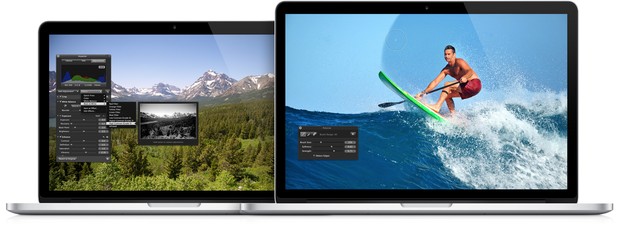
If you didn’t see the news today, Apple will be ceasing development of Aperture when the new OS X Photos app is released next year. At first blush, this seems like bad news for Aperture users. ApertureExpert has an interesting take on the news, however, that actually has me feeling hopeful for the future of the Photos app. The Photos app as a hub for your photos, with iOS-like extensions allowing any other app, including Lightroom, to interact with it? Count me in, if it comes to pass.