
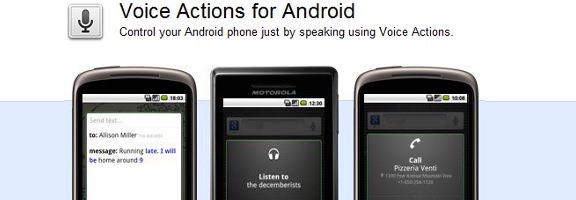
One of the great features that came with the 2.2 (Froyo) update to the Android operating system was Voice Actions. With Voice Actions, you can control many of your phone’s features, such as navigation, the playing of music, and text messaging. Let’s take a look at some of the Voice Actions that you can use.
To use Voice Actions, you first must download the app. Next, get an idea as to how the app works by watching this video:
You’ll want to add the Google search widget to your Android home screen. Then, you can tap the microphone in the widget, and speak. Here are a few of the commands that you can use, along with the syntax for each one:
| ACTION | SYNTAX |
| Call contact | “call [contact name] [phone type]*” |
| Call business | “call [business name] [location]*” |
| Listen to music | “listen to [artist/song/album]” |
| Send a text message | “send text to [recipient] [message]*” |
| Get directions | “navigate to [address/city/business name]” |
| Send email | “send email to [recipient] [subject]* [body]*” |
| View a map | “map of [address/city]” |
| Go to a website | “go to [website] |
| Write a note | “note to self [message]” |
| Search Google | “[your query]” |
| *Optional |
I’ve had mixed success with Voice Actions. It was spot on in properly understanding my home address and giving me directions, even though both my street and town are words that could easily be confused. It also did a good job with searches, and with going to websites. I had less success with music.
Have you tried Voice Actions? Do you think you’d use it?

jon says:
I use Voice Actions all the time while in the car. Main use is dialing someone from phone book or sending a text message. Do not run into to many problems with it at all.
March 21, 2011 — 10:11 pm
Evan Kline says:
I keep my phone in a dock in the car. I’m curious now – I’ll have to test out how accurate it is over speaker, while driving.
March 22, 2011 — 3:25 pm
Tom says:
Seems that when used on an Apple iTouch it only will take you to a website.. not to maps or contacts or music or notes..
Am I doing something wrong or are those other applications only valid on an Android Phone?
March 22, 2011 — 6:57 am
Evan Kline says:
I’m not sure, Tom, since I’m on an Android phone now. Maye somebody else on an iOS device can chime in.
March 22, 2011 — 3:26 pm
Dowell Taggart Team says:
I have a HTC myTouch and I’m just exploring the apps. Thanks! I have’t taken advantage of this app.
March 24, 2011 — 7:13 pm