Menu Close

Tag: Mac (page 24 of 25)

How To Quickly Toggle the Tap To Click Functionality of Your Trackpad [Mac]

Tap to Click Toggle.jpeg

When you type on a Mac laptop with a trackpad, do you inadvertently brush the trackpad with your palms or with the base of your thumbs? Doing so can cause your cursor to jump to unintended places on your screen, and really screw up whatever you’re working on. You can change your trackpad settings to disable Tap to Click to prevent this, but then you lose some convenience. What you really need is a quick way to toggle Tap to Click off and on. With a little AppleScript magic, you can do so.

Read more


How To Mount Inexpensive Amazon S3 Storage As a Local Drive, Using Transmit [Mac]

Amazon S3 as local storage.jpeg

Now might not be the time to tout the benefits of Amazon S3, given the recent Amazon cloud storage outage. Still, it is hard to beat Amazon S3 prices. Amazon offers storage at 14 cents per gigabyte for the first terrabyte of storage, and additional charges for transfer in and out. You can get easy access to that storage using a modern FTP client, such as Transmit on the Mac, and even make your S3 storage space show up as a drive on your computer. Here’s how.

Read more


Mac vs. PC: Maybe There’s Something To Those Sterotypes After All

pc vs mac survey.jpeg

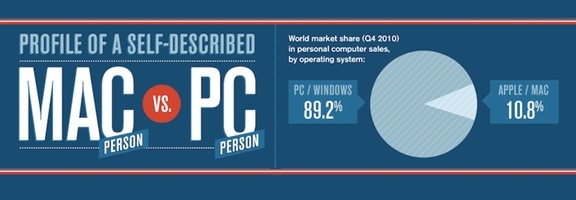
You know the stereotypes: Mac users are young, progressive, city-dwelling hipsters, while Windows users are more conservative, and live in rural areas. Hogwash, right? Well, maybe not. Hunch recently released results of a study of user data, comparing preferences and tendencies of PC and Mac users. The data pool was pretty massive, using more than 80 million aggregated and anonymous responses to questions from 700,000 Hunch users over an almost two year period. The study results do reinforce some stereotypes.

Read more


Use DropBox and Hazel to Bust the Scumbag Who Steals Your MacBook

hazel and dropbox to secure your mac

If someone stole your Mac, that would stink, to put it mildly. Not only would you be out an expensive piece of equipment, but your sensitive data might be accessible to the criminal who stole your gear. Using two free programs, you can not only remotely secure your Mac if it is stolen, but you can bust the loser who pilfered it. A combination of Hazel, Dropbox, and a bit of geek kung fu allows you to record the crook’s IP address, snap a screenshot of him, record his browsing history, disable automatic login, and lock the stolen machine.

Read more


10 Essential Apps (6 Free) For Mac Newbies

201104091657.jpg

A few months ago, I took the plunge, headfirst, into Apple’s world. I bought a MacBook Air and, for the first time since my family’s Apple IIe 25 years ago, I was regularly using something other than a Windows machine. While there were several apps that I installed that are also available on Windows, it was fun to discover some Mac-only applications. Here are the first 10 such apps that I installed. This list doesn’t include apps that were pre-installed on the Air, like iMovie or iPhoto. It also doesn’t include apps that can be found on Windows, which I’ll cover some other day.

Read more