Menu Close

Tag: iPad (page 8 of 13)

Hotspot Shield VPN Officially on iOS — Secure Browsing, Bandwidth Compression, Access Blocked Sites/Services

Hotspot Shield Now Officially on iOS -- Say Hello to HTTPS, Bandwidth Compression, Out-of-US Netflix, Pandora | 40Tech

When we first told you about Hotspot Shield, it was to use the free Virtual Private Network to bypass blocked media, as well as increase your browsing security. Over a year later, we posted a tutorial on how to use the VPN to watch US Netflix outside of United States, using your iOS devices. Unfortunately, the Hotspot Shield sign up process for iOS was broken soonafter, and their customer service team didn’t have a lot to say about it. Now we know why: Anchorfree, the creators of Hotspot Shield have released an iPhone app that makes all of the steps go away, and even solves a few of the problems.

The new Hotspot Shield app will have you up and running with a couple of touches, installing two VPN configurations on your iPhone or iPad. The second one is for manual use — you turn it on when you need it, and leave it off when you don’t. The default configuration, though, is Always On, which handily accomplishes two things: it allows you to automatically have the VPN’s data compression and additional security in place whether you are on WiFi or mobile broadband, and it also fixes potential annoyances by automatically re-establishing the VPN’s connection when it drops (which is still a regular occurrence).

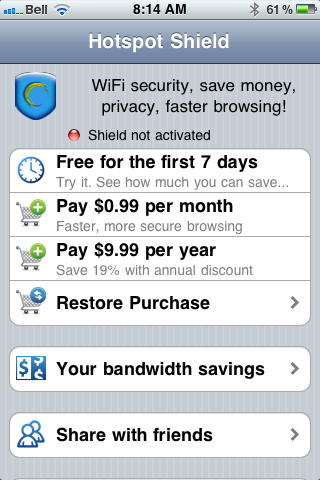
In testing, I found that the VPN is more stable on iOS than it was previously, and that using it was practically painless. I also discovered, very quickly, that the free-ness of Hotspot Shield — at least for mobile — is a thing of the past. In comparison to other VPNs, though, especially services that are as effective, the price is still more than worthwhile. You can use the VPN free for a week, after that, it’ll cost you $0.99/month or $9.99/year. You can also use a purchase code the app provides you to activate up to five personal devices that are connected to the same iTunes account. If the incredibly attractive price is to much for you, and you already have an old Hotspot Shield VPN installed on your iOS device, it should still work, at least for now — mine does, anyway.
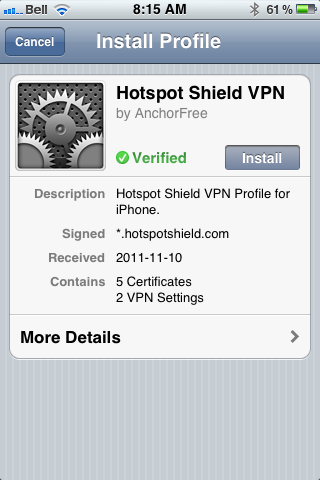
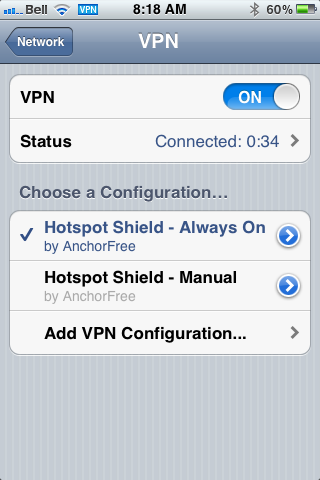
Hotspot Shield VPN for iOS, iPhone, iPad, iPod Touch | 40TechHotspot Shield VPN App for iPhone, iPad, iPod Touch | 40TechHotspot Shield VPN App for iOS | 40Tech

Some other fun features of the app are the abilities to track your bandwidth savings and to control your compression level. You can turn it off completely for WiFi, or turn it up to maximum to save bandwidth on images and the like. This will downgrade image quality, of course, but how much is your data worth to you?

All in all, I recommend it to pretty much everyone on iOS with even a passing interest in security (or in using Hulu, Netflix, Pandora, etc., outside of the US). You can never be too careful with your data, and HotSpot Shield does a decent job of protecting you. According to ReadWriteWeb, it was even used during the revolutions of the Arab Spring to allow “users to skirt detection of officials that may have been monitoring mobile internet activity.” Handy, that…

If you do decide to use Hotspot Shield for iOS, do keep a couple of things in mind:

  1. The terms of service are very explicit about the VPN being for personal use only. Don’t use it for business or they may cut you off.
  2. Using a VPN to access a US-only service outside of the US may be considered breach of that service’s terms of use. You may want to double-check that before going ahead to make sure you don’t have any issues — especially if you pay for said service.

What do you think of Hotspot Shield for iOS? Do you plan to use it to increase your browsing security? Let us know in the comments!
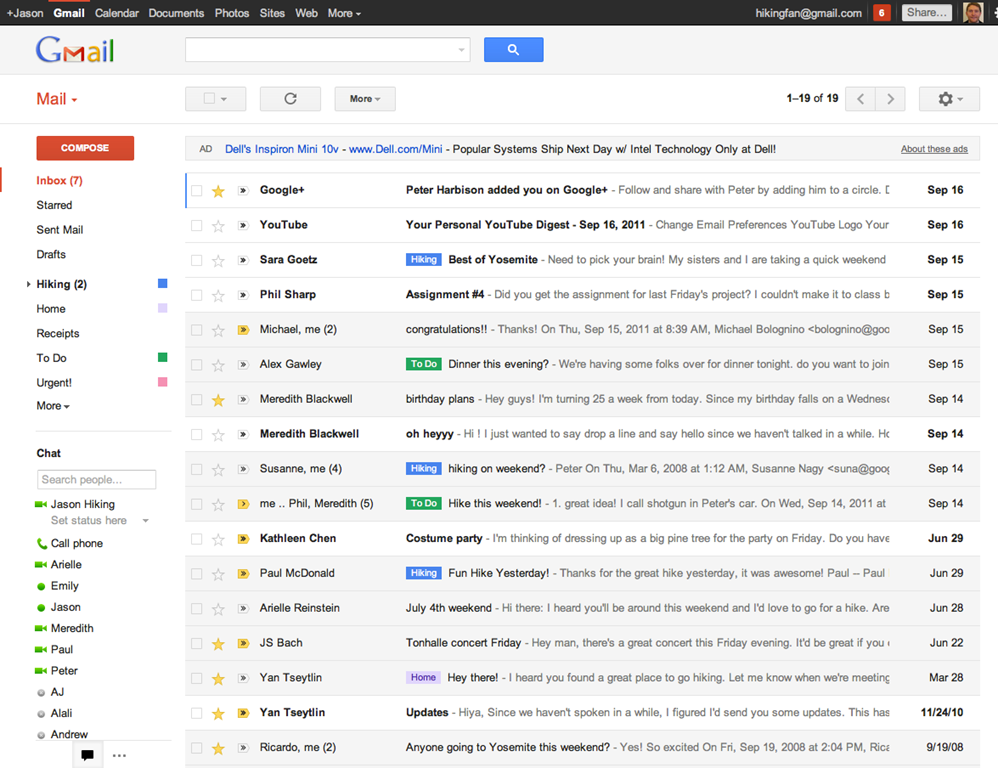
Gmail Has a New Look — And Almost Has An Official iPhone App

Gmail Has a New Look -- And Almost Has An Official iPhone App | 40Tech

In keeping with their Big Push, Google released a new version of Gmail with a major facelift, as well as released — and then pulled — their long-awaited native Gmail app for iOS.

The new Gmail look, as is to be expected, has a few minor annoyances to accompany some great new features, and the app is actually very cool, but was pulled due to a notification system problem.

Check out the feature-list for both below.


New Gmail Web App

Gmail's New Look

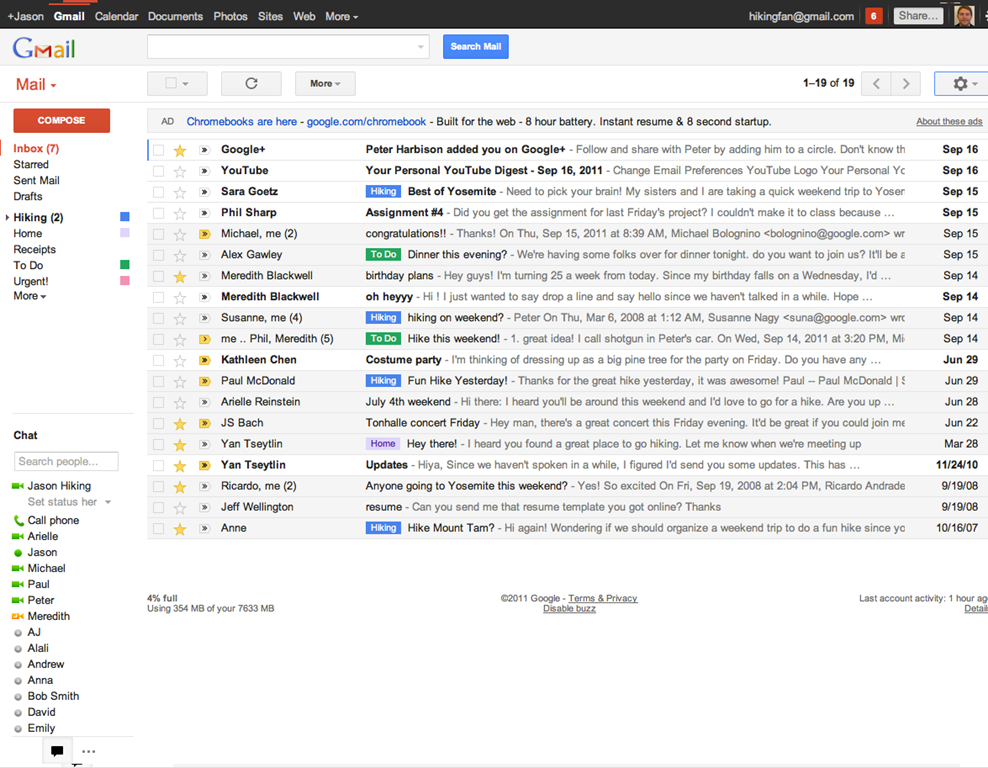
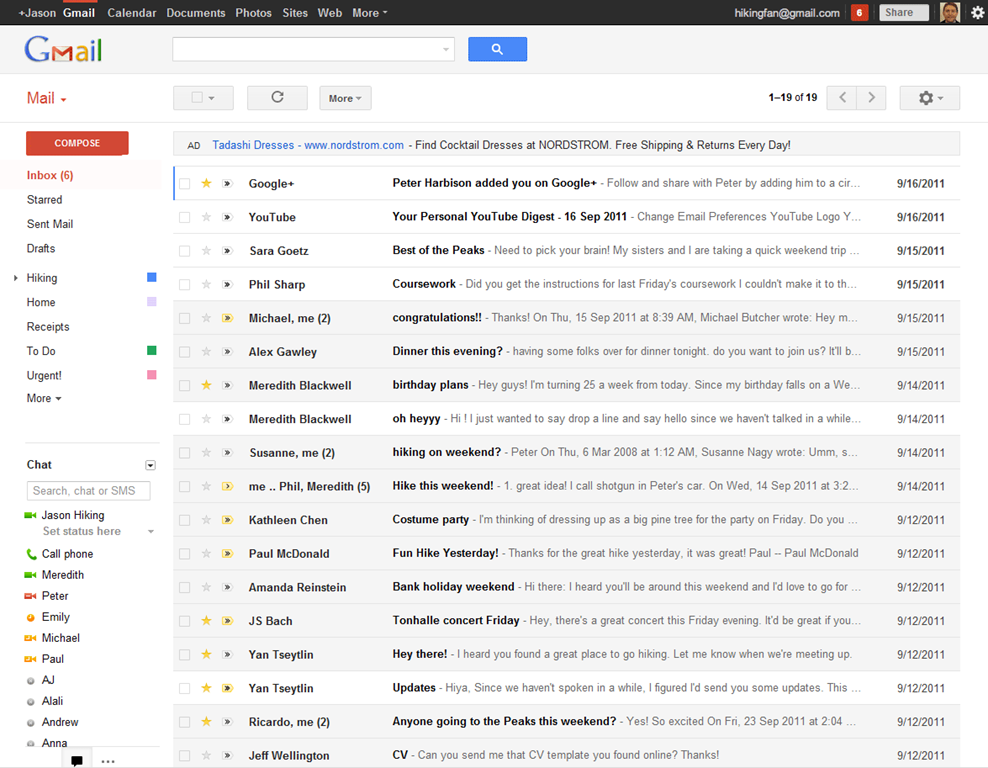
The new web app has a look and feel that fits in with Google’s updated branding. It’s “cleaner, more modern” and is very similar to the preview theme that the Gmail team released a while back. I’ve been using that theme for a few months and I love it, but I’m not terribly fond of the dynamic “Display Density” feature.

Display Density allows you to control the default amount of whitespace for each email message in your inbox (Comfortable, Cozy, or Compact), but whill actually change dynamically depending on the size of your browser window. This may seem like a good idea, but if you use Minimal Wall’s guidelines for window sizes, it displays as Compact, no matter what, which clashes with your zen by slapping you about with tiny little squished up emails. Google should add a feature that allows you to force the display of your favourite Density, no matter the size of your window.

New Gmail Comfortable Setting    New Gmail Compact Setting

What is awesome about the new Gmail is the sweet new toolbar, the much-improved search dialogue — I always hated the in-field search commands — new themes, and the improved look of threaded conversations. I also like the additional control settings, the ability to drag the size of the chat window, and the awesome little buttons in the sidebar that can make the chat, gadgets, and other annoying sidebar items vanish until you want them.

Give the new Gmail a try, and let us know what you think. If you don’t love it, you can always revert back — at least for now. Check out the video for details on the upgrade:


Native Gmail App for iOS

Once Google gets a handle on the notifications errors (apparently just a silly little mistake on their part, so it shouldn’t be long), the new iOS app will probably kill the iOS mail app for me. I only use the thing because I hate waiting for Safari to load, and the new app looks like it will finally allow me to do what I’ve always wanted to from my iPhone and iPad: reply to emails with the email address that they were sent to.

This is a huge deal for me, because I use a multitude of different email addresses for different things, and they all come through Gmail. I don’t necessarily want to answer my 40Tech email or my work email with my main email address, which I’ve had forever, but might not always come off with the… professionalism… I need.

Unfortunately, you still can’t compose new email in the app and choose what email you want to send from. Baby steps, though, I suppose — and it’s still better than the iOS emai app.

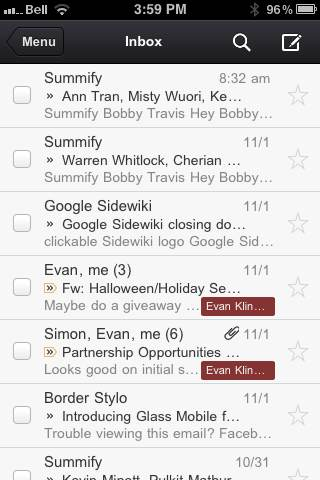
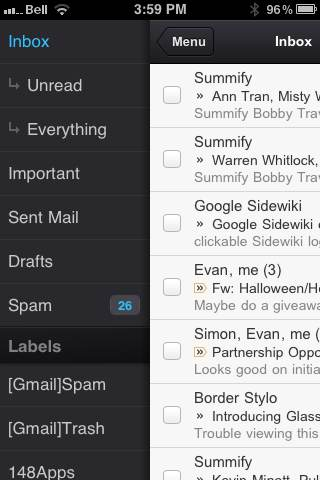
The new Gmail for iOS app is nearly a full-featured Gmail experience. There is universal search, auto-complete from both Gmail contacts and iPhone addressbook, attachment upload (which is basically photos, of course), threaded conversations, priority inbox, easy archiving, labelling, starring, deleting, and spam reporting.

New Gmail App for iOS | 40Tech       New Native Gmail App for iOS | 40Tech

On iPhone/iPod Touch, the Gmail app gets out of its own way, focusing on the content, with a nice expandable sidebar to sort through your labels. On the iPad, you get the standard two-paned view, which makes for easy viewing and navigating on the larger screen.

The only other things to note are that, at the moment, the app doesn’t have offline support, and doesn’t do multiple Gmail accounts, and that swipe gestures — while good for the most part — sometimes feel a bit awkward.

What are your thoughts on the new look for Gmail? And when you get a chance to check it out, tell us what you think of the iOS app, as well! 


Get 50GB in Your Box.net Account Just for Logging In to the Mobile App

Get 50GB in Your Box.net Account Just for Logging in to the Mobile App | 40Tech

We give cloud storage a lot of love here. And why not? Having access to, and the ability to share, your files wherever you are is peachy keen — and convenient too. It’s a competitive world, though, and the main contenders — Dropbox, Box.net, and SugarSync — have been battling it out via pricing, free storage offerings, and promotions to ensure they get a solid chunk of the target market that is you. The latest play has come from Box.net — and it’s a doozie: 50GB of free storage just for logging in to their iPhone, iPad, or iPod Touch app.

Before you ask, there’s no catch. You don’t have to sell the idea to your friends, you don’t have to buy anything after so many days of use, and you don’t have to give them your first-born child. All you have to do is log in and the 50GB is yours! The promotion started October 12th, 2011 and runs until December 2nd, 2011 (50 days). Just make sure you have the most recent version of the iOS app, and away you go.

For those who take advantage of the promotion, Box.net has also increased the maximum file-size upload to 100MB — it’s usually 25MB for free accounts. That doesn’t beat out Dropbox, for me, but there’s a lot you can do with 50GB of 100MB files, and Box has cool collaboration features that most of the competitor services don’t match. The only other thing to watch for is the 10GB bandwidth limit.

If you’re already paying for an account with Box.net, don’t fret. You can get the 50GB, too, if you downgrade to a free account. You lose out on the more advanced security and collaboration features and the like, as well as your 1GB+ upload limit, but you will still be able to share your files quickly and easily.

If you’re on Android, you might be feeling a bit of “What the hell! Can I haz…???” For Android users in general, at the moment it appears you’re out of luck. However, if you have a Sony Tablet S — which uses Android — there’s a similar promotion running. BlackBerry Playbook and HP TouchPad users are on as well. But don’t get too upset, Android Army (or those with other devices), according to the Box.net blog, they have some more promotions up their sleeves just for you guys.

What will you do with your 50GB of free storage?


Springpad + iOS 5 = Easy Awesome

Springpad, iOS 5: Easy Awesome | 40Tech

It’s been two days now since iOS 5 officially landed — and it’s a hit. There are always a few hiccups, of course, and there are things that could be better and worse, but it’s pretty much the biggest update that iOS has seen since Copy and Paste. In fact, the update was so anticipated that the amount of people trying to get it all at once overloaded Apple’s servers and, ironically, left a lot of customers with an unfortunate upgrade experience. The error 3200 problem seems to be resolved now, however (I had no issues last night), so feel free to jump on in!

Before I upgraded, one of the biggest questions on my mind was how apps and services would be able to integrate into some of the cooler features — like the new notification centre. I was extremely pleased to see that the Springpad team is, as usual, at the head of the curve. They’ve already turned the notification centre into something that will not only make your life easier, but it’ll make things easier for your iOS-using friends as well.

I’m talking about Springpad’s new send to phone feature. With a single click, you can send something from the Springpad web app directly to your iPhone’s notification centre, where you can then open it up in the mobile app with a touch. This makes for a fantastic way to work with something you might need to map on the go, like a restaurant, gift-location, or whatever/wherever you’re on your way to. It makes planning a breeze, and can even be used as a creative way to get an organized reading list onto your phone or iPad, so you can continue researching whatever you were up to on your desktop before you went out.

The coolest feature os Springpad’s send to phone, though, is that you can add in multiple devices. This allows you to not only send things to all of your own iOS devices, but you can add a family member or friend as well, and share recipes, directions, product ideas, bookmarks, note-reminders, and whatever else you think might be useful to them.

Take a look at the video below to see Springpad send to phone for iOS 5 in action:

Oh — and if you haven’t heard, Springpad is doing better than ever before. In the last six months, they’ve grown another million users, which puts them up over the 2 million mark. These users have created over 5 million notebooks (about 3.5 notebooks per person), and have become 150% more engaged due to integration of check-ins and likes into Facebook.

Are you using Springpad for iOS? If so, tell us how you like the new send to phone feature for iOS 5!


A Short Memoriam to Steve Jobs

A Short Memoriam to Steve Jobs | 40Tech

Steve Jobs was an innovator, a forward thinker, and an incredible entrepreneur. He took no prisoners in the battle with his competition and wasn’t afraid to make fun of them, belittle them, or otherwise express his opinion. He used that persona to help create a sense of elitism and superior quality around Apple products that catapulted the brand to wild success – a success only strengthened by the fact that the quality of Apple products often was superior.

Steve Jobs used all of his forceful personality to do what forceful personalities should do: change the world. Love him or hate him, without Steve Jobs the world as we know it would be a very different place. The man is responsible, on some level, for the computer, tablet, or smartphone you’re reading this on, for the mouse that you use to navigate your PC, and for changing the face of the music industry. And that’s just for starters.

I’m not going to bore you by reiterating what thousands of other blogs have already said. I just wanted to take a moment to express my respect for the man who helped define how I spend my life. He was no angel, and he might well have been a little crazy — but as he himself said:

Here’s to the crazy ones, the misfits, the rebels, the troublemakers, the round pegs in the square holes… the ones who see things differently — they’re not fond of rules… You can quote them, disagree with them, glorify or vilify them, but the only thing you can’t do is ignore them because they change things… they push the human race forward, and while some may see them as the crazy ones, we see genius, because the ones who are crazy enough to think that they can change the world, are the ones who do.

Rest in peace, Steve. You did big things.