Menu Close

Tag: iOS (page 14 of 19)

App of the Week: Paper Camera [iOS, Android]

Paper camera iphone

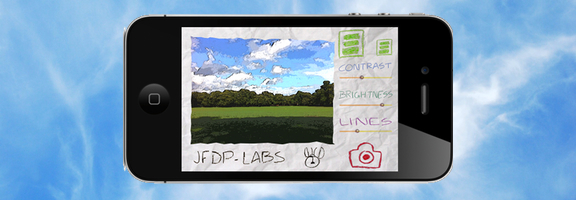
Both the iOS App Store and the Android Market offer an abundance of camera apps. There are so many, that it takes either great functionality or a unique twist for an app to stand out. One that does so is Paper Camera, available as both an Android and an iPhone/iPad app. Paper Camera lets you use your camera to output real time cartoon and painting effects that have to be seen to appreciated.

Read more


Awesome App Updates: Flipboard, Zite, PressReader (iOS)

Awesome App Updates: Flipboard, Zite, PressReader (iOS) | 40Tech

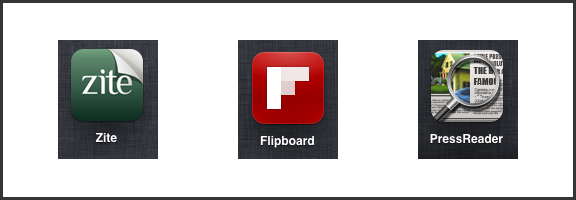
We’re always looking for a better way to filter and experience all of the content we discover on the web. Thankfully, there are a ton of great feed readers and news discovery apps out there. Three of the standouts, Flipboard, Zite (which we somehow never wrote an article on, directly), and PressReader, have recently received some significant updates. Some might even call them game-changing. Either way, they’re significant enough that we feel the need to share them with you, so read on! Enjoy! And comment, of course…  


Flipboard and Zite

When Flipboard came out, it blew people’s minds. All of your Google Reader content boiled into a pretty, personalized magazine? Awesome! Especially when you consider that it would do the same with your Twitter and Facebook feeds.

Then Zite came out. It wasn’t as flashy as Flipboard, but it had a nice, minimalist feel to it, and a fancy learning algorithm that helped it to feed you the content you would find most relevant. Aside from Feedly, which came to iOS later (but had been a web app since before the iPad existed), there was really nothing that could compare with Flipboard and Zite for stylized delivery of your favourite content. And all for free, too.

Both of these apps did what all good apps do: they kept updating. Mostly, they kept adding more ways to share content and more ways to bring new content in — everything from Tumblr to Instagram to their own suggested feeds organized by topic could be added to your magazine. Flipboard and Zite weren’t just for organizing your own content, they were discovery engines as well!

There was only one problem… with all of the updates, the one that everyone wanted never came. Where, oh where was the iPhone app? Yes, yes, Android users, I know the Android app was wanted, as well, but this is an iOS post — it says so in the title. :P

Well, the updates that people were waiting for are in and both Flipboard and Zite are now available for the iPhone. To make things cooler (and make sure that you stay engaged with their apps), Flipboard and Zite both offer a way to synchronize your feeds between devices. All you have to do is sign up for their free accounts.
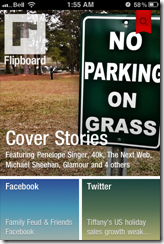
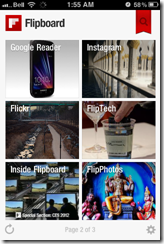
Flipboard Cover on iPhone | 40Tech  Flipboard for iPhone | 40Tech  Flipboard Article on iPhone | 40Tech

Zite for iPhone | 40Tech   Zite Article on iPhone | 40Tech   Zite Article Options on iPhone | 40Tech

If you love the look of Flipboard but wish it had the same learning ability of Zite, then you’ll be happy to hear that the iPhone version does do something very similar. The iPad should get that feature soon. Zite still has a slight edge for massive content consumers, however — or for shared iOS devices. The app allows for multiple accounts, which makes it easy to set up and switch between magazines for work, pleasure, news, food, different people; you name it.
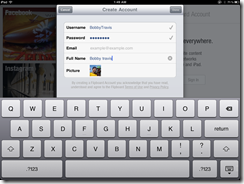
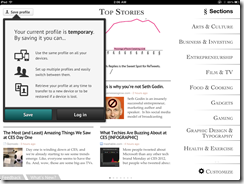
Sync Flipboard to iPhone, iPad | 40Tech  Sync Zite to iPhone, iPad, with Multiple Profiles | 40Tech


PressReader (by NewspaperDirect)

I love PressReader simply because it is a fantastic use of technology. It allows people to experience their local newspaper — and newspapers from all over the world — right on their iPhone or iPad (it’s on Android and the web as well). It’s fantastic. People who aren’t ready to part from their traditional means of reading the news can still have it. In many ways, the experience is enhanced, as well; most especially with the sharing features of the app, and the text-to-speech capability that allows your iPhone or iPad to read your paper to you on the go.

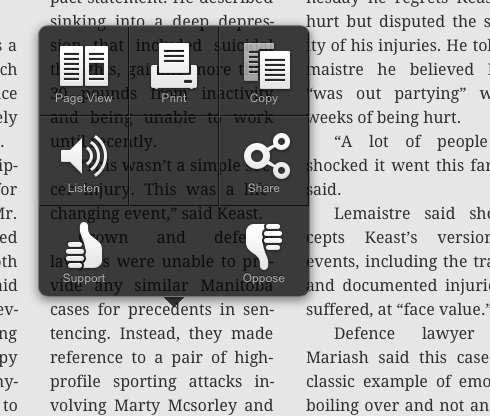
PressReader’s most recent update not only brings the app up to date with iOS 5, but it also adds a bevy of new features that make the experience even better. The most notable is the (iPad only) SmartFlow technology that visually optimizes the newspaper for the iPad, much in the same way that Flipboard and Zite prettify content feeds. This feature can be turned on and off in settings, and enabled per article and page from the nifty new press and hold menu. It’s a bit intense for the first generation iPad, so it is off by default. I found it worked well enough with mine, though, with only the occasional crash.
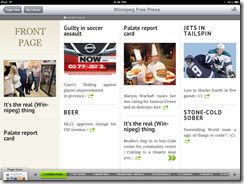

PressReader Smartflow | 40TechPressReader Before SmartFlow | 40TechPressReader After Smartflow | 40Tech

PressReader has also added push notifications so that you can know right away when the latest version of your favourite paper is out. It’s like it’s got a built in paperboy — or maybe paperperson?

Finally, the added ability to copy and paste articles directly into note taking applications is a nice touch for those of us who use Evernote and friends (see: Us).
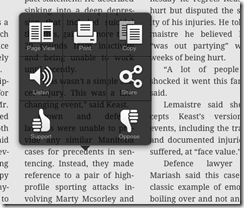
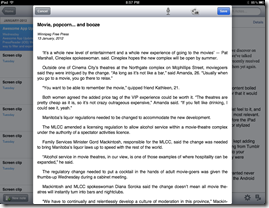
PressReader Press, Hold Menu | 40Tech  PressReader Article Copied to Evernote | 40Tech


I’m loving the updates to PressReader, Flipboard, and Zite. They are, in a word, Awesome. I think you should get them and you should love them. If you are using a first generation iPhone or iPod Touch, though, don’t get the PressReader update. Your tech will not like you.

What are your thoughts on these recent Awesome App Updates? 


Hotspot Shield VPN Officially on iOS — Secure Browsing, Bandwidth Compression, Access Blocked Sites/Services

Hotspot Shield Now Officially on iOS -- Say Hello to HTTPS, Bandwidth Compression, Out-of-US Netflix, Pandora | 40Tech

When we first told you about Hotspot Shield, it was to use the free Virtual Private Network to bypass blocked media, as well as increase your browsing security. Over a year later, we posted a tutorial on how to use the VPN to watch US Netflix outside of United States, using your iOS devices. Unfortunately, the Hotspot Shield sign up process for iOS was broken soonafter, and their customer service team didn’t have a lot to say about it. Now we know why: Anchorfree, the creators of Hotspot Shield have released an iPhone app that makes all of the steps go away, and even solves a few of the problems.

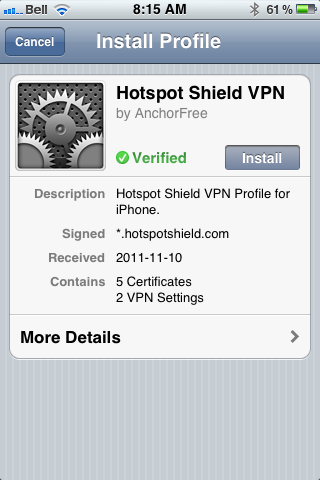
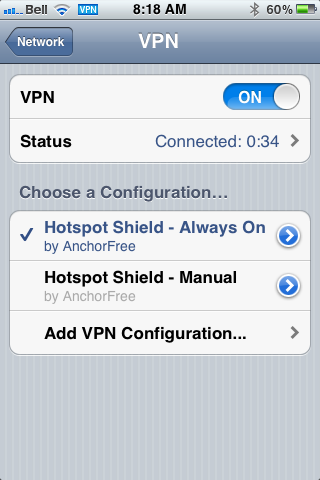
The new Hotspot Shield app will have you up and running with a couple of touches, installing two VPN configurations on your iPhone or iPad. The second one is for manual use — you turn it on when you need it, and leave it off when you don’t. The default configuration, though, is Always On, which handily accomplishes two things: it allows you to automatically have the VPN’s data compression and additional security in place whether you are on WiFi or mobile broadband, and it also fixes potential annoyances by automatically re-establishing the VPN’s connection when it drops (which is still a regular occurrence).

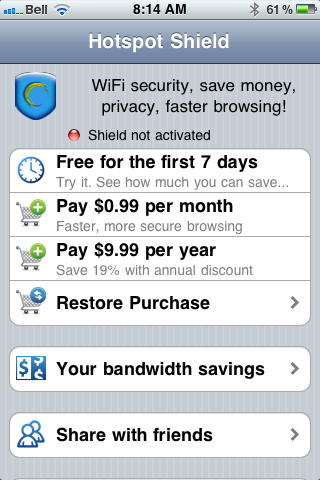
In testing, I found that the VPN is more stable on iOS than it was previously, and that using it was practically painless. I also discovered, very quickly, that the free-ness of Hotspot Shield — at least for mobile — is a thing of the past. In comparison to other VPNs, though, especially services that are as effective, the price is still more than worthwhile. You can use the VPN free for a week, after that, it’ll cost you $0.99/month or $9.99/year. You can also use a purchase code the app provides you to activate up to five personal devices that are connected to the same iTunes account. If the incredibly attractive price is to much for you, and you already have an old Hotspot Shield VPN installed on your iOS device, it should still work, at least for now — mine does, anyway.

Hotspot Shield VPN for iOS, iPhone, iPad, iPod Touch | 40TechHotspot Shield VPN App for iPhone, iPad, iPod Touch | 40TechHotspot Shield VPN App for iOS | 40Tech

Some other fun features of the app are the abilities to track your bandwidth savings and to control your compression level. You can turn it off completely for WiFi, or turn it up to maximum to save bandwidth on images and the like. This will downgrade image quality, of course, but how much is your data worth to you?

All in all, I recommend it to pretty much everyone on iOS with even a passing interest in security (or in using Hulu, Netflix, Pandora, etc., outside of the US). You can never be too careful with your data, and HotSpot Shield does a decent job of protecting you. According to ReadWriteWeb, it was even used during the revolutions of the Arab Spring to allow “users to skirt detection of officials that may have been monitoring mobile internet activity.” Handy, that…

If you do decide to use Hotspot Shield for iOS, do keep a couple of things in mind:

  1. The terms of service are very explicit about the VPN being for personal use only. Don’t use it for business or they may cut you off.
  2. Using a VPN to access a US-only service outside of the US may be considered breach of that service’s terms of use. You may want to double-check that before going ahead to make sure you don’t have any issues — especially if you pay for said service.

What do you think of Hotspot Shield for iOS? Do you plan to use it to increase your browsing security? Let us know in the comments!


Are You Like Most People, and Stop Using Most Apps Soon After Installing Them?

Android ios app retention rate

Flurry posted the results of a recent study of app usage, taking a look not only at how Android stacks up against iOS, but also at app retention rate – the percentage of users that continue to use an app in the 12 months after acquiring it. The results are somewhat stunning, showing that the retention rate in the first month after acquisition is only 38%. That number then drops steadily, reaching 4% after 12 months. Do you find yourself discarding apps at such a fast rate?

Read more


The iPhone 4S: a Revolution in Smartphone Gaming?

The iPhone 4S: a Revolution in Smartphone Gaming?  | 40Tech

40Tech is pleased to present a guest post by Simon.

Although Apple’s new iPhone did not electrify either the media or the stock market quite so much as Apple might have hoped, it has certainly proved popular with their most vital audience: the consumers, who have made it the most successful iPhone launch ever, with 4 million sales already. It’s achieved worldwide success, including unprecedented penetration in the Chinese market.

Many people probably picked up the 4S for the Siri Personal Assistant, or the much-improved 8Mp camera, or just because it’s fun to have the very latest high-end phone. Hopefully they will sooner or later appreciate the true power of this new handset, which goes far beyond what we’ve come to expect in smartphones, particularly in several areas crucial to gaming: notably processor power, graphics chip, and the possibilities unlocked by the iCloud and AirPlay services.

Processor

The A5 processor in the Apple 4S is the same one used in the iPad 2. Yes, that means the latest iPhone is more powerful than the original iPad – a frankly staggering achievement, allowing game developers to create some seriously resource-intense games for the 4S.

Graphics

The graphics chip is also state-of-the-art, allowing for shading, lighting, and movement graphics that are at least as good as most gaming consoles. Infinity Blade II, the sequel to earlier the hit iPhone game, will probably be the first big release to really show off the new graphical capabilities. It won’t be the last, though – expect movie-quality graphics in a number of new 4S games next year.

Gaming in the iCloud

The iCloud has some great possibilities for gaming. Cloud computing in general has a variety of potential security issues, not yet fully explored or studied, but even if you’re wary of storing your work documents in the cloud, you can certainly save your computer games there. Cloud gaming allows you to start a game on your iPad, and continue it on your iPhone if you don’t have the iPad with you, without any hassle.

Not just a player; an AirPlayer

AirPlay lets you use your iPhone as a controller, moving the visible action from your phone’s 4.3 inch screen to your (suitably compatible) TV screen, and the audio to your surround sound system. Combine this with the iCloud possibilities, whereby you can seamlessly move the action from one device to another since your saved games are stored in the cloud, and some intriguing options open up for game developers. Fancy developing a game character in solo play on the iPhone and then bringing it along to a group gaming session via AirPlay? With the right game – not yet developed – it should be a possibility. Group games via AirPlay, using your iPhone as a controller and your TV screen to show off the action, are already available.

Cheap as chips (potato, not digital)

The very cheap price of most iOS games is a huge boon, too – look out for Diddly next year (free download) for a fiendishly competitive trivia game you can play on your AirPlay compatible TV. Hundreds of one-man indie developers and small teams are working on new titles, often inspired by classic 80s and 90s games, with prices from nothing to just £1-2.

Simon writes on behalf of Best Mobile Contracts, the UK’s leading mobile phone comparison website.