If you have invested yourself into Google+ at all, you will be happy to know that, whether you stick with the service or not, there is an easy way to get a copy of all of your data (profile, contacts and circles, your stream, Picasa pics — even Buzz and +1s). It’s called Takeout, and it’s built right into your Google+ settings as a part of Google’s “Data Liberation Front.”
There’s no tricks to it, no caveats, and no amount of hacking genius required. It’s all a matter of a few points and clicks and a bit of hard drive space. Here’s how to do it:
There are two ways to get started:
1.) Head to this link to visit the Takeout page directly
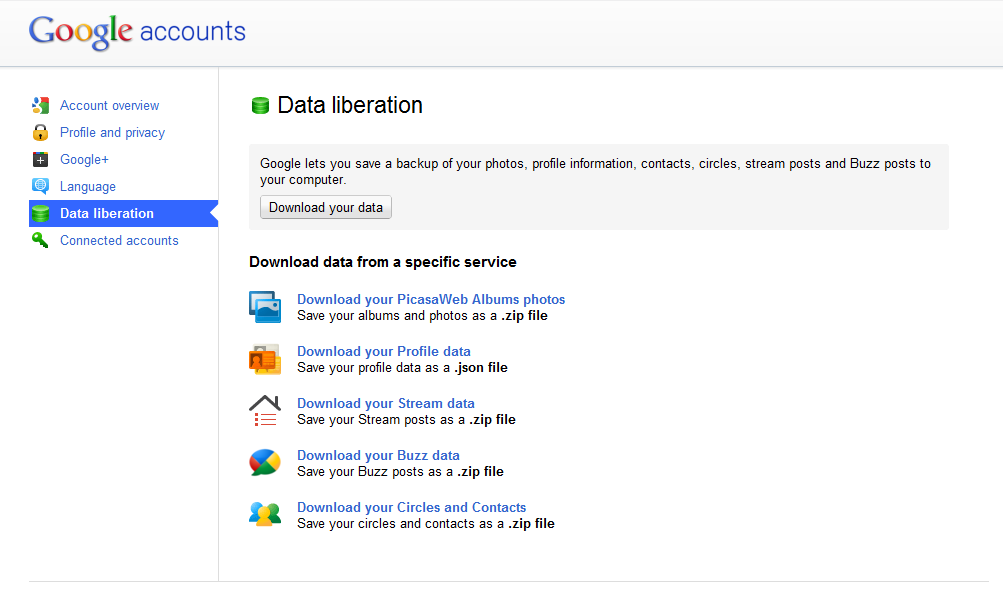
2.) Go to Google+ settings (little gear, top right corner of the page) and select Data Liberation
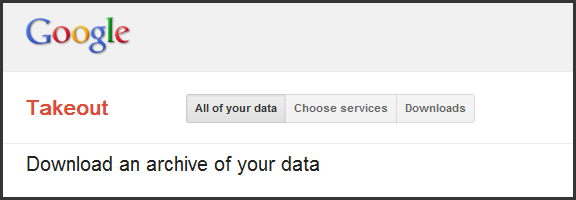
If you choose the second option, you can either click on one of the services to jump to the services selection page, or can click the “Download your data” button to get to the Takeout page. Once on the Takeout page, you can click create archive to backup everything. You will find the archive available under the Downloads page, available by a three-button menu at the top of the page.
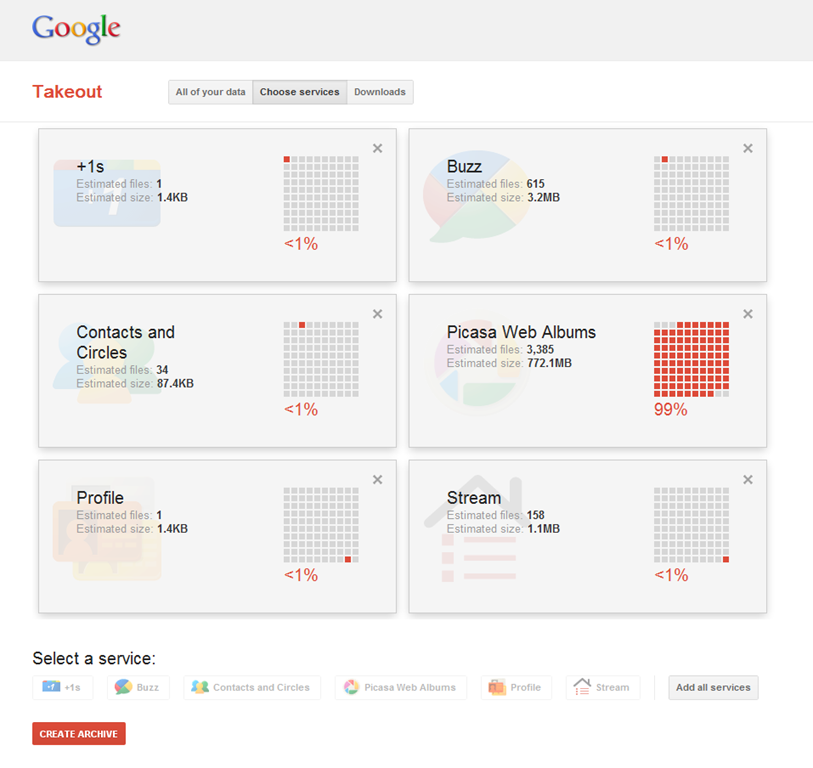
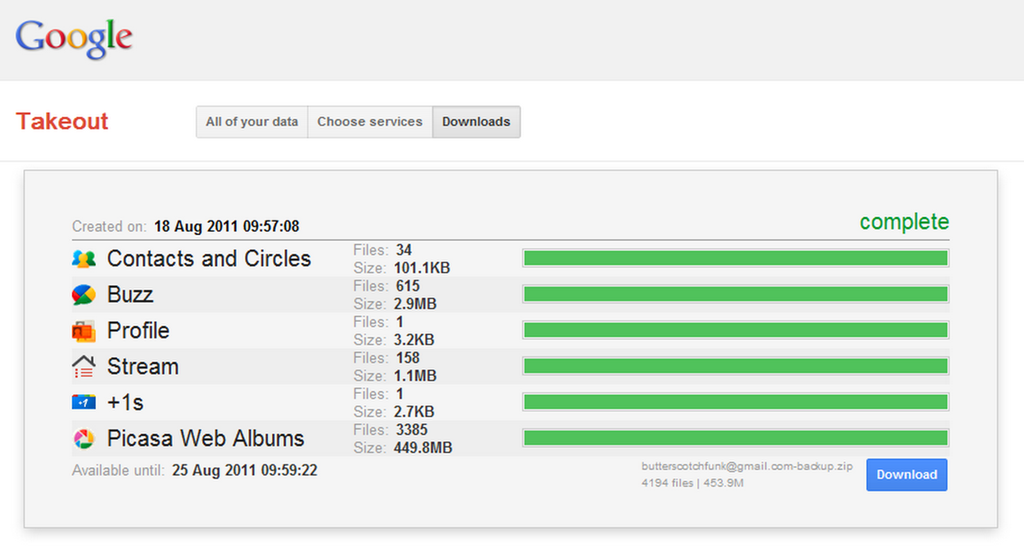
If you wish to be selective about what data you want to back up, then you want the Choose Services page (via step two or the three-button menu). Here, you can select one or all of the Google+ related services mentioned previously and create a custom archive. I suggest you head here, anyway, as this section of Takeout shows you not only the size of the archive, but the percentage each service takes up in the total download (this information is mostly available on the Downloads page as well).
The services will download as the following file-types:
Picasa Web Albums photos: .zip
Profile Data: .json
Stream data: .zip
Buzz data: .zip
Circles and Contacts: .zip
Photos are organized by Album or Post Date, and Contacts are individual .vcf files that are organized by Circles. Your Stream data is delivered as a functional, standalone website complete with comments, images, as well as anything you have reshared.
Overall, I find Takeout to be fairly impressive as a means of manual backups or to walk away from Google+ with all of your data. The compression rate is pretty good, as well — Over 3,000 pictures in Picasa (I imported my Facebook photos, and have uploaded many more taken with my iPhone) and the total download size was under 500mb. Not bad at all!
Note: There was once small inconsistency in file size information for my photos. The Choose Sevices section said the download would be 778MB, while the downloads page said 449.8MB.
Have you used Takeout? What are your impressions? What do you think of Google’s Data Liberation initiative?
Posting your email on a website, or in a blog, social media, or forum comment, opens you up to a world of messages about making money online, viagra, the enlargement of specific body parts, and a host of other fun solicitations and potential virus links. We all know this, and we all know that the safest way to post an email link is this: don’t. If you absolutely have to, you can always try to beat the bots by posting it as an image (time consuming), or by killing the link and adding some brackets and such like this: myemail (at) adomain (dot) com. The trouble with this approach is that you are also making trying to contact you annoying for the people you want to connect with.
Here are three ways you can share your email safely and easily:
scr.im
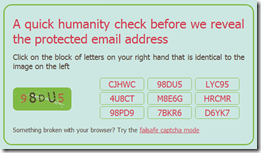
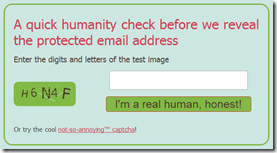
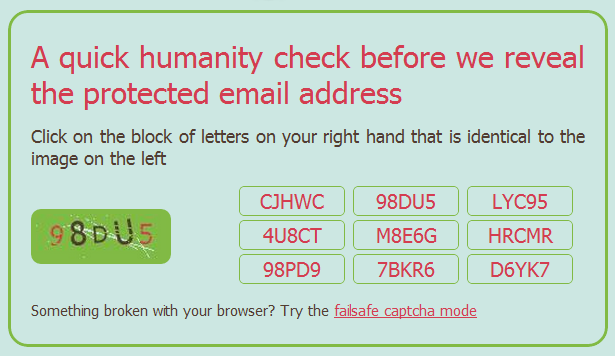
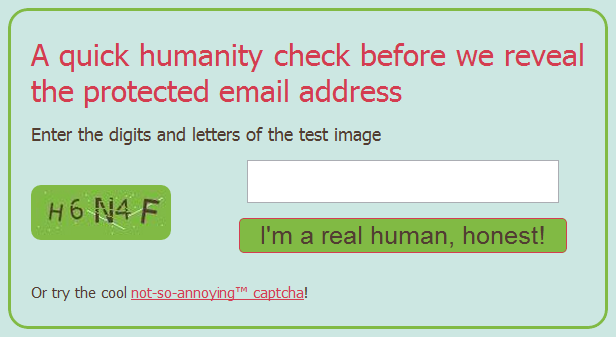
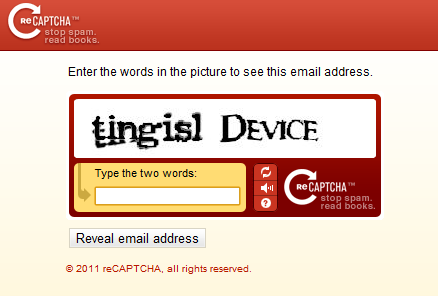
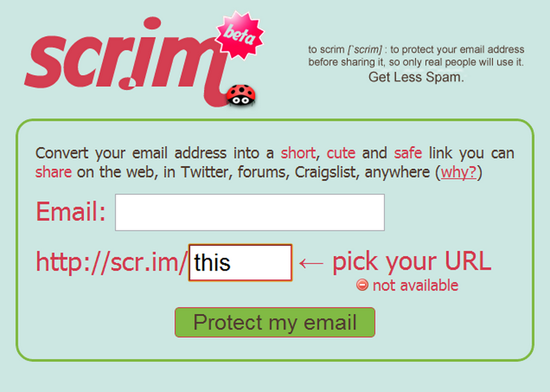
Scr.im is a convenient and brand-efficient way to post a link to an email address. It provides you with a simple vanity url that is easy to share and doesn’t require any specific code in the link. When the link is clicked, the person — or spam-bot — is directed to a captcha page that shows an image of an alpha-numeric code and a game of match the code with one of the nine buttons on the right. If there is, for some reason, a problem with this method, you can simply click the link at the bottom to go to the tried and true “failsafe” captcha method of typing in the code from the image and clicking the “I’m a real human, honest!” button.
To get set up with scr.im, head to their site, enter your email address, click “Protect my email” and go, share, be merry. They will generate a url for you, but if you want some extra awesome, then type in your own vanity url tail in the provided field. Scr.im will automatically let you know if the url is available or not.
reCAPTCHA Mailhide
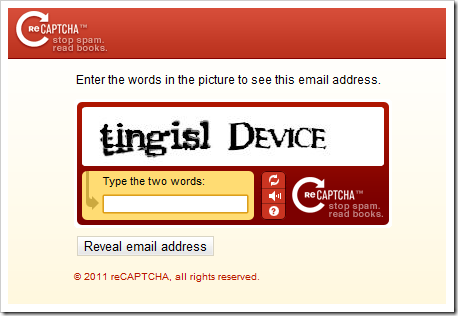
You are probably familiar with reCAPTCHA, especially if you own a blog. They have put together one of the easiest and most powerful (and best looking) captcha protections out there. They are also owned by Google, now, which I only recently became aware of. Whether that makes you feel more or less comfortable will be determined by how many Google services you already use , and how evil you feel Google is, but the reCAPTCHA Mailhide solution is a great way to safely post an email link to a website.
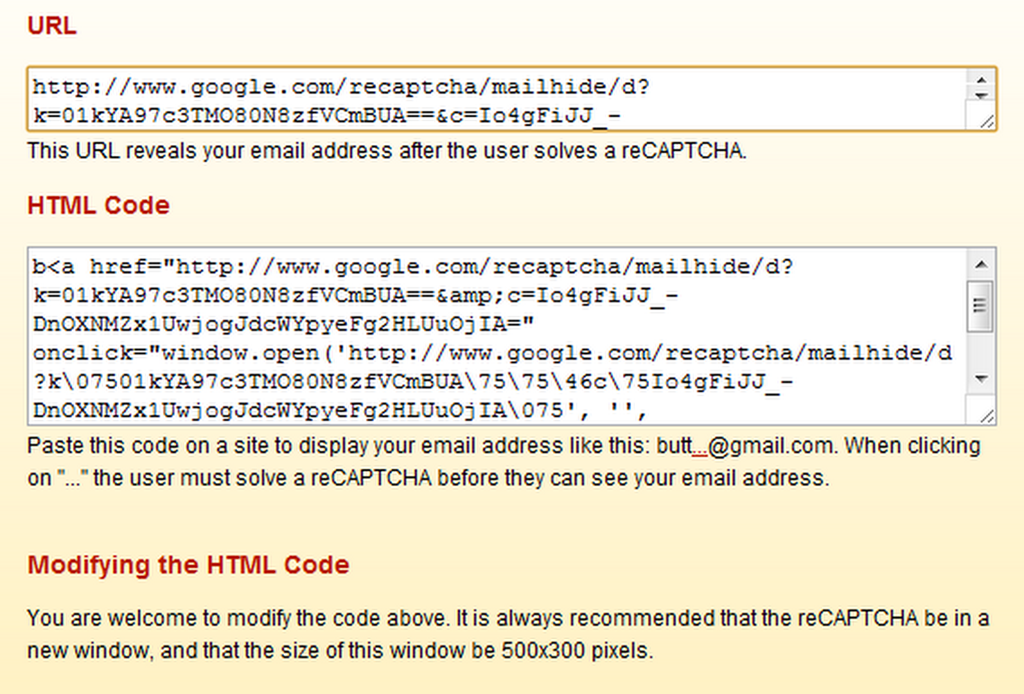
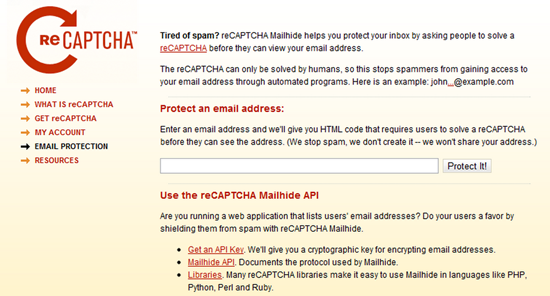
If you want to try it out, head to the reCAPTCHA Email Protection page and enter your email address in the given field and click “Protect It!” You will be taken to a page that provides the URL of the reCAPTCHA that will need to be solved before anyone can send you an email — which you can then share anyway you like. You can even take the (crazy, long) URL and plug it into your shortener of choice to create an nice and easy to share link. Once the captcha — which can only be solved by humans — is correctly entered, people will be presented with a page that contains an untrackable link to your actual email address.
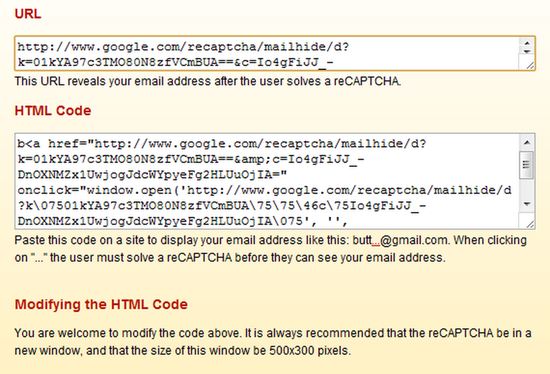
Web security is important to the people clicking your fancy email link, as well, so if you want to assure them that they are heading toward an email address, you may want to use the customizable HTML code that is also provided by Mailhide. This code will display your email with the first four letters of your address, followed by a clickable “…” and @yourdomain.com. This code can be customized to your liking — which was especially handy in my case, as I used an address with “butter” in the beginning. Posting an email link to butt…@gmail.com is not likely to gain me more than a few laughs. (Note: the clickable … previous is for aesthetics only. It is not an active link to my email address)
If you want to know the technical protocols used by Mailhide, check out this API link.
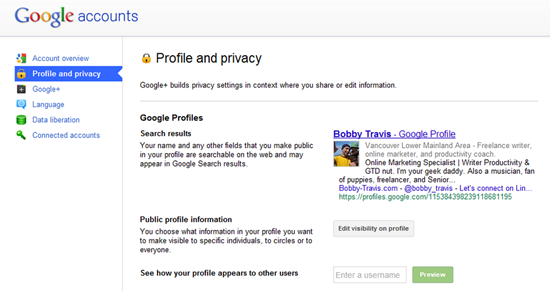
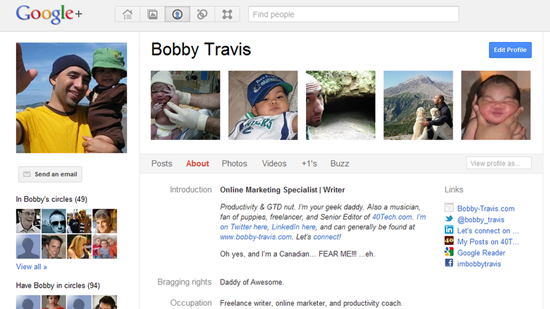
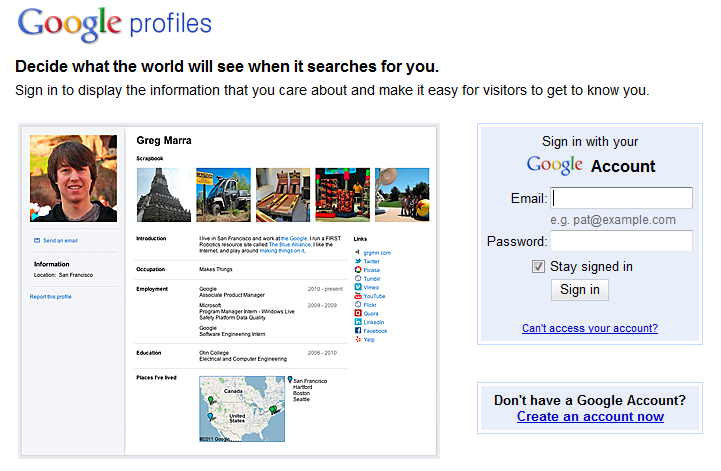
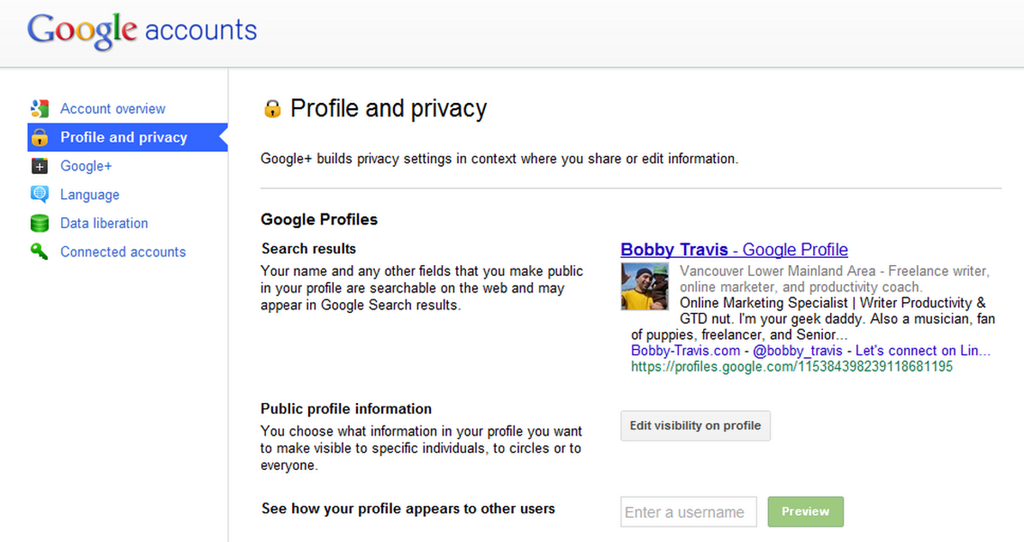
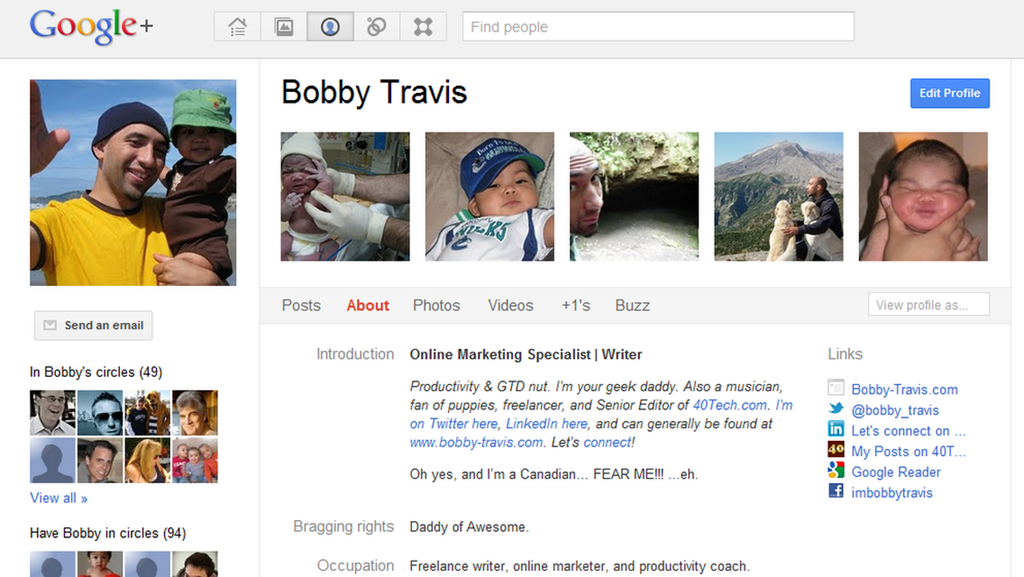
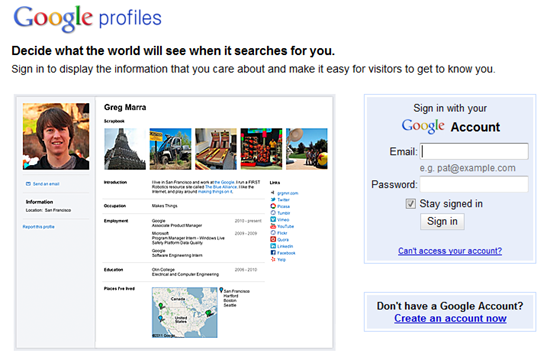
The first step is to make sure your Google+ Profile (okay, okay, if you really can’t stomach using Google+ yet, you can always just use a regular old Google Profile) has a visible “Send an email” button just below your picture. To do this, you go to the settings gear in the top right, then click on “Profile and privacy,” and then the “Edit visibility on profile” button beside “Public profile information.”
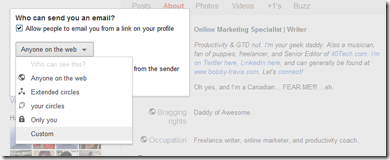
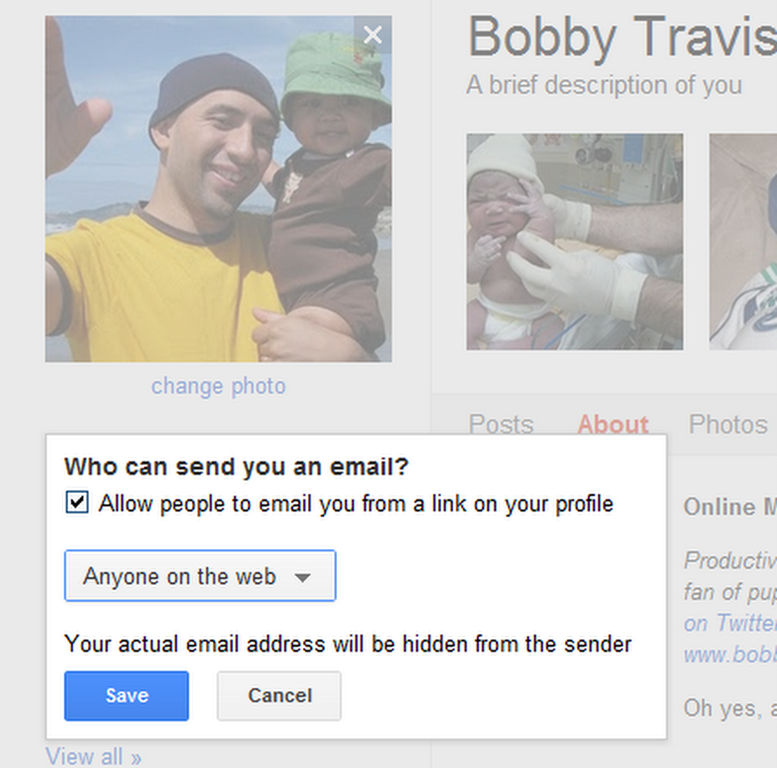
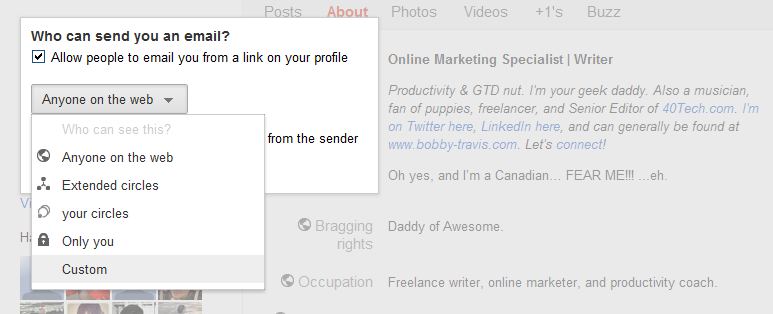
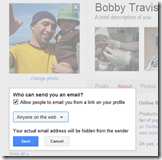
Step two is click on the “Send and email” area below your profile picture, click the check-box that is next to “Allow people to email you from a link on your profile,” and then click on the dropdown that sets your visibility preferences. For the broadest case, you will want to choose “Anyone on the web” as it will allow you to safely share a link to your email with anyone. Save, and then click the “Finished editing” button at the top of the page. People can now send you email right from your Google/Google+ Profile page.
The final thing to do is to share your Profile link with others. There are a number of ways to do this, including the secure (long) Google Profile URL, using a general URL shortener or a vanity URL, or even by using your profiles.google.com/username — though that may defeat the purpose a bit if you don’t want people to know your email address (seeing as the username + @gmail.com = is your email address).
Bonus – Bugmenot
If you are after a way to sign up for services without getting spammed, none of the above methods will work for you — so check out Bugmenot, instead. Bugmenot is the perfect way to check out for a multitude of “sign up first” services using dummy emails and passwords set up by other people. It’s a great way to avoid spam and solicitations, and it saves time. You could also just use your own dummy email address.
There you have it! Three easy ways to share a link to your email address without painting yourself as a target for spam bots. If you know of any others or have had experiences with any of these methods, please share them in the comments!

NOTE: AS ONE OF OUR READERS HAS POINTED OUT, GOOGLE MUSIC IS CURRENTLY AVAILABLE IN THE U.S. ONLY
While Spotify is the music service that is getting all of the press these days, Google’s own music service is up and running. In typical Google fashion, Google Music is currently in beta. Google Music is not a subscription service, and doesn’t offer a catalog of music. Instead, it is a free service to which you upload the songs that you already own. You can then stream them to a web browser, or to the free Android app. The app also caches music, to support offline play. We’ve got 4 invitations to give away. Read on for details on how to score one.
One of the biggest bitches for me when it comes to Facebook is the way it handles social gaming. Yes, social gaming can be fun, and the quest to get the most points, coin, trophies, et al has its satisfying moments — but the constant invitations, notifications, and culling of said items from my Facebook stream is annoying as hell. I know I’m not alone in that sentiment, either. Google+ is jumping in to the games space today, and I’m happy to report that they, once again, appear to have gotten it right.
The Facebook method of social gaming is actually very effective if your goal is to use social pressure and addiction propensity to keep people on your social network. Those things, in many ways, are the basis of how Facebook and its attached products work, and many people are tired of it. Google+ broke that model right from the start by removing any mention of “friends” and letting you decide how to label people in your social circles. Google+ games, which is rolling out today, keeps the low-pressure approach by keeping the crap out of your stream. As they say right in their blog post: ” Games in Google+ are there when you want them and gone when you don’t.”
Rejoice!
First of all, Games will have their own page that is accessible from the top of your stream. If you don’t see it yet, don’t fret, you know how Google loves a staggered rollout — just give it time. Once you’re on the page, you can see all of the latest updates from your circles, run through the invites you have (or ignore them entirely), and take a look at the games that other people you’re connected with have been playing. If you are the type that loves to broadcast your score and rub your awesomeness in the face of the masses, you can still do that — but the masses will be your circles, and they will only see your bragging and/or challenges when they feel like gaming themselves and can respond accordingly.
Better for everyone that way…
There are several games available already, such as Bejeweled Blitz, Bubble Island, and Diamond Dash for the Columns/Tetris style games lovers; Zynga makes an appearance with Zynga Poker, and there are also Sudoku, Dragons of Atlantis, Crime City, Zombie Lane, Dragon Age Legends (hell yeah!), and more. Angry Birds is in there too — but I don’t think I want to have to kill them again. The first time was difficult enough! I nearly had to call Mike Tyson to help me out…
So far, the Google+ Games implementation doesn’t disappoint. Remember, though, as with everything else about Google’s new social network, it’s still only a preview. If you run into some problems, try not to hold it against them. Yet.
Google+ is sexy. People have been raving about it for a month now. A whole entire month! That’s like… years in today’s tech world. Time-on-planet notwithstanding, over 25 million users have signed up, with no real signs of slowing, and the more people who jump in, the more you hear about how cool Google+ is, how Google got it right (finally!), and how people — even high-profile types — are intent on abandoning Facebook and Twitter.
While it is a little early, in my opinion, to make such brash and sweeping movements in the ever-tenuous social media space, Google+ appears to address many frustrations held by users of the current major social networks. This is the same thing that happened when Facebook slapped around and eventually sat on MySpace and Friendster. The main difference here is, due to the widespread adoption of social media into every day life (thanks to Facebook and Twitter), it’s all happening at lightning speed.
But is it real? Is it sustainable? What do you think about it?
Me? I’m definitely enjoying Google+. I like the feel of it. I like the ease in which I can decide who to communicate with, and how easy it is to find new information that I enjoy reading about. Mostly, though, I like that the users are, as a whole, so much more engaged. I don’t know if it is the way Google+ doesn’t force false friendships down your throat, or if it’s because you can actually express yourself without space limitations. Maybe it’s just because Google+ is new and shiny. Either way, I find myself talking with old contacts and meeting new people who ask me questions, answer questions, and otherwise generally converse in a way that feels much closer to blog or forum conversations. It’s nice.
It’s also worth noting that both Facebook and Twitter felt like that for me, once upon a time, before I was inundated by games requests or forced to sift through real people vs those who only viewed me as another leg up in the follow-game. Google+, as it grows, will probably experience similar challenges, which may lead me to once again consider only communicating by phone, in person, via email, blog comments, or (heaven forbid!) snail mail.
What about you? Now that you’ve had a chance to try out Google+, what do you like about it? How do you feel it compares to Facebook and Twitter — does it make you think of dropping them or campaigning to get your family and close friends on board with the new and shiny? Maybe you think that it’s all a bunch of over-inflated hype… just one more example of the media-fed bubbles that have a habit of unexpectedly bursting?
Whichever way you’re leaning, let us know in the comments.