Menu Close

Tag: Applications (page 8 of 19)

App of the Week: Planets, Free Stargazing App for iPhone, iPad [iOS]

40Tech App of the Week: Stargazing App Planets for iPhone, iPad, iPod Touch

When I was a kid, I was an astronomy nut. I was in love with the planets, the stars, nebulae, constellations, you name it. I read everything I could get my hands on. I even did a science project presentation in grade five (I think) on black holes. Somehow or other, though, as I grew older and the whirlwind of life, family and general stuff caught me up, I lost a lot of what I knew and never found the time to pick it up again. What bothered me especially was that I couldn’t identify more than four or five constellations any more — and that’s the sort of fun star gazing that I really wanted to share with my little girl.

Belatedly, it hit me: I own a GPS-capable, compass-packing smartphone. Somebody must have created a stargazing app for the iPhone and/or iPad. There’s an app for everything, or some other such marketing phrase, right? Of course, it turned out that there were several apps of varying costs and degrees of complexity — and the one that struck the balance with me was simple, free app (with over 5 million downloads) called Planets.

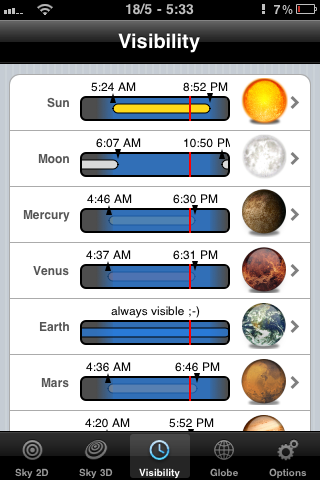
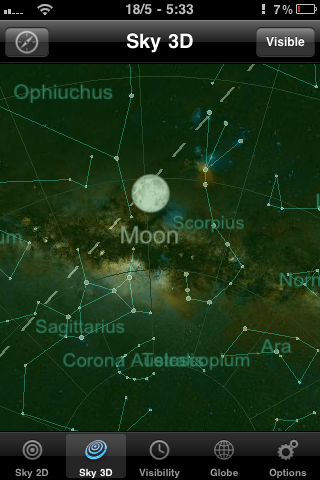
Planets doesn’t compare to the feature-sets of some of the paid apps like Starwalk for iPad, but it isn’t bogged down by complications either. It’s a straightforward 2D or 3D view of the heavens, augmented by some location-based gyroscope action. This is especially useful in the 3D view, as it allows you to get a look at the constellations and planets as you turn and point your iPhone or iPad. The 2D view provides a some useful information at a touch, such as rising and setting times of planets, the sun, and the like, but it’s the 3D virtual planetarium that gets me.


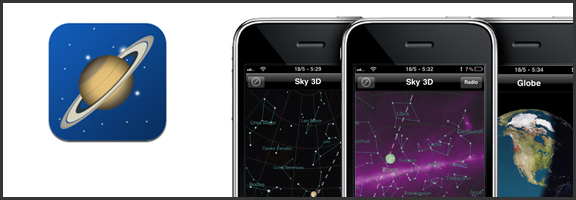
Constellations on the iPhone with Planets for iPhone, iPad | 40TechView planets, stars on the iPhone with Planets for iPhone, iPad | 40TechPlanet rise, sunrise, visibility of planets with the naked eye on iPhone, iPad | 40Tech

While Planets for iPhone and iPad could benefit from providing more information about specific stars and planets, and I wouldn’t mind a bit of interactivity and a photo of a nebula or two, I love the fact that me and my kid can quickly identify artwork in the sky and can even see where things should be if there wasn’t so much light pollution or the sometimes perpetual cloud cover we get on the Northwest coast – or if pesky things like daylight hours or the plane of the Earth get in the way. I also like that the Planets app actually tells you where the planets of our solar system happen to be hanging out, and at what times they might be visible to the naked eye. I found Saturn outside my door the other day. I’ve always loved Saturn. It’s pretty.

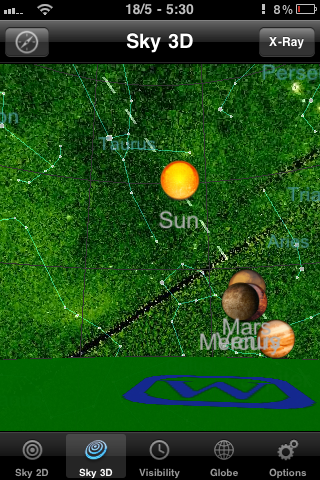
Photo May 18, 5 30 06 PMPhoto May 18, 5 30 59 PMPhoto May 18, 5 31 31 PMPhoto May 18, 5 32 11 PMPhoto May 18, 5 32 30 PMPhoto May 18, 5 33 03 PM

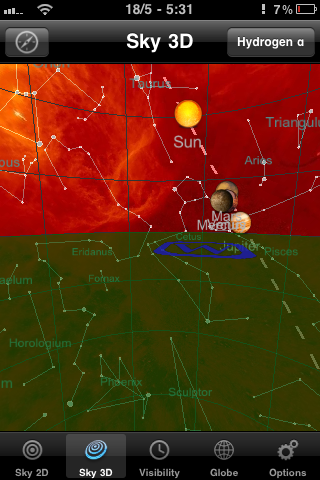
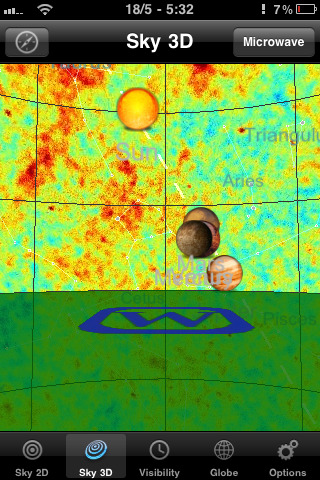
If the regular planetarium view doesn’t cut it for you, Planets also has several other views that make the sky look impressively colourful, including X-ray, Radio, Infrared, Microwave and Hydrogen-a. There are also some twirling shots of the planets in the globe section, but that part of the Planets app definitely needs more information and other bells and whistles to be interesting. Still, for a free app, it’s a great little stargazing assistant, and one that I get regular use out of.

You can pick up Planets for free at the iTunes App Store.

What’s your favourite stargazing app for your mobile device?

Magically Send Files to the Right Location On Your PC, With DropIt [Windows]

dropit header

Is your PC’s desktop or downloads folder cluttered with files? If so, and you’re feeling overwhelmed with the thought of getting your system organized, check out DropIt. DropIt is a free program that creates a big icon on your desktop, that can be thought of as a drop zone. When you drop a file onto the icon, actions will be performed on it depending on how you’ve configured DropIt. DropIt can help you quickly move files to the proper place on your PC, without having to manually select a folder for each file.

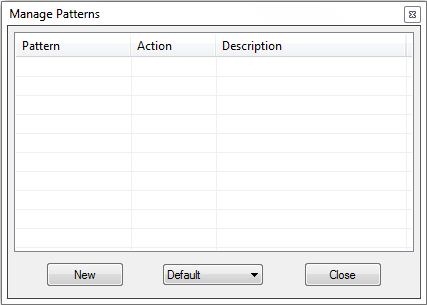
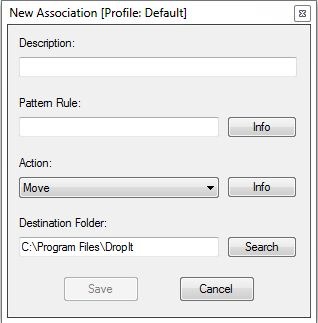
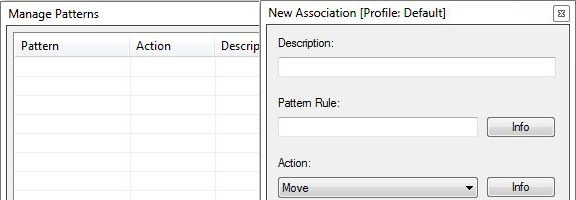
The filters that you can set up with DropIt are fairly basic, so you would be better off with something like Belvedere on Windows or Hazel on the Mac if you want advanced features for PC organization and cleaning. With DropIt, you can filter a file based on name or file type. For each such file, you can preset DropIt for one of the following options: Move, Copy, Compress, Extract, Open With, Delete, Exclude.

dropit manage patterns dropit new association

DropIt doesn’t seem to be intended to be a comprehensive organization utility, but does seem ideal for quickly going through your desktop or other folders, and moving files to preset locations. For example, you could quickly go through your desktop, and drop all of your image, video, and audio files onto your DropIt drop zone, and have them moved to your picture, video, or music folders, without taking the time to place each file in the proper location.

Do you have any apps that you use to organize your system? Let us know in the comments.

DropIt [via Cybernet News]


Move Programs, Settings and All, To a New PC With PickMeApp [Windows]

pickmeapp full

Ahh, a new computer. Kind of makes you tingle with excitement, right? Perhaps, but you’re probably also thinking about all the work that you have ahead of you when installing all of your apps. We’ve previously talked about ways to download several apps in one bundled download, to help speed along the process, and we’ve covered some tips for upgrading to Windows 7 in a couple of posts. If you want to get even more streamlined, you can move programs, settings and all, from your old PC to your new PC using PickMeApp. Read more


App of the Week: Photo Stack [iOS]

photo stack main

Our app of the week is Photo Stack, an app available for the iPhone and iPad that lets you make a collage of photo snapshots, right on your iOS device. I downloaded the app onto my iPad a few days ago, and within half an hour, I had a nice collage of family photos that elicited “oohs” and “ahhs” when I saw my family this weekend. Read more


App of the Week: Hitpad [iPad]

40Tech App of the Week | Hitpad for iPad

Our new App of the Week series covers apps that we find intriguing or exceptional, be they for iOS, Android, WM7, Blackberry, or the web. We’d also love some suggestions from you!

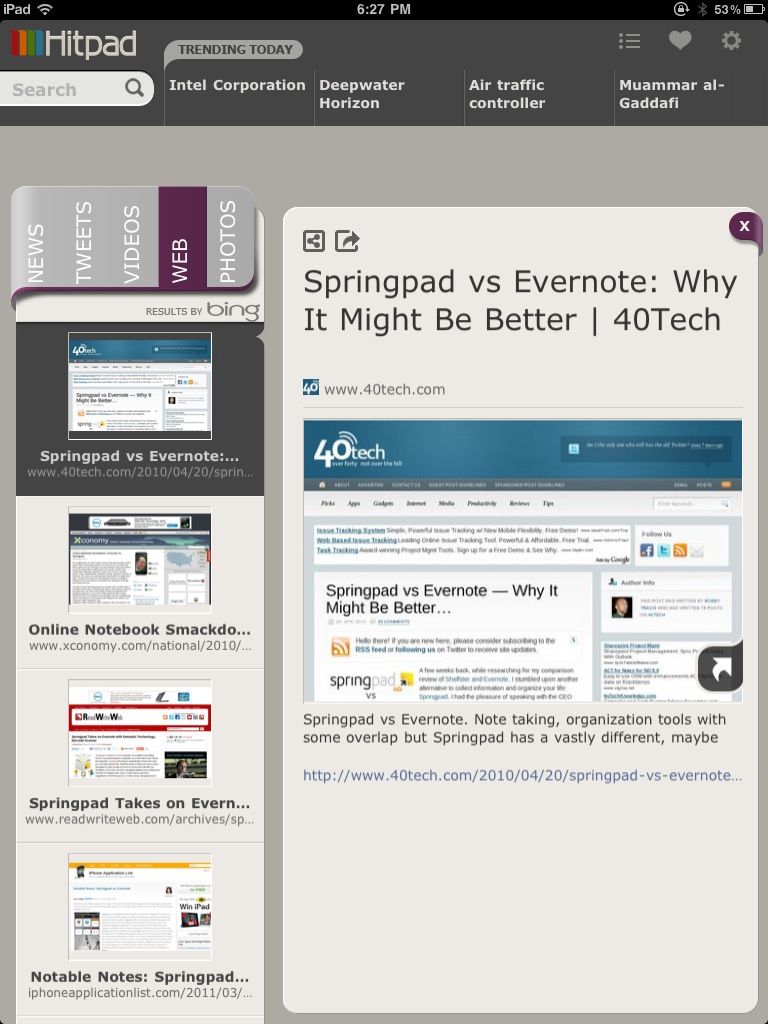
If you like at-a-glance trending topics and daily news info, and you like it from multiple sources and in myriad forms, you will really enjoy Hitpad. Hitpad for the iPad is a slick way to get all the latest from multiple search engines, Twitter, and more; and without feeling like you’ve been hit between the eyes with a mallet. A lot of thought went into the user interface, and the resulting app is definitely one of the more beautiful ways iPad users can consume information.

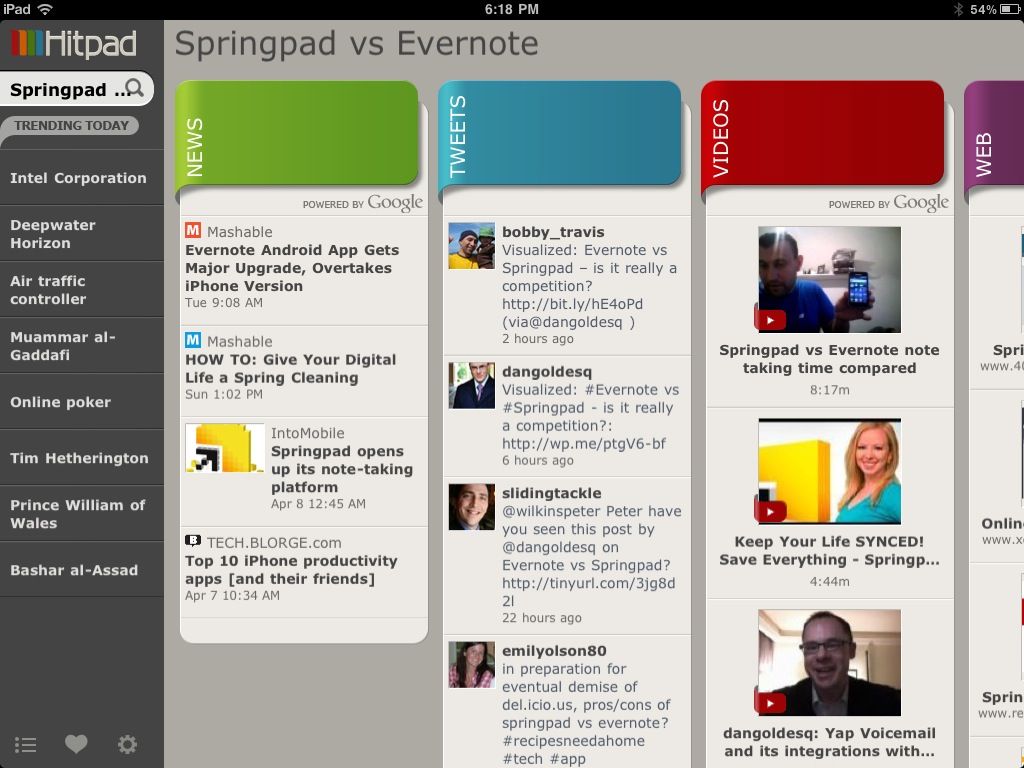
Hitpad also allows you to search for a single topic, delivering results from all across the web, which is handy if you are doing some quick research. For example, I did a search for Springpad vs Evernote, and as you can see in the images below, I received news, video, and image results from Google, and recent tweets from Twitter (yes, the most recent result happened to be me tweeting out a post by one of our readers, Daniel Gold, from his own blog). There is also a column for web page results, which comes from Bing. I found that odd, considering that most everything else was from Google — but it was nice to see that our own post on Springpad and Evernote was in the top spot with Microsoft, too.

Hitpad | Trending News at a Glance on the iPad


Hitpad for iPad

Hitpad feels like it might need a bit more in the feature department, especially if you are used to getting your information from an RSS reader. It does do what it is supposed to do, though, and it does it with flair and style, even if the thumbnails it clips of web pages sometimes load a bit slowly. Still, Hitpad would benefit from the addition of things like saved searches, the ability to choose news or search engine sources, and being able to choose multiple topics to search on. If you have an iPad, try it out! It’s free, and you can get it here.

Let us know what you think of Hitpad in the comments!