If you’re getting excited for new hardware announcements at Apple’s World Wide Developer Conference, you’re probably going to be disappointed. Harry McCracken takes a look back at the last decade, and reminds us of the nature of the conference, and also highlights the major announcements at each conference.
Sure, consumers are watching, and Apple hopes that they’re dazzled. But WWDC keynotes are usually the least gadget-centric events which Apple holds, and even though people who covet new Apple products pay close attention, they’re not the primary audience.
While that might not be surprising news to some, the article is still an interesting read for its look back at each conference, and the major announcements at each one (and the reaction to each from the press, and investors). While you’re there, take some time to check out the relaunch of Technologizer as an independent blog, after 2+ years under TIME.com’s umbrella.
∞ A Decade’s Worth of WWDC Keynotes | Technologizer


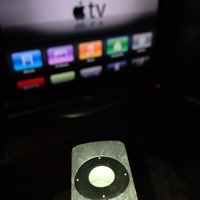 Where there’s a tech annoyance, there’s a clever person with a workaround to eliminate that annoyance. Tired of all the unused icons on your Apple TV? You can hide them by going into Settings > General > Parental Controls, and picking which built-in apps to hide. I’ll be trying this tonight.
 Thank you, Tony Hue of LonePlacebo for helping me spend money. A couple of weeks ago, Tony