Menu Close

Tag: Android (page 5 of 12)

Plume: My Android Twitter App of Choice [App of the Week]

Plume

I have a confession to make. If I follow you on Twitter, there’s a good chance that I don’t see any of your tweets. Twitter got so busy for me, that the only way that I could manage it, was to sort people into lists. I have several lists, but I have one super-special list for the tweets of users that I don’t want to miss. When I’m busy, that’s the only part of Twitter that I ever see. When I try out Twitter apps, therefore, list support is the first thing I check out. That’s why I use Plume . . . but I’m open to suggestions for an app that handles lists even better. If you know of one, let us know in the comments.

Read more


App of the Week: PressReader [Mobile]

App of the Week: PressReader [Mobile] | 40Tech

Traditional newspapers are struggling. We’ve all heard this, time and again, and know that they are having the same problem that the music and other “olde world” industries have: namely, that the people in charge don’t truly understand the medium of the internet, and are too wrapped up in either complaining about it, trying to figure out how to control it, and suing people to recoup their perceived losses to take advantage of it. Some newspapers have embraced the web, openly or behind paywalls, and some of these websites and mobile apps are actually good, presenting their content well, and occasionally adding a bell or whistle here and there.

What if you have simpler tastes, though? What if, all you want to do is read your favourite newspapers, in their full, original, cover-to-cover glory, from the comfort of your iOS or Android device? How about from your Blackberry? If this is a dream of yours, then Newspaper Direct’s PressReader is your new best friend. Hell, you and your new buddy might even save a tree or 10.

PressReader is fantastic. If I had to use one word to describe it, that would be the one — that or awesome. There are over 1900 newspapers (though the app still says 1700) from around the world available (92 countries, 48 languages) for your reading pleasure, updated daily. These are, as I said, available in full, just the way you would pick them up from the news stands, including all ads, classifieds, the funnies, sections and stories. They are downloaded directly to your device (you can choose download by Wi-Fi only, if you like) so that they are available even when offline.

PressReader Downloads Full Newspapers to Your Device | 40Tech

Newspaper Direct, who are also the purveyors of PressDisplay (the web version and precursor to PressReader), have license agreements in place with all of these newspapers, receiving daily .PDF scans which Newspaper Direct then process to add all sorts of fun interactivity.


An Interactive Newspaper (the Really-Real One)

What sort of interactivity, you say? Well, for starters, all headlines are clickable. You can swipe through the pages as you like, in portrait or landscape mode, and can double-tap, pinch, and zoom to your heart’s content to read the stories — but if you want to see something that’s formatted for easy reading, then tap any headline and you will get a pop up version of only that story. While in the pop-up, you can change the text size and move to the next and previous story, as well, making for a customizable reading experience.

imageIMG_0861IMG_0863IMG_0865IMG_0859

The story pop-up also allows you to print the story in plain text or with full graphics, and has sharing features as well. At the moment, you can share a story via email, Twitter, and Facebook. The Facebook share is a bit ugly with it’s long, title-less hyperlink, but all three methods link you to the full article on PressDisplay.com. In my tests, I was able to access the shared article on the web and mobile safari (the mobile web app is pretty cool, too), without having to log in, or pay for access. That could be the case for all, or just for the papers I was using.


Newspapers That Read to You

The best feature, by far, of PressReader (and PressDisplay) is yet another gem that’s available in the pop-up when you touch a headline. It’s not the ability to search within nearly 2000 papers, and it’s not the Top Stories or Favourites feature (all available from the main menu-bar, not the pop-up) — it’s the cute little headphones icon in the bottom right. Touch this button, and PressReader’s built in text to speech functionality will read the story to you! This is a beautiful thing! If you are on the go, driving, or busily working, your newspaper story can be read to you, keeping your hands and eyes free for more important things — like not killing yourself while driving. I’ve seen more than one moron on the road that was reading a newspaper while in motion — and I’ve called the cops on the idiots, too. I’m no snitch/narc/derogatory tell-tale word of the day, but I’m on the road with my kid and you are not going to cause an accident that hurts her. If you like the paper while driving… get PressReader and save us all the trouble.

Slight digressions about morons aside, I highly recommend PressReader to anyone who enjoys the full newspaper experience (plus more) while on the go, or is interested in saving a few trees (NewsDirect claims to have saved 173,824 trees, and counting). You can get it on the iPhone, iPad, and iPod Touch, as well as on Android (Gingerbread and Honeycomb devices), Blackberry (no Playbook yet, but it’s on the way), Windows 7 Slate, and even Windows Mobile 5 (go figure). No mention of Windows Mobile 6 (5 should still work) or 7 yet, but it is likely on the way. You can also download Pressreader for your PC or Mac, iRex Digital, WebOS is on the way, and you can access PressDisplay via the web or even on your Kindle and other eReaders.


What it Costs

The PressReader app itself is free, but newspapers cost $0.99 each, or you can get an unlimited subscription to everything (all 1900 papers) for $29.95 per month. If you want to try before you buy, PressReader comes with seven free newspaper downloads of your choice, and you can give the Top News feature a whirl as well. If you want to try and offset the cost a bit, head over to your account on PressDisplay and check out the referral widget. This is a beta tool that can get you 10% of each subscription that comes through you.

NOTE: My only problem with PressReader, is that the papers you choose to subscribe to don’t sync in your account and therefore have to be re-downloaded for each device. What I am not certain of, as I am using a trial of an unlimited account, is whether or not you would have to pay for that paper on each device. I’ve asked the people at News Direct and expect them to get back to me shortly.

UPDATE: According to my contact at NewsDirect, as well as a comment by Gayle, who also appears to work for them, you can download your newspaper issues on up to six different devices, unless there is something that precludes that in NewsDirect’s licensing deal with a particular publisher.

Also, for those worried about download size and data on your mobile, go into settings to change how long you want PressReader to keep a paper, and to set your PressReader app to download via WiFi only.


PressReader


Springpad Web App Adds Offline Access, Data Backup

Springpad Web App Adds Offline Access, Data Backup | 40Tech

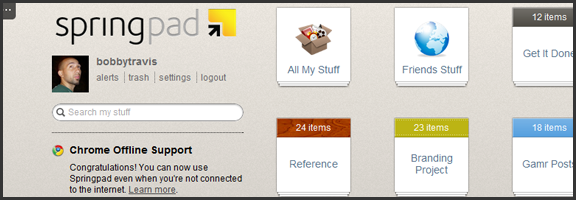
One of the things that has been a major point of contention in the ongoing Springpad vs Evernote debate (which still rages, despite the different market segments the apps target) has been the lack of a desktop app for Springpad. This was closely followed by the inability to backup and download your Springpad data, which was a strong deterrent for some of our own readers. Well, Springpad has pushed their product forward yet again, and have addressed these issues — and while offline access to the service doesn’t quite stack up to the power of a desktop version, it’s a huge step forward for the web app, and only the beginning of things to come.

Offline Access

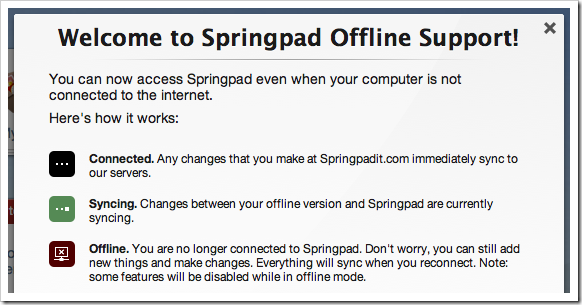
The Springpad mobile apps have had offline access for some time now, leaving their web counterpart to catch up. To do this, Springpad has used it’s integration into the Google Chrome browser to its — or, rather, our — advantage. Other browsers will be added soon enough, but for now, all that HTML5 offline goodness is locked into the native Chrome app. If you already have it installed, you will probably have to uninstall it and then grab it from the Chrome Web Store again. Then you need to pop into settings, then services, and click the button to enable offline access and start the sync. If you want to make sure everything you sync remains up to date, then leave the app open while you do other things. I suggest right-clicking on the app and then selecting “open as pinned tab” or as a new window so you can “set it and forget it.”

Springpad Offline Mode Syncs Data for Offline Access

While the offline access is a fantastic development, there are still a few things that are lacking. Of course, you won’t have access to elements that are internet-dependent, like alerts and links to other sites, but you also won’t be able to use the Board, or the advanced sorting and filtering options. Also, you can only search by title (which is a little annoying), you have no access to the trash, and you can’t add new photos or files for later upload (among other limitations — full list here). Some of these things will be addressed in future updates, and I’m definitely not complaining — I’m happy about the offline access, and fully expect it to improve in leaps and bounds over the next while. I still have that hankering for a desktop app, though. I have no real reason for it, and I fully understand that Springpad’s dedication to the cloud and HTML5 puts them ahead of the curve, but… I want one. It’s probably just me showing my age or something…

Data Backup

I’m loving what Springpad has put together for a data backup solution. Most times, when you download a backup of an online service, it is a CSV file, or some other dump of data that is not otherwise immediately usable. Springpad has basically given you an offline website with a list of your data in HTML form. Unfortunately, it is not easily navigable without a lot of scrolling or using your browser’s Find feature, but it’s all there and it’s easy to read. I downloaded a few thousand notes and bookmarks into a 12 MB zip file (with attachments and photos in their respective folders) that I was able to open and read right away. This made me happy!

Springpad Offline Access, Data Backup Features | 40Tech

The downside of this method is that it is not really ideal for transferring your data to another service, if that is what you want to do. Perhaps Springpad should include a CSV option, but I’m thinking you would have to leave a lot of data behind that way.

In any case, you now have the ability to mitigate the potential disaster of losing all your Springpad data in a freak accident, and will be able to enjoy reading it too. Huzzah!

Springpad isn’t slacking on other fronts, either. They are a part of the Google IO Chrome Sandbox, and have updated their Android apps to support Honeycomb tablet devices. They also have released a version for the Barnes & Noble Nook Color — which is awesome for the owners of the eBook reader/tablet hybrids, considering how Springpad is able to keep track of and deliver alerts on books. I love the steady and focused flow of updates we’ve been getting from Springpad, and I can’t wait to see where they take us next. I’m hoping desktop app – but I’ll take what they give.

What are your thoughts on the latest Springpad updates?


App of the Week: DoggCatcher Podcast Player [Android]

DoggCatcher

One of the much-ballyhooed strengths of Android is its openness and how much choice it gives users. Those strengths are illustrated well if you want to pick a podcast client for Android. The iOS landscape may have changed in the last few months since I switched to Android, but I always found the iOS podcast experience to be lacking. Not so on Android, if you use DoggCatcher, an excellent podcast client.

Read more


App of the Week: Feedly [iOS, Android, Web]

Feedly RSS Reader for iPad, iPhone, Android, Tablet, Web | 40Tech App of the Week

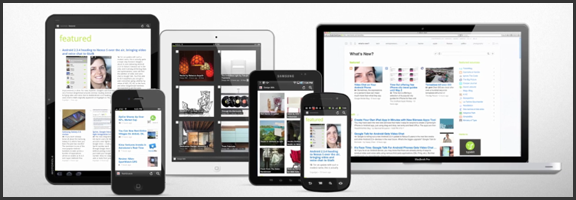
We’ve covered Feedly before (and we thought it was great!) but the RSS feed reader to smack all others is now much-improved. The web app has seen several updates in functionality and sharing features, and the recently released and updated mobile apps have been generating a lot of positive attention. And why not? The experience is nearly identical on both iOS and Android phones and tablets, and Feedly Mobile 2.0 easily competes with the likes of Pulse, Flipboard, and Zite. With an update or two, it might even blow those apps away completely.

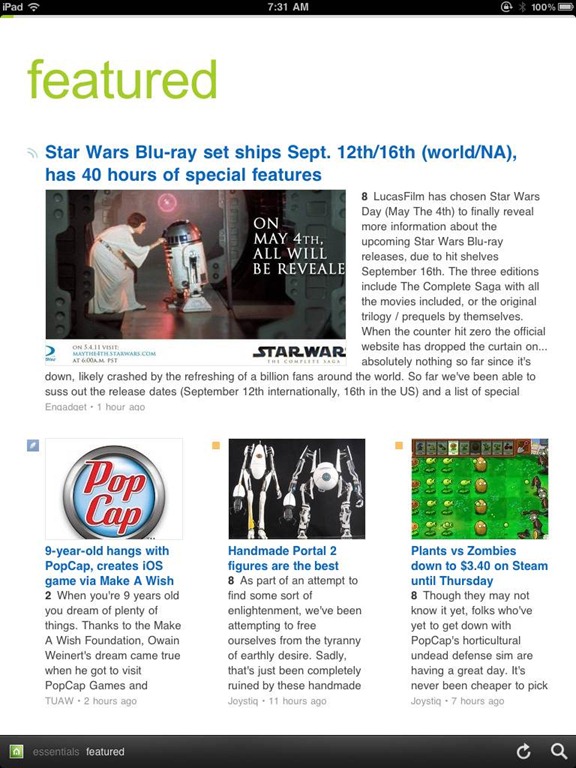
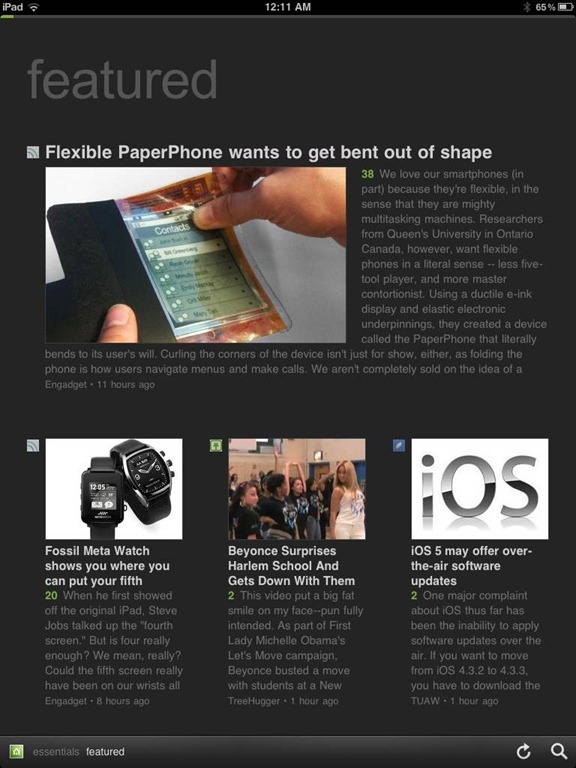
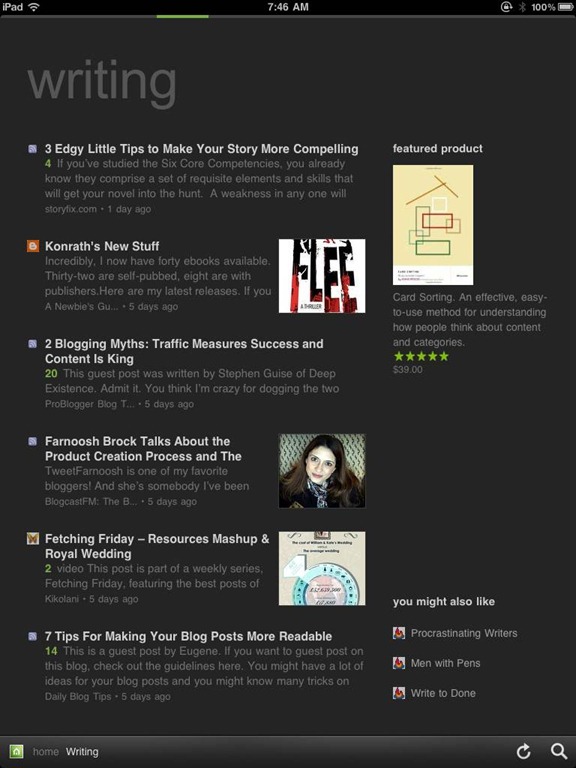
Feedly’s minimalist magazine design focuses on the content, presenting it in an easy to read format that is complemented by the app’s simplistic navigation. The mobile apps are especially barebones, keeping the effects to a minimum, and the overall presentation is extremely appealing. The toolbar on the bottom of the screen allows you to like (on Google Reader), bookmark, email, and share articles on Twitter. You can also enable saving to Instapaper and Read It Later. The web app has several more options for sharing content, but the basics are available in Feedly Mobile 2.0, with the exception of one service: Facebook. That seemed like a bit of an oversight to me (and that’s me understating the obvious), but the developers assure us that Facebook functionality will be available in version 3.

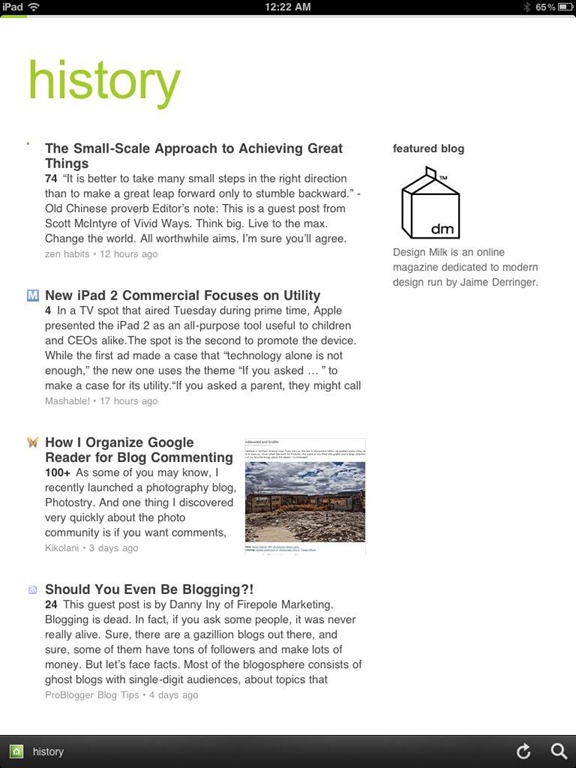
Feedly Mobile 2.0 iPad RSS Reader | 40TechFeedly Mobile 2.0 | Google Reader Magazine | 40TechFeedly Mobile 2.0 | Find Already Read Posts in History | 40Tech

One of the best things about Feedly is its learning algorithm. While you read, the app learns about the topics that interest you most, and does a great job configuring your personal magazine around those interests, bringing your favourite types of content to the forefront. You can always go through your sources one at a time, if you like, but taking advantage of Feedly’s different sections — each one tailored just for you — really helps to keep your reading moving and you engaged. Feedly also offers suggestions, periodically, of other sites that may suit your interests, which is helpful.

If you don’t feel like connecting with Google Reader, Feedly does have a host of content already available for you to sort through, but it works best when you are logged in.

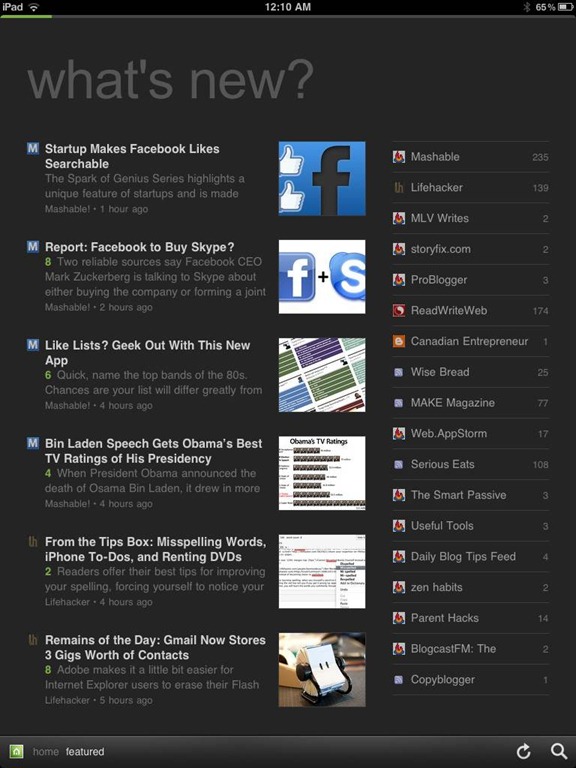
Feedly Mobile 2.0 Dark Theme | 40TechFeedly Mobile 2.0 iPad RSS Reader Magazine | 40TechFeedly Mobile 2.0 RSS Feed Reader | 40Tech

Feedly Mobile 2.0 is every bit as fantastic as the web app. It’s incredibly responsive, and is beautiful to look at on all platforms, including iPhones and Android phones, the iPad, and Android tablets of different sizes (both 7″ and 10″). There are a few niceties packed into the HTML5 goodness, as well, such as an instant search bar, a black or white theme (which helps with night reading and can be changed with a shake), a history section, and the ability to start on the magazine layout or category of your choice. There are still a few kinks that need to be ironed out of the mobile apps, however, such as the lack of Facebook sharing, and that the app only works in portrait mode. Hopefully these issues will be resolved in an update or two. I’d also like to see some of the additional sharing options in the web app find their way to mobile as well, especially sharing on LinkedIn and Evernote.

Feedly is free, and it kicks butt. Get it.

Now you know I love it — what about you?