So, Pinterest… It’s received a lot of coverage in the past year — it’s even received in the realm of 37 million in funding — but I had trouble seeing the appeal. I wasn’t sure the world needed another social bookmarking site. I wasn’t sure the world needed another way to share, well… anything. I admit, most of this feeling had nothing to do with Pinterest, per se, it was really more about social media overwhelm. I’ve seen a ton of social sharing services go up and down over the past few years, and, as much as I love Google+, I think it maxed me out. Besides, you can do things similar to Pinterest using tools like Evernote and Springpad, right? Right?
Then my lovely wife — a person who has no real interest in tech, barely any interest in social networking, and who only got a smartphone because it was free and I “was bugging her about it” — was somehow inspired to try it out. No prompting from me, or anyone else — she came to it entirely on her own. Now… she’s obsessed. Seriously. For example, I see her awake at 3AM and think that she’s feeding the baby, or something — but no. What’s she’s doing is maniacally pinning and re-pinning things to her boards, and often giggling like mad as she does it. There is apparently a lot of funny on Pinterest…
Title Image clipped from Pinterest Comic

Recently, she’s taken to sharing some of that funny with me, and I’ve discovered that a good portion of it is Star Wars based. This confused the hell out of me (though I still shared some of it with you here and here). My wife has no interest in Star Wars. She’s one of the few people who has never even seen the films, and (horrifyingly) will actually say things like “What’s a hansolo?” I still love her, though. She’s that awesome. She’s beginning to make me see value in Pinterest, too. Anything that could inspire my wife to share seriously awesome Star Wars stuffs with me has got to be pretty powerful.


I checked it out a little more thoroughly. I wanted to know what the deal was. Was there a secret sauce? How did it hook her? What I discovered was four things:
Pinterest is incredibly simple.
Pinterest is to sharing fun and useful images what Evernote is to easy, accessible note-taking. It focuses on that one thing, and makes sure that it is the absolute best at it. It doesn’t overwhelm the user.
Pinterest is visual — and good at it.
Everyone loves a good picture and everyone loves a good photo gallery. Funny and beautiful pics have been making the rounds since the internet was able to support them. People like to look at the images they like again and again. And share them, re-share them, and re-share them again, as well. Pinterest makes this easy, but it also makes it beautiful. The designers have done a fantastic job of taking something that could be overwhelming, both in general and visually, and making it joy to experience.

Like crafty things? This is your home.
There are a ton of cool things to discover on Pinterest, but it really seems to have taken off with the crafty and DIY crowd. This is what ultimately hooked my wife. She loves to see things that people have made, especially if it involves baking or making something cool out of something else. She knows I like that sort of thing as well, and has not only shared some cool Star Wars crafts with me, but also a lot of DIY upcycling and repurposing projects. It’s how I came across Homestyler, actually, which was the topic of my previous post. There is some very cool stuff on Pinterest, and more is pinned every day.
Some of My Wife’s Pins
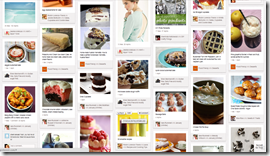
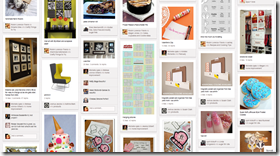
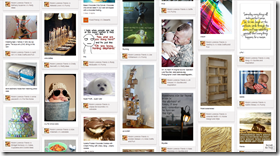

It connects to the real world. It useful.
Pinterest is more than just a place to store and share images. The images link back to the site you found them on — and if we follow the crafty and DIY point from above, you end up with well-organized, very visual bookmarks back to sites that contain information that you might actually use in your real-world life. This makes Pinterest more than just a random bookmarking service, and more than just an image-sharing service. It makes it a tool that is useful to you both on and offline. It helps you to find, share, save and use things that are of interest to you.

We’ve all heard that “<insert service> makes it easy to collect and organize what interests you on the web.” Pinterest actually does it. My wife is living proof. Anything tech-based that can make her go gaga is definitely worth taking a look at. It’s still in beta, but getting an account happens pretty quickly. I recommend giving Pinterest a try. You’ll probably love it.
What do you think of Pinterest? How do you use it?