40Tech’s Big Kahuna, Evan Kline, fell in love with Sparrow a while back. It was — and is — the ultimate Gmail client for him, and his post on it left me jealous that it wasn’t available for Windows (yeah, yeah, Apple Fanboys, I see your lips moving, but no sound is coming out). Thankfully, the keen developers on the Sparrow team have seen fit to bring the Ultimate Gmail/Email Experience over to the iPhone.
They do a good job of it, too. The Sparrow for iPhone app is the best email client for iOS to date — with only one potentially deal-breaking problem.
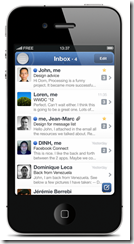
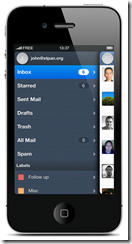
Sparrow (iOS 5 required) utilizes some of the best features of other mobile designs like Twitter, Facebook, Gmail, and the better features of Mail to bring a fast, super-easy to navigate email client to the iPhone that has the added benefit of being pretty. It has swipe-able overlapping panes, Facebook profile photo integration, pull down to refresh, labels, and a swipe-for-context-menu that gives you the ability to instantly deal with an email without actually having to open it. And that’s just for starters.
Sparrow for iPhone also has a fantastic threaded message UI that allows you to see an entire email chain at a glance, a sweet unified inbox for multiple accounts, send-from aliases (works with your verified Gmail “send email as” emails), and the ability to add images to an email at any given point — you can even take them on the fly, if you like.
Some Screenies from the Sparrow Site


What Sparrow doesn’t have — and this might kill it for power users — is push notifications. This is unfortunate as, for many people, push notifications are an integral part of their mobile life. However, the lack of push comes with good reason: in order to offer it, Apple would require Sparrow to store your email address and password on their own servers. This is a responsibility that Sparrow doesn’t feel prepared to handle — and I say more power to them. Better they remove the feature and recognize their own limitations than to offer push notifications, get hacked, and leave thousands of users’ private email accounts floating in the winds.
Sparrow did attempt to use the same push notification API that Apple offers to VOIP apps (Skype, etc.). This API goes through Apple’s secure servers and would allow the Sparrow app to be “always on” and securely deliver email notifications to you. Unfortunately, Apple rejected the app for utilizing this feature. Sparrow encourages users to contact Apple in the hopes that the policy might be reconsidered in the near future.
Sparrow is also missing POP email account support — it’s IMAP only, for now. Hopefully, that will change in coming updates. Some things that are definitely on the way are landscape mode, localization, a built-in web browser, and “send and archive.” I would also like to see “mark as read” added to the context menu.
Even without POP or push notifications, though, Sparrow is easily the best email client available for the iPhone. It is much easier to use than iOS Mail, and it kicks the crap out of the Gmail app — which I am still happy exists, but would like to see a little lovin’ happening.
Speaking of Gmail, if you are in need of both push and the Gmail “send email as” feature (and don’t utterly loathe the iOS app), the Gmail mobile app has recently been updated to include said feature. You don’t even have to update your iOS app as it is basically a fancy box containing the mobile app’s functionality. Personally, I’m glad to see this feature incorporated, and have no idea why it took so long to do so. As was said above, you can use Sparrow to do this — but Sparrow for iPhone costs $2.99, and Gmail is free. Your call.
What are your thoughts on Sparrow for iPhone? Does the lack of push kill it for you?
Get Sparrow for iPhone