Menu Close

Category: Twitter (page 3 of 6)

Clean Up Your Twitter Followers With FriendorFollow.com

friendorfollow

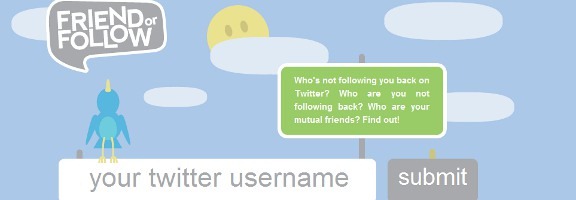
Are you guilty of following people on Twitter simply because they follow you? How will you know if they stop following you? Or maybe the reverse is true, and you want to see who is following you, but that you’re not following? In either of these situations, FriendorFollow.com can help.

Read more


Schedule Your Tweets for Maximum Impact

timely

Do you ever feel like your tweets are falling on deaf ears? Does it seem like the big shots get all the Twitter love? Timely is a web app that purports to combat those problems, enabling your tweets to be published “when they’ll have the highest impact.”

Read more


Fend Off Tracking Cookies, Keep Functionality With Disconnect [Google Chrome]

Cookies. We have a love hate relationship with them. They track what we do and report all kinds of information back to the site that generated them — and to third parties as well, in many cases. But they also often provide a better user experience, keeping track of our preferences and removing small annoyances like having to sign in to a website every single time we open it up. Unfortunately, as is the case with most things on the internet regarding your privacy and security, the only completely effective way to protect yourself is to simply turn the potential problem off. The only problem with this course of action is that turning off cookies also has the effect of making a huge part of the web practically unusable.

So what to do about it? Well, if you use Google Chrome, try out Disconnect.

Disconnect, which was created by a former Google employee, is a Google Chrome Extension that helps you to keep your personal data safe while still maintaining the ability to work effectively with sites like Gmail, Facebook, Twitter, and others. You may run into a few issues now and again, but overall, the experience is fairly seamless. All you need to do is install the Disconnect extension in your Google Chrome browser, make sure the extension is turned on, then watch as the tally of daily attempted intrusions upon your privacy climbs. The basic functionality, and much of the more advanced uses, of the webapps should work without problems, helping you to do what you like, and search for what you like, without passing along any personally identifiable data. If you have need to unblock a service, say to do something like play Facebook games, it’s a simple matter of a click on the extension’s dropdown menu (which includes Facebook, Twitter, Digg, Yahoo, and Google).

Disconnect Extension for Google Chrome in Action

Disconnect is open source software. Download it for Google Chrome here.

Disconnect for Chrome Disables Third-Party Tracking While Keeping Webapps Operational [Lifehacker]

Measuring Our Happiness With Twitter

measuring mood with Twitter

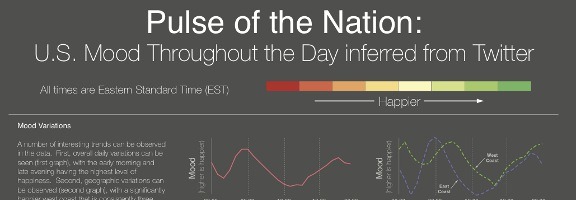
People use Twitter to connect with others, to publicize projects, and to catch up on news.  Now, a group of researchers have used Twitter to measure the mood of the United States.  As discussed on Business Insider, researchers from Harvard and Northwestern tracked three years of tweets to gauge the mood of the U.S. on a minute by minute basis.  The results are interesting, but not surprising.

According to the study, people are the happiest in the early morning and in the late evening, and on Sunday mornings.  They’re the least happy on Thursday afternoons.  Also, people on the west coast are significantly happier than folks on the east coast.

The study was based upon 300 million tweets from September of 2006 through August of 2009.  The mood of each tweet was inferred using ANEW word list.

Here is a YouTube video depicting the U.S. mood throughout the day:


For a more thorough breakdown, hit the link below.  What’s next?  Can we expect researchers to have more fun with this, such as correlating the results with political leanings, weather, the success of sports teams, and more?  Or is a study like this a waste of time?

Pulse of the Nation: U.S. Mood Throughout the Day inferred from Twitter [via Business Insider]


Get Your Hasslehoff Fix: Automatically Translate Tweets & Facebook Updates From Other Languages

social translate google chrome extension

According to the Book of Genesis there was a time when all people of the world spoke one language and were one people.  At least that is what Wikipedia tells me in an article about the Tower of Babel.  With an estimated 6,800 languages worldwide, such a time has long since passed, if it ever existed.

According to some estimates, Mexico alone has almost 300 languages spoken, but Papua-New Guinea wins with over 800 languages.  So the logical and pressing question is, what do you do when you absolutely need to know what David Hasselhoff is doing right now in Germany?  (I imagine that is where he is, since I hear that people there really like him).

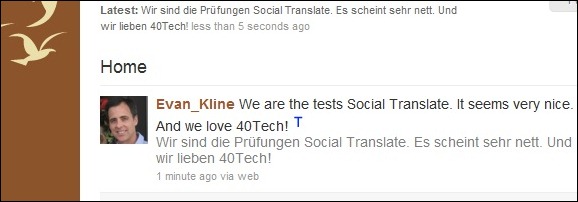
Previously, the answer to this burning question was simple – "nothing."  You would have to wait until he surfaced on the pages of the National Enquirer with Bat Boy to get  your Hasselhoff fix.  However, thanks to an enterprising Chrome developer, you now can find a German who tweets or updates his Facebook status with news on Hasselhoff’s daily comings and goings.  The extension, Social Translate, will translate the messages for you.

The extension uses Google Translate’s translation engine.  As a result, the translation quality is a bit limited for those more rarefied languages, but it seems to work seamlessly for everyday use for hundreds of languages.

So whether you are looking for news on Hasselhoff or you would like to follow the Dos Equis guy in the language of wherever he happens to be, you should check out Social Translate for Chrome.


     Social Translate  [at the Chrome extension library]