Menu Close

Category: Google (page 7 of 21)

Google+ for iPhone and Android Sharing — Too Little Too Late?

Google+ for iPhone and Android Sharing -- Too Little Too Late? | 40Tech

Though the initial excitement of Google+ has worn off, millions of users are still using the service and more people connect every day. For its part, Google has been working hard at bringing the preview social network closer to a production offering, adding social gaming without annoying people, verified accounts for prominent users and famous folk, and ironing out their sign-up rules (the heavily debated real name only policy). They have also been paying attention to their mobile apps, finally adding post sharing into the Android app. iOS users had to wait a bit, as is per usual, but the much awaited update is now available in the app store.

But is development coming along too slowly to keep up interest?

Personally, I’m a huge fan of Google+. There are a lot of innovative uses that are cropping up — cooking classes via hangout, blog replacement, collaborative writing groups; Evan and I are even putting together a hangout-based pen and paper roleplaying game, cementing our geek status once and for all. Google+ is also a fantastic place to meet and converse with new people, focusing on like interests over general broadcasting, which makes for better conversation and better relationships.

The problem is, I’ve started to notice that my streams are starting to degrade. People appear to be less active, less conversant, or generally gone and gone. This could be due to the end of the summer — people are getting busier as the school season and work focus heat up — and it could be part of the overall ebb and flow of a new product. It could also be that Google is taking too long to get their service off the ground and into the hands of the general public.

Gmail was in beta for years, and to the point that it was really more of a long-standing joke than anything else, but the Internet back then was, if you can believe it, less fickle. With the world takeover of social networking and subsequent obsession with real-time streams, the attention span of your average user is practically gnat-sized. And let’s not forget that, in order to get noticed in the massive amounts of information flowing through the digital-verse, bloggers and people in general tend to gravitate toward sweeping sentiments of “wow this is awesome” build-up and “it’s never gonna make it, and here’s why!!!” doom and gloom statements. And yes, I realize that it wouldn’t take a stretch if the imagination to lump this post in with them, no matter what I say t the contrary. The point is, it makes it really hard to accurately gauge if a service will live or die.

To top things off, Facebook hasn’t been sitting about with thumbs in nethers, either. They’ve been paying attention to what people like about G+ over Facebook and have been making changes to how their own streams work, attempting to make it easier to share with those you want to share with, and even (finally) updating their mobile apps for new sharing and privacy options.

I say again, I’m digging Google+ — but I dug Google Wave, too. I think that Google’s push to integrate Plus into their overall offerings will help keep things moving, but I have to wonder: if users as a whole notice their streams downgrading in quality and movement, will it start one of those slow spirals into web oblivion?

It’s been a few months now, what are your thoughts?

Nexus S and Android in Space

Nexus S and Android in Space | 40Tech

Back in October, I wrote a short post about a father-son DIY project that sent an iPhone into the upper stratosphere. In December, the geeks at Google did the same thing, but with more of a mind toward data (and cool picture) collecting. Well, NASA one-upped them all by taking not one, but two Android Nexus S smartphones into orbit with the final space shuttle mission. They weren’t used to phone home or anything quite so cliché (but cool!) — nope, these little robot-bearing phones were actually used to control other, more sophisticated robots: SPHERE satellites.

SPHERES (Synchronized Position Hold, Engage, Reorient, Experimental Satellites) are small, “volleyball-sized” robots that are used to capture video footage and record sensor data. Normally, the astronauts do this manually, but with the satellites and their fancy Android-powered phone-brains, these things can be controlled from the ground — via WiFi.

According to the Google blog, NASA decided that Android was perfect for them due to its configurable open source nature, as well as the handy app that some Google engineers built for logging sensor data (you can download the app yourself from the Android Market). Apparently, the multiple sensors and low-powered/high performance processor of the Nexus S was also a selling point.

Google’s been making a lot of big moves this past year, what with Plus, the redesign, the Chromebook, Chrome Web Store, and the purchase of a major cell-phone company (Motorola Mobility). Why shouldn’t they get some representation in space too? It only makes sense. And it’s only a matter of time until either Google or Apple carve their logo into the face of the moon for all to see. Am I right or am I right?

Android in Spaaaace Part 2 [Google Blog]


Easily Back Up Your Google+, Picasa Data With Takeout

Easily Back Up Your Google+, Picasa Data With Takeout | 40Tech

If you have invested yourself into Google+ at all, you will be happy to know that, whether you stick with the service or not, there is an easy way to get a copy of all of your data (profile, contacts and circles, your stream, Picasa pics — even Buzz and +1s). It’s called Takeout, and it’s built right into your Google+ settings as a part of Google’s “Data Liberation Front.”

There’s no tricks to it, no caveats, and no amount of hacking genius required. It’s all a matter of a few points and clicks and a bit of hard drive space. Here’s how to do it:

There are two ways to get started:

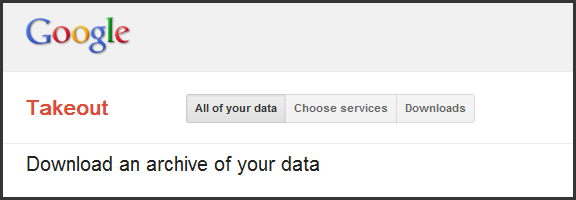
1.) Head to this link to visit the Takeout page directly

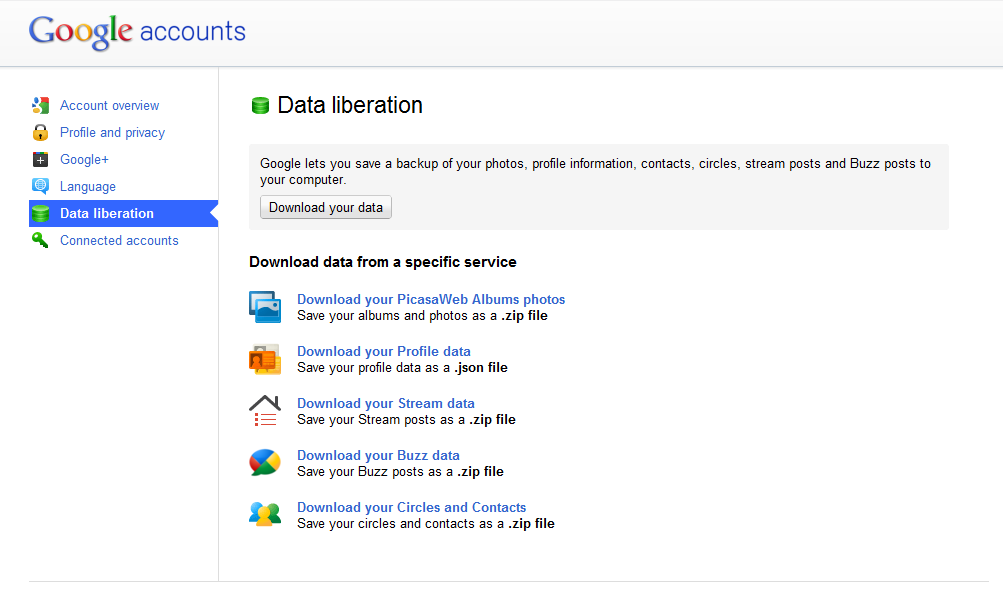
2.) Go to Google+ settings (little gear, top right corner of the page) and select Data Liberation

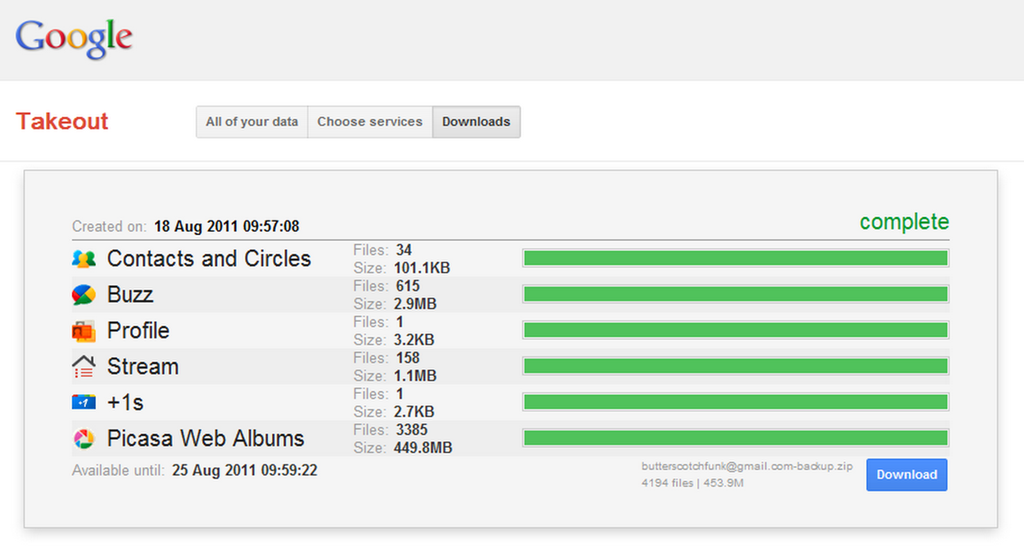
If you choose the second option, you can either click on one of the services to jump to the services selection page, or can click the “Download your data” button to get to the Takeout page. Once on the Takeout page, you can click create archive to backup everything. You will find the archive available under the Downloads page, available by a three-button menu at the top of the page.

Google+ Data Liberation | Takeout | 40Tech

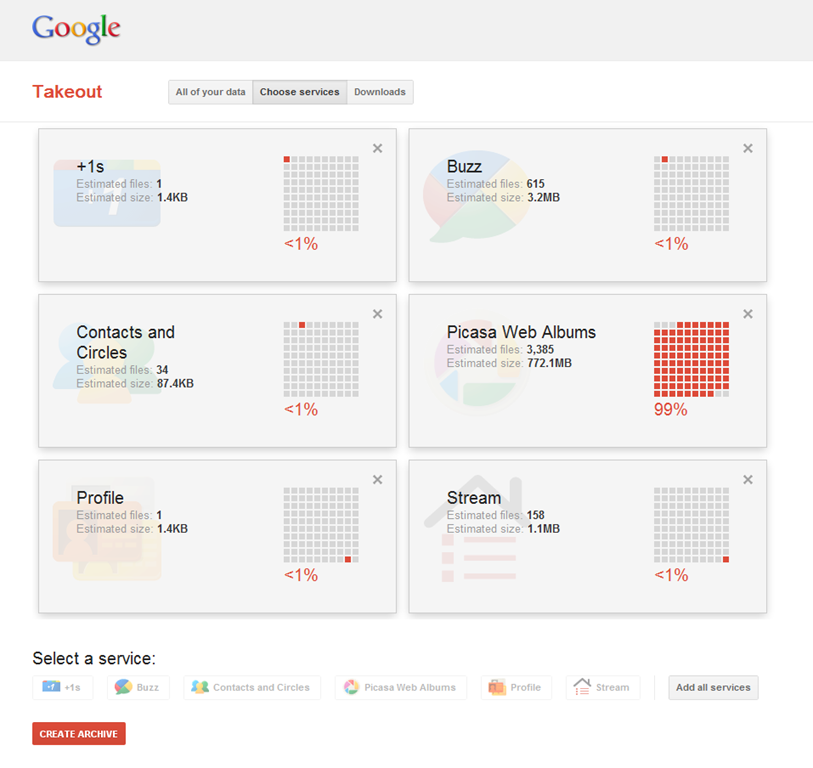
If you wish to be selective about what data you want to back up, then you want the Choose Services page (via step two or the three-button menu). Here, you can select one or all of the Google+ related services mentioned previously and create a custom archive. I suggest you head here, anyway, as this section of Takeout shows you not only the size of the archive, but the percentage each service takes up in the total download (this information is mostly available on the Downloads page as well).

Use Google Takeout to Backup Your Google+, Picasa Data | 40Tech

The services will download as the following file-types:

  • Picasa Web Albums photos: .zip
  • Profile Data: .json
  • Stream data: .zip
  • Buzz data: .zip
  • Circles and Contacts: .zip

Photos are organized by Album or Post Date, and Contacts are individual .vcf files that are organized by Circles. Your Stream data is delivered as a functional, standalone website complete with comments, images, as well as anything you have reshared.

Overall, I find Takeout to be fairly impressive as a means of manual backups or to walk away from Google+ with all of your data. The compression rate is pretty good, as well — Over 3,000 pictures in Picasa (I imported my Facebook photos, and have uploaded many more taken with my iPhone) and the total download size was under 500mb. Not bad at all!

Google Takeout | Download, Back Up Google+ Data | 40Tech

Note: There was once small inconsistency in file size information for my photos. The Choose Sevices section said the download would be 778MB, while the downloads page said 449.8MB.

Have you used Takeout? What are your impressions? What do you think of Google’s Data Liberation initiative?


3 Ways to Safely Share Your Email Address (and Beat Spam Scrapers)

3 Ways to Safely Share Your Email Address (and Beat Spam Scrapers) | 40Tech

Posting your email on a website, or in a blog, social media, or forum comment, opens you up to a world of messages about making money online, viagra, the enlargement of specific body parts, and a host of other fun solicitations and potential virus links. We all know this, and we all know that the safest way to post an email link is this: don’t. If you absolutely have to, you can always try to beat the bots by posting it as an image (time consuming), or by killing the link and adding some brackets and such like this: myemail (at) adomain (dot) com. The trouble with this approach is that you are also making trying to contact you annoying for the people you want to connect with.

Here are three ways you can share your email safely and easily:

scr.im

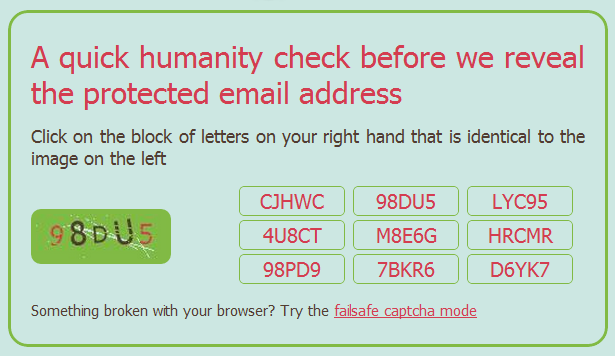
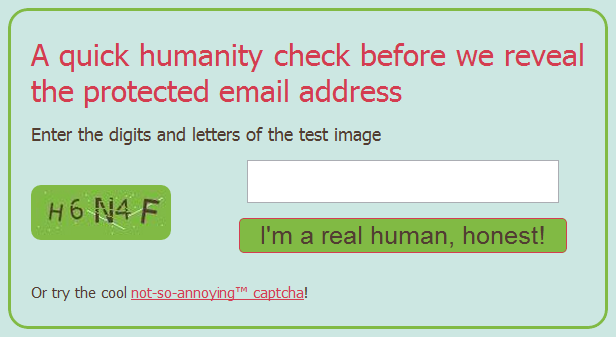
Scr.im is a convenient and brand-efficient way to post a link to an email address. It provides you with a simple vanity url that is easy to share and doesn’t require any specific code in the link. When the link is clicked, the person — or spam-bot — is directed to a captcha page that shows an image of an alpha-numeric code and a game of match the code with one of the nine buttons on the right. If there is, for some reason, a problem with this method, you can simply click the link at the bottom to go to the tried and true “failsafe” captcha method of typing in the code from the image and clicking the “I’m a real human, honest!” button.

To get set up with scr.im, head to their site, enter your email address, click “Protect my email” and go, share, be merry. They will generate a url for you, but if you want some extra awesome, then type in your own vanity url tail in the provided field. Scr.im will automatically let you know if the url is available or not.

Safely Share Your Email Address, Avoid Email Spam with scrim | 40Tech

Scrim Email Spam Protection | 40TechShare Your Email Address Safely with Scrim | 40Tech


reCAPTCHA Mailhide

You are probably familiar with reCAPTCHA, especially if you own a blog. They have put together one of the easiest and most powerful (and best looking) captcha protections out there. They are also owned by Google, now, which I only recently became aware of. Whether that makes you feel more or less comfortable will be determined by how many Google services you already use , and how evil you feel Google is, but the reCAPTCHA Mailhide solution is a great way to safely post an email link to a website.

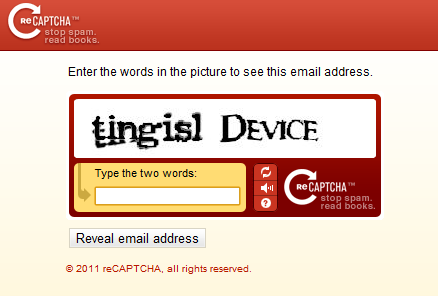
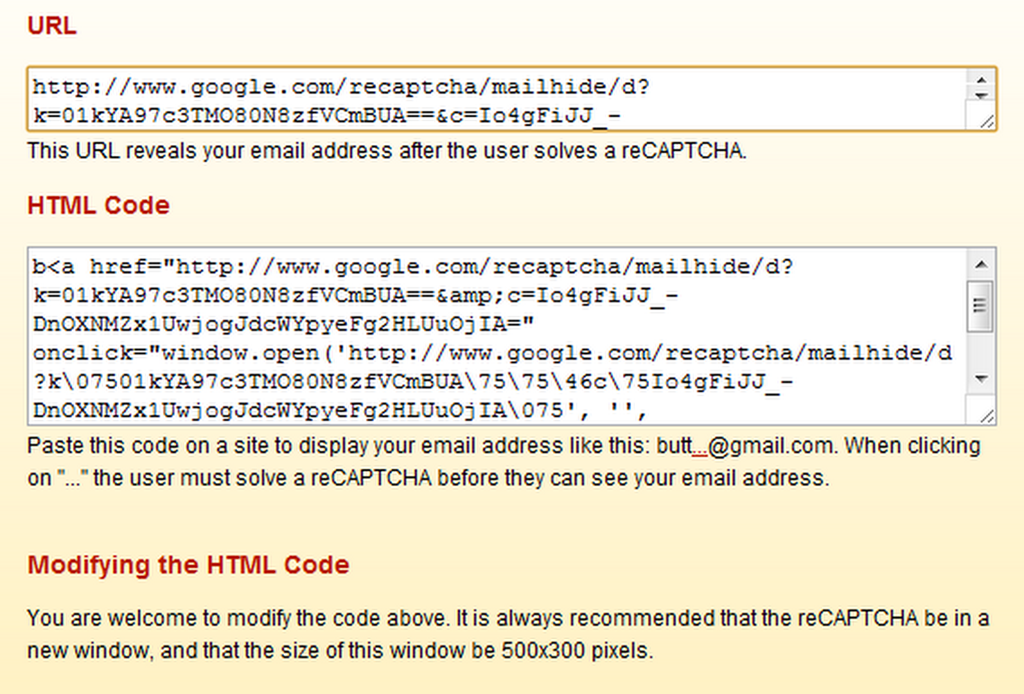
If you want to try it out, head to the reCAPTCHA Email Protection page and enter your email address in the given field and click “Protect It!” You will be taken to a page that provides the URL of the reCAPTCHA that will need to be solved before anyone can send you an email — which you can then share anyway you like. You can even take the (crazy, long) URL and plug it into your shortener of choice to create an nice and easy to share link. Once the captcha — which can only be solved by humans — is correctly entered, people will be presented with a page that contains an untrackable link to your actual email address.

reCAPTCHA Mailhide Email Spam Protection | 40Tech

reCAPTCHA Email Spam Protection | 40Tech

Web security is important to the people clicking your fancy email link, as well, so if you want to assure them that they are heading toward an email address, you may want to use the customizable HTML code that is also provided by Mailhide. This code will display your email with the first four letters of your address, followed by a clickable “…” and @yourdomain.com. This code can be customized to your liking — which was especially handy in my case, as I used an address with “butter” in the beginning. Posting an email link to butt@gmail.com is not likely to gain me more than a few laughs. (Note: the clickable … previous is for aesthetics only. It is not an active link to my email address)

Share Email Address Safely using reCAPTCHA | 40Tech

If you want to know the technical protocols used by Mailhide, check out this API link.


Google+ Profile Link

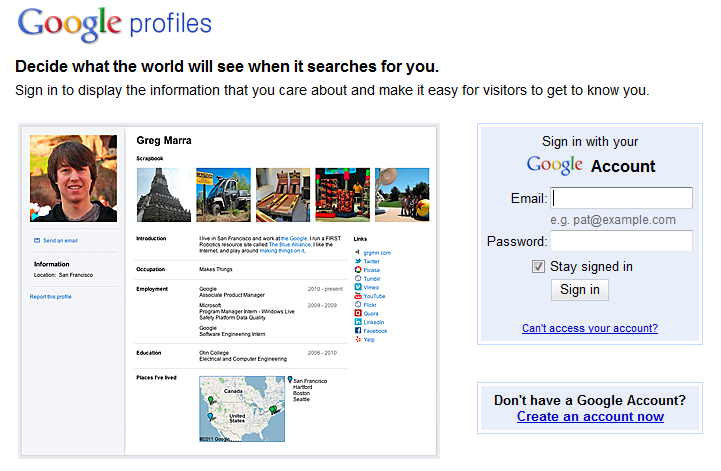
If you aren’t using Google+ yet, you should be. Yeah, I’ve drunk the Kool-Aid — and it’s sweet, refreshing, beautiful, and I hope it lasts. Aside from the Picasa integration, circles and other neat network and privacy controls, and the fact that social games are finally done right, Google+ also makes one hell of a way to share your email without getting attacked by spam.

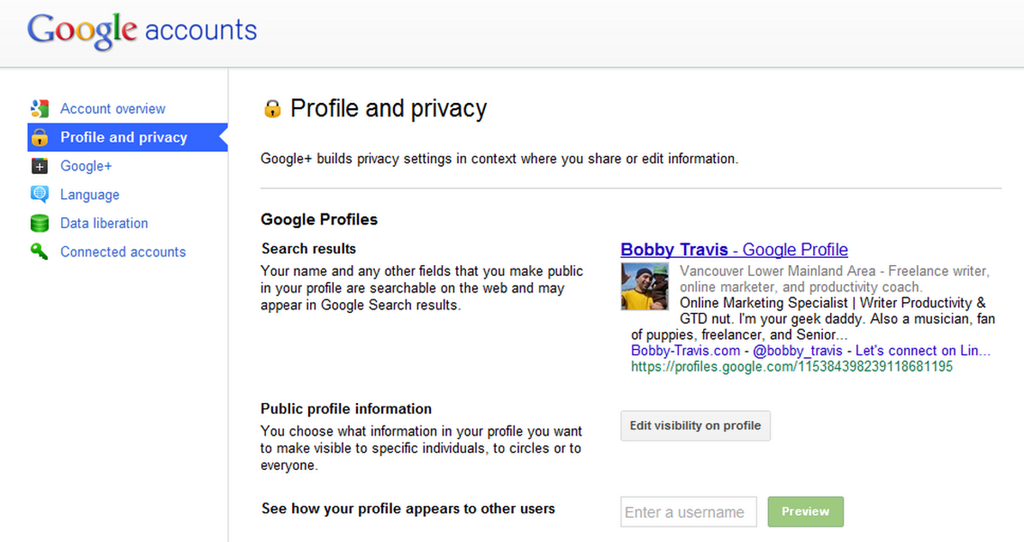
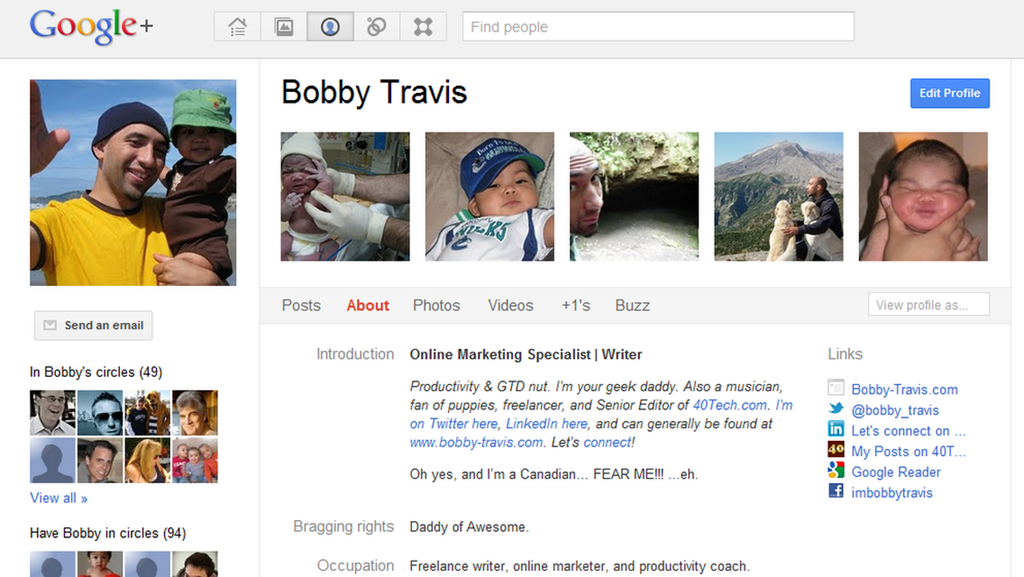
The first step is to make sure your Google+ Profile (okay, okay, if you really can’t stomach using Google+ yet, you can always just use a regular old Google Profile) has a visible “Send an email” button just below your picture. To do this, you go to the settings gear in the top right, then click on “Profile and privacy,” and then the “Edit visibility on profile” button beside “Public profile information.”

Safely Share Your Email Address by Sharing Your Google Profile, Google+ Profile | 40Tech

Google+ Profile Settings | 40Tech

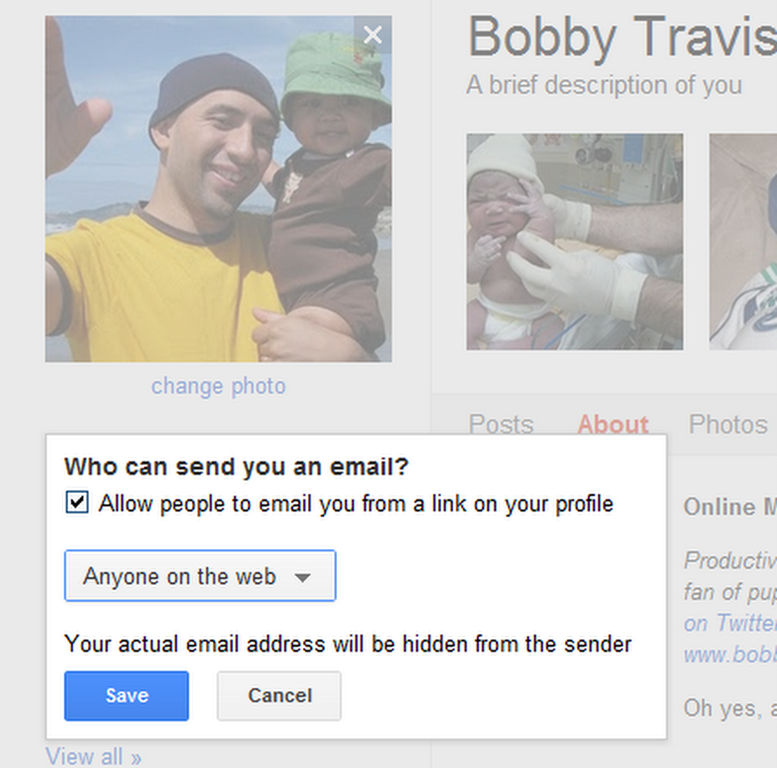
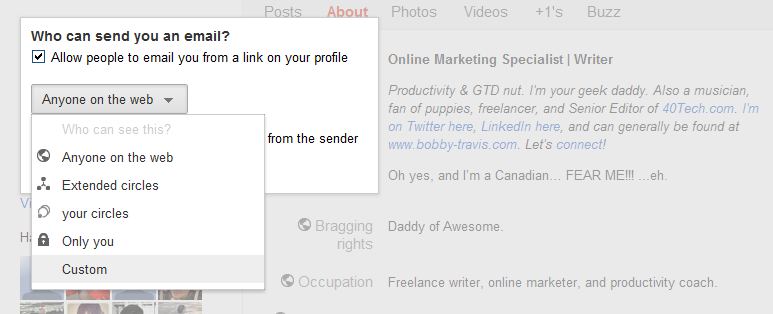
Step two is click on the “Send and email” area below your profile picture, click the check-box that is next to “Allow people to email you from a link on your profile,” and then click on the dropdown that sets your visibility preferences. For the broadest case, you will want to choose “Anyone on the web” as it will allow you to safely share a link to your email with anyone. Save, and then click the “Finished editing” button at the top of the page. People can now send you email right from your Google/Google+ Profile page.

Google+ Setting Who Can See the Send Email Button | 40TechGoogle+ Send Email Privacy, Sharing Settings | 40Tech

Bobby Travis Google+ Profile | 40Tech

The final thing to do is to share your Profile link with others. There are a number of ways to do this, including the secure (long) Google Profile URL, using a general URL shortener or a vanity URL, or even by using your profiles.google.com/username — though that may defeat the purpose a bit if you don’t want people to know your email address (seeing as the username + @gmail.com = is your email address).


Bonus – Bugmenot

If you are after a way to sign up for services without getting spammed, none of the above methods will work for you — so check out Bugmenot, instead. Bugmenot is the perfect way to check out for a multitude of “sign up first” services using dummy emails and passwords set up by other people. It’s a great way to avoid spam and solicitations, and it saves time. You could also just use your own dummy email address.


There you have it! Three easy ways to share a link to your email address without painting yourself as a target for spam bots. If you know of any others or have had experiences with any of these methods, please share them in the comments!


Get an Invitation to the Google Music Beta

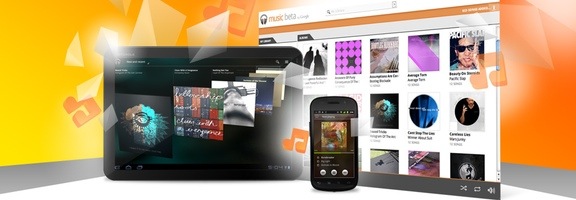
Google Music Beta.jpeg

THE CONTEST IS NOW CLOSED

NOTE: AS ONE OF OUR READERS HAS POINTED OUT, GOOGLE MUSIC IS CURRENTLY AVAILABLE IN THE U.S. ONLY

While Spotify is the music service that is getting all of the press these days, Google’s own music service is up and running. In typical Google fashion, Google Music is currently in beta. Google Music is not a subscription service, and doesn’t offer a catalog of music. Instead, it is a free service to which you upload the songs that you already own. You can then stream them to a web browser, or to the free Android app. The app also caches music, to support offline play. We’ve got 4 invitations to give away. Read on for details on how to score one.

Read more