Menu Close

Category: Cloud (page 6 of 32)

Redesign Your Living Space Online With Homestyler [App of the Week]

Redesign Your Living Space Online With Autodesk Homestyler | 40Tech

I stumbled across this completely by accident. I was looking at some very cool ideas for creating furniture from shipping pallets (my lovely wife’s new obsession), and I saw that one person had done a mock-up of what she wanted her living room to look like. Then I saw the little “Autodesk Homestyler” branding on the bottom of the image and gave an audible “Heyyyyyyyyyy!”

What followed wasn’t pretty. Picture me — or yourself, if you don’t happen to know what I look like — wandering about my house with a tape measure, measuring every wall, window, doorframe, article of furniture, you name it. I was approximating angles, imagining what changes I might like, and constantly running back to my laptop so I could re-create — and then improve upon — my living space. It was obsessive, it was zen-like, and it was surprisingly effective.

Sure, sure, there were a few little glitches, like, in the panoramic or high definition snapshot 3D rendering of my living room, dining room, and kitchen, things like tables and desks  — and my stove — liked to turn invisible. There were conflicts with some of the models, too — my TV sitting inside my TV-stand, for example, or things just refusing to sit over or near each other, even when I had the placement rules disabled. Also, there is simply no way to change the dimensions of some of the models, or (most annoyingly) the height of the walls. (See images, below.)

These things created a need for that special sort of approximation creativity that we all sometimes have to draw on, but the end result was more than adequate for me to see what it would look like if my living room had a sectional couch, and maybe a mirror on the wall (the mirror even reflects when the panorama is rendered!). I now have a reasonable working model of my living space that I can go to and mess with before trying or buying anything — and it was all free! Free, dammit! Even if the entire app is in Flash, and there is no iPad app, I’m completely down with Homestyler. Once you try it, I bet you’ll love it too.

Here’s a few shots of me working on my place — all done within a few hours of mucking about:

image image  image  image  image  image

image

And here’s a link to my panorama (no iframes hereabouts, sorry).

What are your thoughts on Autodesk Homestyler? If you know of anything comparable, tell us about it in the comments!

Autodesk Homestyler


Crazy Things That Happen Every 60 Seconds On The Web

Crazy Things That Happen Every 60 Seconds On The Web | 40Tech

Did you know that, every 60 seconds on the internet, there are over 695,000 Facebook updates, 168 million emails (which, frankly, shakes the whole “email is dead” theory), 219,000 PayPal payments, over 12,000 new Craigslist ads, and about 2 million people watching porn? That’s every single minute, according to the pretty infographics put together by Go-Globe.com. There are also 925 iPhone 4S sales, 11 million IM conversations, 232 computers that got infected with malware, and some 38 tons of e-waste generated.

These are only a few of the highlights of the 40 items listed across the two infographics. Many of the entries are eye-widening, especially when the timeframe is considered, but — maybe because I practically live online — not surprising when considered in the grand scheme of things. In fact, I thought some were a little low. Only 694,445 search queries per minute on Google? Only 416 website hacking attempts? Only 13,000 (plus) iPhone apps downloaded? I wouldn’t have been surprised if there were more.

Check out the infographics below — what stats stand out to you?

Incredible Things That Happen On The Internet Every 60 Seconds Part 1 | Go-Globe.comIncredible Things That Happen On The Internet Every 60 Seconds Part 1 | Go-Globe.com

Incredible Things That Happen Every 60 Seconds On The Internet | Business Insider


How to See Whether a Member of Congress’ Vote Might Have Been Bought

Maplight full

Sadly, we live during a time when the U.S. Congress has earned a much-deserved reputation for whoring itself out to the highest bidder. The latest committee hearings on SOPA heightened the average tech geek’s frustration with Congress, where a Congressional committee lined up several supporters of SOPA (the entertainment industry and the Chamber of Commerce, to name two of five), while only allowing the testimony of  a Google representative on the other side. Does money play a role in this? While it is impossible to get inside the head of a congressperson, the money trail can be pretty damning in some instances. How do you easily check the money trail? MapLight can help.

Read more


Find Out What Flights Are Overhead With Wolfram Alpha

Wolfram alpha fights overhead

Mark this one down as not very useful, but pretty cool nonetheless. Wolfram Alpha, an online service that answers queries, now will tell you what planes are flying above you. Simply type “flights overhead” into the search box, and Wolfram Alpha will return a list of flights overhead, including the altitude, the angle from the horizon, the type of plane, and the distance away.

Read more


Gmail Has a New Look — And Almost Has An Official iPhone App

Gmail Has a New Look -- And Almost Has An Official iPhone App | 40Tech

In keeping with their Big Push, Google released a new version of Gmail with a major facelift, as well as released — and then pulled — their long-awaited native Gmail app for iOS.

The new Gmail look, as is to be expected, has a few minor annoyances to accompany some great new features, and the app is actually very cool, but was pulled due to a notification system problem.

Check out the feature-list for both below.


New Gmail Web App

Gmail's New Look

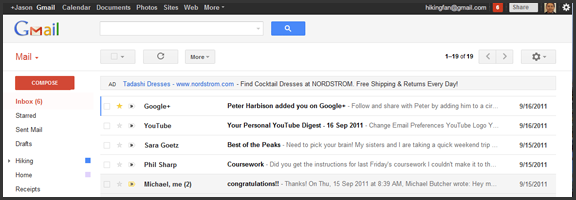
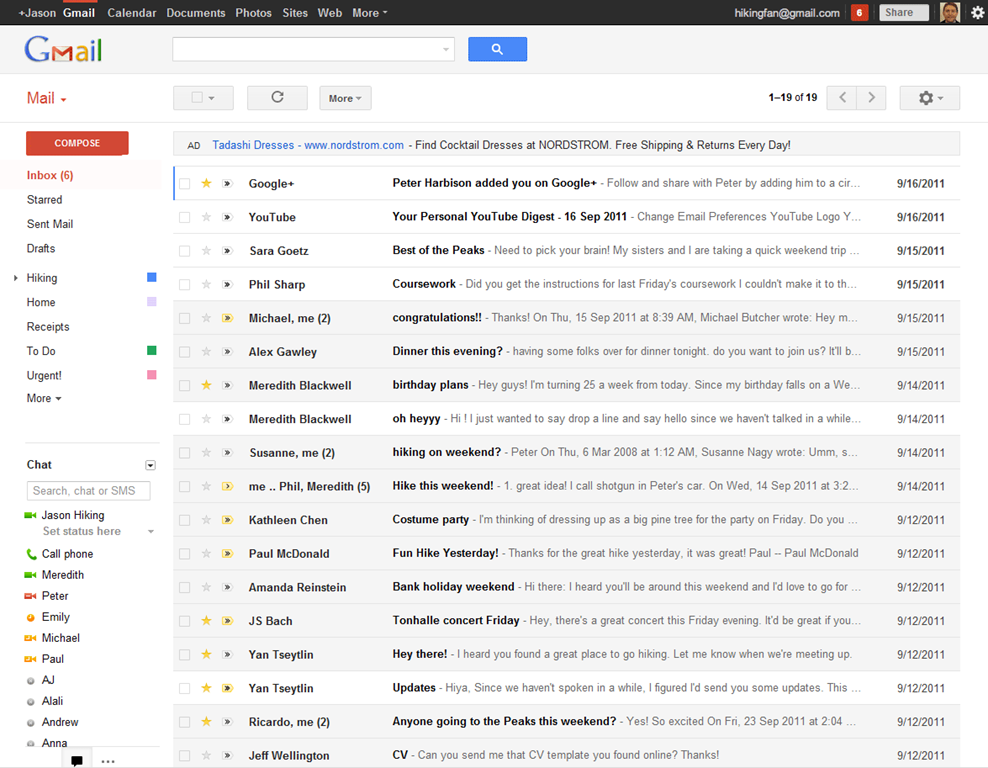
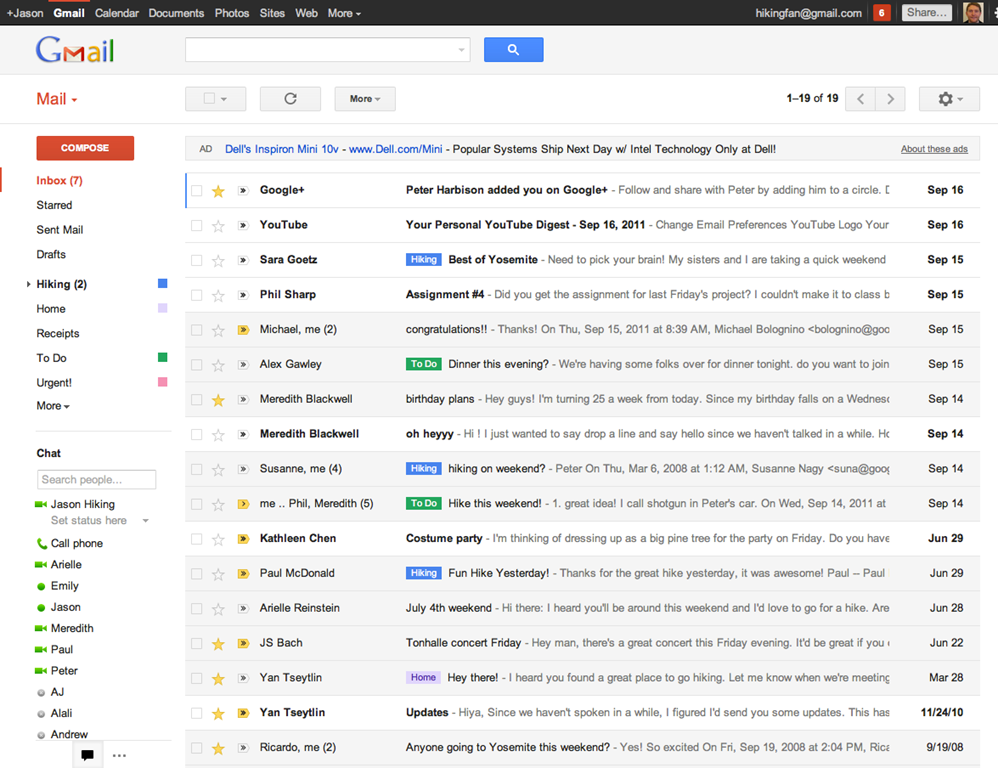
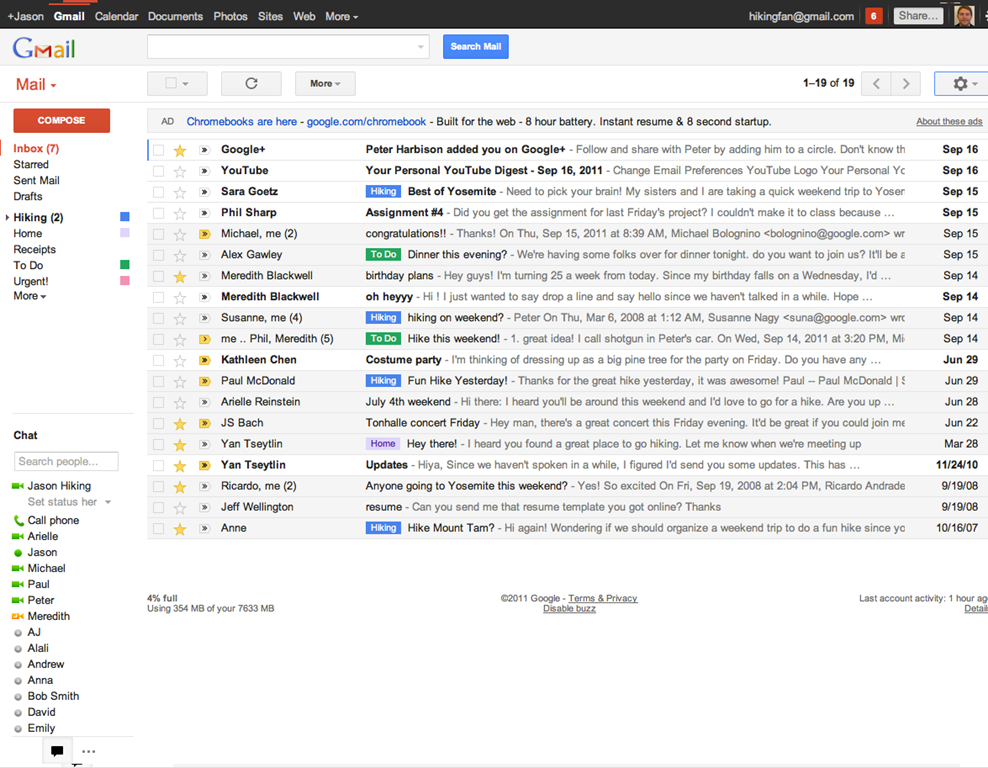
The new web app has a look and feel that fits in with Google’s updated branding. It’s “cleaner, more modern” and is very similar to the preview theme that the Gmail team released a while back. I’ve been using that theme for a few months and I love it, but I’m not terribly fond of the dynamic “Display Density” feature.

Display Density allows you to control the default amount of whitespace for each email message in your inbox (Comfortable, Cozy, or Compact), but whill actually change dynamically depending on the size of your browser window. This may seem like a good idea, but if you use Minimal Wall’s guidelines for window sizes, it displays as Compact, no matter what, which clashes with your zen by slapping you about with tiny little squished up emails. Google should add a feature that allows you to force the display of your favourite Density, no matter the size of your window.

New Gmail Comfortable Setting    New Gmail Compact Setting

What is awesome about the new Gmail is the sweet new toolbar, the much-improved search dialogue — I always hated the in-field search commands — new themes, and the improved look of threaded conversations. I also like the additional control settings, the ability to drag the size of the chat window, and the awesome little buttons in the sidebar that can make the chat, gadgets, and other annoying sidebar items vanish until you want them.

Give the new Gmail a try, and let us know what you think. If you don’t love it, you can always revert back — at least for now. Check out the video for details on the upgrade:


Native Gmail App for iOS

Once Google gets a handle on the notifications errors (apparently just a silly little mistake on their part, so it shouldn’t be long), the new iOS app will probably kill the iOS mail app for me. I only use the thing because I hate waiting for Safari to load, and the new app looks like it will finally allow me to do what I’ve always wanted to from my iPhone and iPad: reply to emails with the email address that they were sent to.

This is a huge deal for me, because I use a multitude of different email addresses for different things, and they all come through Gmail. I don’t necessarily want to answer my 40Tech email or my work email with my main email address, which I’ve had forever, but might not always come off with the… professionalism… I need.

Unfortunately, you still can’t compose new email in the app and choose what email you want to send from. Baby steps, though, I suppose — and it’s still better than the iOS emai app.

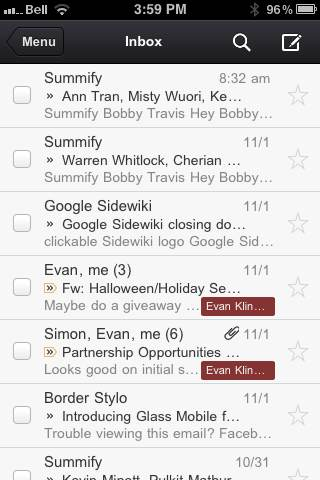
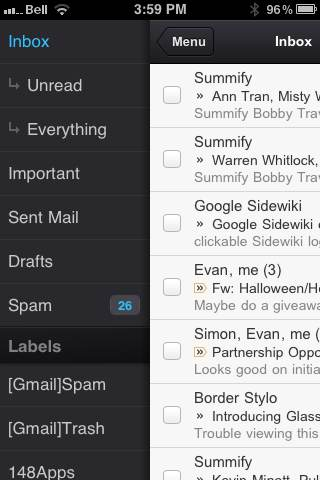
The new Gmail for iOS app is nearly a full-featured Gmail experience. There is universal search, auto-complete from both Gmail contacts and iPhone addressbook, attachment upload (which is basically photos, of course), threaded conversations, priority inbox, easy archiving, labelling, starring, deleting, and spam reporting.

New Gmail App for iOS | 40Tech       New Native Gmail App for iOS | 40Tech

On iPhone/iPod Touch, the Gmail app gets out of its own way, focusing on the content, with a nice expandable sidebar to sort through your labels. On the iPad, you get the standard two-paned view, which makes for easy viewing and navigating on the larger screen.

The only other things to note are that, at the moment, the app doesn’t have offline support, and doesn’t do multiple Gmail accounts, and that swipe gestures — while good for the most part — sometimes feel a bit awkward.

What are your thoughts on the new look for Gmail? And when you get a chance to check it out, tell us what you think of the iOS app, as well!