Menu Close

Author: Evan Kline (page 90 of 164)

Hello, I'm Evan. I write about tech from my perspective – that of the average tech geek, sometimes with my lawyer glasses on. You can also find me on Twitter and at my real-life job as a lawyer.    MORE ABOUT ME.

Speed Up Your Listening to Enjoy More Podcasts and Spoken Audio

Speed up your audio listening

If you’re like me and many other tech geeks, you’re overloaded with content to consume, tricks to try out, and gadgets to play with. Throw all of that into a busy life, and you might lament not having time to pursue your interests. I’ve felt that way recently. Lately, the time I’ve had to listen to podcasts and other audio content has decreased. In the past, I had a long list of podcasts I enjoyed. I wrote about them a few months ago, but since that time, I don’t even listen to half of the podcasts on that list. I just don’t have the time. I enjoy those podcasts, so I want to get back to listening to them. Coupled with a desire to listen to more books on Audible, I thought about how to consume more of the content that I enjoy. I think I’ve come up with one way to do it.
Read more


App of the Week: Paper Camera [iOS, Android]

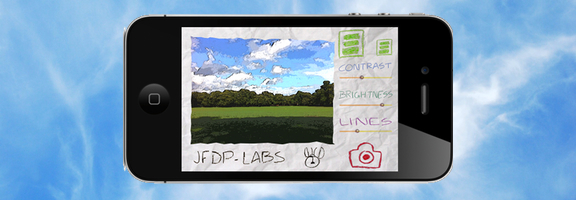
Paper camera iphone

Both the iOS App Store and the Android Market offer an abundance of camera apps. There are so many, that it takes either great functionality or a unique twist for an app to stand out. One that does so is Paper Camera, available as both an Android and an iPhone/iPad app. Paper Camera lets you use your camera to output real time cartoon and painting effects that have to be seen to appreciated.

Read more


How to Take Screenshots With Your Mac

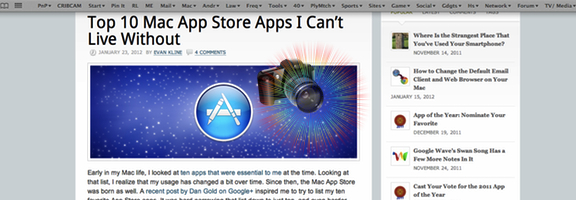
Mac screenshots

You’ve got your new Mac, and want to take a screenshot. Where’d that Print Screen key go? Things work a bit differently on the Mac. You could go with a third party solution, such as Skitch or Littlesnapper. Or, you could use your Mac’s built in ability to take screenshots. There are three different ways to take a screenshot on your Mac, by holding down key combinations. All screenshots go to your desktop by default.

Read more


What’s Your Favorite App – Ever? [Reader Feedback]

Favorite app ever

In a recent TWiT podcast, one of the hosts mentioned WordPerfect 5.1 as an all-time great piece of software. That got my mind racing, trying to think of some great apps that I’ve used over the years. While those of us in the 40+ age bracket might have a longer timeline of app usage to draw from, we probably all have our favorite apps. What are yours?

Read more


Easily Preview the Output of Your HTML and CSS With A Web App

NewImage

If you ever play around with HTML, CSS, and JavaScript, and don’t want to set up a testing environment, check out JSFiddle. JSFiddle is a web app that lets you input HTML, CSS, and JavaScript, hit a button, and see the results of your code.

Read more