One of the strengths of Android is its open app ecosystem. No approval by Google is required for a developer to get an app into the Android Market. That also creates a problem, though, in that it sometimes can be difficult to find the good apps. Such was the case when I went hunting for a calendar app. AnCal, Gemini, Business Calendar Beta, Pocket Informant, Pure Calendar, CalWidget, iRT Calendar, Agenda Widget. Those are just a few of the calendars available for Android. Some of those are great, and warrant a look, but none of them jumped out at me as the perfect calendar for my needs. After sorting through several, I found one that was – CalenGoo.
Springpad, one of our the favourite memory management platforms on 40Tech, launched a major update to its Android app yesterday. The update includes a new widget set for easier capture and customizable homescreen access, more ways to sort, filter, and view your notes, and the ability to save information directly from other Android apps. If you’re an Android user you’ll definitely want to check this out — especially if you’re interested in using Springpad for GTD (getting things done). See below for details!
UPDATE: 40Tech reader and regular commenter Daniel Gold has just put up a video post documenting the Springpad Android update. Check it out below, and don’t forget to visit his blog or his Evernote and Springpad e-Books[affiliate link] for more awesome!
Enhanced Sorting Options
Springpad’s new sorting options address several user requests, such as the ability to hide completed tasks, passed alarms, and passed events from any view (including All My Stuff). Users can also now sort by Due Date, Type, or Tag from any view. On the Springpad blog, Katin assures web app and iOS users that these features are on the way for them as well.
Awesome New Widgets
Springpad’s new customizable list and capture widgets will make the lives of both the general user and the power user much easier. The list widget can be configured to show you a list of your most important saved items. This is a fantastic way to have quick access to incomplete tasks, flagged items, recent alerts, favourite bookmarks, or whatever it is that you need to keep on hand.
The small and large capture widgets can now be configured to feature your favourite Quick Add options. If you are big on voice memos or barcode scans, or if you need fast access to the photo capture or text add features of Springpad, you can set up the widgets to be on hand for quick access to exactly what you need.
Share Content From Other Apps
If you were ever in the Yelp app and thought “Gee, I wish I could save this restaurant info right into my Springpad,” — now you can. This is a fantastic feature, as it makes saving the things you want to remember just a little more universal, and has the added benefit of Springpad enhancing that information with potential deals, coupons, and other pertinent information.
Aside from adding cross-app sharing, and these other fancy features, Springpad’s Android app also includes multiple bug-fixes. Check it out on the Android Market, or Amazon’s new Android Appstore.
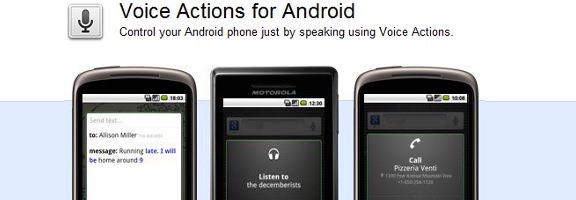
One of the great features that came with the 2.2 (Froyo) update to the Android operating system was Voice Actions. With Voice Actions, you can control many of your phone’s features, such as navigation, the playing of music, and text messaging. Let’s take a look at some of the Voice Actions that you can use. Read more
Let’s get this out of the way right now – this subject is a bit geekier than much of what we discuss here at 40Tech. It involves serious hacking to your Android phone. Specifically, we’re going to discuss the pros and cons of flashing to a custom ROM on Android. Think of a ROM as a customized version of your phone’s operating system, including the kernel, apps, and just about everything else. Should you take the plunge?
You can never have too many backups. That is true with your smartphone, as well. If you want an easy way to backup some of the contents of your Android phone’s SD card, check out DropSpace for Android. Read more