Menu Close

Archives (page 79 of 199)

Kickass Undelete: Portable Recovery Awesome for Permanently Deleted Files [Windows]

Kickass Undelete: Portable Recovery Awesome for Permanently Deleted Files | 40Tech

Computers are a constant source of fun and potential ulcer-creating stress. This is especially true — at least in the latter respect — when we find ourselves needing that oh-so-important file that we just deleted from the Recycle Bin. Or lost in a crash. Or from any other of the number of creative ways Windows can eat your work. There are several data recovery tools out there, and they come in varying degrees of complication and quality. If you are looking for something simple, though — something that you can take with you, and even use on a flash drive — check out Kickass Undelete.

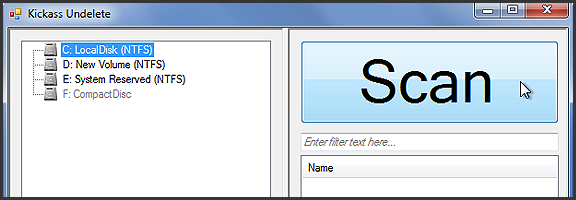
Kickass Undelete is more than just a fun name. It’s portable, it’s pretty effective, and it’s big-button easy. All you need to do is select the drive you want to scan for deleted files, hit the ginormous Scan button, wait a tick, and then sort through the list of deleted files for the one you’re looking for. To help you along, Kickass Undelete allows you to sort by Name, Type, Size, and Last Modified date. Select the files you want to restore, then hit the also-sizable Restore Files button, and you’re all good!

Kickass Undelete is free and open source. Download it here.

Easily Recover Permanently Deleted Files With Kickass Undelete [AddictiveTips]


Hotspot Shield VPN Officially on iOS — Secure Browsing, Bandwidth Compression, Access Blocked Sites/Services

Hotspot Shield Now Officially on iOS -- Say Hello to HTTPS, Bandwidth Compression, Out-of-US Netflix, Pandora | 40Tech

When we first told you about Hotspot Shield, it was to use the free Virtual Private Network to bypass blocked media, as well as increase your browsing security. Over a year later, we posted a tutorial on how to use the VPN to watch US Netflix outside of United States, using your iOS devices. Unfortunately, the Hotspot Shield sign up process for iOS was broken soonafter, and their customer service team didn’t have a lot to say about it. Now we know why: Anchorfree, the creators of Hotspot Shield have released an iPhone app that makes all of the steps go away, and even solves a few of the problems.

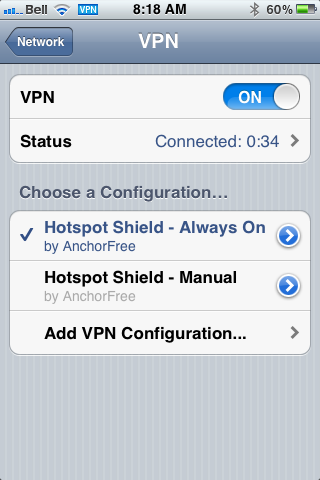
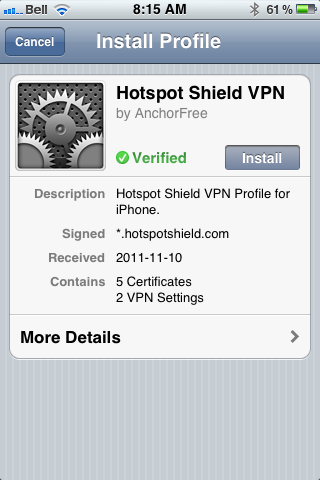
The new Hotspot Shield app will have you up and running with a couple of touches, installing two VPN configurations on your iPhone or iPad. The second one is for manual use — you turn it on when you need it, and leave it off when you don’t. The default configuration, though, is Always On, which handily accomplishes two things: it allows you to automatically have the VPN’s data compression and additional security in place whether you are on WiFi or mobile broadband, and it also fixes potential annoyances by automatically re-establishing the VPN’s connection when it drops (which is still a regular occurrence).

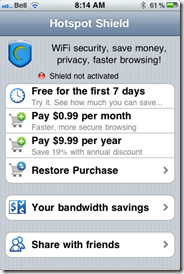
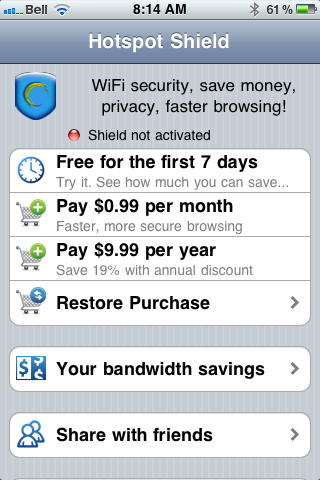
In testing, I found that the VPN is more stable on iOS than it was previously, and that using it was practically painless. I also discovered, very quickly, that the free-ness of Hotspot Shield — at least for mobile — is a thing of the past. In comparison to other VPNs, though, especially services that are as effective, the price is still more than worthwhile. You can use the VPN free for a week, after that, it’ll cost you $0.99/month or $9.99/year. You can also use a purchase code the app provides you to activate up to five personal devices that are connected to the same iTunes account. If the incredibly attractive price is to much for you, and you already have an old Hotspot Shield VPN installed on your iOS device, it should still work, at least for now — mine does, anyway.
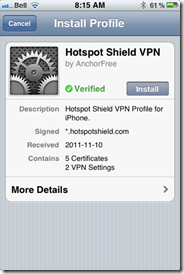
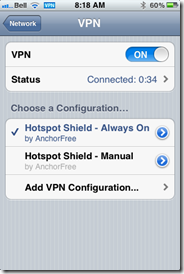
Hotspot Shield VPN for iOS, iPhone, iPad, iPod Touch | 40TechHotspot Shield VPN App for iPhone, iPad, iPod Touch | 40TechHotspot Shield VPN App for iOS | 40Tech

Some other fun features of the app are the abilities to track your bandwidth savings and to control your compression level. You can turn it off completely for WiFi, or turn it up to maximum to save bandwidth on images and the like. This will downgrade image quality, of course, but how much is your data worth to you?

All in all, I recommend it to pretty much everyone on iOS with even a passing interest in security (or in using Hulu, Netflix, Pandora, etc., outside of the US). You can never be too careful with your data, and HotSpot Shield does a decent job of protecting you. According to ReadWriteWeb, it was even used during the revolutions of the Arab Spring to allow “users to skirt detection of officials that may have been monitoring mobile internet activity.” Handy, that…

If you do decide to use Hotspot Shield for iOS, do keep a couple of things in mind:

  1. The terms of service are very explicit about the VPN being for personal use only. Don’t use it for business or they may cut you off.
  2. Using a VPN to access a US-only service outside of the US may be considered breach of that service’s terms of use. You may want to double-check that before going ahead to make sure you don’t have any issues — especially if you pay for said service.

What do you think of Hotspot Shield for iOS? Do you plan to use it to increase your browsing security? Let us know in the comments!

NewsRob: The Best Google Reader Client for Android [App of the Week]

NewsRob

When it comes to buying apps, trust the hive mind. I should have learned that bit of wisdom long ago, but at times I need to learn from my own mistakes. My selection of a blogging editor was one mistake, where I could have just listened to the wisdom that I saw espoused all over the Internet. My selection of a Google Reader app for my Android phone was another. Shortly after getting my phone, I tried out the official Google Reader app, then dropped money on another app that I’ve long since forgotten. Finally, I surrendered and tried out NewsRob, the app that received everyone’s praises. I’ve been using it ever since.

Read more


Are You Like Most People, and Stop Using Most Apps Soon After Installing Them?

Android ios app retention rate

Flurry posted the results of a recent study of app usage, taking a look not only at how Android stacks up against iOS, but also at app retention rate – the percentage of users that continue to use an app in the 12 months after acquiring it. The results are somewhat stunning, showing that the retention rate in the first month after acquisition is only 38%. That number then drops steadily, reaching 4% after 12 months. Do you find yourself discarding apps at such a fast rate?

Read more


Use Your Blog to Win a $10,000 College Scholarship

Blogging scholarship

If you’re over 40, this probably won’t apply to you directly, but might apply to one of your children. College Scholarships.org is awarding a $10,000 college scholarship to a college student who blogs. To win, the blogger must be nominated or nominate himself, via a 1000 word essay. All of the possible essay topics are blogging related, such as “why did you start blogging?” The deadline for nominations is November 14, 2011, so get cranking.

Read more