
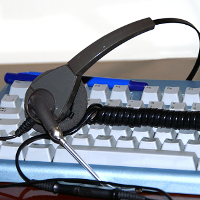
 Is voice dictation finally ready to be a viable alternative to typing? When I first used Dragon Dictation several years ago, I was impressed, but thought that it wasn’t quite ready for primetime. Whether because of limitations of the software, my own mistakes, or because of limitations of the hardware, Dragon made just enough errors to really slow me down. Read more
Archives (page 47 of 199)
This is a sponsored post by VoIPReview.org. Please click here for more information on sponsored posts on 40Tech.
If your business finally decided to switch over to a cloud-based phone system, then congratulations are in order! You’ve decided to make the leap over to a more flexible, mobile, and cost effective VoIP phone system.
However, if you’re still feeling noncommittal, then learning about cloud PBXs, how they operate, and how you can seamlessly implement one into your business, may make the decision easier for you.

I wish I had seen this back in December, when I was looking for the best place to obtain a couple of Christmas movies. I hopped from service to service, trying to find the movies in question. Little did I know, but there is an easier way.
 After a couple of years as a mostly satisfied Android user, I recently switched back to the iPhone (the reasons might someday be the subject of another story). I was eager to try out location-based reminders, which reminded me of a stripped down (but easier) version of Tasker on Android. I liked the idea that I could use Siri to say, “remind me to take out the trash when I get home,” and I’d have a reminder added to my list in the Reminders app. Thanks to geofencing in iOS, that reminder would automatically fire when I pulled into the driveway. Read more
 When you use an iCloud-enabled app on your Mac, it may appear that you can only access that app’s documents from within the app itself. Actually, there is a folder structure on your Mac reflecting the location of your iCloud files, with a folder for each iCloud-enabled app that you use. You can find those folders and files outside of their native apps with a bit of effort, or you can make it easy with a free app called Plain Cloud.