
Menu Close

Archives (page 34 of 199)

The Death of Aperture. Good news?

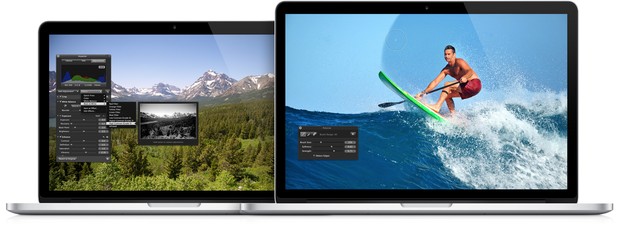
If you didn’t see the news today, Apple will be ceasing development of Aperture when the new OS X Photos app is released next year. At first blush, this seems like bad news for Aperture users. ApertureExpert has an interesting take on the news, however, that actually has me feeling hopeful for the future of the Photos app. The Photos app as a hub for your photos, with iOS-like extensions allowing any other app, including Lightroom, to interact with it? Count me in, if it comes to pass.

Read more


Easy Paragraph Selection in iOS

This is one if those tips that makes you wonder what else about iOS you don’t know. I had been doing this the hard way – tap and drag those tiny handles. Two finger tap doesn’t seem to work in all apps that I tried, and certainly is easier on an iPad.

Use a two-finger tap directly onto the paragraph to instantly select the entire paragraph or group of contiguous words.


Thanks to OS X Daily for another handy tip.

Select Paragraphs & Large Text Block Easily in iOS with a Two-Finger Tap | OS X Daily


Universal Search In OmniFocus

Sometimes I complete tasks almost unintentionally, in a reactive manner. Someone might call me on the phone, for example, and the conversation takes care of a task that I had previously set up as an action in OmniFocus. I then need to hunt down the action to mark it as complete. If you use the OmniFocus search box, your search would only search the Perspective currently in focus. I wanted to create a quick and easy way to perform a universal search, so I could find my tasks more easily.

Read more


1Password for Windows Version 4 Is Here – First Impressions

1Password for Windows Chrome browser extension

AgileBits released 1Password for Windows version 4 today. Some quick first impressions: Read more


Give Your Gear Personality

A sign that you’re a true geek – you don’t name your car, but you name your computers. Someone shared a cartoon on Google+ recently of a guy naming his gear. I can no longer find that cartoon, but it did inspire me to name my computers and some other gear this weekend. On a Mac, this is in the Sharing section of System Preferences. On your iDevices, it is in the About section of the Settings app,

Somehow, gear seems to have more personality when you name it. My gear is named it after ski runs at Big Sky, Montana. My workhouse MacBook is no longer the bland “Evan’s MacBook,” but is now the hardworking “Iron Horse.” My old iMac is no longer the boring “Evan’s iMac,” but is the reliable and most senior “Papa Bear.” My media server is “Hollywood,” and so on.
Read more