
 As we approach the six month anniversary of 40Tech’s launch, we are taking a look behind the curtain here at the site. In this post and a future post, we will take a look at the basics of the site, the inspiration behind the site launch, and other questions that arise when starting a blog. If you’re considering blogging, it might give you some helpful insights into what it is like to get a blog up off the ground. If you have your own blog, and are like me, then you enjoy learning about other blogs. In future posts, we also will take a look at traffic growth and site stastics, and the motivations and non-technical decisions associated with starting the site. But first let’s look at the nuts and bolts of the site.
Archives (page 182 of 199)
Bobby Travis also author’s the Bluetoque Marketing Tips blog. This post is a first in a Twitter Series cross-venture with 40Tech and is featured on both sites.
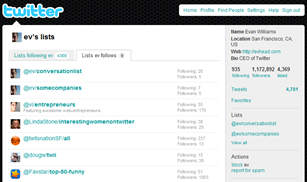 Earlier this month, Twitter finally launched Twitter Lists, a groups feature that helps you to easily organize and share the people you follow (or are just interested in), and view what they’re tweeting about without being hit over the head by the tweets of your (likely) massive general follow list. For example, maybe you want to view only the tweets from your favourite tech blog writers or business peers — all you would need to do is create an appropriately named list and add only those people into it, and whenever you want an update from that group, click on the list in your Twitter sidebar. Voila! Instant filter! I know, I know, many of the Twitter apps you are using probably already do something similar, but Twitter Lists is more than just a simple grouping or filter mechanism. There are a few key features that may make a huge difference in both the way you use Twitter and your reputation and credibility on Twitter.
 We’d like your input concerning credibility and integrity in product reviews that appear on blogs. Specifically, we’re interested in what factors you, our readers, think influence the credibility of a product review. Your input will factor into some decisions we make here at 40Tech.
By way of background, we’ve been contacted twice here at 40Tech by two different companies, with requests to run articles about software products. In both situations, the articles were written by the software developers themselves. We didn’t run either article, for obvious reasons. Situations won’t always be so clear cut, though. When, if ever, is it OK for a blogger to write an article, if solicited to write it by an outside party? Read more
 We’ve recently started using Google Wave here at 40Tech, and have found it be extremely useful, especially for site-related tasks. In fact, we wrote our first collaborative post using Wave recently. As useful as Wave can be, it can also be overwhelming. Once you’ve followed a few waves, your Inbox can be overflowing, making it very difficult to find what you want. How to tame this? For starters, you can organize waves into folders. But what if you want to organize waves by tag? Tags have some advantages over folders, including the fact that a wave can only belong to one folder, but a wave can possess multiple tags. Even if you tag your waves, however, there doesn’t appear to be a way to make your tags easily selectable in the sidebar. It might not be built into Wave’s UI, but there is in fact a way to get your tags into the sidebar. Read on for how to do it.
 Ten days ago, we previewed Dragon Age: Origins, BioWare’s latest RPG offering for the PC, Xbox 360, and Playstation 3. We’ve now had almost two weeks with the game (Evan on the PC, Bobby on the PS3), so we should have a full review for you soon, right? Well, one small problem. Dragon Age is a huge game. Almost two weeks in, and both of us are less than 10% finished with the game, according to the in-game statistics. We have both played for hours and hours, though, so we have enough of a feel for it to give you our first impressions. Read on for our thoughts on Dragon Age, from both a PC perspective and PS3 perspective.