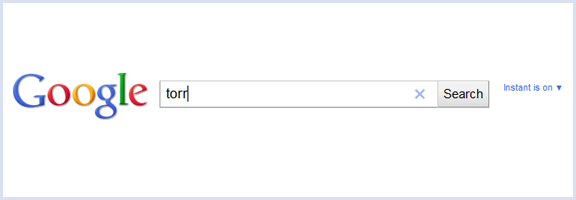
In December of 2010, Google announced that it was planning to make “copyright work better online.” One of those steps was to remove “terms that are closely associated with piracy” from autocompletes, making it slightly more difficult for those looking for ways to find less than legit files to use their service. It seems that Google has made good on its promise, removing several search terms — and portions of search terms — from both autocomplete and Google Instant.
While some may cheer this move on Google’s part, there are several parties who are finding this censorship to be unfair. 40Tech has taken an anti-piracy stance on more than one occasion, but we are also not fans of censorship. Companies like RapidShare, Megaupload, and BitTorrent are most definitely used by those participating in shady file-sharing, but they are also used for legitimate, and often useful, purposes, yet these sites can no longer be found via Google’s autocomplete or Instant features. Is it fair that they be given selective treatment when, as a representative of RapidShare states: “A search engine’s results should reflect the users’ interests and not Google’s or anybody else’s?”
The selection of banned terms seems to be arbitrary, as not all well-known torrent sites are affected — you can still find The Pirate Bay, for instance. Anything using the search term “torr,” however, has been removed, along with several other terms and bits of terms. This is unfortunate for anyone doing some quick research on the torr symbol (a non-SI unit of pressure), or the high-IQ society Torr.org, or Torr the thin film and nanotechnology company, or anyone with the last name of Torr — which shows that Google’s approach is somewhat less than perfect.

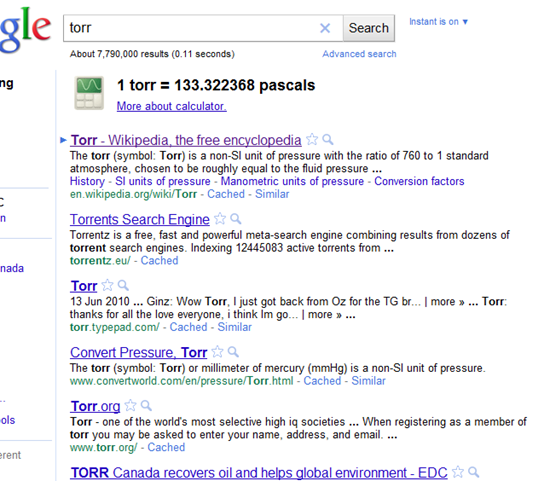

Image from TorrentFreak
At this point, only autocomplete and Instant are affected. You can still find whatever you might be looking for when you press enter — but good luck if you are looking for something legitimate that incorporates one of Google’s banned terms and are hoping for some suggested results.
What do you think of Google’s approach here? Is it a good thing — or is it yet another form of relatively pointless censorship? Will making torrents a little bit harder to search for on Google actually have any impact on piracy at all? Let us know in the comments.
Google Starts To Censor Torrent-Related Search Queries [ReadWriteWeb]





Google Turns On the Torrent Censor
In December of 2010, Google announced that it was planning to make “copyright work better online.” One of those steps was to remove “terms that are closely associated with piracy” from autocompletes, making it slightly more difficult for those looking for ways to find less than legit files to use their service. It seems that Google has made good on its promise, removing several search terms — and portions of search terms — from both autocomplete and Google Instant.
While some may cheer this move on Google’s part, there are several parties who are finding this censorship to be unfair. 40Tech has taken an anti-piracy stance on more than one occasion, but we are also not fans of censorship. Companies like RapidShare, Megaupload, and BitTorrent are most definitely used by those participating in shady file-sharing, but they are also used for legitimate, and often useful, purposes, yet these sites can no longer be found via Google’s autocomplete or Instant features. Is it fair that they be given selective treatment when, as a representative of RapidShare states: “A search engine’s results should reflect the users’ interests and not Google’s or anybody else’s?”
The selection of banned terms seems to be arbitrary, as not all well-known torrent sites are affected — you can still find The Pirate Bay, for instance. Anything using the search term “torr,” however, has been removed, along with several other terms and bits of terms. This is unfortunate for anyone doing some quick research on the torr symbol (a non-SI unit of pressure), or the high-IQ society Torr.org, or Torr the thin film and nanotechnology company, or anyone with the last name of Torr — which shows that Google’s approach is somewhat less than perfect.
Image from TorrentFreak
At this point, only autocomplete and Instant are affected. You can still find whatever you might be looking for when you press enter — but good luck if you are looking for something legitimate that incorporates one of Google’s banned terms and are hoping for some suggested results.
What do you think of Google’s approach here? Is it a good thing — or is it yet another form of relatively pointless censorship? Will making torrents a little bit harder to search for on Google actually have any impact on piracy at all? Let us know in the comments.