
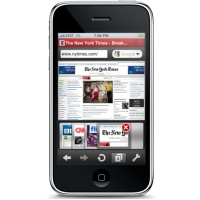
 When I heard, yesterday, that Apple had approved the Opera Mini browser for iPhone, I was a bit more than surprised — I was shocked. Apple’s track record in rejecting any app that might interfere with their business plans or control over their userbase seemed to scream that there was absolutely no way they would let a competitor browser into their little empire. It was an exciting prospect: a blazingly fast, low data-impact, full-featured browser? With features that Mobile Safari is painfully lacking like on-page search? Oh I had to see this for myself! In my testing, I discovered a lot of cool features — unfortunately, though, I came away from my first few runs of Opera Mini more than a bit disappointed.
Category: iOS (page 33 of 35)
 Following up on the first and second what’s on my iPhone posts, I continue my micro-reviews of my rapidly expanding app list, proving that my app addiction knows know boundaries. I have no idea how the fact that iPhone OS4 will allow some 2160 apps on the iPhone will affect me. My wife may steal the thing and hide it on me… In any case, this instalment will feature my Reading-for-Entertainment, General Info-Gathering, Alternative Communications (as in: I don’t use them very often), and Other-Stuff-I-Use-But-Not-a-Lot iPhone apps. Micro-reviews, all – enjoy!
Here’s Page 3:
 Following up on the first what’s on my iPhone post, I continue my micro-reviews of my rapidly expanding app list, supporting my rapidly deepening (and apparently serious) app addiction. This time around, I am going through the second springboard page — as always, discounting the possibly useless search page. Page two is, in some semblance of a nutshell, my utilities and multimedia page. Sort of. Read on and judge for yourself.
Here’s Page 2:
 As I’m sure many of you are now aware, I recently caved and bought myself an iPhone. Gone are my days of Windows Mobile mediocrity — I now join the movement of Apple users — at least until I get bored of their proprietary whims and move on to the questionable privacy of an Android phone. In any case, I’m here with the rest of you now and have immersed myself in the wonders of the app store while doing my best to spend as little money as possible. So far, in my two weeks of iPhone ownership, I have acquired over 50 apps and am using five pages of my springboard. Over the next few weeks, I’ll share what those apps are, page by page, along with a micro-review. Please feel free to share yours with me in the comments! Here’s Page 1:
 Have you ever wondered what it would be like if you could use your iPhone to watch the same television stations that you watch on your television at home? Wonder no more, for television on your iPhone is a reality, with the right setup. Today we’re going to look at two methods for getting all of your television stations on your iPhone – Slingplayer and OrbLive. The first method, Slingplayer, works anywhere that you have a data connection (3G or via WiFi), while OrbLive only works via WiFi but also works over 3G and WiFi and can be cheaper. (Updated on 2/24/10 to reflect that an OrbLive update has appeared in the App Store, restoring 3G functionality). Both methods require a piece of hardware. Read on for details. Read more