
I’m way late to the game on this one. Huffduffer is a service that I’ve heard mentioned several times on different podcasts, but I recently checked it out for the first time. Huffduffer has been described as the Instapaper for audio files, and the description is appropriate. The idea behind Huffduffer is that you can take individual audio files, including individual episodes of podcasts, and easily get them into your favorite podcast client.
Category: iPhone (page 2 of 19)
I thought this was a joke when I read it on OS X Daily, but I tried it, and it works on both the iPhone and iPad. Hit the link for the full explanation.
∞ How to Undo & Redo Typing on iPhone with a Shake | OS X Daily
A former Lifehacker editor noticed a big problem after switching from iOS to Android:
I recently switched from an iPhone to Android, and discovered shortly thereafter that my phone number was still associated with iMessage, meaning that any time someone with an iPhone tried texting me, I’d receive nothing, and they’d get a “Delivered” receipt in their Messages app as though everything were working as expected.
iMessage purgatory | Adam Pash
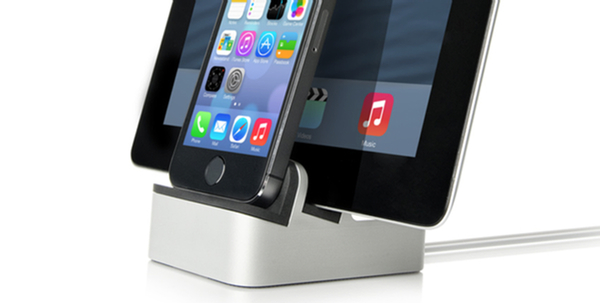
I recently decided to ditch my nightstand clock, and use an alarm clock app on my iPhone for that purpose (I’m still trying out a few different apps). My setup wasn’t very elegant, with my iPhone propped up against a box so that I could see the time. I also was constantly fighting a tangle of cords, between my iPhone, iPad, and MacBook, and a USB cord for a few different devices. Knowing that setup wouldn’t meet the WAF (Wife Acceptability Factor) for long, I researched some dock solutions, and found one ended up working well, and that my wife has even been eying with some envy.

Chalk this one up as something that I didn’t know. You can icons to your folder names on your iPhone or iPad. It involves enabling the Emoji keyboard on your device. For a full write up, check out the blog of Christopher Horrel. I’ve find this quite handy in making my folders distinguishable at a glance.