Menu Close

Category: Mac (page 18 of 26)

How to Hide Connected Drives and Keep Your Desktop Tidy [Mac]


Lately, I’ve been on a “streamlined desktop” kick. More on that in a future post. For now, though, I want to talk about how to address one minor annoyance if you want to keep your desktop clutter-free. When I first made the switch to a Mac, I noticed that all of my external drives were displayed as icons on my desktop. That wasn’t a big deal with my MacBook Air, since I rarely connect drives to it. With my iMac, though, I keep my TimeMachine drive and a SuperDuper drive connected 24/7. Here’s how I removed them from the desktop, while still keeping them hooked up to my Mac.

Read more


Should You Buy From the Mac App Store, Or Directly From the Developer?

Mac app store

The Mac App Store debuted in January 2011, and has been quite a hit. Over a million apps were downloaded in its first year of operation. Those certainly aren’t iOS numbers, but very solid for a non-mobile system. Some apps are available only in the Mac App Store. Others, though, are available in the App Store and directly from the developer. So what should you do when buying an app – get it from the App Store, or buy it directly from the developer? Here are some considerations to keep in mind.

Read more


How to Take Screenshots With Your Mac

Mac screenshots

You’ve got your new Mac, and want to take a screenshot. Where’d that Print Screen key go? Things work a bit differently on the Mac. You could go with a third party solution, such as Skitch or Littlesnapper. Or, you could use your Mac’s built in ability to take screenshots. There are three different ways to take a screenshot on your Mac, by holding down key combinations. All screenshots go to your desktop by default.

Read more


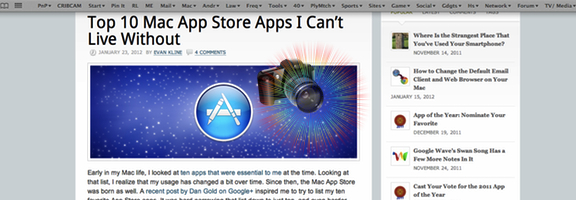
Top 10 Mac App Store Apps I Can’t Live Without

Essential mac app store apps

Early in my Mac life, I looked at ten apps that were essential to me at the time. Looking at that list, I realize that my usage has changed a bit over time. Since then, the Mac App Store was born as well. A recent post by Dan Gold on Google+ inspired me to try to list my ten favorite App Store apps. It was hard narrowing that list down to just ten, and even harder ranking these from 1 to 10. Here’s what I came up with.

Read more


How to Change the Default Email Client and Web Browser on Your Mac

mac change default browser and mail client

As I continue my now year-old journey as a Mac user, I’ve blogged about a few tips that I’ve stumbled upon, such as how to drag text onto your desktop and change it into a text note, how to reveal the dock and menu bar when using full screen apps in Lion, and how to add folders to the Finder sidebar. Many of these tips are probably “Duh!” moments to seasoned Mac users, but for those of us who come from the Windows world, they aren’t so obvious. It’s time to add another simple but important one to the list – how to change your Mac’s default email client and web browser.

Read more