Menu Close

Author: Evan Kline (page 162 of 164)

Hello, I'm Evan. I write about tech from my perspective – that of the average tech geek, sometimes with my lawyer glasses on. You can also find me on Twitter and at my real-life job as a lawyer.    MORE ABOUT ME.

Combine Readability and Evernote Clipping With One Bookmarklet

I’ve talked about Evernote a few times here already. readabilitylogo At the risk of suffocating you with another post about it, I want to call some attention to a time-saving tip from Elldove over in the Evernote official forums.  Elldove posted some javascript for a bookmarklet that combines the Readability bookmarklet and the Evernote web clipper bookmarklet into one bookmarklet.

Readability is a tool, in the form of a bookmarklet, that removes the clutter around what you’re reading and presents a page in a format that is easy to read.  Here is a before and after look at a page formatted with the Readability bookmarklet (images have been resized to fit the page):

Read more


Find Out When Sites Talk About You Online

backtypegalerts Your reputation is important, especially if you are established and have a job that depends on public perception.  At the same time, the internet can be a dangerous place for your reputation, as one false story or news item can spread like wildfire.  Two tools that can help you keep tabs on what people are saying about you on the web are Google Alerts and Backtype.  With Google Alerts and your Google account, you can enter search terms, and have emails automatically sent to you when there are new Google results for those terms.  I’ve set up alerts for various permutations of my name (my whole name in quotes, first name and last name in quotes, etc.), as well as for each one of my websites (to track when my sites are mentioned elsewhere).  I imagine this would be less handy if you have a common name.  You can schedule alerts to be sent once a day, once a week, or as they happen.  You can also configure an alert to be accessible via an RSS feed.

Read more


YouTube’s “Choose Your Ad” isn’t Really About Choice

image When is choice a bad thing?  When the choice comes from YouTube, that’s when.  Over on Technologizer, Jared Newman discusses a new advertising model that YouTube is trying out on a limited basis.  Let’s get one thing out of the way- ads aren’t going away.  The streaming of online video is expensive.  One report predicts that YouTube is on pace to lose $470 million in 2009, thanks largely to bandwidth costs that exceed $1 million a day.  It is only natural that YouTube needs to find a better way to monetize its service.  The Technologizer article indicates that you’ll be able to "select from two advertisements to watch at the beginning, or intersperse a grab bag of ads throughout the video."  Depending on how YouTube implements it, this could be an annoyance for tech-savvy users and busy users, who would be better off having no choice in the ads that are fed to them.  Why?

Read more


Comparison: Griffin Clarifi and Griffin Elan iPhone cases

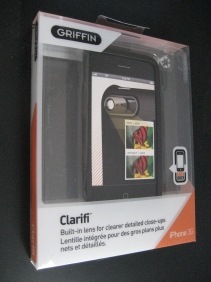
clarifi2 I previously have professed my love for Evernote as a way to unclutter my life.  One of the nice features of Evernote is its cross-platform support.  I use Evernote on my iPhone to take photographs of notes, business cards, and even wine labels.  The iPhone isn’t ideal for this, as its camera doesn’t have autofocus, and is not designed to take clear photographs of text at close range.  To address this, I purchased the Griffin Clarifi iPhone case.  Read on for my take on the Clarifi, using the Griffin Elan iPhone case as a point of reference.

What makes the Clarifi different from other cases is the lens on the rear, that slides over the iPhone camera lens.  The Clarifi lens acts as a magnifying lens of sorts, making most text much more legible.  The lens slides with the touch of a finger to cover or uncover the iPhone lens.  I had read other reviews that complained that the lens would slide on its own, but I haven’t experienced that problem.  There is plenty of friction, at least on mine, that prevents the lens from sliding until I want to slide it.  Here is an example of the same text taken first with the Clarifi lens in place (top), and then without it (bottom):

Read more


7 steps to using a non-U3 portable app on a U3 flash drive

sandisk If you’re using someone else’s computer and an application that you need or want isn’t available, you are in luck if you have a portable version of the application on your flash drive.  SanDisk is a flash drive manufacturer that installs its own proprietary software launcher, U3, on flash drives.  Some portable applications are designed specifically for U3, and are simple to install. But what if you have a SanDisk USB flash drive with U3 installed, and want to use other portable applications aside from those specifically designed for U3?  One option would be to uninstall U3 from the drive and then install the PortableApps.com Platform.   Some folks despise U3 and this is the first step they take when getting a new flash drive.  But what if you want to keep U3, but also install apps from a place like portableapps.com?  Here is how I installed non-U3 apps on my SanDisk flash drive, including how I placed a shortcut for each application in the launcher. 

Read more