Menu Close

Author: Evan Kline (page 120 of 164)

Hello, I'm Evan. I write about tech from my perspective – that of the average tech geek, sometimes with my lawyer glasses on. You can also find me on Twitter and at my real-life job as a lawyer.    MORE ABOUT ME.

Hey Loser! (Why Does Internet Anonymity Give Rise To Jerks?)

rude

Did you finish grade school or are you just another illiterate ghetto punk?

No, I’m not talking to you. That first sentence is a comment from one reader to another on a local news site. It’s an example of “internet muscles.” You know what I’m talking about – the attitude and language of some people, when they speak to someone online in a manner quite different from how they’d act if they met that person face to face. Read more


U.S. Government “Accidentally” Seizes and Shuts Down 84,000 Websites

DOJ seizes 80000 domains

Two months ago, we wrote about the U.S. Department of Justice’s largely unilateral seizure of domain names of commercial websites that were engaged in counterfeiting. We’ve now seen the danger of that process, with the government pulling a major “whoopsie” and mistakenly shutting down a large number of perfectly innocent sites, as the government went after child pornography sites.

Read more


Poll Results – The #1 Freemium App Is . . .

first place

We recently asked our readers to vote for the freemium app that is most worth paying for, and the results are in. 12 different apps received votes, with Evernote coming out on top. Dropbox and Lastpass were the other two apps that received double digits in votes. Here are the full results:

Read more


Schedule Your Tweets for Maximum Impact

timely

Do you ever feel like your tweets are falling on deaf ears? Does it seem like the big shots get all the Twitter love? Timely is a web app that purports to combat those problems, enabling your tweets to be published “when they’ll have the highest impact.”

Read more


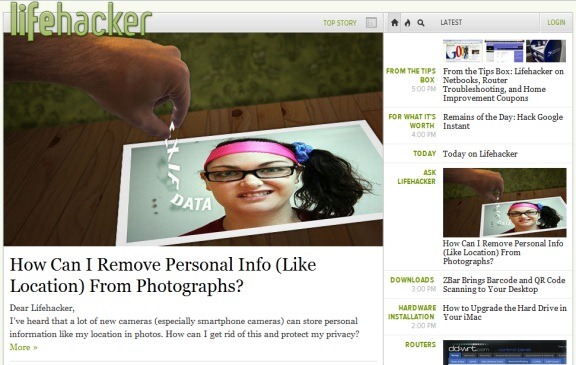
3 Ways to (Sort of) Get the Old Lifehacker Back

lifehacker full

Lifehacker, one of our favorite sites here at 40Tech, just got a redesign, along with the rest of the sites under the Gawker umbrella. The redesign has been a bit controversial, to say the least. Users have complained that the site is slow, hard to navigate, and clunky.

Personally, I hate the new design. Ajax and javascript can be great, but not when an entire site is built around them. I like sites to be scannable, and I want to be able to jump around quickly.

I love Lifehacker’s content, though, so I’ve been trying to find a way to make the site easier to digest. Here are three alternate ways to get Lifehacker’s content. They aren’t perfect, but I actually prefer them to visiting the main site.


1) Visit the full RSS feed

Even if you don’t subscribe to the RSS feed, you can still use the feed to your advantage by navigating to the feed address, and reading the site’s content there.
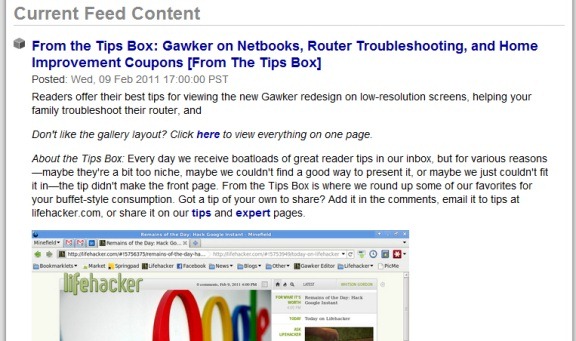
lifehacker feed


2) Visit the mobile site

You won’t see any post excerpts, but if you just want to see Lifehacker’s headlines, you can visit the mobile site in your desktop browser.
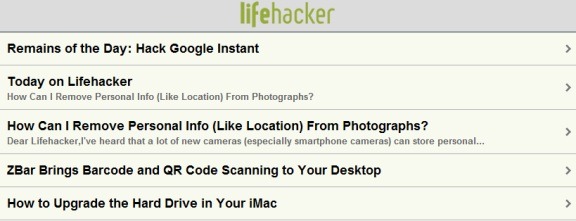
lifehacker mobile


3) Use the new “blog view”

The new design does offer a way to see posts in reverse chronological order. To do so, click on the “blog view” button, which is hidden next to the date and time at the top right of the main column (see the arrow we’ve added in the image below). Scrolling in blog view doesn’t work as well as it does in a traditional blog design, but it beats scrolling through the new design. You also get blog snippets, to help you decide whether to read a full article or not.

blog view button


What do you think of the Lifehacker redesign?