Menu Close

Category: Web Apps (page 3 of 16)

Redesign Your Living Space Online With Homestyler [App of the Week]

Redesign Your Living Space Online With Autodesk Homestyler | 40Tech

I stumbled across this completely by accident. I was looking at some very cool ideas for creating furniture from shipping pallets (my lovely wife’s new obsession), and I saw that one person had done a mock-up of what she wanted her living room to look like. Then I saw the little “Autodesk Homestyler” branding on the bottom of the image and gave an audible “Heyyyyyyyyyy!”

What followed wasn’t pretty. Picture me — or yourself, if you don’t happen to know what I look like — wandering about my house with a tape measure, measuring every wall, window, doorframe, article of furniture, you name it. I was approximating angles, imagining what changes I might like, and constantly running back to my laptop so I could re-create — and then improve upon — my living space. It was obsessive, it was zen-like, and it was surprisingly effective.

Sure, sure, there were a few little glitches, like, in the panoramic or high definition snapshot 3D rendering of my living room, dining room, and kitchen, things like tables and desks  — and my stove — liked to turn invisible. There were conflicts with some of the models, too — my TV sitting inside my TV-stand, for example, or things just refusing to sit over or near each other, even when I had the placement rules disabled. Also, there is simply no way to change the dimensions of some of the models, or (most annoyingly) the height of the walls. (See images, below.)

These things created a need for that special sort of approximation creativity that we all sometimes have to draw on, but the end result was more than adequate for me to see what it would look like if my living room had a sectional couch, and maybe a mirror on the wall (the mirror even reflects when the panorama is rendered!). I now have a reasonable working model of my living space that I can go to and mess with before trying or buying anything — and it was all free! Free, dammit! Even if the entire app is in Flash, and there is no iPad app, I’m completely down with Homestyler. Once you try it, I bet you’ll love it too.

Here’s a few shots of me working on my place — all done within a few hours of mucking about:

image image  image  image  image  image

image

And here’s a link to my panorama (no iframes hereabouts, sorry).

What are your thoughts on Autodesk Homestyler? If you know of anything comparable, tell us about it in the comments!

Autodesk Homestyler


Find Out What Flights Are Overhead With Wolfram Alpha

Wolfram alpha fights overhead

Mark this one down as not very useful, but pretty cool nonetheless. Wolfram Alpha, an online service that answers queries, now will tell you what planes are flying above you. Simply type “flights overhead” into the search box, and Wolfram Alpha will return a list of flights overhead, including the altitude, the angle from the horizon, the type of plane, and the distance away.

Read more


Gmail Has a New Look — And Almost Has An Official iPhone App

Gmail Has a New Look -- And Almost Has An Official iPhone App | 40Tech

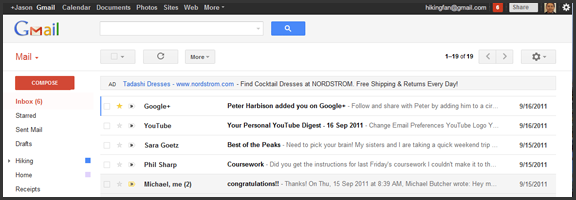
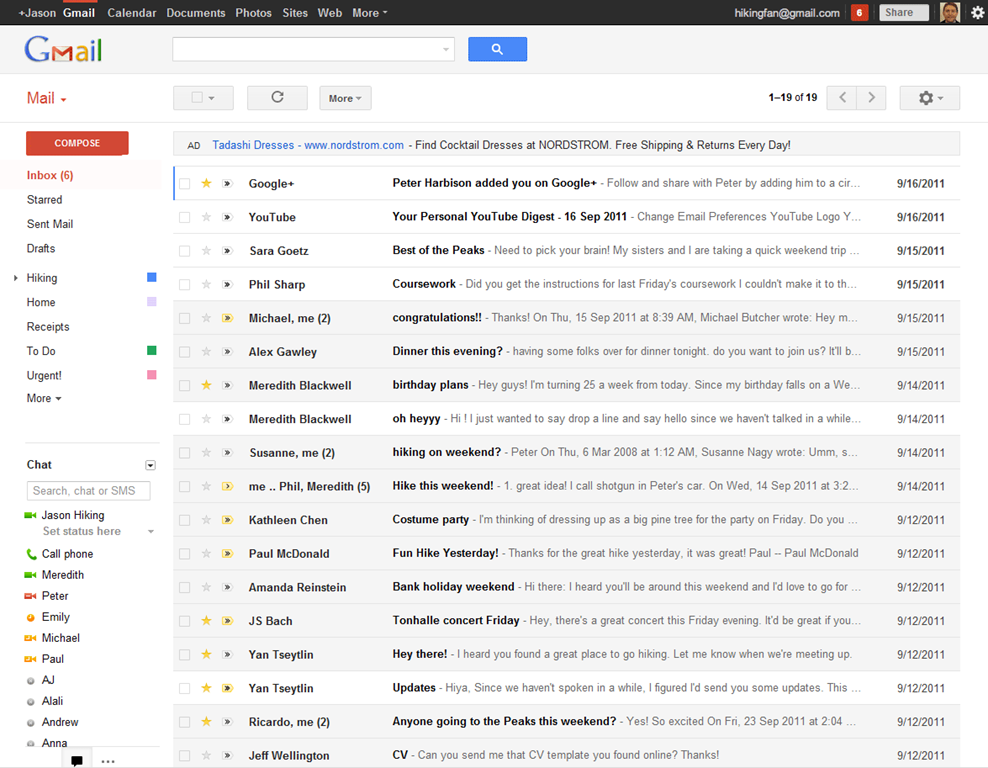
In keeping with their Big Push, Google released a new version of Gmail with a major facelift, as well as released — and then pulled — their long-awaited native Gmail app for iOS.

The new Gmail look, as is to be expected, has a few minor annoyances to accompany some great new features, and the app is actually very cool, but was pulled due to a notification system problem.

Check out the feature-list for both below.


New Gmail Web App

Gmail's New Look

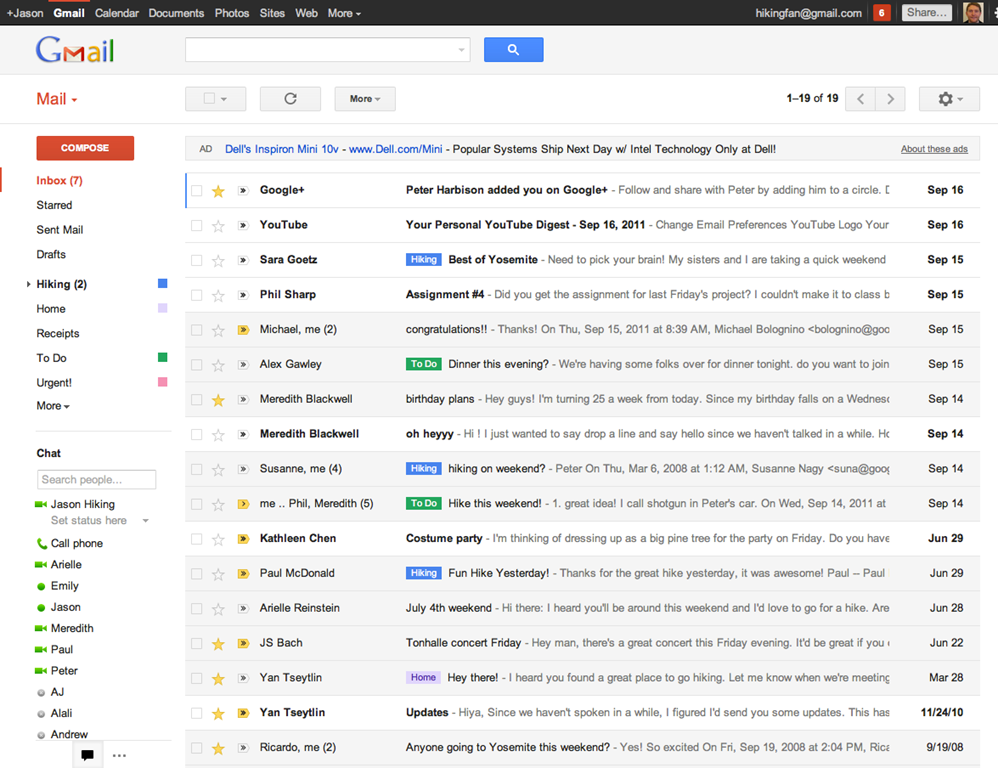
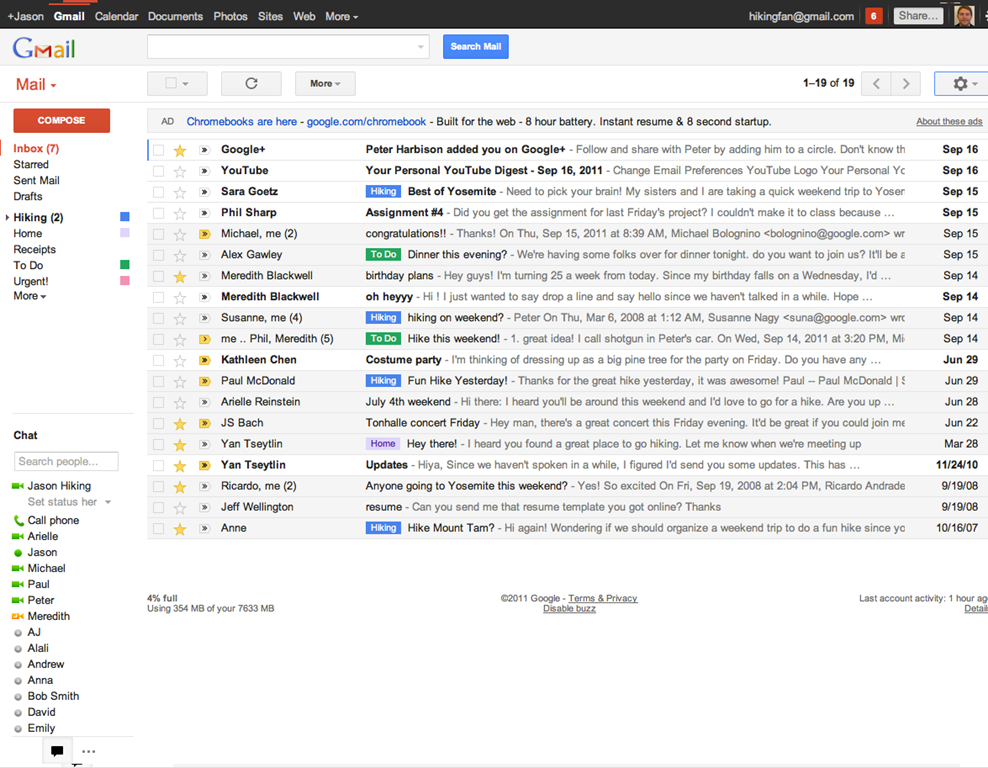
The new web app has a look and feel that fits in with Google’s updated branding. It’s “cleaner, more modern” and is very similar to the preview theme that the Gmail team released a while back. I’ve been using that theme for a few months and I love it, but I’m not terribly fond of the dynamic “Display Density” feature.

Display Density allows you to control the default amount of whitespace for each email message in your inbox (Comfortable, Cozy, or Compact), but whill actually change dynamically depending on the size of your browser window. This may seem like a good idea, but if you use Minimal Wall’s guidelines for window sizes, it displays as Compact, no matter what, which clashes with your zen by slapping you about with tiny little squished up emails. Google should add a feature that allows you to force the display of your favourite Density, no matter the size of your window.

New Gmail Comfortable Setting    New Gmail Compact Setting

What is awesome about the new Gmail is the sweet new toolbar, the much-improved search dialogue — I always hated the in-field search commands — new themes, and the improved look of threaded conversations. I also like the additional control settings, the ability to drag the size of the chat window, and the awesome little buttons in the sidebar that can make the chat, gadgets, and other annoying sidebar items vanish until you want them.

Give the new Gmail a try, and let us know what you think. If you don’t love it, you can always revert back — at least for now. Check out the video for details on the upgrade:


Native Gmail App for iOS

Once Google gets a handle on the notifications errors (apparently just a silly little mistake on their part, so it shouldn’t be long), the new iOS app will probably kill the iOS mail app for me. I only use the thing because I hate waiting for Safari to load, and the new app looks like it will finally allow me to do what I’ve always wanted to from my iPhone and iPad: reply to emails with the email address that they were sent to.

This is a huge deal for me, because I use a multitude of different email addresses for different things, and they all come through Gmail. I don’t necessarily want to answer my 40Tech email or my work email with my main email address, which I’ve had forever, but might not always come off with the… professionalism… I need.

Unfortunately, you still can’t compose new email in the app and choose what email you want to send from. Baby steps, though, I suppose — and it’s still better than the iOS emai app.

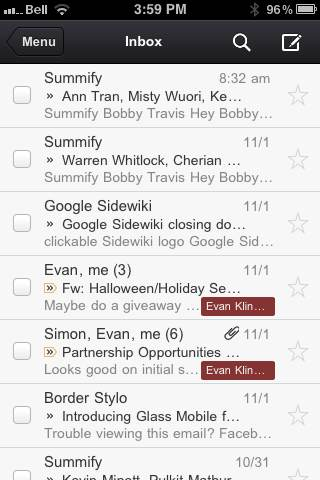
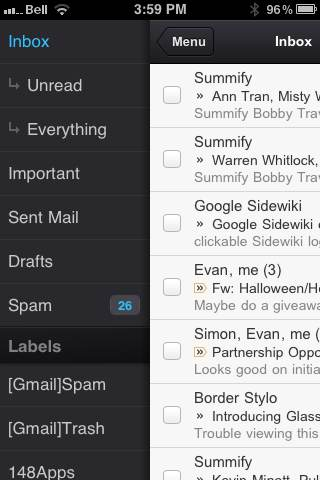
The new Gmail for iOS app is nearly a full-featured Gmail experience. There is universal search, auto-complete from both Gmail contacts and iPhone addressbook, attachment upload (which is basically photos, of course), threaded conversations, priority inbox, easy archiving, labelling, starring, deleting, and spam reporting.

New Gmail App for iOS | 40Tech       New Native Gmail App for iOS | 40Tech

On iPhone/iPod Touch, the Gmail app gets out of its own way, focusing on the content, with a nice expandable sidebar to sort through your labels. On the iPad, you get the standard two-paned view, which makes for easy viewing and navigating on the larger screen.

The only other things to note are that, at the moment, the app doesn’t have offline support, and doesn’t do multiple Gmail accounts, and that swipe gestures — while good for the most part — sometimes feel a bit awkward.

What are your thoughts on the new look for Gmail? And when you get a chance to check it out, tell us what you think of the iOS app, as well! 


Memonic: A (Not So) Quiet Rival to Evernote and Springpad [App of the Week]

image

I just confirmed with the CEO of Memonic that the crazy premium account deal ($3.33 Euro for 10,000 notes and 50GB storage) link works until the end of October. And it works for whomever, not just the Swiss/Germans. Translate the page from German and get it while it’s hot!

There’s been a lot of discussion on 40Tech about which is the best note-taking app. While the battle is generally between Springpad and Evernote, occasionally a new option steps in for a punch or two. This week’s contender has been watching, learning, and in many cases even improving upon the competition. I’d like to introduce you all to Memonic — there’s a reason it made App of the Week.

When it comes to note-taking apps, there are five key things to look for: how easy it is to get information into the app, organization and sharing features, overall usability, cross-platform possibilities, and personal preference. That last is a huge factor in user adoption. Depending on what you need your notes app to do, one or another may work better for you.

Evernote, for example, is well suited to those who just need a straight ahead, highly searchable portable filing cabinet. It can do many other things, true, such as be used for a GTD system, but portable (and searchable!) filing cabinet is what it does best. Springpad, on the other hand, is great for taking notes, but has this fantastic capacity for making certain types of notes “smart.” If you like to comparison shop, find good deals, or get value from what the people in your network are interested in, Springpad’s note-alerts system offers you something no other note-taking app can match.

Memonic doesn’t have the budget that Springpad or Evernote has. They’ve been bootstrapping their system for a while now, and when you consider that and then see what they’ve put together, I have no doubt you’ll be impressed. I was — and am. Just as Evernote and Springpad differ in their approach and target markets, Memonic has brought its own angle to the field: research and collaboration. Now, before the Evernote lovers start touting shared notebooks, and the Springpad-enamoured bring up the oh-so-very-cool Board, hear me out. Those are all excellent features — but if you want an app that makes it easy to share and organize notes on a project (or projects), easy to be notified when new notes and research snippets have arrived or been commented on, and ridiculously simple to gather information in the first place, then Memonic is the clear choice. Here’s why:


Groups

Memonic can be used as a central collaboration notebook for research, planning, and discussions on projects. You can create a group, invite a few people, and then get to work. The group gets its own page with its own activity feed, too, which makes it simple to be notified and to keep an eye on progress.

If you run into the ever-present problem of working with someone who doesn’t want to use the service, sharing notes with people outside of Memonic is easy, too. You can share via Facebook, Twitter, email, or a link, RSS feeds, and you can even embed notes on web pages — which is a nice touch.

Share Memonic Notes on Facebook, Twitter, Email, or Embed in a Web Page | 40Tech


The Dashboard

Memonic’s group and contacts features are fully realized with the feed-like Dashboard. The Dashboard not only shows you a quick clip of everything you’ve posted recently, but it also shows the public posts of your contacts — which can be opened and read in full right from the dashboard itself. See something you like? Copy it to your own collection of notes, or share it with others via email, link, Facebook, or Twitter (or even copy it to Word) with just a few clicks.

Memonic Dashboard | One of the Best Note Taking Apps | 40Tech


The Best Clipper I’ve Come Across

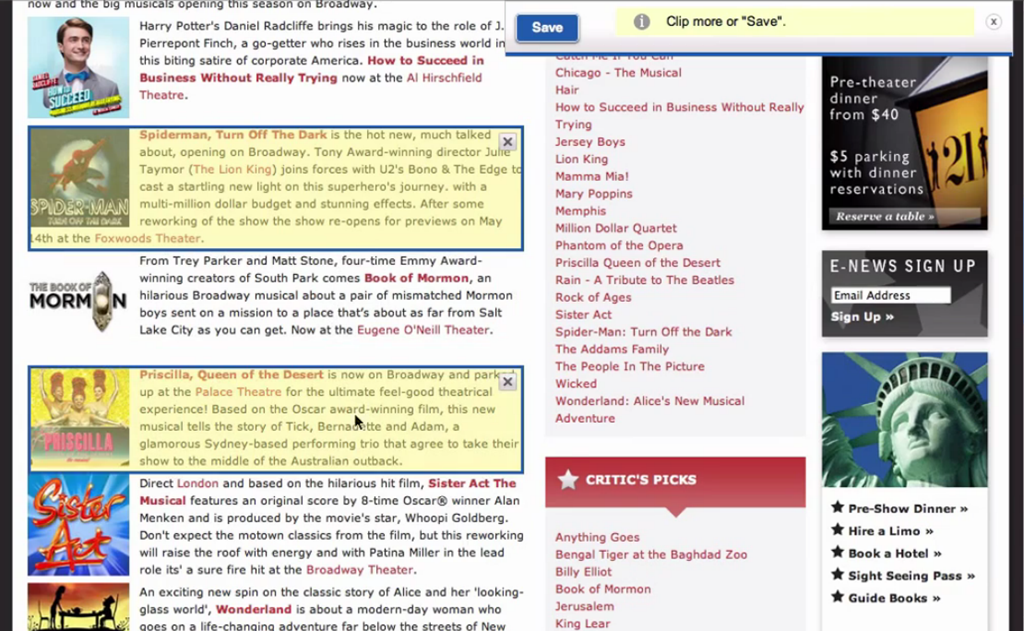
I love the Evernote Web Clipper, and I like the Springpad Clipper even better, but both can get a bit irritating if you’re in a hurry. Memonic’s clipper does away with the click and drag highlighting and breaks each section of content on a page into regions that can be selected with a single click. You can do multiple parts of the page, or even the entire page in one go. When you’re doing a lot of web research, this speeds up the process immensely.

Memonic Clipper is the Best Web Clipper in the Business | 40Tech

Quick content selection isn’t the only reason the Memonic clipper stands out over the others. The other big one is Gathering Mode, which is a little toggle switch that allows you to lock in your settings for where you want to put your notes — folder, privacy level — and save you the trouble of having to re-establish those settings for every single clipping. It’s awesome — and I have no idea why other clippers don’t do the same. The only thing I would like to see added to Gathering Mode is the ability to lock in tags, as well.

Finally, the Memonic clipper has a variety of other useful modes that can replace a number of other services with just this one:

  • Read Later mode that allows you to grab entire pages
  • Bookmark mode (which provides a nice snippet description as well)
  • Screenshot mode that attaches an image of the visible browser area
  • Write a note (to get to the note taking without even opening the service)

Memonic Web Clipper Can Replace Read It Later, Bookmarking Apps | 40Tech

The web clipper works with all major browsers — and even works by bookmarklet with Safari for iPad. If that isn’t enough, there is also a clipper for Windows that allows you to clip content outside of the browser.


Clean and Simple Design — Across all Platforms

Memonic focuses on the minimal. The way notes are displayed in expandable windows that are neatly separated from one another is easy on the eyes and easy to use. The look and feel is distinctly uncluttered, and is fairly persistent across all versions of the app. And you can get Memonic pretty much anywhere: Windows and Mac desktop apps, iPhone, iPad, Android devices, and the web app for everything else. Mobile versions don’t have the Dashboard, unfortunately, but everything else you could want is there, both online and off.


Crazy Integrations

For a small operation, Memonic is throwing around some important integrations, especially for the business set. Here’s just a few: Salesforce, SugarCRM, Confluence, Sharepoint — and guess what… they are planning to integrate with Evernote! That may seem a bit weird, but soon, all those who can’t bear to walk away from Evernote, but love the power of the Memonic clipper, will be able to use the super-awesome clipper to save content directly to their Evernote accounts. A nice, tidy little bit of genius on the part of Memonic, if you ask me.
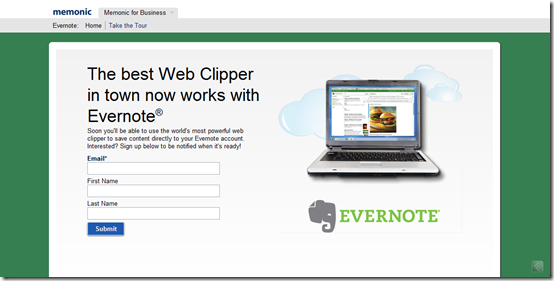
Memonic Clipper Integrates with Evernote | 40Tech

If, for some strange reason, you need more than the promise of Evernote integration, well, Memonic also integrates a save button into Facebook so you can save your favourite photos, status updates, and wall posts. Want more? How about Google Reader integration so you can clip your favourite posts while reading your feeds? How’s that tickle you?
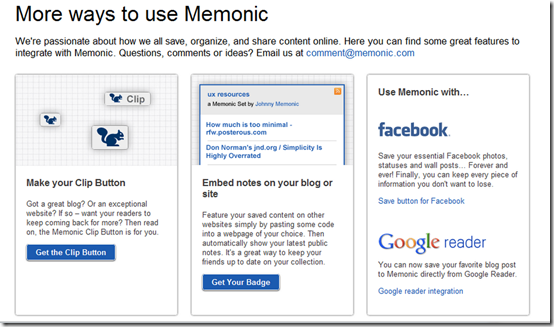
More ways to Use Memonic | Save Facebook, Google Reader Posts | 40Tech


Memonic’s co-founder, Dorian Selz, and the rest of the team have worked their butts off on a bootstrap budget to put together one of the most robust note-taking apps I’ve ever come across — a definite rival for Evernote and Springpad if it gets the notice it deserves. The only issue I personally have with Memonic is that their free version is limited to only 100 notes and doesn’t have Gathering Mode. To get the full service, though, only costs $28/year — which isn’t bad considering Evernote premium is $45/per year — and Memonic doesn’t have any advertising to clutter up your experience. If you do a lot of research on your own, or as part of a student or business team, give Memonic a try — you just might love it. And there are discounts for students, too.

What do you think of Memonic?


Summify Cuts Through the Chatter, Helps You Get The Real Goods From Your Social Streams

Summify Cuts through the Chatter, Helps You Get The Real Goods From Your Social Streams | 40Tech

Summify has been acquired by Twitter and will be shutting down. See this post for more detail.

I’d like to take a moment to step away from the general worship and awe of Google+, and circle back (hehe) to our old friend Twitter. Actually, I plan to talk about Summify, and how it can take the often-overwhelming amount of information that is travelling through your Twitter stream at any given time, and sort it into a “highlight reel” that can be shared as a whole and as individual posts. It’s easy, it’s effective, and maybe just a little bit brilliant — and I have no doubt it will save you time and make your online reading much less hectic.

Multiple Accounts

Summify isn’t just about Twitter, either. Sure, it can connect to as many Twitter accounts as you like, but it also connects with Facebook and Google Reader. In fact, the more accounts you add, the better your summary will be.

Control

You get to decide how often you get a summary, how many stories it contains, when it gets delivered to you, how it gets delivered, who gets to look at it, and whether or not it gets published to your accounts. For example: my Summify is set up to deliver a new summary of 10 stories, twice per day (at 8:30am and 8:30pm), to my email inbox. Others can view it, and I automatically publish a link to the summary on my main Twitter and Facebook accounts. I could have allowed Summify to send me a Twitter DM notification as well, but between email and the recently released iPhone app, I’m covered.

summify-1 Summify-2

summify-2a summify-3

When you select a link in Summify (from email or your main summary), the article opens up with a handy toolbar on top (which you can close, if you want) that allows you to share the post on one or all of your connected networks. You can also see the avatars of the people who shared the article with you in the centre of the toolbar, and hover over them to view the originating tweet and click through to their account.

summify-5

If you don’t like the article and think it shouldn’t have been in your summary, you can click the little thumbs-down button to add it to your Filters list. This is a nice and easy way to weed out spammers and other annoying sites that occasionally sneak through. In fact, when you are in the Summify web app, itself, you can thumb an offending article down right then and there, without ever opening it. You can also filter by contributor, allowing you to block specific people from contributing to your summary. All you have to do is hover over one of the avatars below any given article, and then move your mouse over the little “x” that appears in the top right, and click it. This, and the thumbs-down functionality aren’t available in the email, of course, but they are also missing from the iPhone app; something that I hope changes, soon. Thankfully, though, Summify is smart enough that it gets it right about 98% of the time. And the iPhone app is pretty, and so is easily forgiven.

summify-4

People-Friendly Messages

When Summify sends out a summary message it takes great care to do two things: 1) It mentions some of the people who provided you with the information in the first place; which makes for nice Twitter etiquette. 2) It varies the messages so they aren’t always the same boring words with a new link. As an example, take a look below at three recent tweets (not clickable) that Summify sent out on my behalf.

tweet1tweet2tweet3

It should also be noted that mentions are automatically included in share of single posts, as well, and that you can edit the content of single-post shares before posting.

Easy, Good Looking, and Smart

Take the section-title anyway you like, but understand that it’s true, and it’s awesome! The apps (and even the emails) are easy on the eyes and easier to work with, and the service is smart enough to not only consistently deliver articles that you like, but it also will list out several other stories from websites that post multiple posts. This makes sure that you get all the highlights from Mashable and other large sites without having to visit them directly or open up another app.

I’ve been using Summify for a month or two now, and I’ve lost count of the number of hours I’ve saved by not scanning through the muck that is sometimes Twitter, and by not chasing down every shiny post in my 49 or so RSS feeds. Summify helps keep things clear and easy to manage, and has even kept me relevant on Twitter while I play with Google +. Speaking of Google +, I’m hoping that we’ll see it integrated into Summify soon (they already have the +1 button). Even better, Summify should be integrated into the Sparks feature! Now, that would be sweet! * pokes Google *

Note: For those interested, Summify is located right here in my (rarely) sunny home-city of Vancouver, and they have had the benefit of advising from the CEO of another little local social app called HootSuite. Maybe you’ve heard of it? :D

Give Summify a try and tell us what you think!

UPDATE: Summify has recently updated its look (pretty much the day after this post went up). It was pretty before, but now it’s awesome! It also includes Instapaper integration.

Summify-new.