
 We’ve recently started using Google Wave here at 40Tech, and have found it be extremely useful, especially for site-related tasks. In fact, we wrote our first collaborative post using Wave recently. As useful as Wave can be, it can also be overwhelming. Once you’ve followed a few waves, your Inbox can be overflowing, making it very difficult to find what you want. How to tame this? For starters, you can organize waves into folders. But what if you want to organize waves by tag? Tags have some advantages over folders, including the fact that a wave can only belong to one folder, but a wave can possess multiple tags. Even if you tag your waves, however, there doesn’t appear to be a way to make your tags easily selectable in the sidebar. It might not be built into Wave’s UI, but there is in fact a way to get your tags into the sidebar. Read on for how to do it.
Month: November 2009 (page 2 of 3)
 Ten days ago, we previewed Dragon Age: Origins, BioWare’s latest RPG offering for the PC, Xbox 360, and Playstation 3. We’ve now had almost two weeks with the game (Evan on the PC, Bobby on the PS3), so we should have a full review for you soon, right? Well, one small problem. Dragon Age is a huge game. Almost two weeks in, and both of us are less than 10% finished with the game, according to the in-game statistics. We have both played for hours and hours, though, so we have enough of a feel for it to give you our first impressions. Read on for our thoughts on Dragon Age, from both a PC perspective and PS3 perspective.
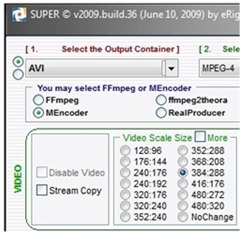 Years ago, video editing was restricted to those with high-end computers, and was a cumbersome, problem-riddled task, filled with dropped frames, out of sync audio, and other headaches. Some of us even attempted to edit video without a computer. I remember the days of trying to splice together a family video, using dubbed VCR’s. Let’s just say that those efforts didn’t turn out so well. Now, though, video editing has come to the masses. Almost any modern computer can handle video, and editing software comes preinstalled on most operating systems (or is a free download, in the case of Windows 7). In addition to the software to edit video, there are other free programs that are worth carrying in your arsenal. Here are four handy ones, which are Windows-only unless otherwise noted.
 Some of you may have already read our rather detailed how-to on Getting Things Done in Evernote with Only One Notebook — in fact, we are pleasantly surprised on a daily basis by how many people keep reading it… But what if you don’t use Evernote? *gasp* Or what if GTD just doesn’t quite do it for you? Maybe you need something a bit more visual? A bit more project-centric? If so, then Action Method Online may be just what you have been looking for.
 So you’ve installed Windows 7, and have decided you want to repartition your disks. You could use Windows 7’s built-in disk partitioning features, but what if that doesn’t work? That recently happened to me. Windows 7 refused to partition the disk, telling me ‘There is not enough free space on the disk to complete this operation,’ even though I had ample space on the disk. A Google search revealed this to be a common problem. I searched for and found an alternate solution.