
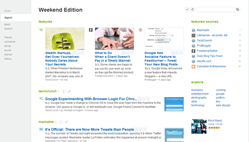
 As is apparent from my last article on 40Tech, I have been playing around with a multitude of Google Chrome Extensions since the official beta-door was opened, last week. Last night, I discovered Feedly, a social RSS extension based on Google Reader and Twitter that “organizes your favorite sites into a fun, magazine-like start page” (also available for Firefox). In a word, Feedly is awesome. In two words it is dangerously awesome, or, as the title states, dangerously useful– if you install it for either browser, make sure you set some time aside. You’re going to be there for a while.
Month: December 2009 (page 2 of 3)
 40Tech launched on June 4, 2009. While the site is still in its infancy, its growth has been encouraging. We have you to thank for that. Thank you for visiting, and for contributing. In the first days, we were excited about getting 10 visits a day, believe it or not. Today, we’re going to take a brief look at the site’s traffic statistics over those six months, and a few of the lessons we’ve learned from those statistics. We’ll use Google Analytics to look back at our traffic.
 Last week, Google officially opened the doors of Google Chrome Extensions, the extensions site for the Google Chrome browser. This puts Google Chrome one step closer to being a serious competitor for Firefox 3.5, especially considering the super-fast loading speeds of the Google browser. Google Chrome Extensions launched with over 300 active add-ons, with more being released daily, and features an auto-update (in the background) functionality to avoid the constant requests to update extensions that many find annoying in Firefox. Extensions are currently only available for the latest Beta version of Chrome, which can be found here, as well as for developer versions, and have seen some success on Mac and Linux platforms as well as Windows.
After a few late nights of obsessively searching the Chrome Extensions site and testing everything that caught my eye, I have compiled a list of add-ons that may sway you to (or sway you back to, as in my case) install Google Chrome as your primary browser.
This is an update to an earlier post, How to Secure Evernote on a Shared Computer, and shows an easier way to open an encrypted version of Evernote data with a simple desktop shortcut.
 A few months ago, we explained how to use Evernote and TrueCrypt to secure Evernote on your computer. This was in response to one of the loudest gripes about Evernote – its inability to natively secure your data, short of locking your user account every time you stepped away from your computer. One of the commenters to that post, Barry, shared with us a batch file (a text file that runs a series of commands) to make this process even easier to use. Once set up, it is a two step process: click on an icon, and enter your password. Doing so automatically opens TrueCrypt, decrypts your data, and then opens Evernote. The batch file even closes TrueCrypt when you exit Evernote. Read on for updated instructions that include Barry’s batch file. Thanks to Barry for sharing this with us.
 Google Wave is still in its early stages, with most of us learning as we go. I don’t know about you, but it seems that every day I stumble upon an easier way of doing something in Wave. There are some outstanding Wave resources out there, such as The Complete Guide to Google Wave by Gina Trapani with Adam Pash, and Mashable’s HOW TO: Get Started with Google Wave. But sometimes you just want some basic tips to get you started. A few weeks ago, we wrote about How to Organize the Google Wave Sidebar With Tags. In that spirit, here are 5 more entry-level tips for Google Wave.